15.0k GitHub stars and counting — AliaksandrSiarohin/first-order-model is a Jupyter Notebook project TopGit is tracking across repositories on the platform. This repository contains the source code for the paper First Order Motion Model for Image Animation
Snapshot summary built from the project's own GitHub metadata — there's no written TopGit review yet. The page will update automatically when a full review is published.
WHY NO REVIEW YET
TopGit writes full reviews for the most-starred, most-requested repositories. This page is a snapshot until then — see the READ ME tab for the original README in full.
!!! Check out our new paper and framework improved for articulated objects
First Order Motion Model for Image Animation
This repository contains the source code for the paper First Order Motion Model for Image Animation by Aliaksandr Siarohin, Stéphane Lathuilière, Sergey Tulyakov, Elisa Ricci and Nicu Sebe.
Hugging Face Spaces
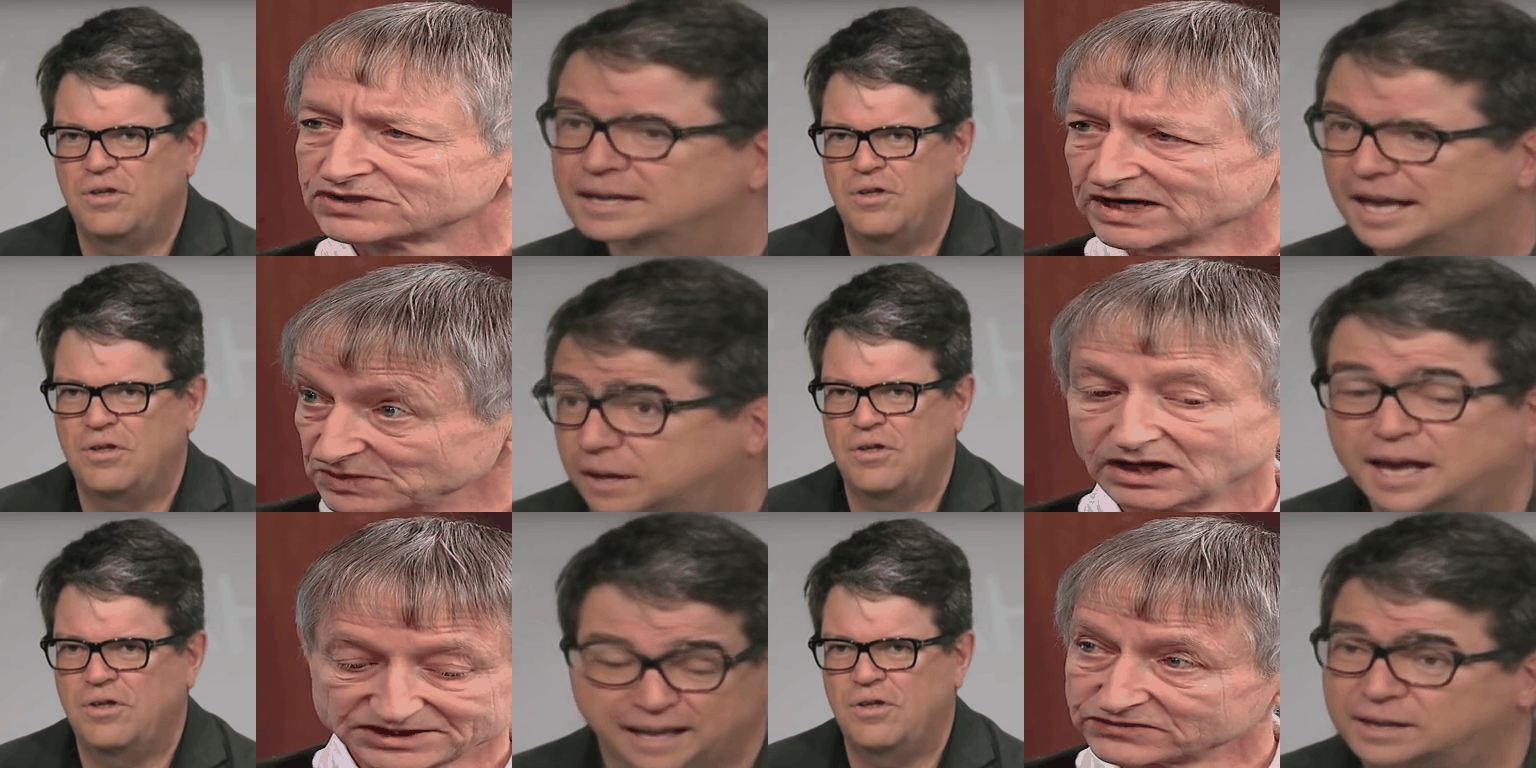
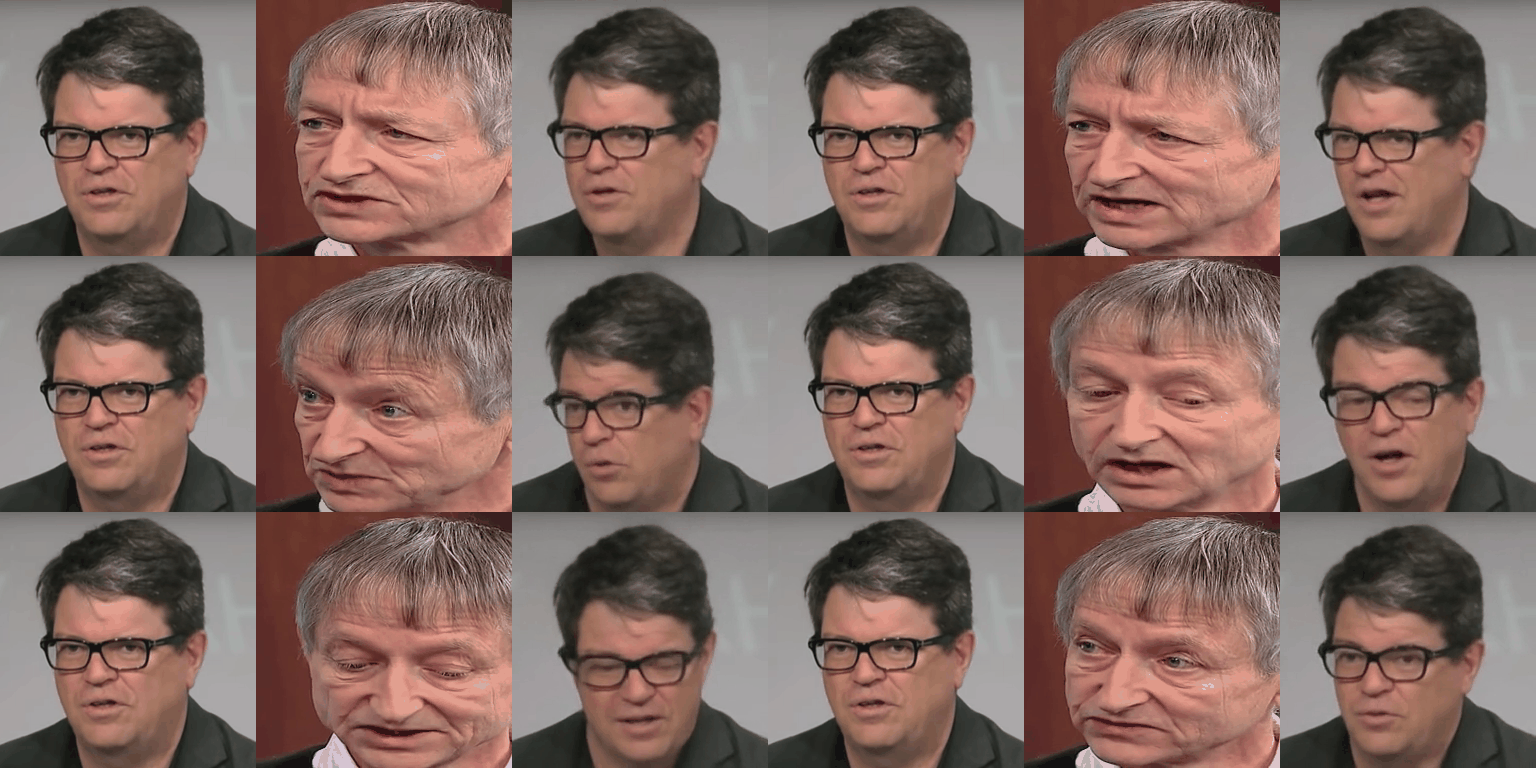
Example animations
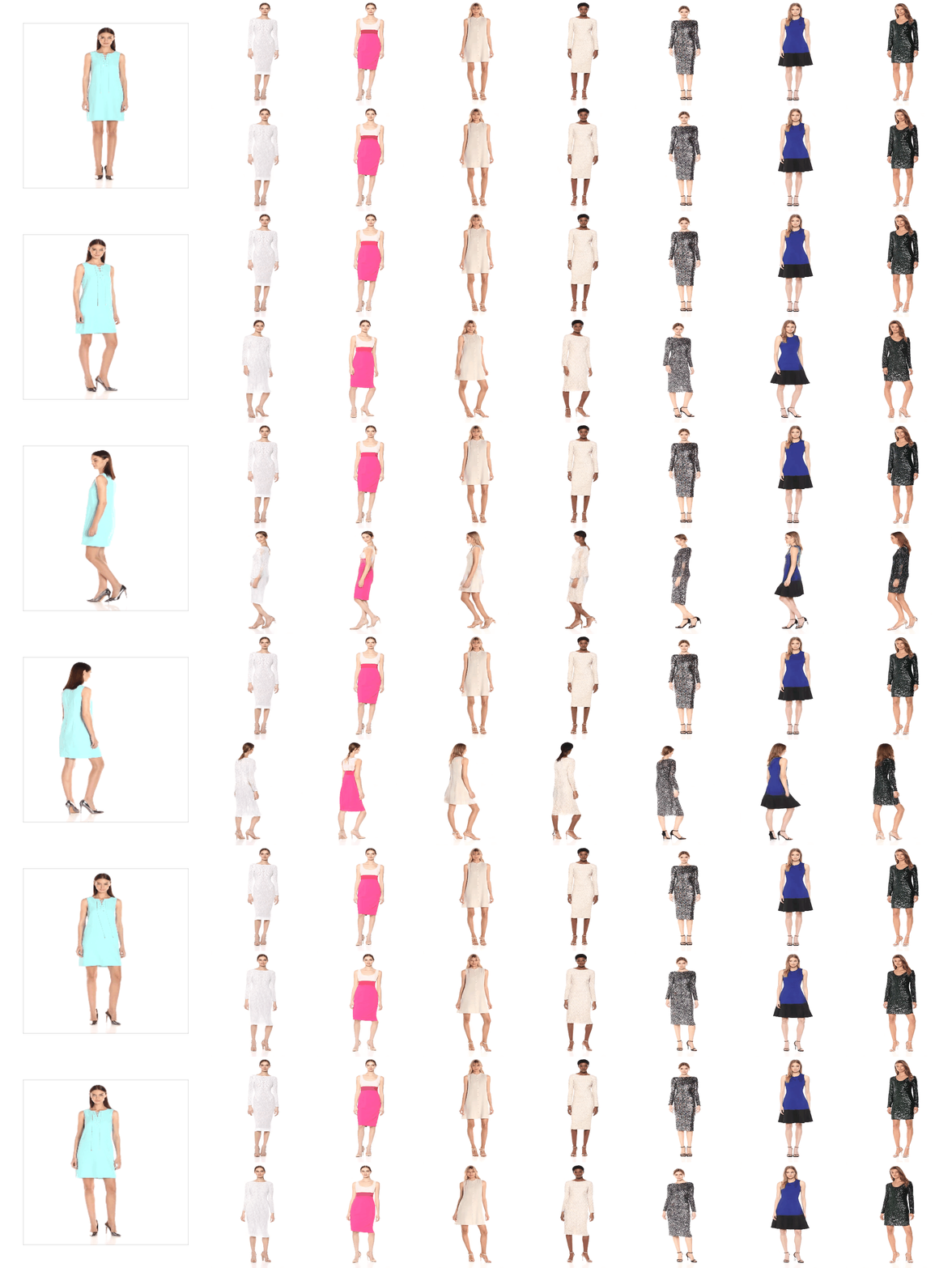
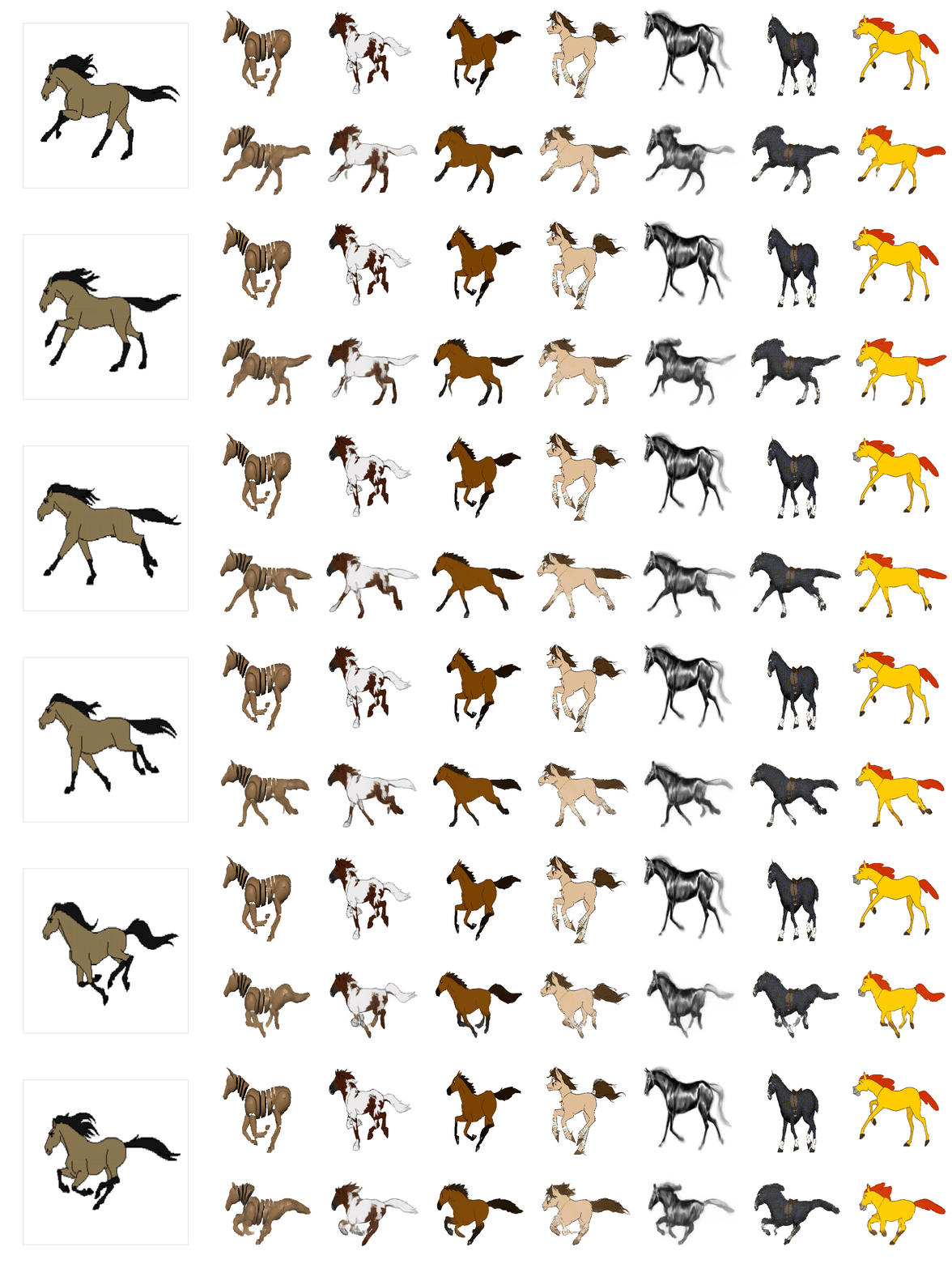
The videos on the left show the driving videos. The first row on the right for each dataset shows the source videos. The bottom row contains the animated sequences with motion transferred from the driving video and object taken from the source image. We trained a separate network for each task.
VoxCeleb Dataset
Fashion Dataset
MGIF Dataset
Installation
We support python3. To install the dependencies run:
pip install -r requirements.txt
YAML configs
There are several configuration (config/dataset_name.yaml) files one for each dataset. See config/taichi-256.yaml to get description of each parameter.
Pre-trained checkpoint
Checkpoints can be found under following link: google-drive or yandex-disk.
Animation Demo
To run a demo, download checkpoint and run the following command:
The driving videos and source images should be cropped before it can be used in our method. To obtain some semi-automatic crop suggestions you can use python crop-video.py --inp some_youtube_video.mp4. It will generate commands for crops using ffmpeg. In order to use the script, face-alligment library is needed:
If you are having trouble getting the demo to work because of library compatibility issues,
and you're running Linux, you might try running it inside a Docker container, which would
give you better control over the execution environment.
Requirements: Docker 19.03+ and nvidia-docker
installed and able to successfully run the nvidia-docker usage tests.
We'll first build the container.
docker build -t first-order-model .
And now that we have the container available locally, we can use it to run the demo.
@graphemecluster prepared a GUI demo for the Google Colab. It also works in Kaggle. For the source code, see demo.ipynb.
For the old demo, see old_demo.ipynb.
Face-swap
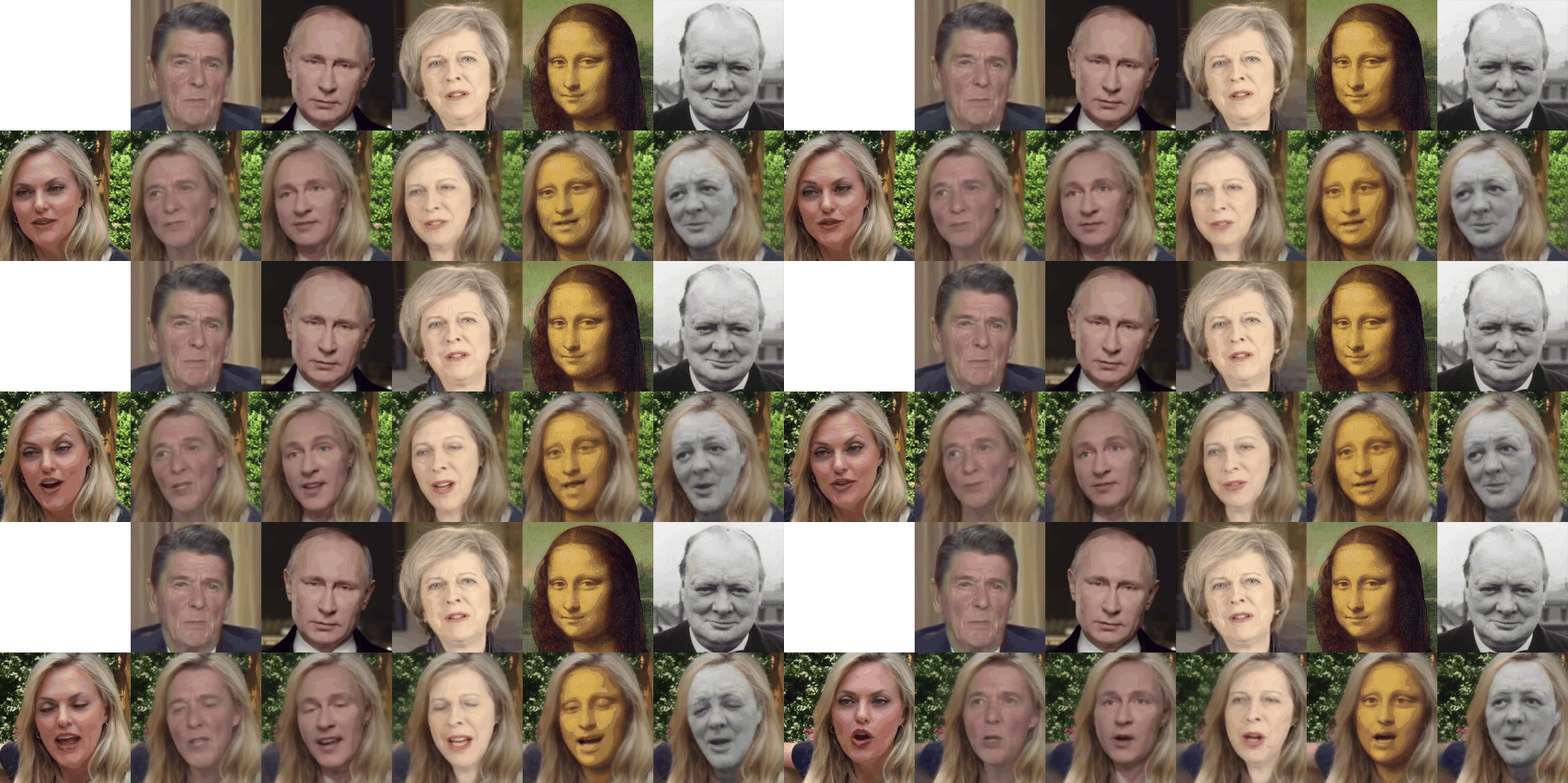
It is possible to modify the method to perform face-swap using supervised segmentation masks.
For both unsupervised and supervised video editing, such as face-swap, please refer to Motion Co-Segmentation.
The code will create a folder in the log directory (each run will create a time-stamped new directory).
Checkpoints will be saved to this folder.
To check the loss values during training see log.txt.
You can also check training data reconstructions in the train-vis subfolder.
By default the batch size is tuned to run on 2 or 4 Titan-X gpu (apart from speed it does not make much difference). You can change the batch size in the train_params in corresponding .yaml file.
You will need to specify the path to the checkpoint,
the reconstruction subfolder will be created in the checkpoint folder.
The generated video will be stored to this folder, also generated videos will be stored in png subfolder in loss-less '.png' format for evaluation.
Instructions for computing metrics from the paper can be found: https://github.com/AliaksandrSiarohin/pose-evaluation.
You will need to specify the path to the checkpoint,
the animation subfolder will be created in the same folder as the checkpoint.
You can find the generated video there and its loss-less version in the png subfolder.
By default video from test set will be randomly paired, but you can specify the "source,driving" pairs in the corresponding .csv files. The path to this file should be specified in corresponding .yaml file in pairs_list setting.
There are 2 different ways of performing animation:
by using absolute keypoint locations or by using relative keypoint locations.
Animation using absolute coordinates: the animation is performed using the absolute positions of the driving video and appearance of the source image.
In this way there are no specific requirements for the driving video and source appearance that is used.
However this usually leads to poor performance since irrelevant details such as shape is transferred.
Check animate parameters in taichi-256.yaml to enable this mode.
Animation using relative coordinates: from the driving video we first estimate the relative movement of each keypoint,
then we add this movement to the absolute position of keypoints in the source image.
This keypoint along with source image is used for animation. This usually leads to better performance, however this requires
that the object in the first frame of the video and in the source image have the same pose
Datasets
Bair. This dataset can be directly downloaded.
Mgif. This dataset can be directly downloaded.
Fashion. Follow the instruction on dataset downloading from.
Taichi. Follow the instructions in data/taichi-loading or instructions from https://github.com/AliaksandrSiarohin/video-preprocessing.
Nemo. Please follow the instructions on how to download the dataset. Then the dataset should be preprocessed using scripts from https://github.com/AliaksandrSiarohin/video-preprocessing.
VoxCeleb. Please follow the instruction from https://github.com/AliaksandrSiarohin/video-preprocessing.
Training on your own dataset
Resize all the videos to the same size e.g 256x256, the videos can be in '.gif', '.mp4' or folder with images.
We recommend the later, for each video make a separate folder with all the frames in '.png' format. This format is loss-less, and it has better i/o performance.
Create a folder data/dataset_name with 2 subfolders train and test, put training videos in the train and testing in the test.
Create a config config/dataset_name.yaml, in dataset_params specify the root dir the root_dir: data/dataset_name. Also adjust the number of epoch in train_params.
Additional notes
Citation:
@InProceedings{Siarohin_2019_NeurIPS,
  author={Siarohin, Aliaksandr and Lathuilière, Stéphane and Tulyakov, Sergey and Ricci, Elisa and Sebe, Nicu},
  title={First Order Motion Model for Image Animation},
  booktitle = {Conference on Neural Information Processing Systems (NeurIPS)},
  month = {December},
  year = {2019}
}
How active is development on AliaksandrSiarohin/first-order-model?
The most recent commit recorded on AliaksandrSiarohin/first-order-model was 2.0 years ago, based on the GitHub push timestamp. The repository has 3.2k forks — one of the better signals of community interest.
How many stars does AliaksandrSiarohin/first-order-model have?
AliaksandrSiarohin/first-order-model has 15.0k GitHub stars — refresh the page for the live number, or check github.com/AliaksandrSiarohin/first-order-model. TopGit mirrors GitHub's count but does not claim minute-by-minute accuracy.
What language is AliaksandrSiarohin/first-order-model written in?
AliaksandrSiarohin/first-order-model is written primarily in Jupyter Notebook. GitHub's language field is based on the largest share of bytes in the default branch.
What license does AliaksandrSiarohin/first-order-model use?
AliaksandrSiarohin/first-order-model is released under the MIT license. Always verify the LICENSE file directly on GitHub for the authoritative terms — license strings can be edited out of sync with a project's actual stance.
What topics is AliaksandrSiarohin/first-order-model associated with?
GitHub's repository topics for AliaksandrSiarohin/first-order-model: "deep-learning", "generative-model", "image-animation", "motion-retargeting". TopGit's editorial category is AI Tools.
Where can I see AliaksandrSiarohin/first-order-model in action?
The project maintains a homepage at https://aliaksandrsiarohin.github.io/first-order-model-website/. The README tab on this page also usually contains screenshots and a quickstart.
Where do I read more about AliaksandrSiarohin/first-order-model?
This TopGit page is a snapshot — the READ ME tab shows the project's own README content (links stripped, images preserved). The GitHub repository at github.com/AliaksandrSiarohin/first-order-model is the definitive source.
Read full README in the tab above.
Still deciding about first-order-model?
One click hands the question to an AI along with this page — see what it says about first-order-model.

 /first-order-model



 For both unsupervised and supervised video editing, such as face-swap, please refer to Motion Co-Segmentation.