cesanta/mjson

Indexed by TopGit from live GitHub metadata: cesanta/mjson has 466 stars, written primarily in C. C/C++ JSON parser, emitter, JSON-RPC engine for embedded systems
Snapshot summary built from the project's own GitHub metadata — there's no written TopGit review yet. The page will update automatically when a full review is published.
TopGit writes full reviews for the most-starred, most-requested repositories. This page is a snapshot until then — see the READ ME tab for the original README in full.
Snapshot
Top contributors
Show top contributors
mjson - a JSON parser + emitter + JSON-RPC engine



Features
- Small, ~1k lines of code, embedded-friendly
- No dependencies
- State machine parser, no allocations, no recursion
- High level API - fetch from JSON directly into C/C++ by jsonpath
- Low level SAX API
- Flexible JSON generation API - print to buffer, file, socket, etc
- JSON-RPC client/server. Connects any microcontroller online via https://vcon.io
Parsing example
const char *s = "{\"a\":1,\"b\":[2,false]}";  // {"a":1,"b":[2,false]}

double val;                                       // Get `a` attribute
if (mjson_get_number(s, strlen(s), "$.a", &val))  // into C variable `val`
  printf("a: %g\n", val);                         // a: 1

const char *buf;  // Get `b` sub-object
int len;          // into C variables `buf,len`
if (mjson_find(s, strlen(s), "$.b", &buf, &len))  // And print it
  printf("%.*s\n", len, buf);                     // [2,false]

int v;                                           // Extract `false`
if (mjson_get_bool(s, strlen(s), "$.b[1]", &v))  // into C variable `v`
  printf("boolean: %d\n", v);                    // boolean: 0
Printing example
// Print into a statically allocated buffer
char buf[100];
mjson_snprintf(buf, sizeof(buf), "{%Q:%d}", "a", 123);
printf("%s\n", buf);  // {"a":123}

// Print into a dynamically allocated string
char *s = mjson_aprintf("{%Q:%g}", "a", 3.1415);
printf("%s\n", s);  // {"a":3.1415}
free(s);            // Don't forget to free an allocated string
JSON-RPC example
In the following example, we initialize JSON-RPC context, and call
a couple of JSON-RPC methods: a built-in rpc.list method which lists
all registered methods, and our own foo method.
The sender() implementation just prints the reply to the standard output,
but in real life it should send a reply to the real remote peer - UART, socket,
or whatever else.
#include "mjson.h"

// A custom RPC handler. Many handlers can be registered.
static void foo(struct jsonrpc_request *r) {
  double x;
  mjson_get_number(r->params, r->params_len, "$[1]", &x);
  jsonrpc_return_success(r, "{%Q:%g,%Q:%Q}", "x", x, "ud", r->userdata);
}

// Sender function receives a reply frame and must forward it to the peer.
static int sender(char *frame, int frame_len, void *privdata) {
  printf("%.*s\n", frame_len, frame); // Print the JSON-RPC reply to stdout
  return frame_len;
}

int main(void) {
  jsonrpc_init(NULL, NULL);

  // Call rpc.list
  char request1[] = "{\"id\": 1, \"method\": \"rpc.list\"}";
  jsonrpc_process(request1, strlen(request1), sender, NULL, NULL);

  // Call non-existent method
  char request2[] = "{\"id\": 1, \"method\": \"foo\"}";
  jsonrpc_process(request2, strlen(request2), sender, NULL, NULL);

  // Register our own function
  char request3[] = "{\"id\": 2, \"method\": \"foo\",\"params\":[0,1.23]}";
  jsonrpc_export("foo", foo);
  jsonrpc_process(request3, strlen(request3), sender, NULL, (void *) "hi!");

  return 0;
}
Build options
-D MJSON_ENABLE_PRINT=0disable emitting functionality, default: enabled-D MJSON_MAX_DEPTH=30define max object depth, default: 20-D MJSON_ENABLE_BASE64=0disable base64 parsing/printing, default: enabled-D MJSON_ENABLE_RPC=0disable RPC functionality, default: enabled-D MJSON_DYNBUF_CHUNK=256sets the allocation granularity ofmjson_print_dynamic_buf-D MJSON_ENABLE_PRETTY=0disablemjson_pretty(), default: enabled-D MJSON_ENABLE_MERGE=0disablemjson_merge(), default: enabled-D MJSON_ENABLE_NEXT=0disablemjson_next(), default: enabled-D MJSON_REALLOC=my_reallocredefine realloc() used bymjson_print_dynamic_buf(), default: realloc
Parsing API
mjson_find()
int mjson_find(const char *s, int len, const char *path, const char **tokptr, int *toklen);
In a JSON string s, len, find an element by its JSONPATH path.
Save found element in tokptr, toklen.
If not found, return JSON_TOK_INVALID. If found, return one of:
MJSON_TOK_STRING, MJSON_TOK_NUMBER, MJSON_TOK_TRUE, MJSON_TOK_FALSE,
MJSON_TOK_NULL, MJSON_TOK_ARRAY, MJSON_TOK_OBJECT. If a searched key
contains ., [ or ] characters, they should be escaped by a backslash.
Example:
// s, len is a JSON string: {"foo": { "bar": [ 1, 2, 3] }, "b.az": true}
char *p;
int n;
assert(mjson_find(s, len, "$.foo.bar[1]", &p, &n) == MJSON_TOK_NUMBER);
assert(mjson_find(s, len, "$.b\\.az", &p, &n) == MJSON_TOK_TRUE);
assert(mjson_find(s, len, "$", &p, &n) == MJSON_TOK_OBJECT);
mjson_get_number()
int mjson_get_number(const char *s, int len, const char *path, double *v);
In a JSON string s, len, find a number value by its JSONPATH path and
store into v. Return 0 if the value was not found, non-0 if found and stored.
Example:
// s, len is a JSON string: {"foo": { "bar": [ 1, 2, 3] }, "baz": true}
double v = 0;
mjson_get_number(s, len, "$.foo.bar[1]", &v);  // v now holds 2
mjson_get_bool()
int mjson_get_bool(const char *s, int len, const char *path, int *v);
In a JSON string s, len, store value of a boolean by its JSONPATH path
into a variable v. Return 0 if not found, non-0 otherwise. Example:
// s, len is a JSON string: {"foo": { "bar": [ 1, 2, 3] }, "baz": true}
bool v = mjson_get_bool(s, len, "$.baz", false);   // Assigns to true
mjson_get_string()
int mjson_get_string(const char *s, int len, const char *path, char *to, int sz);
In a JSON string s, len, find a string by its JSONPATH path and unescape
it into a buffer to, sz with terminating \0.
If a string is not found, return -1.
If a string is found, return the length of unescaped string. Example:
// s, len is a JSON string [ "abc", "de\r\n" ]
char buf[100];
int n = mjson_get_string(s, len, "$[1]", buf, sizeof(buf));  // Assigns to 4
mjson_get_hex()
int mjson_get_hex(const char *s, int len, const char *path, char *to, int sz);
In a JSON string s, len, find a string by its JSONPATH path and
hex decode it into a buffer to, sz with terminating \0.
If a string is not found, return -1.
If a string is found, return the length of decoded string.
The hex string should be lowercase, e.g. string Hello is hex-encoded as
"48656c6c6f". Example:
// s, len is a JSON string [ "48656c6c6f" ]
char buf[100];
int n = mjson_get_hex(s, len, "$[0]", buf, sizeof(buf));  // Assigns to 5
mjson_get_base64()
int mjson_get_base64(const char *s, int len, const char *path, char *to, int sz);
In a JSON string s, len, find a string by its JSONPATH path and
base64 decode it into a buffer to, sz with terminating \0.
If a string is not found, return 0.
If a string is found, return the length of decoded string. Example:
// s, len is a JSON string [ "MA==" ]
char buf[100];
int n = mjson_get_base64(s, len, "$[0]", buf, sizeof(buf));  // Assigns to 1
mjson()
int mjson(const char *s, int len, mjson_cb_t cb, void *cbdata);
Parse JSON string s, len, calling callback cb for each token. This
is a low-level SAX API, intended for fancy stuff like pretty printing, etc.
mjson_next()
int mjson_next(const char *s, int n, int off, int *koff, int *klen, int *voff,
               int *vlen, int *vtype);
Assuming that JSON string s, n contains JSON object or JSON array,
return the next key/value pair starting from offset off.
key is returned as koff (key offset), klen (key length), value is returned as voff (value offset),
vlen (value length), vtype (value type). Pointers could be NULL.
Return next offset. When iterating over the array, koff will hold value
index inside an array, and klen will be 0. Therefore, if klen holds
0, we're iterating over an array, otherwise over an object.
Note: initial offset should be 0.
Usage example:
const char *s = "{\"a\":123,\"b\":[1,2,3,{\"c\":1}],\"d\":null}";
int koff, klen, voff, vlen, vtype, off;

for (off = 0; (off = mjson_next(s, strlen(s), off, &koff, &klen,
																&voff, &vlen, &vtype)) != 0; ) {
	printf("key: %.*s, value: %.*s\n", klen, s + koff, vlen, s + voff);
}
Emitting API
The emitting API is flexible and can print to anything: fixed buffer, dynamic growing buffer, FILE *, network socket, etc etc. The printer function gets the pointer to the buffer to print, and a user-specified data:
typedef int (*mjson_print_fn_t)(const char *buf, int len, void *userdata);
mjson library defines the following built-in printer functions:
struct mjson_fixedbuf {
  char *ptr;
  int size, len;
};
int mjson_print_fixed_buf(const char *ptr, int len, void *userdata);

int mjson_print_file(const char *ptr, int len, void *userdata);
int mjson_print_dynamic_buf(const char *ptr, int len, void *userdata);
If you want to print to something else, for example to a network socket,
define your own printing function. If you want to see usage examples
for the built-in printing functions, see unit_test.c file.
mjson_printf()
int mjson_vprintf(mjson_print_fn_t, void *, const char *fmt, va_list ap);
int mjson_printf(mjson_print_fn_t, void *, const char *fmt, ...);
Print using printf()-like format string. Supported specifiers are:
%Qprint quoted escaped string. Expect NUL-terminatedchar *%.*Qprint quoted escaped string. Expectint, char *%sprint string as is. Expect NUL-terminatedchar *%.*sprint string as is. Expectint, char *%g, print floating point number, precision is set to 6. Expectdouble%.*g, print floating point number with given precision. Expectint, double%d,%uprint signed/unsigned integer. Expectint%ld,%luprint signed/unsigned long integer. Expectlong%Bprinttrueorfalse. Expectint%Vprint quoted base64-encoded string. Expectint, char *%Hprint quoted hex-encoded string. Expectint, char *%Mprint using custom print function. Expectint (*)(mjson_print_fn_t, void *, va_list *)
The following example produces {"a":1, "b":[1234]} into the
dynamically-growing string s.
Note that the array is printed using a custom printer function:
static int m_printer(mjson_print_fn_t fn, void *fndata, va_list *ap) {
  int value = va_arg(*ap, int);
  return mjson_printf(fn, fndata, "[%d]", value);
}

...
char *s = NULL;
mjson_printf(&mjson_print_dynamic_buf, &s, "{%Q:%d, %Q:%M}", "a", 1, "b", m_printer, 1234);
/* At this point `s` contains: {"a":1, "b":[1234]}  */
free(s);
mjson_snprintf()
int mjson_snprintf(char *buf, size_t len, const char *fmt, ...);
A convenience function that prints into a given string.
mjson_aprintf()
char *mjson_aprintf(const char *fmt, ...);
A convenience function that prints into an allocated string. A returned
pointer must be free()-ed by a caller.
mjson_pretty()
int mjson_pretty(const char *s, int n, const char *pad,
                 mjson_print_fn_t fn, void *userdata);
Pretty-print JSON string s, n using padding pad. If pad is "",
then a resulting string is terse one-line. Return length of the printed string.
mjson_merge()
int mjson_merge(const char *s, int n, const char *s2, int n2,
                mjson_print_fn_t fn, void *fndata);
Merge JSON string s2,n2 into the original string s,n. Both strings
are assumed to hold objects. The result is printed using fn,fndata.
Return value: number of bytes printed.
In order to delete the key in the original string, set that key to null
in the s2,n2.
NOTE: both strings must not contain arrays, as merging arrays is not supported.
JSON-RPC API
For the example, see unit_test.c :: test_rpc() function.
jsonrpc_init
void jsonrpc_init(void (*response_cb)(const char *, int, void *),
                  void *response_cb_data);
Initialize JSON-RPC context. The sender() function must be provided
by the caller, and it is responsible to send the prepared JSON-RPC
reply to the remote side - to the UART, or socket, or whatever.
The sender() function receives the full frame to send, and the privdata
poitner.
The response_cb() function could be left NULL. If it is non-NULL, it will
be called for all received responses generated by the jsonrpc_call().
The response_cb() function receives full response frame, and the privdata
pointer.
jsonrpc_process
jsonrpc_process(const char *frame, int frame_len, jsonrpc_sender_t fn, void *fdata, void *userdata);
Parse JSON-RPC frame contained in frame, and invoke a registered handler.
The userdata pointer gets passed as r->userdata to the RPC handler.
jsonrpc_export
#define jsonrpc_export(const char *name,
                       void (*handler)(struct jsonrpc_request *));
Export JSON-RPC function. A function gets called by jsonrpc_process(),
which parses an incoming frame and calls a registered handler.
A handler() receives struct jsonrpc_request *. It could use
jsonrpc_return_error() or jsonrpc_return_success() for returning the result.
NOTE: a name is a glob pattern that follows these rules:
*matches 0 or more characters, excluding/?matches any character#matches 0 or more characters- any other character matches itself
For example, after jsonrpc_export("Foo.*", my_func);,
the server triggers my_func on Foo.Bar, Foo.Baz, etc.
struct jsonrpc_request
struct jsonrpc_request {
  struct jsonrpc_ctx *ctx;
  const char *params;     // Points to the "params" in the request frame
  int params_len;         // Length of the "params"
  const char *id;         // Points to the "id" in the request frame
  int id_len;             // Length of the "id"
  mjson_print_fn_t fn;    // Printer function
  void *fndata;           // Printer function data
  void *userdata;         // userdata pointer passed to jsonrpc_process()
};
This structure gets passed to the method callback.
jsonrpc_return_success
void jsonrpc_return_success(struct jsonrpc_request *r, const char *result_fmt, ...);
Return result from the method handler. NOTE: if the request frame ID is not specified, this function does nothing.
jsonrpc_return_error
void jsonrpc_return_error(struct jsonrpc_request *r, int code, const char *message, const char *data_fmt, ...);
Return error from the method handler. JSON-RPC error frame looks like this:
{"id":1, "error": {"code": -32602, "message": "Invalid params", "data": {"foo": "bar"}}}
The frame contains a error object with numeric code and string message
keys, and an optional data which can be arbitrary - a simple JSON type,
or an array/object. In the optional data, you can pass some extra information
about the error, for example a faulty request.
NOTE: if the request frame ID is not specified, this function does nothing.
JSON-RPC Arduino example
#include "mjson.h"

// Gets called by the RPC engine to send a reply frame
static int sender(const char *frame, int frame_len, void *privdata) {
  return Serial.write(frame, frame_len);
}

// RPC handler for "Sum". Expect an array of two integers in "params"
static void sum(struct jsonrpc_request *r) {
  int a = mjson_get_number(r->params, r->params_len, "$[0]", 0);
  int b = mjson_get_number(r->params, r->params_len, "$[1]", 0);
  jsonrpc_return_success(r, "%d", a + b);
}

void setup() {
  jsonrpc_init(NULL, NULL);     // Initialise the library
  jsonrpc_export("Sum", sum);   // Export "Sum" function
  Serial.begin(115200);         // Setup serial port
}

static void handle_serial_input(unsigned char ch) {
  static char buf[256];  // Buffer that holds incoming frame
  static size_t len;     // Current frame length

  if (len >= sizeof(buf)) len = 0;  // Handle overflow - just reset
  buf[len++] = ch;                  // Append to the buffer
  if (ch == '\n') {                 // On new line, parse frame
    jsonrpc_process(buf, len, sender, NULL, NULL);
    len = 0;
  }
}

void loop() {
  char buf[800];
  if (Serial.available() > 0) {
    int len = Serial.readBytes(buf, sizeof(buf));
    jsonrpc_process(buf, len, sender, NULL, NULL);
  }
}
When this sketch is compiled and flashed on an Arduino
board, start Arduino Serial Monitor, type
{"id": 1, "method": "Sum", "params": [2,3]} and hit enter. You should
see an answer frame:

Example - connect Arduino Uno to AWS IoT device shadow
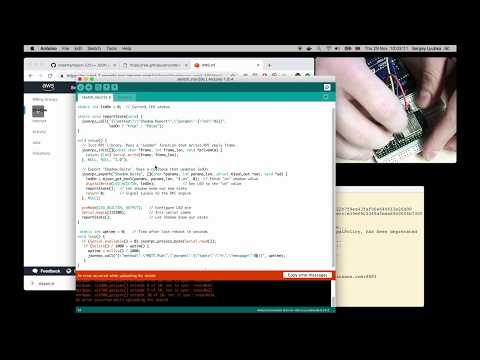
See https://vcon.io for more information.
Contact
Please visit https://vcon.io/contact.html
See also
- Mongoose Web Server Library - a robust, open-source solution licensed under GPLv2, designed to seamlessly integrate web server functionality into your embedded devices.
- With complementary Mongoose Wizard - a no-code visual tool that enables rapid WebUI creation without the need for frontend expertise.
Related repositories
OBS Studio (obsproject/obs-studio) is a free video capture and streaming tool released under GPL-2.0. Its topics list points to game capture, screen capture, DirectShow device input, and streaming built around Twitch, YouTube Live, and Facebook Live, and the project funds itself through Patreon, OpenCollective, and PayPal.
Public APIs is a community-curated GitHub repository listing free, publicly accessible APIs across a wide range of categories, with auth type, HTTPS, and CORS noted for each entry. It's a browsable reference, not a library to install.
Awesome Python is a curated list maintained at vinta/awesome-python that groups Python frameworks, libraries, tools, and other resources into 14 categories, from AI & ML to Security and Other. The README calls it an opinionated guide rather than an exhaustive one, and points readers to a companion site, awesome-python.com, for searching and filtering entries instead of scrolling the raw file.
Awesome-Selfhosted is a community-maintained GitHub list at awesome-selfhosted/awesome-selfhosted that catalogs Free Software network-service and web-app projects meant for running on a server you control rather than someone else's cloud. Entries are grouped by category, each tagged with a license and a language or deployment option, and the project keeps proprietary alternatives on a separate Non-Free page.
Quick answers
Does cesanta/mjson have a project website?
No homepage URL was recorded for cesanta/mjson in TopGit's last sync. The README tab above frequently contains screenshots and demo links, or check the repository description on GitHub.
How active is development on cesanta/mjson?
The most recent commit recorded on cesanta/mjson was 1.5 years ago, based on the GitHub push timestamp. The repository has 86 forks — one of the better signals of community interest.
How many stars does cesanta/mjson have?
cesanta/mjson has 466 GitHub stars — refresh the page for the live number, or check github.com/cesanta/mjson. TopGit mirrors GitHub's count but does not claim minute-by-minute accuracy.
What language is cesanta/mjson written in?
cesanta/mjson is written primarily in C. GitHub's language field is based on the largest share of bytes in the default branch.
What license does cesanta/mjson use?
cesanta/mjson is released under the MIT license. Always verify the LICENSE file directly on GitHub for the authoritative terms — license strings can be edited out of sync with a project's actual stance.
What topics is cesanta/mjson associated with?
GitHub's repository topics for cesanta/mjson: "c", "embedded", "json", "json-rpc", "mit". TopGit's editorial category is Backend.
Where do I read more about cesanta/mjson?
This TopGit page is a snapshot — the READ ME tab shows the project's own README content (links stripped, images preserved). The GitHub repository at github.com/cesanta/mjson is the definitive source.
Read full README in the tab above.
Want a second opinion on mjson?
Ask an AI that can read this page — one click and you get its take on mjson.