claudiodangelis/qrcp is a Developer Tools project on GitHub, written primarily in Go. It has 10.5k stars. :zap: Transfer files over wifi from your computer to your mobile device by scanning a QR code without leaving the terminal.
Snapshot summary built from the project's own GitHub metadata — there's no written TopGit review yet. The page will update automatically when a full review is published.
WHY NO REVIEW YET
TopGit writes full reviews for the most-starred, most-requested repositories. This page is a snapshot until then — see the READ ME tab for the original README in full.
Transfer files over Wi-Fi from your computer to a mobile device by scanning a QR code without leaving the terminal.
Join the Telegram channel qrcp_dev or the @qrcp_dev Twitter account for news about the development.
How does it work?
qrcp binds a web server to the address of your Wi-Fi network interface on a random port and creates a handler for it. The default handler serves the content and exits the program when the transfer is complete. When used to receive files, qrcp serves an upload page and handles the transfer.
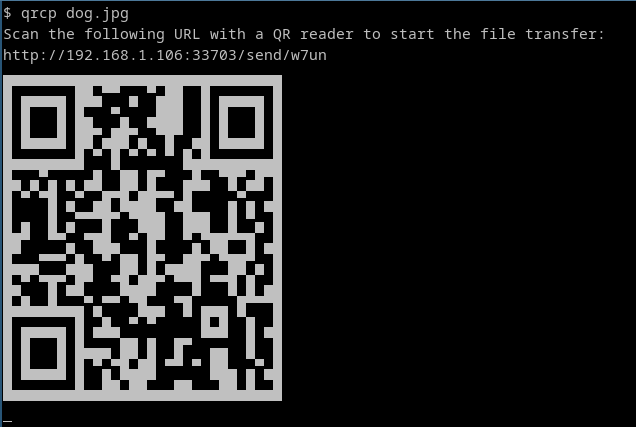
The tool prints a QR code that encodes the text:
http://{address}:{port}/{random_path}
Most QR apps can detect URLs in decoded text and act accordingly (i.e., open the decoded URL with the default browser), so when the QR code is scanned, the content will begin downloading by the mobile browser.
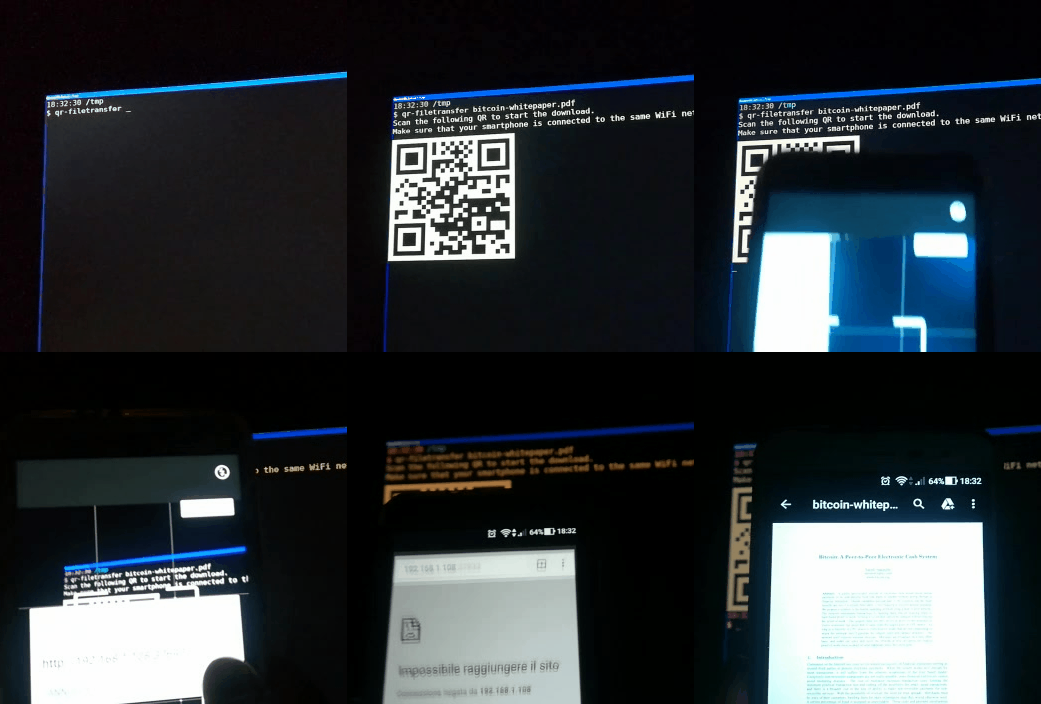
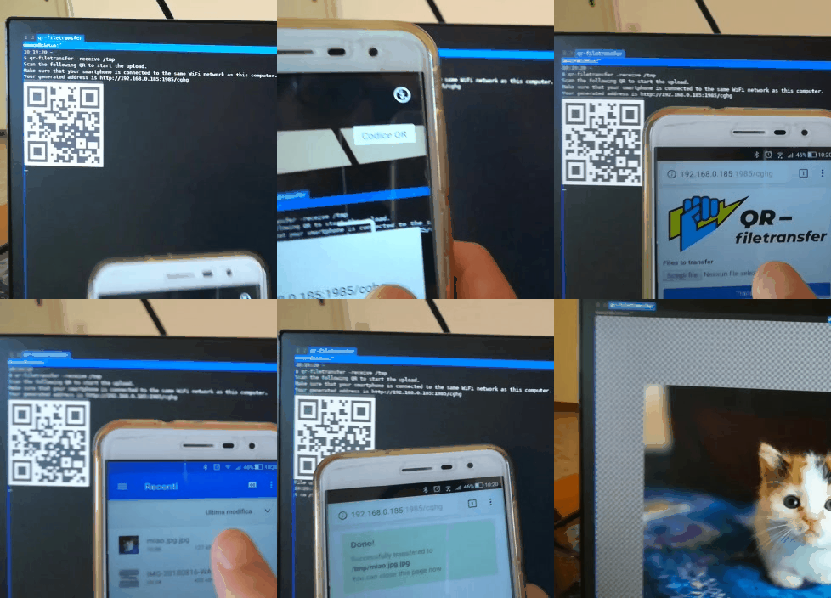
Demo
Send files to mobile:
Receive files from mobile:
Installation
Using Go (Latest Development Version)
Requires Go 1.18 or later:
go install github.com/claudiodangelis/qrcp@latest
Prebuilt Binaries
Download the latest release for your platform from the Releases page.
Platform
Instructions
Linux
Extract the .tar.gz archive, move the binary to /usr/local/bin, and set permissions.
Windows
Extract the .tar.gz archive and place the .exe file in a directory in your PATH.
macOS
Extract the .tar.gz archive, move the binary to /usr/local/bin, and set permissions.
Package Managers
Platform
Package Manager
Command
Linux
ArchLinux (AUR)
yay -S qrcp-bin or yay -S qrcp
Linux
Debian/Ubuntu
sudo dpkg -i qrcp_<version>_linux_x86_64.deb
Linux
CentOS/Fedora
sudo rpm -i qrcp_<version>_linux_x86_64.rpm
Windows
WinGet
winget install --id=claudiodangelis.qrcp -e
Windows
Scoop
scoop install qrcp
Windows
Chocolatey
choco install qrcp
macOS
Homebrew
brew install qrcp
Confirm Installation
After installation, verify that qrcp is working:
qrcp --help
Usage
Send Files
Action
Command Example
Send a file
qrcp MyDocument.pdf
Send multiple files
qrcp MyDocument.pdf IMG0001.jpg
Send a folder
qrcp Documents/
Zip before transferring
qrcp --zip LongVideo.avi
Receive Files
Action
Command Example
Receive to current directory
qrcp receive
Receive to a specific directory
qrcp receive --output=/tmp/dir
Configuration
qrcp works without prior configuration, but you can customize it using a configuration file or environment variables.
Configuration File
The default configuration file is stored in $XDG_CONFIG_HOME/qrcp/config.yml. You can specify a custom location using the --config flag:
qrcp --config /tmp/qrcp.yml MyDocument.pdf
Configuration Options
Key
Type
Description
interface
String
Network interface to bind the web server to. Use any to bind to 0.0.0.0.
bind
String
Address to bind the web server to. Overrides interface.
port
Integer
Port to use. Defaults to a random port.
path
String
Path to use in the URL. Defaults to a random string.
output
String
Default directory to receive files. Defaults to the current working directory.
fqdn
String
Fully qualified domain name to use in the URL instead of the IP address.
keep-alive
Bool
Keep the server alive after transferring files. Defaults to false.
secure
Bool
Use HTTPS instead of HTTP. Defaults to false.
tls-cert
String
Path to the TLS certificate. Used only when secure: true.
tls-key
String
Path to the TLS key. Used only when secure: true.
Environment Variables
All configuration parameters can also be set via environment variables prefixed with QRCP_:
$QRCP_INTERFACE
$QRCP_PORT
$QRCP_KEEPALIVE
Advanced Usage
Network Interface
To use a specific network interface:
qrcp -i tun0 MyDocument.pdf
To bind the web server to all interfaces:
qrcp -i any MyDocument.pdf
HTTPS
Enable secure transfers with HTTPS by providing a TLS certificate and key:
How active is development on claudiodangelis/qrcp?
The most recent commit recorded on claudiodangelis/qrcp was 6 months ago, based on the GitHub push timestamp. The repository has 549 forks — one of the better signals of community interest.
How many stars does claudiodangelis/qrcp have?
claudiodangelis/qrcp has 10.5k GitHub stars — refresh the page for the live number, or check github.com/claudiodangelis/qrcp. TopGit mirrors GitHub's count but does not claim minute-by-minute accuracy.
What language is claudiodangelis/qrcp written in?
claudiodangelis/qrcp is written primarily in Go. GitHub's language field is based on the largest share of bytes in the default branch.
What license does claudiodangelis/qrcp use?
claudiodangelis/qrcp is released under the MIT license. Always verify the LICENSE file directly on GitHub for the authoritative terms — license strings can be edited out of sync with a project's actual stance.
What topics is claudiodangelis/qrcp associated with?
GitHub's repository topics for claudiodangelis/qrcp: "cli", "command-line", "golang", "qrcode", "utility". TopGit's editorial category is Developer Tools.
Where can I see claudiodangelis/qrcp in action?
The project maintains a homepage at https://qrcp.sh. The README tab on this page also usually contains screenshots and a quickstart.
Where do I read more about claudiodangelis/qrcp?
This TopGit page is a snapshot — the READ ME tab shows the project's own README content (links stripped, images preserved). The GitHub repository at github.com/claudiodangelis/qrcp is the definitive source.
Read full README in the tab above.
Want a second opinion on qrcp?
Ask an AI that can read this page — one click and you get its take on qrcp.

 /qrcp