Điểm qua claudiodangelis/qrcp: 10.5k sao trên GitHub, viết chủ yếu bằng Go, thuộc nhóm Developer Tools. :zap: Transfer files over wifi from your computer to your mobile device by scanning a QR code without leaving the terminal.
Tóm tắt dựng từ metadata GitHub của chính dự án — chưa có bài review TopGit. Trang sẽ tự động cập nhật khi bài review đầy đủ được xuất bản.
VÌ SAO CHƯA CÓ REVIEW
TopGit viết bài đầy đủ cho repo có nhiều sao nhất và được yêu cầu nhiều nhất. Trang này là snapshot trong thời gian chờ — xem README gốc ở tab READ ME.
Transfer files over Wi-Fi from your computer to a mobile device by scanning a QR code without leaving the terminal.
Join the Telegram channel qrcp_dev or the @qrcp_dev Twitter account for news about the development.
How does it work?
qrcp binds a web server to the address of your Wi-Fi network interface on a random port and creates a handler for it. The default handler serves the content and exits the program when the transfer is complete. When used to receive files, qrcp serves an upload page and handles the transfer.
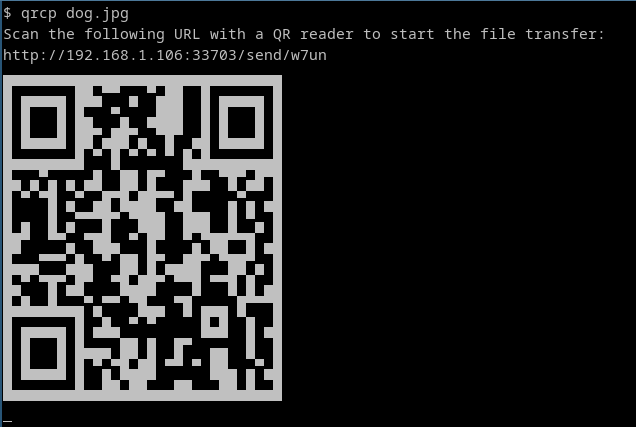
The tool prints a QR code that encodes the text:
http://{address}:{port}/{random_path}
Most QR apps can detect URLs in decoded text and act accordingly (i.e., open the decoded URL with the default browser), so when the QR code is scanned, the content will begin downloading by the mobile browser.
Demo
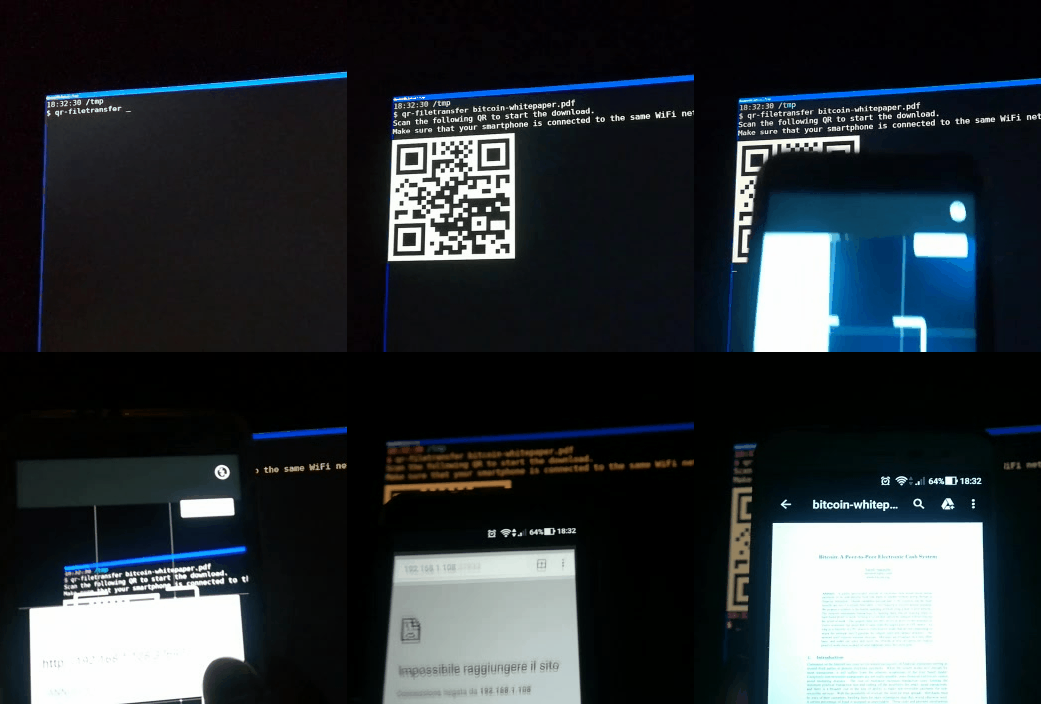
Send files to mobile:
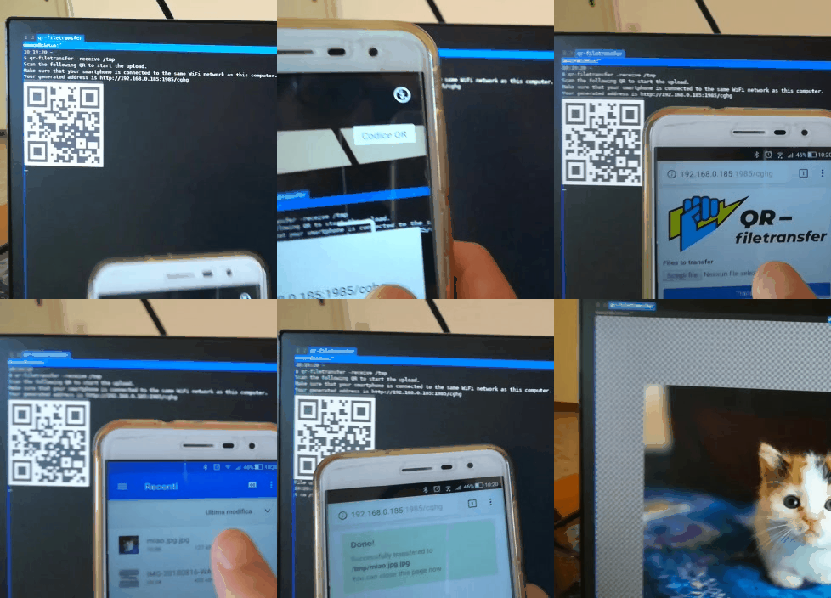
Receive files from mobile:
Installation
Using Go (Latest Development Version)
Requires Go 1.18 or later:
go install github.com/claudiodangelis/qrcp@latest
Prebuilt Binaries
Download the latest release for your platform from the Releases page.
Platform
Instructions
Linux
Extract the .tar.gz archive, move the binary to /usr/local/bin, and set permissions.
Windows
Extract the .tar.gz archive and place the .exe file in a directory in your PATH.
macOS
Extract the .tar.gz archive, move the binary to /usr/local/bin, and set permissions.
Package Managers
Platform
Package Manager
Command
Linux
ArchLinux (AUR)
yay -S qrcp-bin or yay -S qrcp
Linux
Debian/Ubuntu
sudo dpkg -i qrcp_<version>_linux_x86_64.deb
Linux
CentOS/Fedora
sudo rpm -i qrcp_<version>_linux_x86_64.rpm
Windows
WinGet
winget install --id=claudiodangelis.qrcp -e
Windows
Scoop
scoop install qrcp
Windows
Chocolatey
choco install qrcp
macOS
Homebrew
brew install qrcp
Confirm Installation
After installation, verify that qrcp is working:
qrcp --help
Usage
Send Files
Action
Command Example
Send a file
qrcp MyDocument.pdf
Send multiple files
qrcp MyDocument.pdf IMG0001.jpg
Send a folder
qrcp Documents/
Zip before transferring
qrcp --zip LongVideo.avi
Receive Files
Action
Command Example
Receive to current directory
qrcp receive
Receive to a specific directory
qrcp receive --output=/tmp/dir
Configuration
qrcp works without prior configuration, but you can customize it using a configuration file or environment variables.
Configuration File
The default configuration file is stored in $XDG_CONFIG_HOME/qrcp/config.yml. You can specify a custom location using the --config flag:
qrcp --config /tmp/qrcp.yml MyDocument.pdf
Configuration Options
Key
Type
Description
interface
String
Network interface to bind the web server to. Use any to bind to 0.0.0.0.
bind
String
Address to bind the web server to. Overrides interface.
port
Integer
Port to use. Defaults to a random port.
path
String
Path to use in the URL. Defaults to a random string.
output
String
Default directory to receive files. Defaults to the current working directory.
fqdn
String
Fully qualified domain name to use in the URL instead of the IP address.
keep-alive
Bool
Keep the server alive after transferring files. Defaults to false.
secure
Bool
Use HTTPS instead of HTTP. Defaults to false.
tls-cert
String
Path to the TLS certificate. Used only when secure: true.
tls-key
String
Path to the TLS key. Used only when secure: true.
Environment Variables
All configuration parameters can also be set via environment variables prefixed with QRCP_:
$QRCP_INTERFACE
$QRCP_PORT
$QRCP_KEEPALIVE
Advanced Usage
Network Interface
To use a specific network interface:
qrcp -i tun0 MyDocument.pdf
To bind the web server to all interfaces:
qrcp -i any MyDocument.pdf
HTTPS
Enable secure transfers with HTTPS by providing a TLS certificate and key:
claudiodangelis/qrcp có 10.5k sao GitHub — tải lại trang để xem số mới nhất, hoặc xem trực tiếp github.com/claudiodangelis/qrcp. TopGit phản chiếu số sao của GitHub nhưng không cam kết đến từng phút.
claudiodangelis/qrcp có những chủ đề gì?
GitHub topics của claudiodangelis/qrcp: "cli", "command-line", "golang", "qrcode", "utility". TopGit xếp repo vào nhóm Developer Tools.
claudiodangelis/qrcp có trang demo không?
Dự án có trang chủ ở https://qrcp.sh. Tab "Readme" ở trang này thường có ảnh chụp và hướng dẫn bắt đầu nhanh.
claudiodangelis/qrcp còn đang phát triển không?
Commit gần nhất trên claudiodangelis/qrcp là 6 tháng trước (theo timestamp GitHub). Repo có 549 fork — một chỉ báo về mức độ quan tâm của cộng đồng.
claudiodangelis/qrcp dùng license gì?
claudiodangelis/qrcp phát hành theo license MIT. Nên mở file LICENSE trên GitHub để xác nhận — license metadata đôi khi lệch với thực tế dự án.
claudiodangelis/qrcp viết bằng ngôn ngữ gì?
claudiodangelis/qrcp chủ yếu viết bằng Go. Trường "language" của GitHub dựa trên phần lớn byte ở nhánh mặc định.
Đọc thêm về claudiodangelis/qrcp ở đâu?
Trang TopGit này là một snapshot — tab "Readme" hiển thị nguyên văn README của repo (đã bỏ link, giữ ảnh). Repo GitHub ở github.com/claudiodangelis/qrcp là nguồn chính thức.
Đọc đầy đủ README ở tab phía trên.
Vẫn đang phân vân về qrcp?
Một cú bấm sẽ gửi câu hỏi kèm trang này cho AI — xem AI nói gì về qrcp.

 /qrcp