debpalash/OmniVoice-Studio — a developer tool — sits at 108.5k GitHub stars in the Developer Tools space. VoiceStudio is the open-source, fully-local ElevenLabs alternative — voice cloning, voice design, video dubbing, dictation, transcription & audiobook creation in 646 languages.
Snapshot summary built from the project's own GitHub metadata — there's no written TopGit review yet. The page will update automatically when a full review is published.
WHY NO REVIEW YET
TopGit writes full reviews for the most-starred, most-requested repositories. This page is a snapshot until then — see the READ ME tab for the original README in full.
Clone, design, dub, dictate, transcribe and narrate in 646 languages.
Runs on your laptop, desktop, servers, phone, tablets and more
Website ·
Download ·
Get started ·
Docs ·
VoiceStudio Pro ·
VoiceStudio Cloud
🇬🇧 English · 🇨🇳 简体中文 · 🇯🇵 日本語 · 🇰🇷 한국어 · 🇷🇺 Русский · 🇸🇦 العربية · 🇩🇪 Deutsch · 🇪🇸 Español · 🇫🇷 Français · 🇮🇳 हिन्दी
🇮🇩 Bahasa Indonesia · 🇮🇹 Italiano · 🇳🇱 Nederlands · 🇵🇱 Polski · 🇵🇹 Português · 🇹🇭 ไทย · 🇹🇷 Türkçe · 🇹🇼 繁體中文 · 🇺🇦 Українська · 🇻🇳 Tiếng Việt
Strategic sponsors
· Special sponsor
Demo workspace · Default dark theme · Watch the HD tour
What you can do
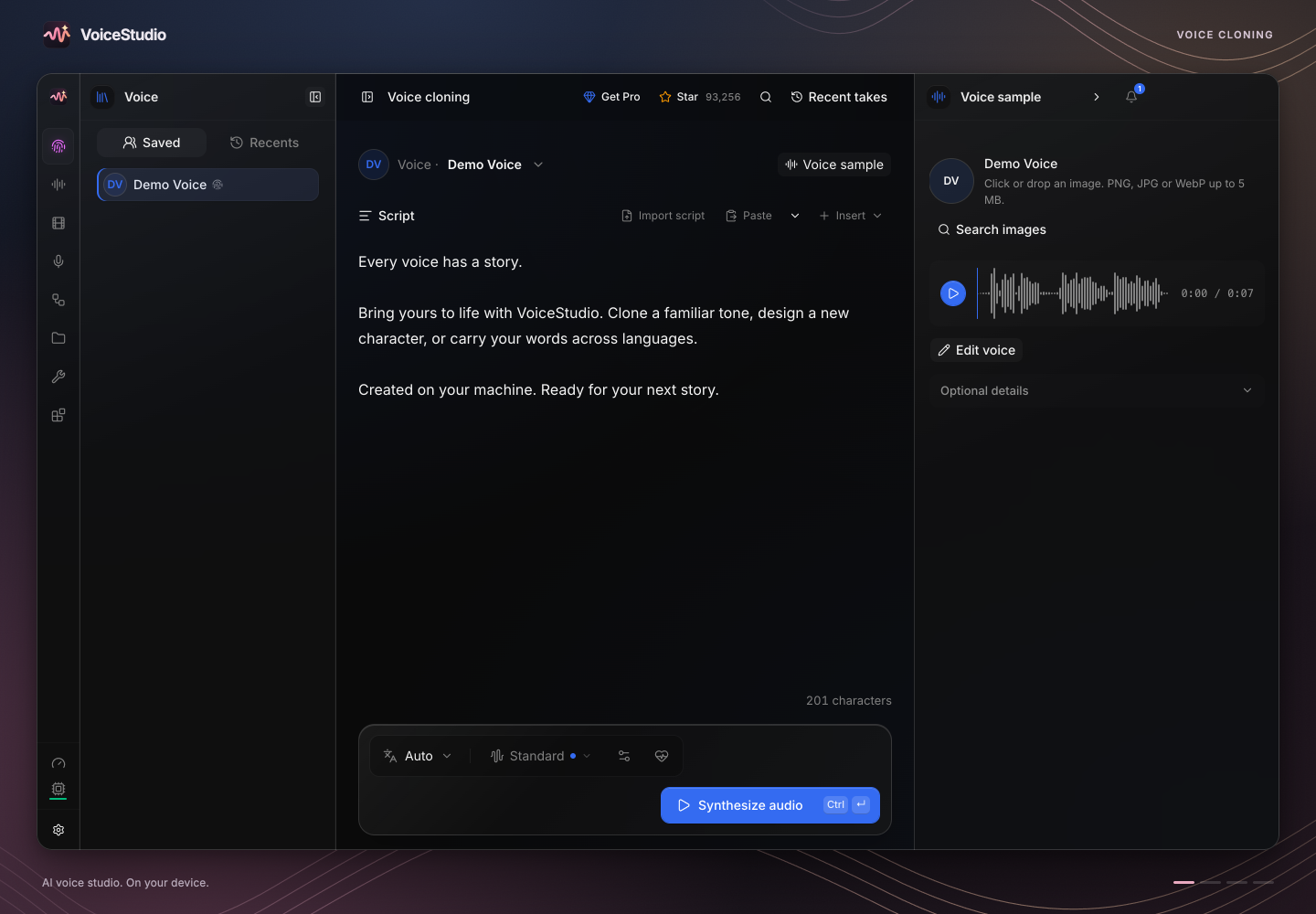
Voice cloning
Turn a clean reference recording into speech in a familiar voice.
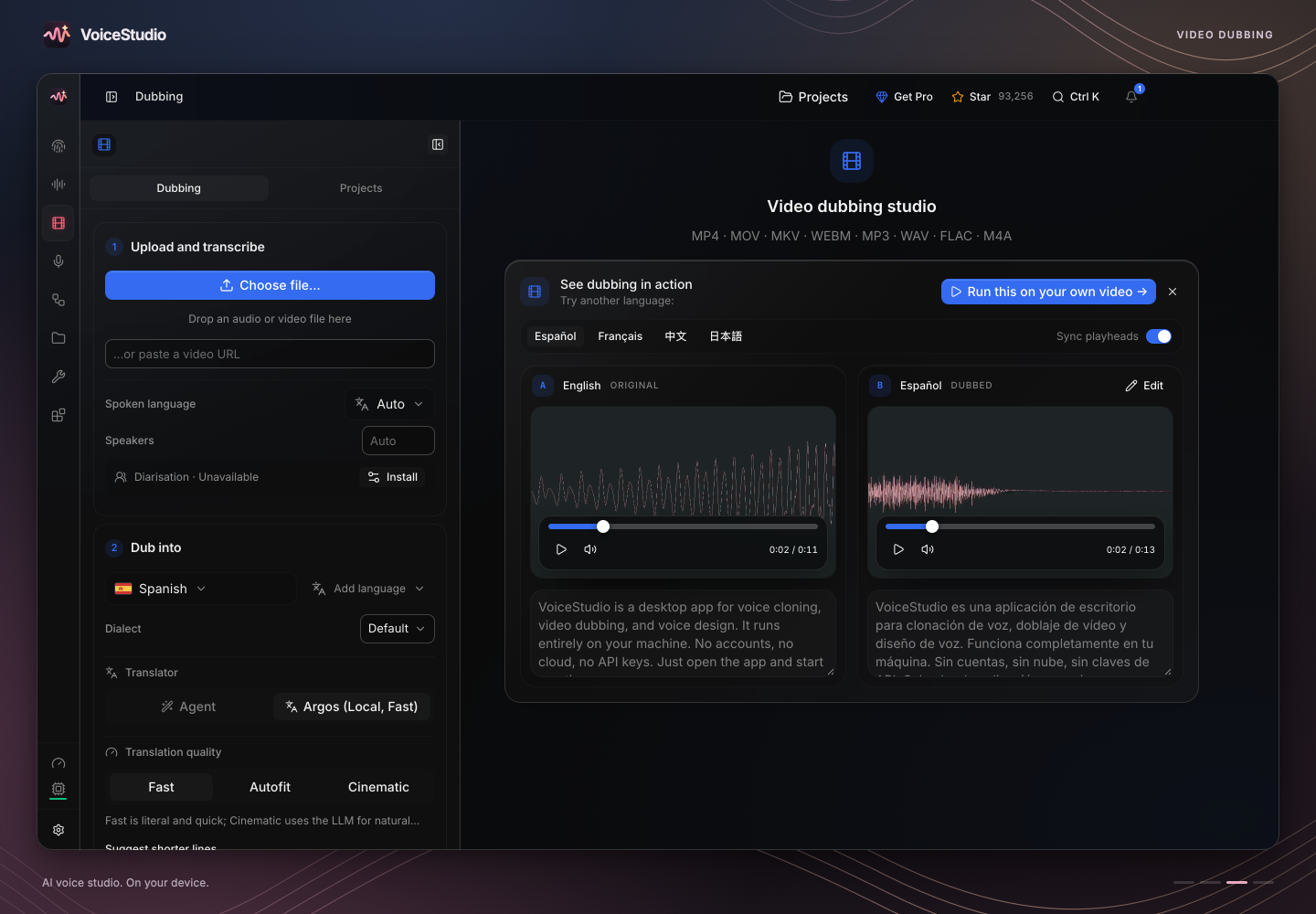
Video dubbing
Translate and dub videos with speech timed to the original.
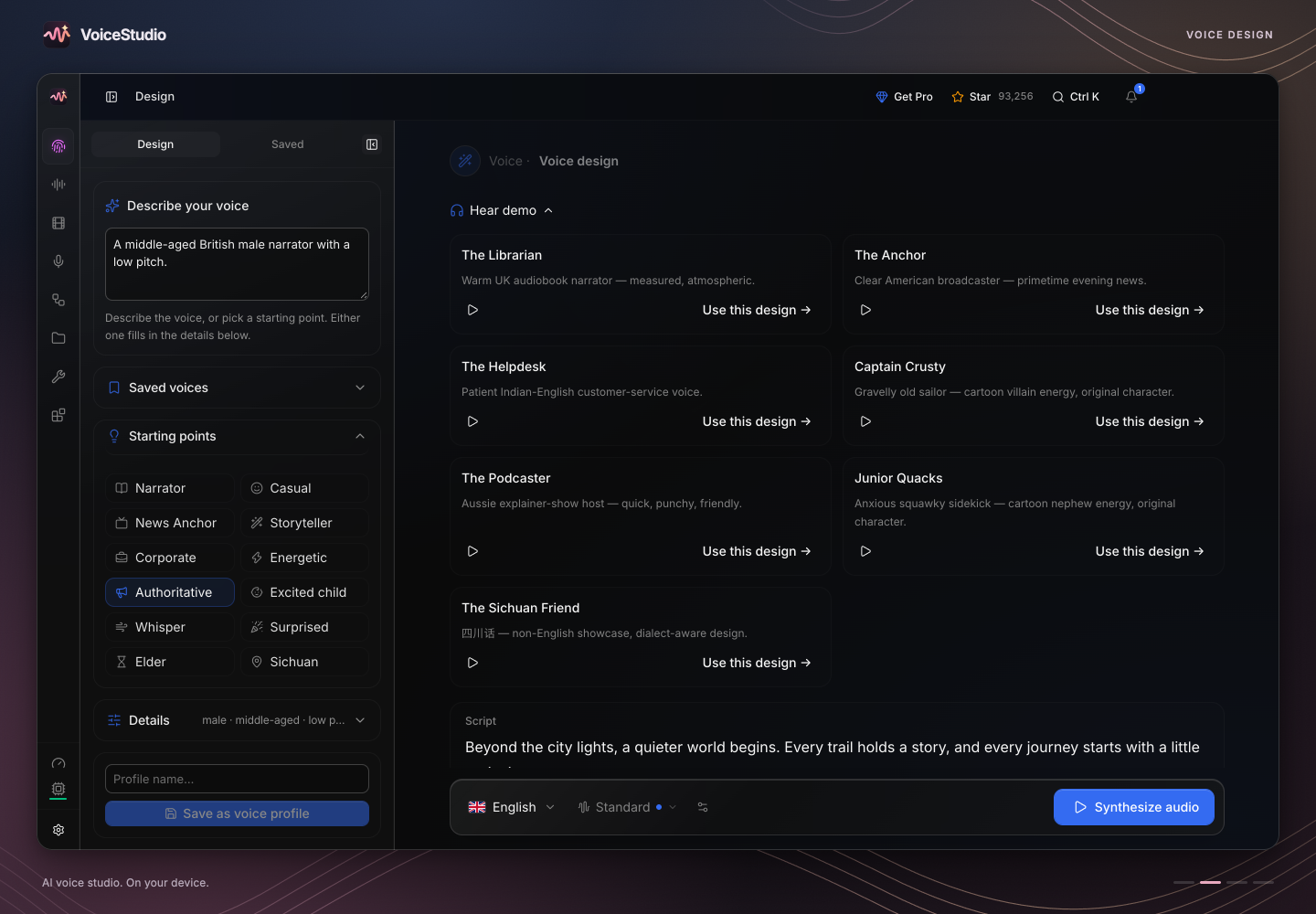
Voice design
Describe a voice in words and generate it.
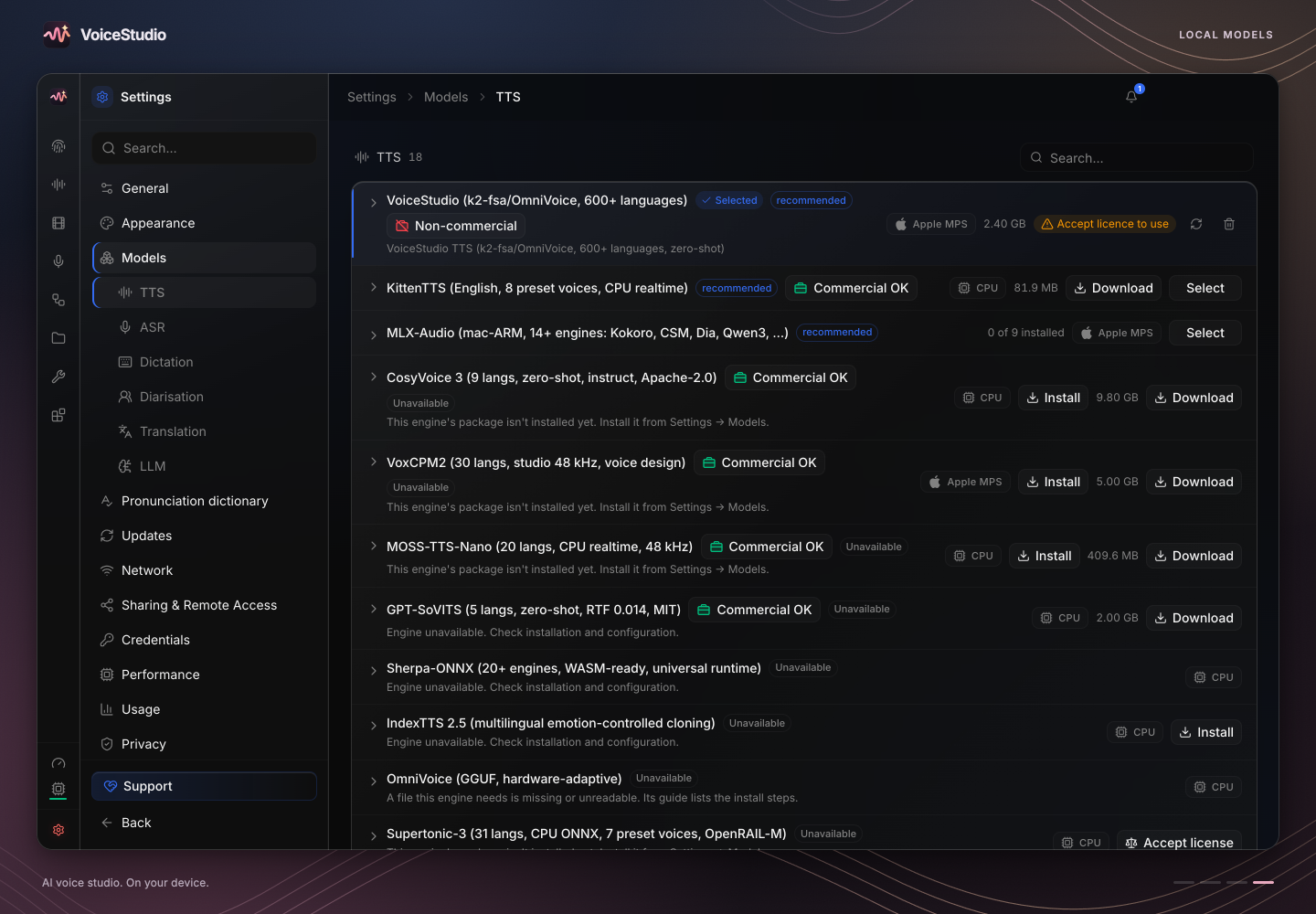
Local models
Choose your engines and download only the models you need.
More screenshots
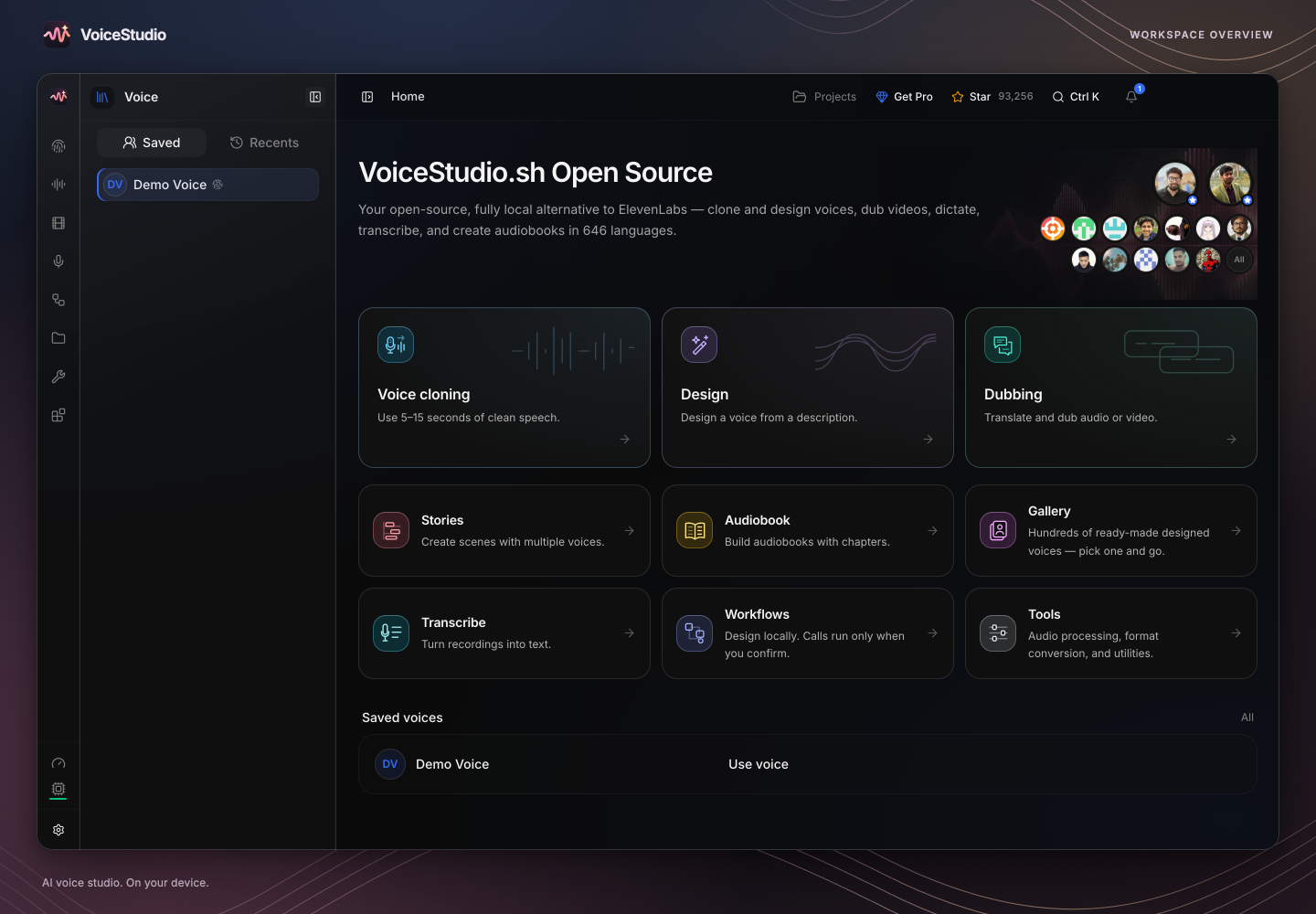
Workspace overview
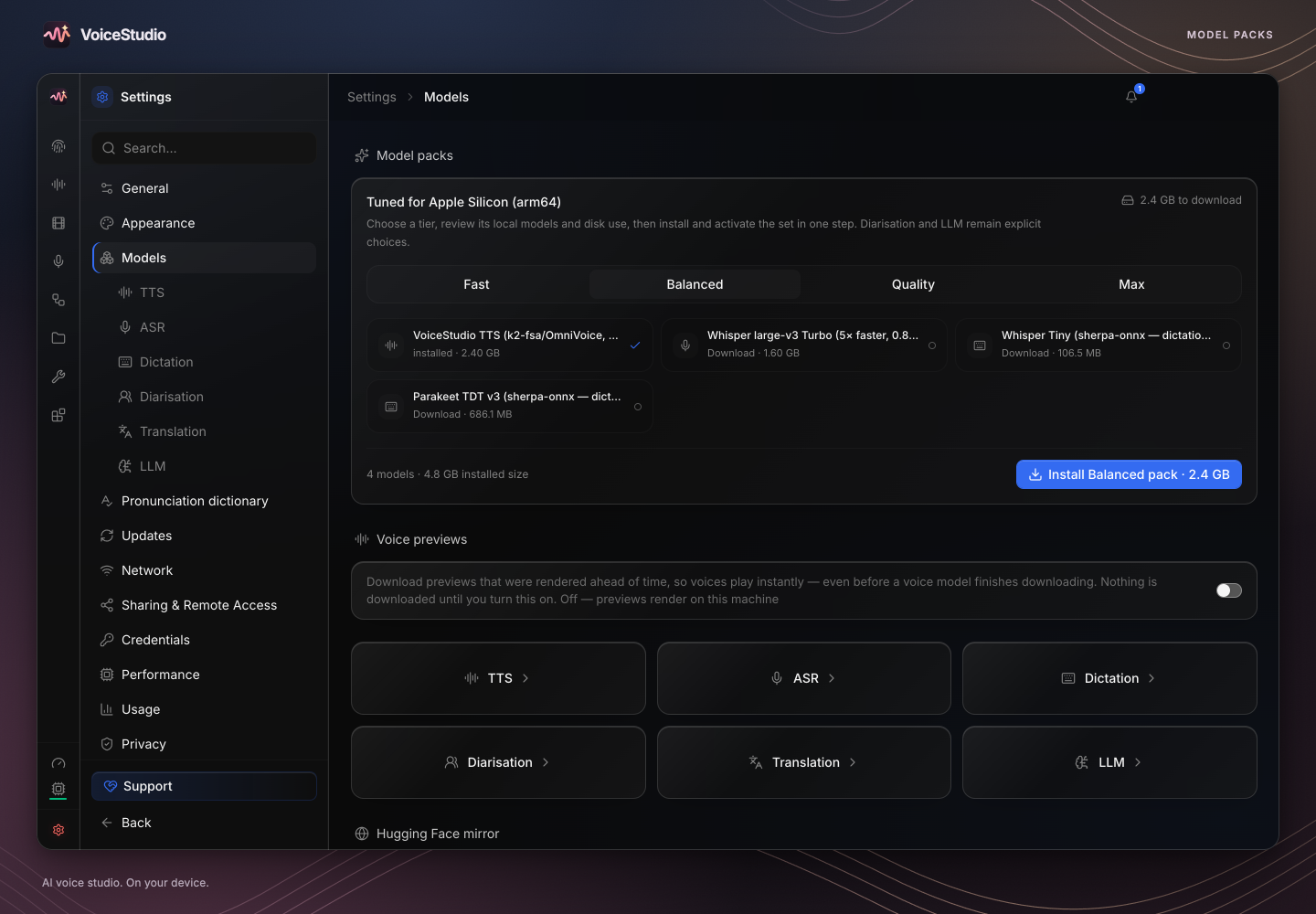
Model packs
Dictate & transcribe — A floating dictation widget and local transcription
Narrate & batch — Stories, audiobooks and queued jobs
Connect & automate — Local API, MCP, reusable recipes and watch folders
Start with VoiceStudio (default, powered by k2-fsa/OmniVoice), or pick from dozens of other engines in the Model Manager. See the features & engine catalog.
Pro and Cloud
Everything above is free, runs on your own hardware and needs no account. Pro and Cloud are optional.
VoiceStudio Pro
For paid client work across more than one machine.
A Commercial License for your client work, emailed to you
One user on up to 3 devices at once
Send jobs to your other GPUs while your projects stay local
New features and fixes first
Closed-source build, account required, 7-day full refund. The AGPL-3.0 app stays free, including commercial use under its terms.
See Pro plans →
VoiceStudio Cloud
A hosted voice and dubbing API, coming soon. No GPU needed.
Speech, voice design and voice cloning with consent
Dubbing, transcription and audiobooks
Usage and credits by day or project
Long jobs that run on their own
Not available yet: join early access for free usage credits. The desktop app stays free and local.
Join Cloud early access →
Platforms
Experimental Windows ROCm setup supports selected RDNA 2 RX 6000 GPUs with targets gfx1030, gfx1031 or gfx1032; RX 6500 XT (gfx1034) is excluded. GPU transcription uses a CTranslate2 build with native
gfx1031 kernels that this repository builds from upstream source and pins by
hash, and setup checks actual GPU kernel execution. RX 6700 XT tests also cover native Torch speech generation and
PyTorch Whisper. ROCm 10 faster-whisper uses a separate inference process to
preserve safe CPU selection and fallback. Other cards and workloads retain the qualification limits in the guide.
Performance presets validate changed engine selections in an offline child
process before saving them, preserving fallback when an installed runtime fails.
Choose your system, then expand an installation method.
Native GGUF engines additionally support engine-specific Vulkan acceleration on AMD, Intel and NVIDIA GPUs (OmniVoice, CosyVoice). OmniVoice GGUF selects its GPU and model size automatically on Windows and Linux. Vulkan discovery retries a stalled hidden probe with a native summary; Windows and Linux desktop builds fail rather than silently ship without their Vulkan module.
macOS · Homebrew · DMG · installer
Stable · Apple Silicon macOS 13.3+ · Apple Silicon: local engines with Metal (MPS).
Download the DMG for your Mac, open it and drag VoiceStudio into Applications.
Download · Guide
One-command installer
curl -fsSL https://voicestudio.sh/install | sh
Intel Mac · remote backend · Limited
The app UI runs on Intel; connect it to a VoiceStudio backend on another computer.
Guide
[!NOTE]
On macOS, "VoiceStudio is damaged and can't be opened" means Gatekeeper blocked the app, not that the download is broken. See the Gatekeeper fix.
Windows · PowerShell · EXE
Stable · x64 Windows 10/11 x64 · NVIDIA CUDA · AMD ROCm (opt-in) · CPU.
irm https://voicestudio.sh/install.ps1 | iex
Download the Windows installer · Guide · AMD ROCm
Windows on ARM · experimental
Native app UI; the x64 Python backend runs under emulation on the CPU.
Download · Guide
Linux · AUR · Snap · DEB · AppImage · Nix
Stable · x64 Linux x64 · NVIDIA CUDA · CPU · Vulkan for supported GGUF engines.
Add this source in Obtainium, or import the provided configuration.
https://github.com/debpalash/VoiceStudio
Import configuration
Install over USB with adb
adb install -r VoiceStudio-*-android.apk
iPhone / iPad · IPA · sideloading
iOS / iPadOS 17+ · Preview · On-device, offline after model download.
Download the IPA and follow the signing and sideloading instructions.
Download · Guide
Desktop and phone installers are on the latest release; Docker images come from GHCR. No GPU? The app is fully usable on the CPU, just slower. Native GGUF engines can also use Vulkan on AMD, Intel and NVIDIA GPUs; OmniVoice GGUF picks its GPU and model size automatically on Windows and Linux (OmniVoice, CosyVoice). Speed by engine and hardware: performance.
Get started
Install using the options above. Then open Voice cloning, pick a voice or add a clean reference recording, type your text and generate. The app asks before it downloads any model.
More install options: a specific version, current main, uninstall, from source, with a coding agent
curl -fsSL https://voicestudio.sh/install | sh -s -- --version X.Y.Z   # a specific release
curl -fsSL https://voicestudio.sh/install | sh -s -- --main            # build current main
curl -fsSL https://voicestudio.sh/install | sh -s -- --uninstall       # remove the app, keep your data
If voicestudio.sh is unreachable, run the script straight from the repository:
curl -fsSL https://raw.githubusercontent.com/debpalash/VoiceStudio/main/scripts/install.sh | sh.
Prerequisites and behavior: installer guide.
From source
git clone https://github.com/debpalash/VoiceStudio.git
cd VoiceStudio
bun run dev
bun run dev installs the JavaScript dependencies and, when using a supported
local backend, the Python dependencies before launching Electron. Run
bun run setup:api directly when you only need to rebuild the Python environment.
See Electron setup.
With a coding agent (Claude Code, Codex, Cursor, …), paste:
Install the VoiceStudio app on this device and verify it works, following
https://github.com/debpalash/VoiceStudio/blob/main/docs/install/agent.md
Upgrading from 0.5.3 or older (the Tauri app)? Install the new app separately.
Contributing (sign the CLA before your first PR) · Changelog · Code signing policy
Agent skills: npx skills add debpalash/VoiceStudio (voicestudio for audio work, voicestudio-maintainer for the repo).
Sponsors
The VoiceStudio app is free and needs no paid cloud. Sponsors keep it shipping: they fund maintainer time, test hardware, code-signing and release infrastructure.
Ko-fi · PayPal · Tiers and benefits · Get your logo listed
Other projects
More open-source tools from the people building VoiceStudio.
OpenGTM — Find and enrich companies and people in a self-hosted go-to-market workspace. Source.
Opal — Watch, stream and browse your media in one native, open-source player. Source.
Supermetry — Understand your websites and products with self-hosted, cookie-free analytics. Source.
More projects: debpalash · velixio
Team
Core team
Palash Debnath Creator and Core Team palash.dev · GitHub · X
Shimul Debnath Core Team shimul.me · GitHub · X
Contributors
Thank you to everyone who sends code, reports, translations and ideas. All contributors · Contribute
License & responsible use
AGPL-3.0 covers the app, including commercial use under its terms. Model weights, voices and generated output have their own licences, which the Model Manager shows for each model (inventory). Clone a voice only with its owner's permission. Details: LICENSE-NOTICE.md.
Community tutorials
Nafay 3D · Samuel Gregory · kilObit
Disclaimer
VoiceStudio users are strictly prohibited from using it for unauthorized voice cloning, voice impersonation, fraud, scams, or any other illegal or unethical activities. All users shall ensure full compliance with applicable local laws, regulations, and ethical standards. The developers assume no liability for any misuse of VoiceStudio and advocate for responsible AI development and use, encouraging the community to uphold safety and ethical principles in AI research and applications.
How active is development on debpalash/OmniVoice-Studio?
The most recent commit recorded on debpalash/OmniVoice-Studio was 7 days ago, based on the GitHub push timestamp. The repository has 12.0k forks — one of the better signals of community interest.
How many stars does debpalash/OmniVoice-Studio have?
debpalash/OmniVoice-Studio has 108.5k GitHub stars — refresh the page for the live number, or check github.com/debpalash/OmniVoice-Studio. TopGit mirrors GitHub's count but does not claim minute-by-minute accuracy.
Is debpalash/OmniVoice-Studio open source?
Yes — debpalash/OmniVoice-Studio ships under the AGPL-3.0 license, which makes its source code freely readable (and, depending on license terms, forkable and reusable). Source: github.com/debpalash/OmniVoice-Studio.
What else is in the Developer Tools space?
debpalash/OmniVoice-Studio is tracked by TopGit under the Developer Tools category, alongside 19 GitHub-tagged topics. Trending and Topics pages list peer repositories of comparable stars and language.
What topics is debpalash/OmniVoice-Studio associated with?
Where can I see debpalash/OmniVoice-Studio in action?
The project maintains a homepage at https://voicestudio.sh. The README tab on this page also usually contains screenshots and a quickstart.
Where do I read more about debpalash/OmniVoice-Studio?
This TopGit page is a snapshot — the READ ME tab shows the project's own README content (links stripped, images preserved). The GitHub repository at github.com/debpalash/OmniVoice-Studio is the definitive source.
Read full README in the tab above.
Still deciding about OmniVoice-Studio?
One click hands the question to an AI along with this page — see what it says about OmniVoice-Studio.

 /OmniVoice-Studio
 VoiceStudio











 VoiceStudio Pro
 VoiceStudio Cloud
 macOS · Homebrew · DMG · installer

 Windows · PowerShell · EXE
 Linux · AUR · Snap · DEB · AppImage · Nix


 Docker · GHCR · Docker Hub

 Android · APK · Obtainium · F-Droid repository
 Ko-fi · PayPal · Tiers and benefits · Get your logo listed


