Một mục hướng lập trình viên trong kho dữ liệu GitHub của TopGit: debpalash/OmniVoice-Studio, 10.1k sao, nhóm Developer Tools, Python. VoiceStudio is the open-source, fully-local ElevenLabs alternative — voice cloning, voice design, video dubbing, dictation, transcription & audiobook creation in 646 languages.
Tóm tắt dựng từ metadata GitHub của chính dự án — chưa có bài review TopGit. Trang sẽ tự động cập nhật khi bài review đầy đủ được xuất bản.
VÌ SAO CHƯA CÓ REVIEW
TopGit viết bài đầy đủ cho repo có nhiều sao nhất và được yêu cầu nhiều nhất. Trang này là snapshot trong thời gian chờ — xem README gốc ở tab READ ME.
Local voice cloning, dubbing, dictation, and long-form audio.
16 TTS engines · 11 ASR engines · 646-language catalogue · macOS, Windows, and Linux
Local-first. No account, API key, subscription, or usage meter for the core workflow.
Install ·
Features ·
Compare ·
Requirements ·
Engines ·
Architecture ·
API ·
Docs ·
简体中文
[!WARNING]
Active beta. Use the latest release for stable work or main for current fixes. Report problems through GitHub Issues.
At a glance
VoiceStudio
Workflows
Voice cloning and design, video dubbing, dictation, stories, audiobooks, batch generation
Language catalogue
646 TTS languages; actual coverage and quality depend on the selected engine
Engines
16 TTS · 11 ASR · switch in Model Catalogue or with Ctrl/Cmd+E
Platforms
macOS 13.3+ on Apple Silicon · Windows 10/11 x64 · Linux x86_64 with glibc 2.39+
Compute
CUDA · Apple Silicon MPS/MLX · ROCm on Linux · CPU · optional remote workers
Interfaces
Desktop app · local REST/SSE/WebSocket API · OpenAI-compatible audio API · MCP Server
Storage
Voices, projects, settings, and outputs stay on the machine by default
License
AGPL-3.0; optional engines keep their own model licenses
Install
Platform
Package
Guide
macOS 13.3+
DMG, Apple Silicon
Install on macOS
Windows 10/11
MSI, x64
Install on Windows
Linux
AppImage, x86_64 with glibc 2.39+
Install on Linux
Docker
CUDA, ROCm, or CPU
Run with Docker
Download packages from the latest release. First launch creates a managed Python environment and downloads the default model. Later launches reuse both.
[!NOTE]
On macOS, first launch needs a one-time right-click → Open approval. Intel Macs cannot run the local Python backend; use a remote backend instead.
First voice
Launch VoiceStudio and open Voice Cloning.
Add a clean voice sample. Three seconds works; 5–15 seconds usually gives a better prompt.
Enter text, choose a language, then select Generate.
Run from source
Install the development prerequisites, then:
git clone https://github.com/debpalash/VoiceStudio.git
cd VoiceStudio
bun install
bun run desktop
Use bun run dev for the browser UI. See Contributing for services, tests, and platform packages.
If setup fails
Run Settings → About → Run self-check or uv run python backend/main.py --diagnose --deep.
Check install troubleshooting.
Save a scrubbed diagnostic bundle from the app when opening an issue.
For slow generation, compare measured benchmarks and performance settings.
Features
Area
Included
Voice Cloning
Zero-shot synthesis from a short reference clip
Voice Design
Create a voice from age, accent, pitch, style, and delivery instructions
Video Dubbing
Transcribe, translate, preserve speakers, synthesize, and export video
System-wide shortcut, live transcription, optional local-LLM cleanup
Vocal Isolation
Demucs speech/background separation
Speaker Diarization
Pyannote and WhisperX speaker assignment
Batch Queue
Queue large sets of audio and video jobs with per-job progress
Model Catalogue
Install, remove, select, and route TTS, ASR, and LLM models
Remote Model Downloads
Install models on enrolled remote workers with live progress
GPU Auto-Detect
CUDA, MPS, ROCm, and CPU routing with per-engine checks
AI Watermark
AudioSeal embedding and detection
MCP Server
Synthesis and transcription tools for MCP clients
Diagnostics
Self-checks, error journal, logs, and scrubbed support bundles
Local-first
Core creation stays local; network-backed features are explicit opt-ins
Extensible
Registry-based TTS, ASR, and plugin interfaces
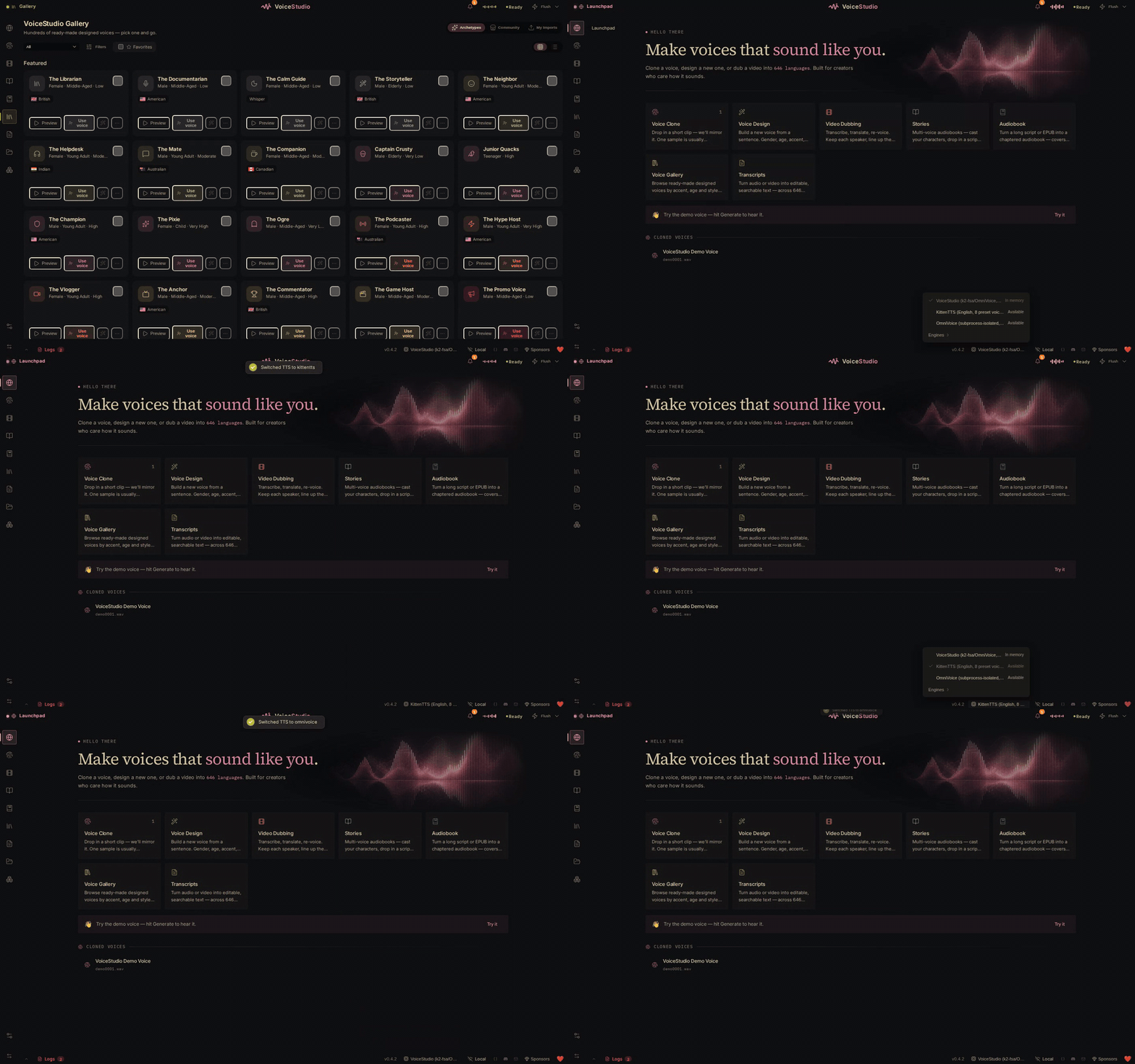
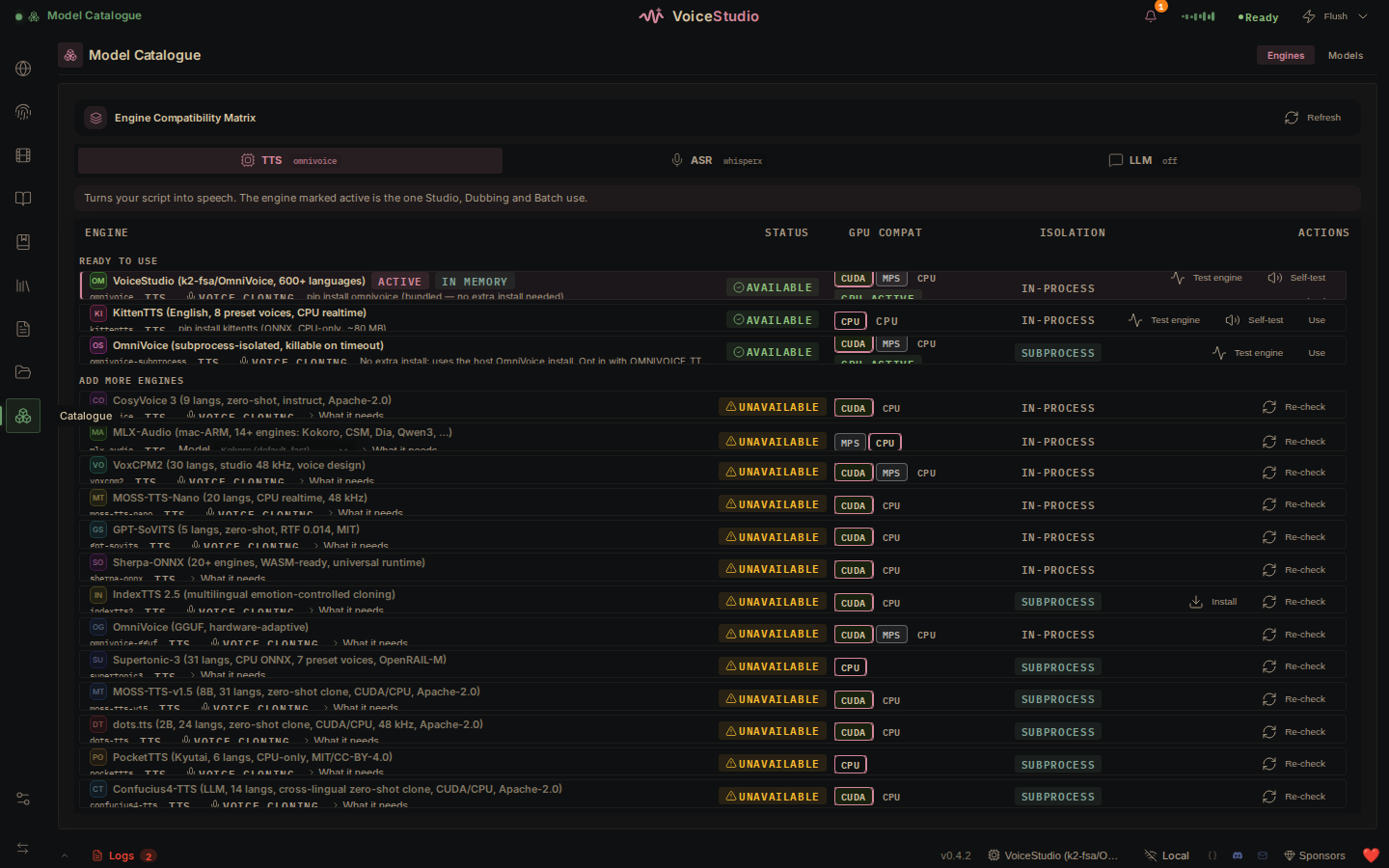
Model Catalogue: engine, device, and install state
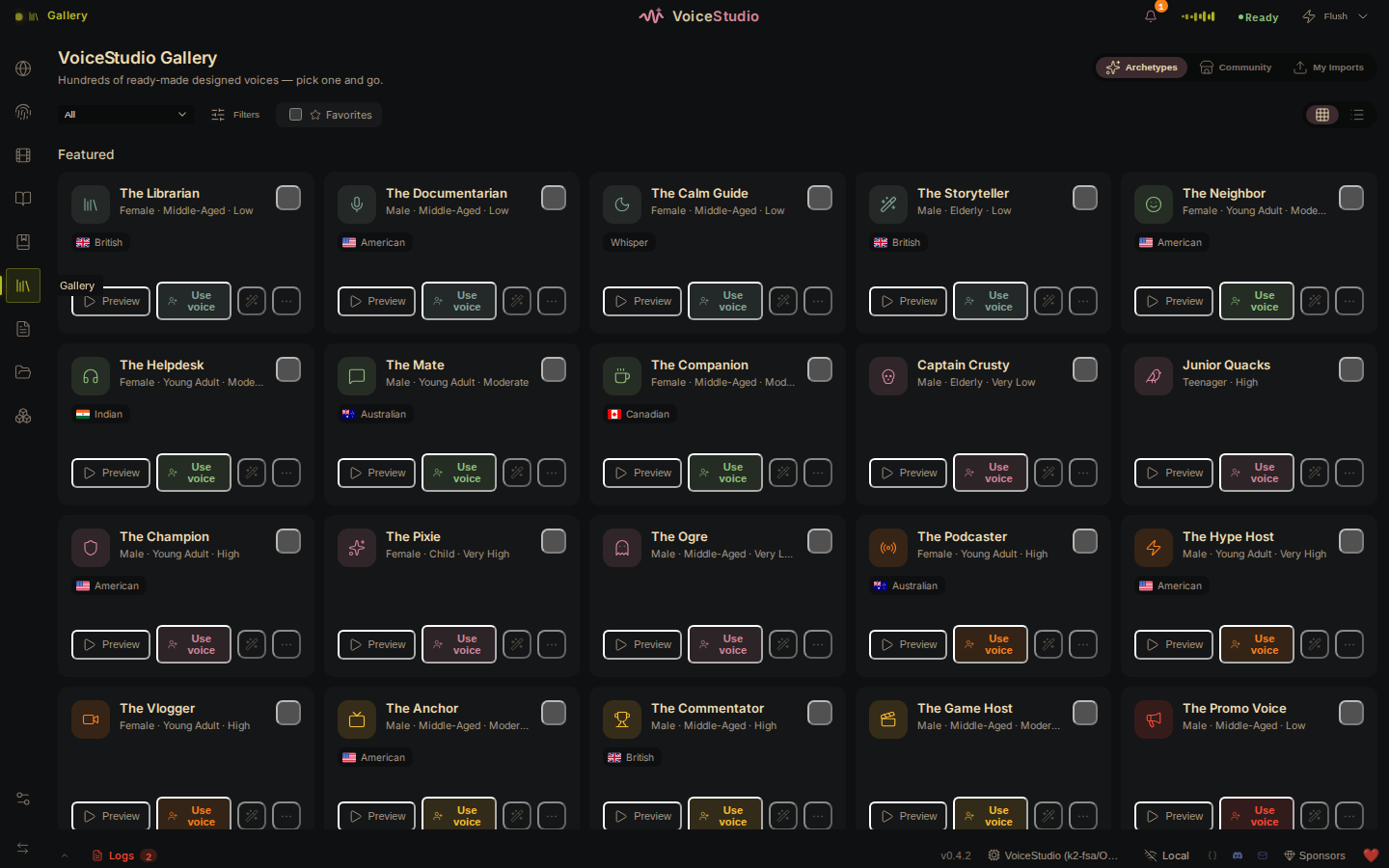
Gallery: save a shared voice as a local profile
Comparison
VoiceStudio trades managed cloud compute for local control. This is the practical difference:
VoiceStudio
Typical hosted voice service
Best fit
Private, offline, self-hosted, or high-volume work
Fast setup without local model management
Data path
Local by default; remote features are opt-in
Audio and text are processed by the provider
Cost model
Free software; you supply the hardware
Subscription, credits, or metered API use
Setup
Install the app and model weights
Create an account and use the web app or API
Performance
Depends on your engine and hardware
Provider manages compute and scaling
Offline use
Yes, after required models are installed
Usually requires a network connection
Customization
Source, engines, models, API, and routing are open
Limited to provider options
Maintenance
You manage updates, disk, and compute
Provider manages infrastructure
Requirements
Requirements vary by engine. These values cover the default local workflow.
Minimum
Recommended
OS
Windows 10 x64 · macOS 13.3 Apple Silicon · Linux x86_64 with glibc 2.39+
Current supported OS release
RAM
8 GB
16 GB+
Disk
10 GB free
20 GB+ SSD
GPU
Optional; CPU mode is supported
NVIDIA CUDA or Apple Silicon
VRAM
4 GB when using a GPU
8 GB+; large optional engines need more
Python from source
3.11+
3.11–3.12
ROCm is Linux-only and opt-in. Windows AMD/Ryzen AI uses CPU. Systems with limited VRAM offload work to CPU when required. See performance, benchmarks, and engine disk usage.
Engines
Engine support is capability-specific. Check cloning, language, platform, memory, and license before choosing one. Full setup guides: docs/engines.
Text to speech
Engine
Languages
Clone
Instruct
Linux
macOS ARM
Windows
License
VoiceStudio (default, powered by k2-fsa/OmniVoice)
600+
Yes
Yes
CUDA/CPU
MPS
CUDA/CPU
AGPL-3.0 app · Apache-2.0 model
CosyVoice 3
9 + 18 dialects
Yes
Yes
CUDA/CPU
CPU
CUDA/CPU
Apache-2.0
GPT-SoVITS
5
Yes
—
CUDA/CPU
—
CUDA/CPU
MIT
VoxCPM2
30
Yes
Yes
CUDA/CPU
MPS
CUDA/CPU
Apache-2.0
MOSS-TTS-Nano
20
Yes
—
CUDA/CPU
CPU
CUDA/CPU
Apache-2.0
KittenTTS
English
—
—
CPU
CPU
CPU
MIT
MLX-Audio
Model-dependent
Varies
Varies
—
MLX
—
Varies
Sherpa-ONNX
20+
—
—
CUDA/CPU
CPU
CUDA/CPU
Apache-2.0
IndexTTS 2.5 ⚡
ZH · EN · JA · ES · AR
Yes
—
CUDA/CPU
CPU
CUDA/CPU
Bilibili model license¹
OmniVoice GGUF ⚡
600+
Yes
Yes
CUDA/CPU
MPS/CPU
CUDA/CPU
AGPL-3.0 app · Apache-2.0 model
OmniVoice (subprocess) ⚡
600+
Yes
Yes
CUDA/CPU
MPS
CUDA/CPU
AGPL-3.0 app · Apache-2.0 model
PocketTTS ⚡
EN · FR · DE · PT · IT · ES
Yes
—
CPU
CPU
CPU
CC-BY-4.0, gated²
Supertonic 3 ⚡
31
—
—
CPU
CPU
CPU
OpenRAIL-M
MOSS-TTS-v1.5 ⚡
31
Yes
—
CUDA/CPU
CPU
CUDA/CPU
Apache-2.0
dots.tts ⚡
24
Yes
—
CUDA/CPU
CPU
—
Apache-2.0
Confucius4-TTS ⚡
14
Yes
—
CUDA/CPU
CPU
CUDA/CPU
Apache-2.0
⚡ Installed or registered on demand.
¹ IndexTTS 2.5 requires a separate written Bilibili license above 100 million monthly active users or RMB 1 billion annual revenue. Review the model license.
² PocketTTS shows its gated-access and CC-BY-4.0 terms before first use.
Clone-less engines cannot preserve a reference speaker in dubbing or pinned-voice batch jobs. VoiceStudio rejects those jobs instead of silently changing engines. Heavy engines have separate memory and platform limits; check their engine guide first.
Speech to text
Engine
ID
Languages
Best fit
WhisperX (default)
whisperx
~100
Dubbing, subtitles, word-level timing
Faster-Whisper
faster-whisper
~100
General cross-platform transcription
Faster-Whisper (isolated)
faster-whisper-isolated
~100
Crash-isolated batch transcription
MLX Whisper
mlx-whisper
~100
Apple Silicon
PyTorch Whisper
pytorch-whisper
~100
CUDA, MPS, and CPU fallback
Parakeet TDT
nemo-parakeet
English + 25 EU
Fast CPU/CUDA transcription
Parakeet TDT v3 (MLX)
parakeet-mlx
25 EU
Apple Silicon dictation and word timestamps
Moonshine
moonshine
English
Low-power, low-latency ONNX
FunASR
funasr
50+
VAD and inline diarization
sherpa-onnx (live dictation)
sherpa-onnx-asr
Model-dependent
Streaming CPU dictation
OpenAI-compatible ⚠️ remote
openai-compat-asr
Server-dependent
Qwen3-ASR or another compatible endpoint; audio leaves the machine
WhisperX and Faster-Whisper retry with int8 when efficient float16 is unavailable. Pin ASR_COMPUTE_TYPE=int8 or float32 only if automatic selection still fails.
Architecture
Tauri v2 desktop shell (Rust)
        │ IPC
React + Vite UI
        │ HTTP · SSE · WebSocket on localhost:3900
FastAPI backend
        ├── TTS / ASR engine registries
        ├── dubbing / audio / long-form pipelines
        ├── OpenAI-compatible API and MCP server
        └── SQLite + Alembic → omnivoice_data/
TTS to mp3, opus, aac, flac, wav, or pcm; select a profile with voice and an engine with model
POST /v1/audio/transcriptions
STT to json, text, verbose_json, srt, or vtt
GET /v1/audio/voices
List local voice profiles and engines
from openai import OpenAI

client = OpenAI(base_url="http://localhost:3900/v1", api_key="local")

with client.audio.speech.with_streaming_response.create(
    model="tts-1",
    voice="<profile-id>",
    input="Made on my own hardware.",
    response_format="wav",
) as response:
    response.stream_to_file("speech.wav")
The full API reference is in Settings → OpenAPI Reference. For LAN, Tailscale, or proxy access, read API authentication before exposing the backend.
Agent skills
Install the VoiceStudio skills for Claude Code, Codex, Cursor, and other skills.sh-compatible agents:
npx skills add debpalash/omnivoice-studio
omnivoice: synthesize speech and transcribe audio through local VoiceStudio.
oss-maintainer: the repository's open-source maintenance workflow.
Google Colab
The notebook runs the app and web UI on a Colab GPU. Colab is remote compute, so uploaded audio and project data do not remain local to your machine.
Documentation
Need
Read
Install
macOS · Windows · Linux · Docker
Fix setup
Troubleshooting · model downloads · Hugging Face token
Choose an engine
Engine guides · benchmarks · expressive speech
Tune hardware
Performance · remote workers
Build integrations
API auth · MCP · examples
Build VoiceStudio
Contributing · engine acceptance
Track changes
Changelog · roadmap · latest release
Remove everything
Uninstall guide
FAQ
Does it work on Apple Silicon and Intel Macs?
Apple Silicon is supported with MPS and MLX options. Intel Macs cannot run the local backend because current PyTorch wheels are unavailable; they can connect to a remote backend. See macOS installation.
How much VRAM do I need?
A GPU is optional. Use 4 GB VRAM as the minimum for accelerated work and 8 GB+ for the default multi-stage workflow. Large optional engines can require 12–16 GB or more. Check the benchmarks and engine guide.
Why does a longer reference clip not always improve the clone?
Cloning is zero-shot: the clip is a prompt, not training data. Use 5–15 seconds of one speaker, close to the microphone, without music, noise, or reverb. Match the tone and pace you want in the output. For training, see data preparation and training.
Can I use generated audio commercially?
Yes under VoiceStudio's AGPL-3.0 terms. Optional engines and model weights may use different licenses; review the selected engine's license before commercial use.
Does VoiceStudio collect data?
Not unless you opt in. Analytics is off by default and skipping consent keeps it off. When enabled, the app sends allowlisted, content-free usage metadata. Text, audio, file names, voices, and projects are excluded. Change this at Settings → Privacy.
How do I remove VoiceStudio and its data?
Use scripts/uninstall.sh on macOS/Linux or scripts\uninstall.ps1 on Windows. Both show a dry run before deletion. See the uninstall guide for every path.
Community and contributing
GitHub Issues for reproducible bugs and feature requests.
Discord for setup help and project discussion.
Good first issues for a scoped starting point.
Contributing guide for setup, tests, and pull requests.
Support development
VoiceStudio is free and has no paid tier. Donations fund development and infrastructure.
Ko-fi · PayPal · Sponsorship details
License
VoiceStudio is licensed under AGPL-3.0. You may run it, modify it, use it internally, and sell generated audio. If you modify VoiceStudio and provide that modified version as a network service, AGPL requires you to offer the corresponding source under the same license. A commercial license is available for proprietary embedding; contact [email protected]. See LICENSE-NOTICE.md for the plain-language scope.
Optional engines and downloaded models retain their own licenses. The bundled omnivoice/ model remains Apache-2.0 upstream.
Acknowledgments
VoiceStudio builds on OmniVoice, WhisperX, Demucs, Pyannote, CTranslate2, AudioSeal, Tauri, Supertonic, Sherpa-ONNX, GPT-SoVITS, and PocketTTS.
Download VoiceStudio ·
Star the project ·
Join Discord
debpalash/OmniVoice-Studio thuộc nhóm Developer Tools trên TopGit, cùng 20 topic GitHub. Trang Trending và Topics liệt kê các repo cùng số sao và cùng ngôn ngữ để so sánh.
debpalash/OmniVoice-Studio có bao nhiêu sao?
debpalash/OmniVoice-Studio có 10.1k sao GitHub — tải lại trang để xem số mới nhất, hoặc xem trực tiếp github.com/debpalash/OmniVoice-Studio. TopGit phản chiếu số sao của GitHub nhưng không cam kết đến từng phút.
debpalash/OmniVoice-Studio có phải mã nguồn mở không?
Có — debpalash/OmniVoice-Studio phát hành theo license AGPL-3.0, nghĩa là mã nguồn mở để đọc, fork và (tùy license) tái sử dụng. Mã: github.com/debpalash/OmniVoice-Studio.
debpalash/OmniVoice-Studio có trang demo không?
Dự án có trang chủ ở https://voicestudio.sh. Tab "Readme" ở trang này thường có ảnh chụp và hướng dẫn bắt đầu nhanh.
debpalash/OmniVoice-Studio còn đang phát triển không?
Commit gần nhất trên debpalash/OmniVoice-Studio là 3 ngày trước (theo timestamp GitHub). Repo có 1.7k fork — một chỉ báo về mức độ quan tâm của cộng đồng.
Đọc thêm về debpalash/OmniVoice-Studio ở đâu?
Trang TopGit này là một snapshot — tab "Readme" hiển thị nguyên văn README của repo (đã bỏ link, giữ ảnh). Repo GitHub ở github.com/debpalash/OmniVoice-Studio là nguồn chính thức.
Đọc đầy đủ README ở tab phía trên.
Muốn nghe thêm một ý kiến về OmniVoice-Studio?
Hỏi một AI đọc được trang này — một cú bấm là có ngay nhận định về OmniVoice-Studio.
 /OmniVoice-Studio