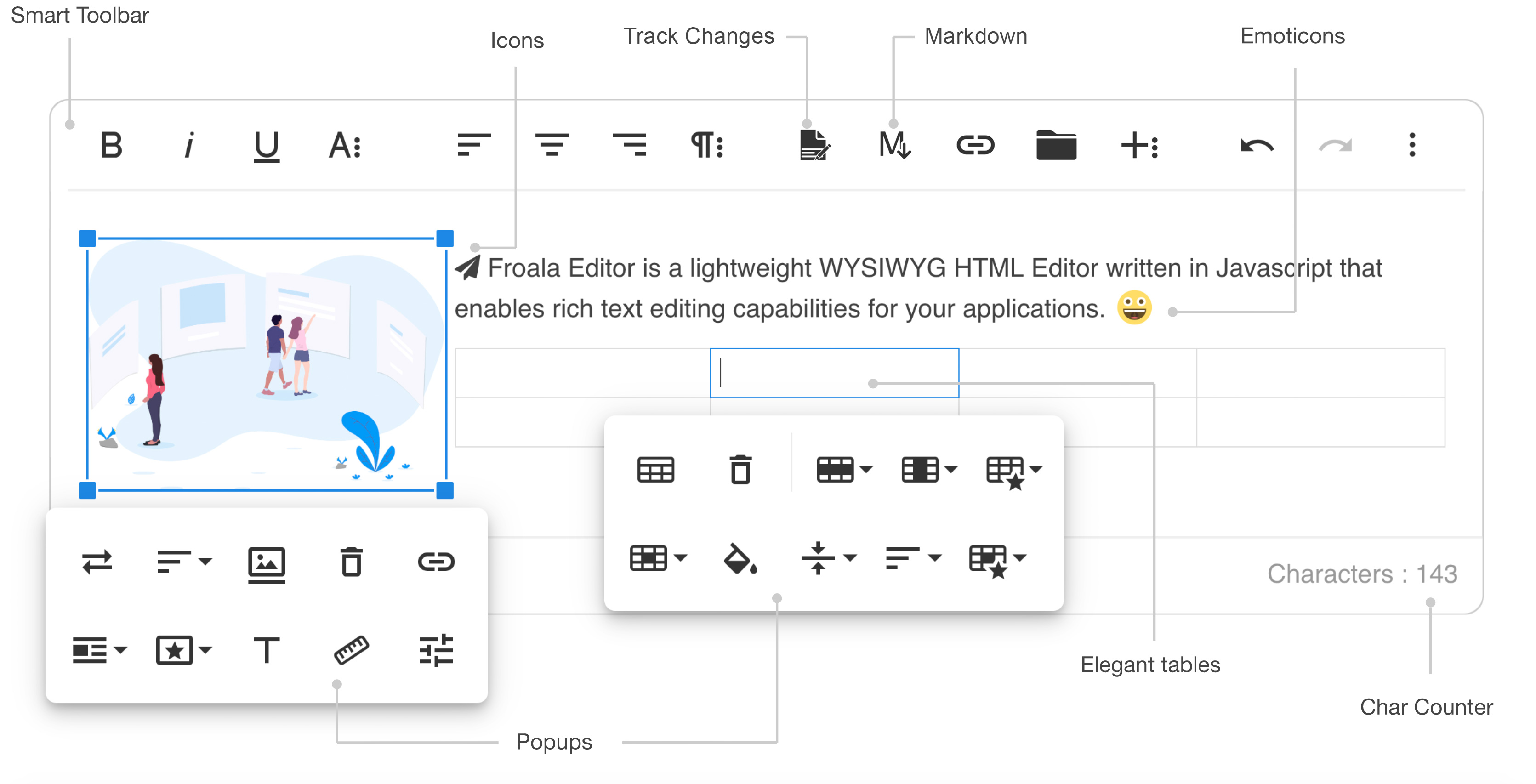
5.4k GitHub stars and counting — froala/wysiwyg-editor is a CSS project TopGit is tracking across repositories on the platform. The next generation Javascript WYSIWYG HTML Editor.
Snapshot summary built from the project's own GitHub metadata — there's no written TopGit review yet. The page will update automatically when a full review is published.
WHY NO REVIEW YET
TopGit writes full reviews for the most-starred, most-requested repositories. This page is a snapshot until then — see the READ ME tab for the original README in full.
Full list: https://www.froala.com/wysiwyg-editor/examples
Download and Install Froala Editor
Install from npm
npm install froala-editor
Install from bower
bower install froala-wysiwyg-editor
Load from CDN
Using Froala Editor from CDN is the easiest way to install it and we recommend using the jsDeliver CDN as it mirrors the NPM package.
<!-- Include Editor style. -->
<link href="https://cdn.jsdelivr.net/npm/froala-editor@latest/css/froala_editor.pkgd.min.css" rel="stylesheet" type="text/css" />

<!-- Create a tag that we will use as the editable area. -->
<!-- You can use a div tag as well. -->
<textarea></textarea>

<!-- Include Editor JS files. -->
<script type="text/javascript" src="https://cdn.jsdelivr.net/npm/froala-editor@latest/js/froala_editor.pkgd.min.js"></script>

<!-- Initialize the editor. -->
<script>
  new FroalaEditor('textarea');
</script>
Load from CDN as an AMD module
Froala Editor is compatible with AMD module loaders such as RequireJS. The following example shows how to load it along with the Algin plugin from CDN using RequireJS.
<html>
<head>
  <!-- Load CSS files. -->
  <link rel="stylesheet" type="text/css" href="https://cdn.jsdelivr.net/npm/froala-editor@latest/css/froala_editor.css">

  <script src="require.js"></script>
  <script>
    require.config({
      packages: [{
        name: 'froala-editor',
        main: 'js/froala_editor.min'
      }],
      paths: {
        // Change this to your server if you do not wish to use our CDN.
        'froala-editor': 'https://cdn.jsdelivr.net/npm/froala-editor@latest'
      }
    });
  </script>

  <style>
    body {
      text-align: center;
    }
    div#editor {
      width: 81%;
      margin: auto;
      text-align: left;
    }
    .ss {
      background-color: red;
    }
  </style>
</head>

<body>
  <div id="editor">
    <div id='edit' style='margin-top:30px;'>
    </div>
  </div>

  <script>
    require([
      'froala-editor',
      'froala-editor/js/plugins/align.min'
    ], function(FroalaEditor) {
      new FroalaEditor('#edit')
    });
  </script>
</body>

</html>
Load Froala Editor as a CommonJS Module
Froala Editor is using an UMD module pattern, as a result it has support for CommonJS. The following examples presumes you are using npm to install froala-editor, see Download and install FroalaEditor for more details.
var FroalaEditor = require('froala-editor');

// Load a plugin.
require('froala-editor/js/plugins/align.min');

// Initialize editor.
new FroalaEditor('#edit');
Load Froala Editor as a transpiled ES6/UMD module
Since Froala Editor supports ES6 (ESM - ECMAScript modules) and UMD (AMD, CommonJS), it can be also loaded as a module with the use of transpilers. E.g. Babel, Typescript. The following examples presumes you are using npm to install froala-editor, see Download and install FroalaEditor for more details.
import FroalaEditor from 'froala-editor'

// Load a plugin.
import 'froala-editor/js/plugins/align.min.js'

// Initialize editor.
new FroalaEditor('#edit')
For more details on customizing the editor, please check the editor documentation.
We use GitHub Issues as the official bug tracker for the Froala WYSIWYG HTML Editor. Here are some advices for our users that want to report an issue:
Make sure that you are using the latest version of the Froala WYSIWYG Editor. The issue that you are about to report may be already fixed in the latest master branch version: https://github.com/froala/froala-wysiwyg/tree/master/js.
Providing us reproducible steps for the issue will shorten the time it takes for it to be fixed. A JSFiddle is always welcomed, and you can start from this basic one.
Some issues may be browser specific, so specifying in what browser you encountered the issue might help.
Technical Support or Questions
If you have questions or need help integrating the editor please contact us instead of opening an issue.
Licensing
All plugins would be restricted for an unlicensed version. To try out the full functionality, you’ll need to register for a trial license here, which is valid for a limited time.
To continue using the Froala Editor beyond the trial period, you’ll need to purchase a commercial license that suits your use case.
For more details, visit our pricing plan page.
This software includes open-source components. License information is available in the License file in the root folder.
How active is development on froala/wysiwyg-editor?
The most recent commit recorded on froala/wysiwyg-editor was 1 month ago, based on the GitHub push timestamp. The repository has 3 forks — one of the better signals of community interest.
How many stars does froala/wysiwyg-editor have?
froala/wysiwyg-editor has 5.4k GitHub stars — refresh the page for the live number, or check github.com/froala/wysiwyg-editor. TopGit mirrors GitHub's count but does not claim minute-by-minute accuracy.
Is froala/wysiwyg-editor open source?
TopGit's metadata for froala/wysiwyg-editor does not record a license. Most public repositories on GitHub ARE open source, but the exact terms vary — verify by opening the LICENSE file directly.
What else is in the Frontend space?
froala/wysiwyg-editor is tracked by TopGit under the Frontend category, alongside 6 GitHub-tagged topics. Trending and Topics pages list peer repositories of comparable stars and language.
What topics is froala/wysiwyg-editor associated with?
GitHub's repository topics for froala/wysiwyg-editor: "froala", "javascript", "rich-text-editor", "wysiwyg", "wysiwyg-editor", "wysiwyg-html-editor". TopGit's editorial category is Frontend.
Where can I see froala/wysiwyg-editor in action?
The project maintains a homepage at https://www.froala.com/wysiwyg-editor. The README tab on this page also usually contains screenshots and a quickstart.
Where do I read more about froala/wysiwyg-editor?
This TopGit page is a snapshot — the READ ME tab shows the project's own README content (links stripped, images preserved). The GitHub repository at github.com/froala/wysiwyg-editor is the definitive source.
Read full README in the tab above.
Is wysiwyg-editor worth your time?
ChatGPT, Claude and Perplexity can all read this page. Ask one of them what it makes of wysiwyg-editor.

 /wysiwyg-editor