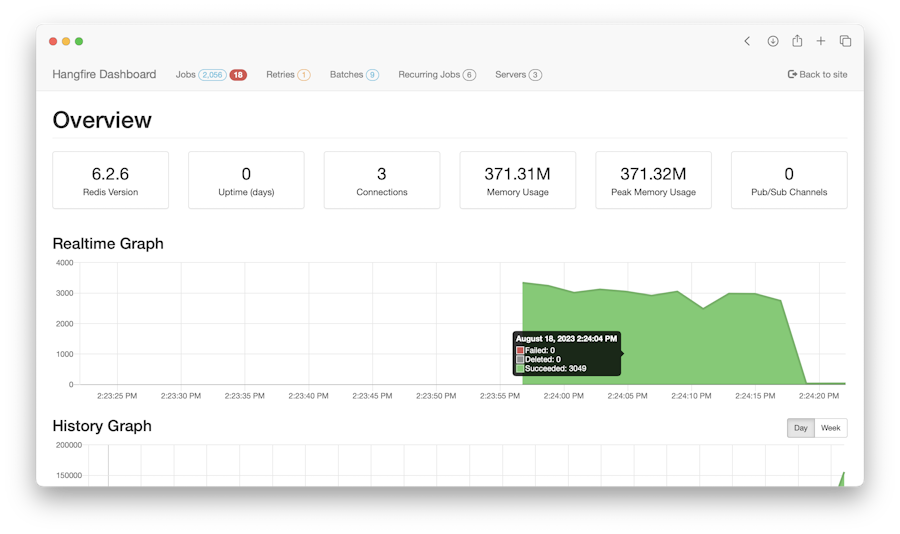
HangfireIO/Hangfire — a backend project — sits at 10.1k GitHub stars in the Backend space. An easy way to perform background job processing in .NET and .NET Core applications. No Windows Service or separate process required
Snapshot summary built from the project's own GitHub metadata — there's no written TopGit review yet. The page will update automatically when a full review is published.
WHY NO REVIEW YET
TopGit writes full reviews for the most-starred, most-requested repositories. This page is a snapshot until then — see the READ ME tab for the original README in full.
Incredibly easy way to perform fire-and-forget, delayed and recurring jobs in .NET applications. CPU and I/O intensive, long-running and short-running jobs are supported. No Windows Service / Task Scheduler required. Backed by Redis, SQL Server, SQL Azure and MSMQ.
Hangfire provides a unified programming model to handle background tasks in a reliable way and run them on shared hosting, dedicated hosting or in cloud. You can start with a simple setup and grow computational power for background jobs with time for these scenarios:
mass notifications/newsletters
batch import from xml, csv or json
creation of archives
firing off web hooks
deleting users
building different graphs
image/video processing
purging temporary files
recurring automated reports
database maintenance
…and so on
Hangfire is a .NET alternative to Resque, Sidekiq, delayed_job, Celery.
Installation
Hangfire is available as a NuGet package. You can install it using the NuGet Package Console window:
PM> Install-Package Hangfire
After installation, update your existing OWIN Startup file with the following lines of code. If you do not have this class in your project or don't know what is it, please read the Quick start guide to learn about how to install Hangfire.
public void Configuration(IAppBuilder app)
{
    GlobalConfiguration.Configuration.UseSqlServerStorage("<connection string or its name>");

    app.UseHangfireServer();
    app.UseHangfireDashboard();
}
Usage
This is an incomplete list of features; to see all of them, check the official site and the documentation.
Fire-and-forget tasks
Dedicated worker pool threads execute queued background jobs as soon as possible, shortening your request's processing time.
Continuations allow you to define complex workflows by chaining multiple background jobs together.
var id = BackgroundJob.Enqueue(() => Console.WriteLine("Hello, "));
BackgroundJob.ContinueWith(id, () => Console.WriteLine("world!"));
Process background tasks inside a web application…
You can process background tasks in any OWIN-compatible application framework, including ASP.NET MVC, ASP.NET Web API, FubuMvc, Nancy, etc. Forget about AppDomain unloads, Web Garden & Web Farm issues – Hangfire is reliable for web applications from scratch, even on shared hosting.
app.UseHangfireServer();
… or anywhere else
In console applications, Windows Service, Azure Worker Role, etc.
using (new BackgroundJobServer())
{
    Console.WriteLine("Hangfire Server started. Press ENTER to exit...");
    Console.ReadLine();
}
Questions? Problems?
Open-source projects develop more smoothly when discussions are public.
If you have any questions, problems related to Hangfire usage or if you want to discuss new features, please visit the discussion forum. You can sign in there using your existing Google or GitHub account, so it's very simple to start using it.
If you've discovered a bug, please report it to the Hangfire GitHub Issues. Detailed reports with stack traces, actual and expected behaviours are welcome.
Related Projects
Please see the Extensions page on the official site.
Building the sources
Prerequisites:
Razor Generator: Required if you intend to edit the cshtml files.
Install the MSMQ service (Microsoft Message Queue Server), if not already installed.
Then, create an environment variable with Variable name Hangfire_SqlServer_ConnectionStringTemplate and put your connection string in the Variable value field. Example:
Variable value: Data Source=.\sqlexpress;Initial Catalog=Hangfire.SqlServer.Tests;Integrated Security=True;
To build a solution and get assembly files, just run the following command. All build artifacts, including *.pdb files, will be placed into the build folder. Before proposing a pull request, please use this command to ensure everything is ok. Btw, you can execute this command from the Package Manager Console window.
build
To build NuGet packages as well as an archive file, use the pack command as shown below. You can find the result files in the build folder.
build pack
To see the full list of available commands, pass the -docs switch:
build -docs
Hangfire uses psake build automation tool. All psake tasks and functions defined in psake-build.ps1 (for this project) and psake-common.ps1 (for other Hangfire projects) files. Thanks to the psake project, they are very simple to use and modify!
Razor templates are compiled upon save with the Razor Generator Visual Studio extension. You will need this installed if you want to modify the Dashboard UI.
Reporting security issues
In order to give the community time to respond and upgrade we strongly urge you report all security issues privately. Please email us at [email protected] with details and we will respond ASAP. Security issues always take precedence over bug fixes and feature work. We can and do mark releases as "urgent" if they contain serious security fixes.
This program is free software: you can redistribute it and/or modify
it under the terms of the GNU Lesser General Public License as published by
the Free Software Foundation, either version 3 of the License, or
(at your option) any later version.
This program is distributed in the hope that it will be useful,
but WITHOUT ANY WARRANTY; without even the implied warranty of
MERCHANTABILITY or FITNESS FOR A PARTICULAR PURPOSE. See the
GNU Lesser General Public License for more details.
You should have received a copy of the GNU Lesser General Public License
along with this program. If not, see https://www.gnu.org/licenses/.
Legal
By submitting a Pull Request, you disavow any rights or claims to any changes submitted to the Hangfire project and assign the copyright of those changes to Hangfire OÜ.
If you cannot or do not want to reassign those rights (your employment contract for your employer may not allow this), you should not submit a PR. Open an issue and someone else can do the work.
This is a legal way of saying "If you submit a PR to us, that code becomes ours". 99.9% of the time that's what you intend anyways; we hope it doesn't scare you away from contributing.
The most recent commit recorded on HangfireIO/Hangfire was 1 month ago, based on the GitHub push timestamp. The repository has 1.8k forks — one of the better signals of community interest.
Is HangfireIO/Hangfire open source?
TopGit's metadata for HangfireIO/Hangfire does not record a license. Most public repositories on GitHub ARE open source, but the exact terms vary — verify by opening the LICENSE file directly.
What topics is HangfireIO/Hangfire associated with?
GitHub's repository topics for HangfireIO/Hangfire: "background-jobs", "background-thread", "background-worker", "dotnet", "dotnet-core", "hangfire", "scheduled-jobs". TopGit's editorial category is Backend.
Where can I see HangfireIO/Hangfire in action?
The project maintains a homepage at https://www.hangfire.io. The README tab on this page also usually contains screenshots and a quickstart.
Where do I read more about HangfireIO/Hangfire?
This TopGit page is a snapshot — the READ ME tab shows the project's own README content (links stripped, images preserved). The GitHub repository at github.com/HangfireIO/Hangfire is the definitive source.
Read full README in the tab above.
Curious whether Hangfire is right for you?
Let ChatGPT, Claude, or Perplexity look into it — click below and see what AI actually says about Hangfire.
 /Hangfire