


⚠️ Project Status: Unmaintained
This repository is no longer actively maintained.
- No new features are planned.
- Issues and pull requests are not monitored.
- The project may not be compatible with recent Java or Maven versions.
You are welcome to fork the project if you wish to continue its development.
UML Reverse Mapper
Automatically generate class diagram from your code.
Using reflection, UML Reverse Mapper scans your packages that contain your code. It builds the class relations and can output as a Graphviz .dot file, a PlantUML .puml file or a Mermaid .mmd file.
The tool is available in command line version (urm-core) and Maven plugin (urm-maven-plugin).
Using from the command-line
Build the urm-core project with ./mvnw clean package and grab the generated artifact urm-core.jar. Then you need the archive that will be analyzed. In this example we use abstract-factory.jar and assume the package name to be com.iluwatar.abstractfactory. Place the jar-files in the same directory and execute the following command.
java -cp abstract-factory.jar:urm-core.jar com.iluwatar.urm.DomainMapperCli -p com.iluwatar.abstractfactory -i com.iluwatar.abstractfactory.Castle
This will scan all the classes under the package com.iluwatar.abstractfactory except Castle that was marked to be ignored and output the markup to your console output. By default PlantUML presenter is used, but it can be changed with switch -s graphviz or -s mermaid. If you want to write it to file use switch -f filename. If you need to scan multiple packages use format -p "com.package1, com.package2". Note that under Windows OS the classpath separator is ; instead of :
Using the Maven plugin
Add to your pom.xml the following:
<build>
  <plugins>
    <plugin>
      <groupId>com.iluwatar.urm</groupId>
      <artifactId>urm-maven-plugin</artifactId>
      <version>2.1.1</version>
      <configuration>
        <!-- if outputDirectory is not set explicitly it will default to your build dir -->
        <outputDirectory>${project.basedir}/etc</outputDirectory>
        <packages>
          <param>com.mycompany.mypackage</param>
          <param>com.mycompany.other_package</param>
        </packages>
        <ignores>
          <param>com.mycompany.mypackage.MyClass</param>
          <param>com.mycompany.other_package.OtherClass</param>
        </ignores>
        <includeMainDirectory>true</includeMainDirectory>
        <includeTestDirectory>false</includeTestDirectory>
        <presenter>graphviz</presenter>
      </configuration>
      <executions>
        <execution>
          <phase>process-classes</phase>
          <goals>
            <goal>map</goal>
          </goals>
        </execution>
      </executions>
      <dependencies>
        <dependency>
          <groupId>com.example</groupId>
          <artifactId>example</artifactId>
          <version>1.0.0</version>
        </dependency>
      </dependencies>
    </plugin>
  </plugins>
</build>
packages configuration parameter contains a list of packages that should be included in the class
diagramignores configuration parameter contains a list of types that should be excluded from the class
diagramdependencies list should contain the artifacts where the classes are found. See https://maven.apache.org/guides/mini/guide-configuring-plugins.html#Using_the_dependencies_TagincludeMainDirectory configuration parameter indicates to include classes of src/main/java
directory. Default value of includeMainDirectory is true.includeTestDirectory configuration parameter indicates to include classes of src/test/java
directory. Default value of includeTestDirectory configuration parameter is false.presenter parameter control which presenter is used. Can be graphviz, plantuml or mermaid.
When process-classes life-cycle phase gets executed, the class diagram will be saved to the location specified by outputDirectory parameter. If not specified the file is saved
to /target/${project.name}.urm.<ext>, where is one of dot (graphiv), puml (plantuml), or mmd (mermaid). Use this file with your local
or online tools to show your class diagram.
Showcases
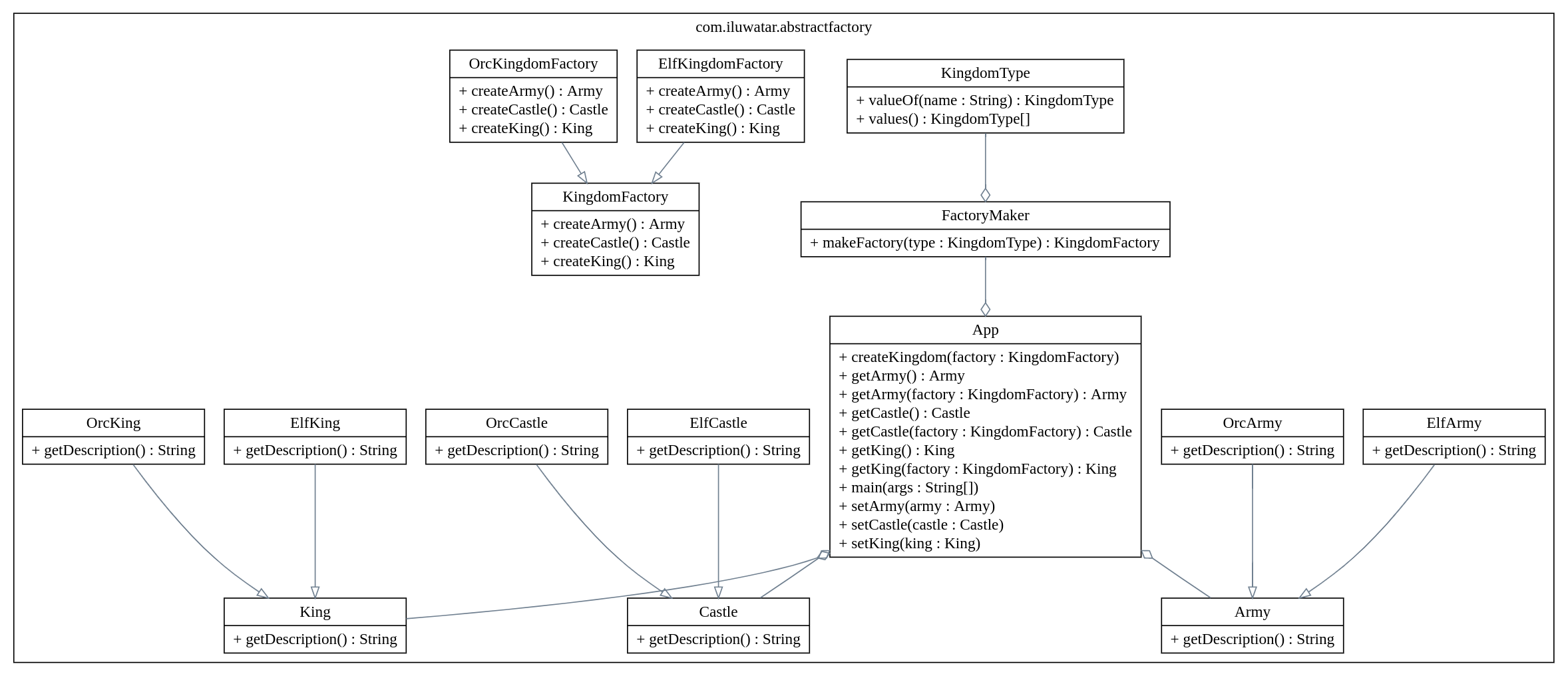
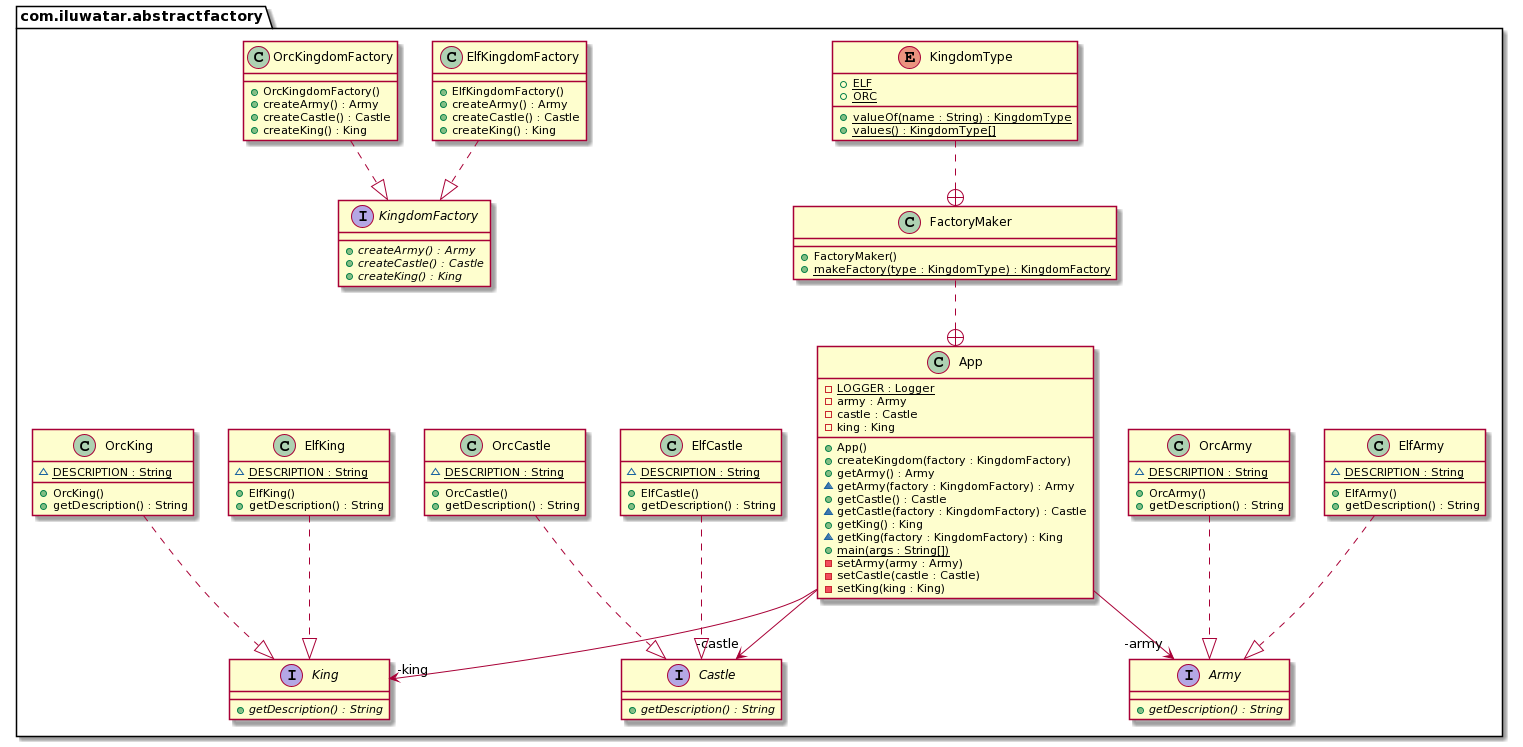
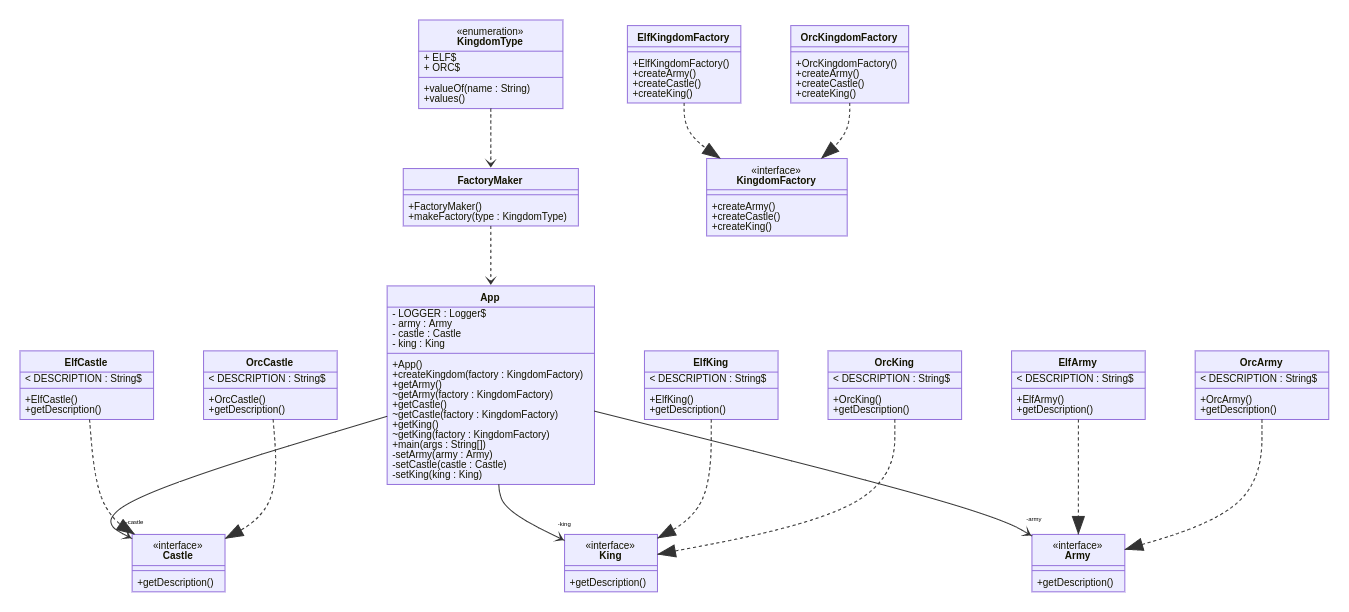
Here are some class diagrams generated with the urm-maven-plugin.
Deploy Instructions
Performing a Release Deployment
export GPG_TTY=$(tty)
./mvnw clean deploy -P release
