iluwatar/uml-reverse-mapper là dự án mã nguồn mở trên GitHub, viết chủ yếu bằng Java, với 250 sao. Automatically generate class diagram from code. Supports Graphviz, PlantUML and Mermaid output formats.
Tóm tắt dựng từ metadata GitHub của chính dự án — chưa có bài review TopGit. Trang sẽ tự động cập nhật khi bài review đầy đủ được xuất bản.
VÌ SAO CHƯA CÓ REVIEW
TopGit viết bài đầy đủ cho repo có nhiều sao nhất và được yêu cầu nhiều nhất. Trang này là snapshot trong thời gian chờ — xem README gốc ở tab READ ME.
The project may not be compatible with recent Java or Maven versions.
You are welcome to fork the project if you wish to continue its development.
UML Reverse Mapper
Automatically generate class diagram from your code.
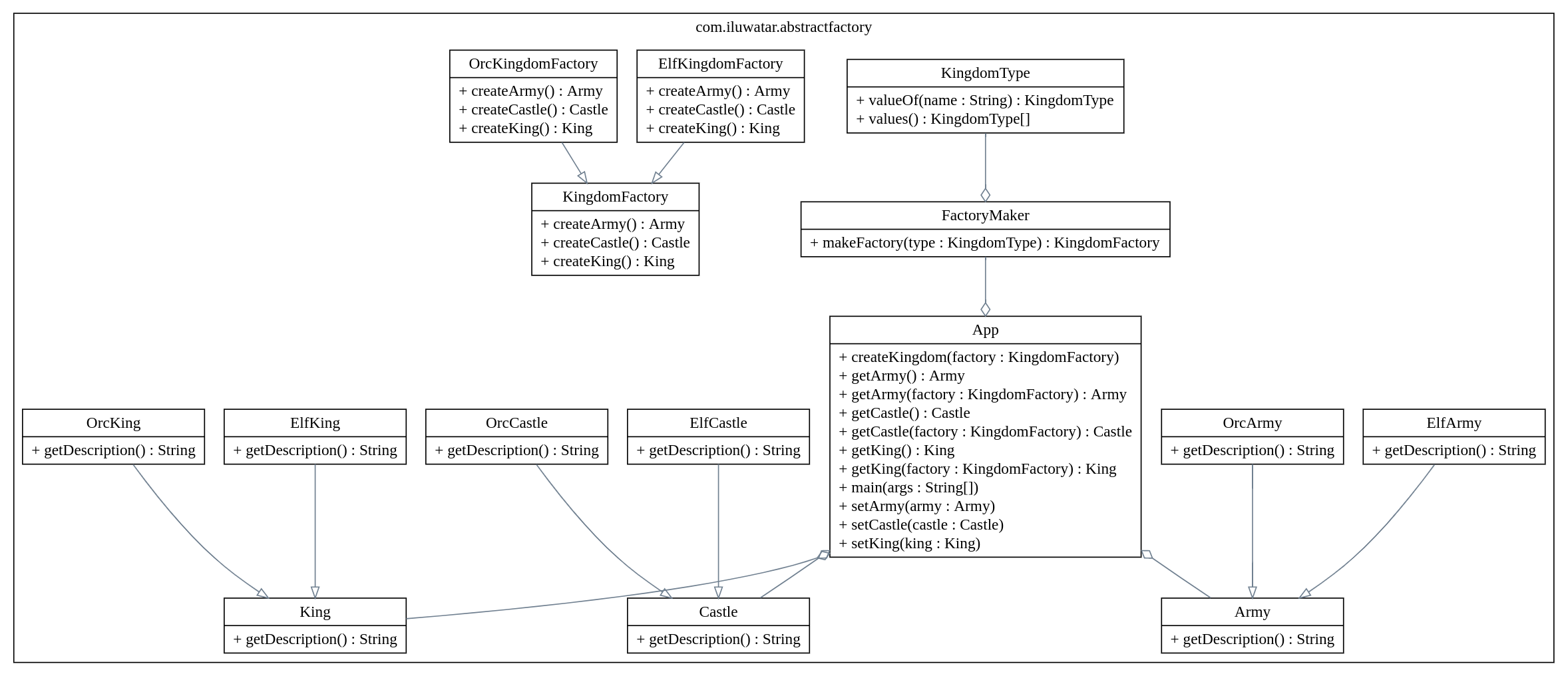
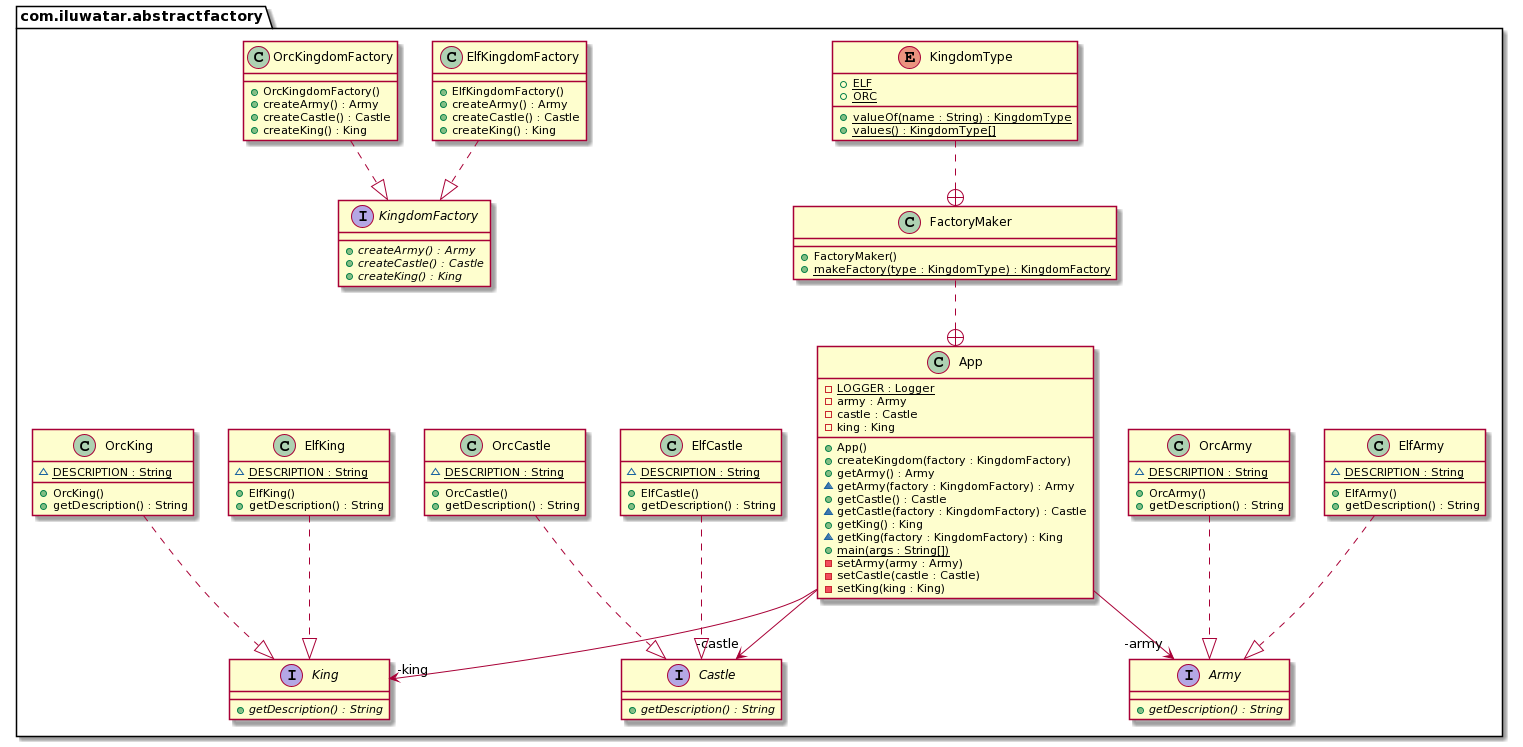
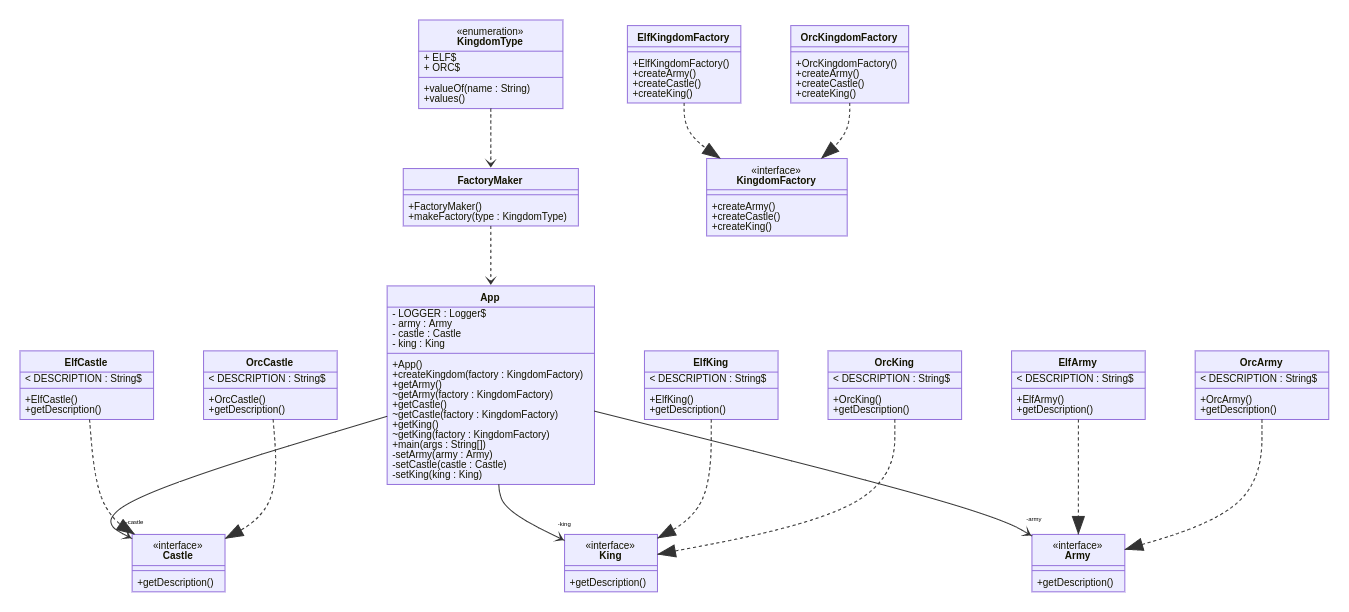
Using reflection, UML Reverse Mapper scans your packages that contain your code. It builds the class relations and can output as a Graphviz .dot file, a PlantUML .puml file or a Mermaid .mmd file.
The tool is available in command line version (urm-core) and Maven plugin (urm-maven-plugin).
Using from the command-line
Build the urm-core project with ./mvnw clean package and grab the generated artifact urm-core.jar. Then you need the archive that will be analyzed. In this example we use abstract-factory.jar and assume the package name to be com.iluwatar.abstractfactory. Place the jar-files in the same directory and execute the following command.
This will scan all the classes under the package com.iluwatar.abstractfactory except Castle that was marked to be ignored and output the markup to your console output. By default PlantUML presenter is used, but it can be changed with switch -s graphviz or -s mermaid. If you want to write it to file use switch -f filename. If you need to scan multiple packages use format -p "com.package1, com.package2". Note that under Windows OS the classpath separator is ; instead of :
Using the Maven plugin
Add to your pom.xml the following:
<build>
  <plugins>
    <plugin>
      <groupId>com.iluwatar.urm</groupId>
      <artifactId>urm-maven-plugin</artifactId>
      <version>2.1.1</version>
      <configuration>
        <!-- if outputDirectory is not set explicitly it will default to your build dir -->
        <outputDirectory>${project.basedir}/etc</outputDirectory>
        <packages>
          <param>com.mycompany.mypackage</param>
          <param>com.mycompany.other_package</param>
        </packages>
        <ignores>
          <param>com.mycompany.mypackage.MyClass</param>
          <param>com.mycompany.other_package.OtherClass</param>
        </ignores>
        <includeMainDirectory>true</includeMainDirectory>
        <includeTestDirectory>false</includeTestDirectory>
        <presenter>graphviz</presenter>
      </configuration>
      <executions>
        <execution>
          <phase>process-classes</phase>
          <goals>
            <goal>map</goal>
          </goals>
        </execution>
      </executions>
      <dependencies>
        <dependency>
          <groupId>com.example</groupId>
          <artifactId>example</artifactId>
          <version>1.0.0</version>
        </dependency>
      </dependencies>
    </plugin>
  </plugins>
</build>
packages configuration parameter contains a list of packages that should be included in the class
diagram
ignores configuration parameter contains a list of types that should be excluded from the class
diagram
dependencies list should contain the artifacts where the classes are found. See https://maven.apache.org/guides/mini/guide-configuring-plugins.html#Using_the_dependencies_Tag
includeMainDirectory configuration parameter indicates to include classes of src/main/java
directory. Default value of includeMainDirectory is true.
includeTestDirectory configuration parameter indicates to include classes of src/test/java
directory. Default value of includeTestDirectory configuration parameter is false.
presenter parameter control which presenter is used. Can be graphviz, plantuml or mermaid.
When process-classes life-cycle phase gets executed, the class diagram will be saved to the location specified by outputDirectory parameter. If not specified the file is saved
to /target/${project.name}.urm.<ext>, where is one of dot (graphiv), puml (plantuml), or mmd (mermaid). Use this file with your local
or online tools to show your class diagram.
Showcases
Here are some class diagrams generated with the urm-maven-plugin.
Trang TopGit này là một snapshot — tab "Readme" hiển thị nguyên văn README của repo (đã bỏ link, giữ ảnh). Repo GitHub ở github.com/iluwatar/uml-reverse-mapper là nguồn chính thức.
iluwatar/uml-reverse-mapper có bao nhiêu sao?
iluwatar/uml-reverse-mapper có 250 sao GitHub — tải lại trang để xem số mới nhất, hoặc xem trực tiếp github.com/iluwatar/uml-reverse-mapper. TopGit phản chiếu số sao của GitHub nhưng không cam kết đến từng phút.
iluwatar/uml-reverse-mapper còn đang phát triển không?
Commit gần nhất trên iluwatar/uml-reverse-mapper là 6 tháng trước (theo timestamp GitHub). Repo có 93 fork — một chỉ báo về mức độ quan tâm của cộng đồng.
iluwatar/uml-reverse-mapper viết bằng ngôn ngữ gì?
iluwatar/uml-reverse-mapper chủ yếu viết bằng Java. Trường "language" của GitHub dựa trên phần lớn byte ở nhánh mặc định.
Đọc đầy đủ README ở tab phía trên.
Muốn nghe thêm một ý kiến về uml-reverse-mapper?
Hỏi một AI đọc được trang này — một cú bấm là có ngay nhận định về uml-reverse-mapper.
 /uml-reverse-mapper