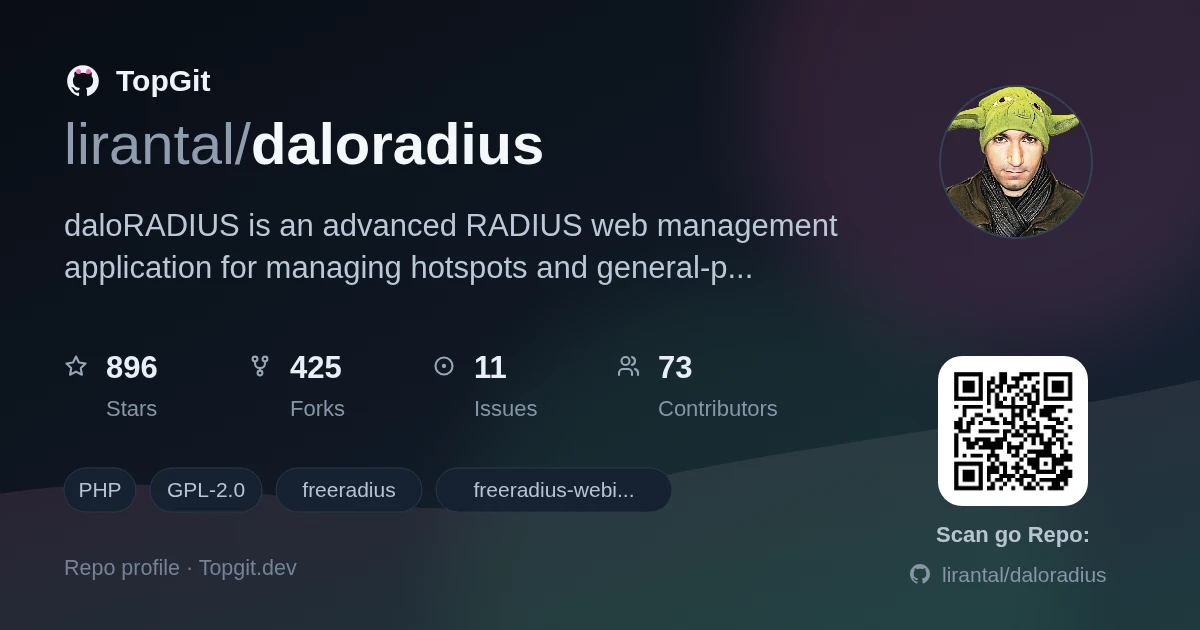
Snapshot of lirantal/daloradius: 920★, PHP, Backend. daloRADIUS is an advanced RADIUS web management application for managing hotspots and general-purpose ISP deployments. It features user management, graphical reporting, accounting, a billing engine, and integrates with OpenStreetMap for geolocation. The system is based on FreeRADIUS with which it shares access to the backend database.
Snapshot summary built from the project's own GitHub metadata — there's no written TopGit review yet. The page will update automatically when a full review is published.
WHY NO REVIEW YET
TopGit writes full reviews for the most-starred, most-requested repositories. This page is a snapshot until then — see the READ ME tab for the original README in full.
daloRADIUS is an advanced RADIUS web management application for managing hotspots and general-purpose ISP deployments. It features user management, graphical reporting, accounting, a billing engine, and integrates with OpenStreetMap for geolocation. The system is based on FreeRADIUS with which it shares access to the backend database.
daloRADIUS is written using PHP and uses native PDO for database access. The installation paths target MariaDB with the PDO MySQL driver (pdo_mysql); existing mysql and mysqli configuration values both select that PDO driver. PEAR DB is no longer required. Other database engines have not been validated end-to-end and are not recommended. PEAR Mail and Mail_Mime remain separate dependencies for notification delivery.
Installation
quick installation
To quickly install a basic standalone AAA infrastructure - based on daloRADIUS - on a Debian environment, run the following command in a root terminal:
At the end of this procedure, the installation script will generate random credentials to be used for the operator's first login.
installation guide
To install daloRADIUS, you can follow the installation guide available in the project's official wiki.
Alternatively, you can also find the installation guide in the doc/install folder of this repository.
If you encounter any issues during the installation or have any questions, feel free to ask for support in the Issues section.
Documentation
The documentation for daloRADIUS is available in Markdown format and can be found in the doc folder of this repository.
Docker
For a complete local stack, copy .env.example to .env, set the required secrets, and start MariaDB, FreeRADIUS, and the web interfaces with:
docker compose up -d --build
The primary Dockerfile can also run the web interfaces alone against externally managed MariaDB and FreeRADIUS services. See the Docker usage guide for environment variables, ports, persistence, upgrades, and both deployment modes.
Contributors
Special thanks to these wonderful people for their contributions to daloRADIUS...
... and many more who have contributed to the project over time. Thank you for your valuable contributions!
Would you like to contribute too? Learn how to get started: How to Contribute.
Features
Management
User Management
List Users: View a list of all registered users in the system.
Create New User: Easily create new user accounts with required attributes.
Quick Add New User: Streamlined process for quick user account creation, ideal for POS or HotSpot shops.
Edit User: Modify user account details and attributes as needed.
Search User: Easily find users using various search criteria.
Delete User: Remove user accounts from the system.
HotSpot Management
List HotSpots: View a list of all configured hotspots.
Create New HotSpot: Effortlessly create new hotspots and configure their settings.
Edit HotSpot: Modify hotspot details and settings as required.
Delete HotSpot: Remove hotspots from the system.
NAS Management
List NAS: View a list of all Network Access Servers (NAS) registered in the system.
Create New NAS: Add new NAS devices to manage network access.
Edit NAS: Modify NAS details and settings.
Delete NAS: Remove NAS devices from the system.
Groups Management
List, Create New, Edit and Delete User-Groups Mapping: Manage user-group mapping in the radius database.
List, Create New, Edit and Delete Group-Reply and Group-Check Settings: Configure group-wide attributes in the radius database.
Accounting
Users Accounting By
Username: View accounting information for specific users by their username.
IP Address: Monitor accounting details based on the user's IP address.
NAS IP Address: Track accounting data based on the NAS IP address.
Date (From/To): Get accounting records within a specified date range.
Display of All Accounting Records: Access a comprehensive view of all accounting records in the radius database.
Display of Active Accounting Records: Monitor active accounting sessions using Max-All-Session attribute or Expiration attribute.
Open-Session Maintenance: Preview open accounting records and either close them while retaining usage data or permanently delete selected records. See Maintaining open accounting sessions.
Custom Accounting Query: Perform custom accounting queries to extract specific data.
HotSpots Accounting
Comparison of Accounting for different HotSpots: Compare accounting data for different hotspots, providing information on hotspot's unique users, total hits, average time, and total time.
GIS - Geographical Information System
daloRADIUS comes with integrated support for GIS provided by Leaflet and an OpenStreetMap basemap, enabling the visual location of deployed HotSpots across a map. It allows you to see their status and monitor them visually.
View Map: Monitor deployed HotSpots using the GIS map.
Edit Map: Add or delete HotSpots directly on the map, without navigating to the HotSpots Management page.
Reporting
Basic Reporting
Online Users: View online users currently connected to the system from all NAS devices at a current point in time.
Last Connection Attempts: View last connection attempts and their status - whether they were rejected or successful.
Search Users: Search for Users - similar to the functionality in User Management page.
Top Users: View a report of the Top Users based on their Bandwidth consumption or Time usage.
Logs Reporting
daloRADIUS Log: Keep track of all actions performed within the daloRADIUS interface, such as page visits, form actions (e.g., deleting users, creating new hotspots), and queries submission for user accounting.
RADIUS Server Log: Monitor the FreeRADIUS server logfile.
System Log: Monitor the system log, which can include syslog or messages, depending on the configuration.
Boot Log: Monitor the boot/kernel log (dmesg).
Status Reporting
Server Status: Provides detailed information on the server where daloRADIUS is deployed, including CPU utilization, uptime, memory, disk information, and more.
The former Services Status page has been removed. Monitor daloRADIUS, FreeRADIUS, and the database using your preferred external monitoring solution (for example, Zabbix or Prometheus), with availability checks and alerting independent of the PHP web interface. Remove any bookmarks to the former page.
Billing
POS (Point of Sales)
Plans
Rates
PayPal Transactions
Billing History
Invoices
Payments
Graphs
Users Graphs
Provides visual graphs and statistical listing per user connection's attributes, including:
Logins/Hits
Download
Upload
Server-Wide Graphs
Provides visual graphs and statistical listing for the entire server, showing all-time information on:
Logins/Hits
Traffic Comparison
Configuration
Global Configuration
Database Settings: Configure database connection information (storage: MySQL, PostgreSQL, and others), credentials (username and password), radius database table names (radcheck, radacct, etc.), and database password encryption type (none, md5, sha1).
Language Settings: daloRADIUS is multi-lingual and currently supports English and Russian language packs.
Logging Settings and Debugging: Enable logging of different actions, queries, and page visits. Also supports debugging of SQL queries executed.
Interface Settings: Support for displaying password text in either clear-text or as asterisks to hide it. Table listing spanning across multiple pages is configurable on the number of rows per page and addition of number links for quick-access to different pages.
Maintenance
Test User Connectivity: Provides the ability to check if a user's credentials (username and password) are valid by executing a radius query to a radius server (configurable for radius port, shared secret, etc.).
Disconnect User: Supply a username and send a PoD (Packet of Disconnect) or CoA (Change of Authority) packet to the NAS to disconnect the user.
Operators
daloRADIUS supports Operators for complete management of the entire platform. Different Operators can be added with their contact information and ACLs settings to grant or revoke them permissions to access different pages.
List Operators
Create New Operator
Edit Operator
Delete Operator
Two-Factor Authentication: Operators can enable TOTP-based MFA for their own account. Administrators can reset an operator's MFA from the UI or from the server command line; see Operator two-factor authentication recovery.
Database migrations
For new installations, use the schemas found in contrib/db/mariadb-daloradius*.sql. If you're upgrading an existing daloRADIUS setup, review contrib/db/migrations/ and apply the relevant SQL migrations before using any newly introduced features. See the upgrade notes in the wiki for details.
User portal passwords are separate from FreeRADIUS password attributes. Newly created or changed portal credentials are stored using PHP's password_hash(); existing installations should follow the user portal password upgrade guide to migrate legacy plaintext values.
Credits
daloRADIUS makes use of several third-party packages and I would like to thank these
great tools and their authors for releasing such a good software to the community.
The most recent commit recorded on lirantal/daloradius was 3 months ago, based on the GitHub push timestamp. The repository has 442 forks — one of the better signals of community interest.
How does lirantal/daloradius compare to other Backend projects?
lirantal/daloradius is tracked by TopGit in the Backend category, with 920 GitHub stars and written in PHP. Browse the Backend topic page on TopGit to compare it against similar projects by stars and activity.
How many stars does lirantal/daloradius have?
lirantal/daloradius has 920 GitHub stars — refresh the page for the live number, or check github.com/lirantal/daloradius. TopGit mirrors GitHub's count but does not claim minute-by-minute accuracy.
What is lirantal/daloradius?
lirantal/daloradius (lirantal/daloradius) is a PHP project on GitHub. From the project's own README: daloRADIUS is an advanced RADIUS web management application for managing hotspots and general-purpose ISP deployments. It features user management, graphical reporting, accounting, a billing engine, and integrates with OpenStreetMap for geolocation. The system is based on FreeRADIUS with which it shares access to the backend database.
What language is lirantal/daloradius written in?
lirantal/daloradius is written primarily in PHP. GitHub's language field is based on the largest share of bytes in the default branch.
What topics is lirantal/daloradius associated with?
GitHub's repository topics for lirantal/daloradius: "freeradius", "freeradius-webinterface", "hotspot-management", "hotspot-manager", "php", "radius", "wifi-manager". TopGit's editorial category is Backend.
Why is lirantal/daloradius categorized under Backend?
TopGit places lirantal/daloradius in the Backend category based on its GitHub topics and description (tagged: "freeradius", "freeradius-webinterface", "hotspot-management"). Categories are assigned from real repository metadata, not editorial guesswork.
Read full README in the tab above.
Still deciding about daloradius?
One click hands the question to an AI along with this page — see what it says about daloradius.
 /daloradius