lucidrains/DALLE-pytorch

lucidrains/DALLE-pytorch is one of the AI-powered repositories TopGit tracks, currently at 5.6k stars, written primarily in Python. Implementation / replication of DALL-E, OpenAI's Text to Image Transformer, in Pytorch
Snapshot summary built from the project's own GitHub metadata — there's no written TopGit review yet. The page will update automatically when a full review is published.
TopGit writes full reviews for the most-starred, most-requested repositories. This page is a snapshot until then — see the READ ME tab for the original README in full.
Snapshot
Top contributors
Show top contributors
DALL-E in Pytorch

Released DALLE Models
Web-Hostable DALLE Checkpoints

Yannic Kilcher's video
Implementation / replication of DALL-E (paper), OpenAI's Text to Image Transformer, in Pytorch. It will also contain CLIP for ranking the generations.
Quick Start
Deep Daze or Big Sleep are great alternatives!
For generating video and audio, please see NÜWA
Appreciation
This library could not have been possible without the contributions of janEbert, Clay, robvanvolt, Romain Beaumont, and Alexander! 🙏
Status
- Hannu has managed to train a small 6 layer DALL-E on a dataset of just 2000 landscape images! (2048 visual tokens)

- Kobiso, a research engineer from Naver, has trained on the CUB200 dataset here, using full and deepspeed sparse attention
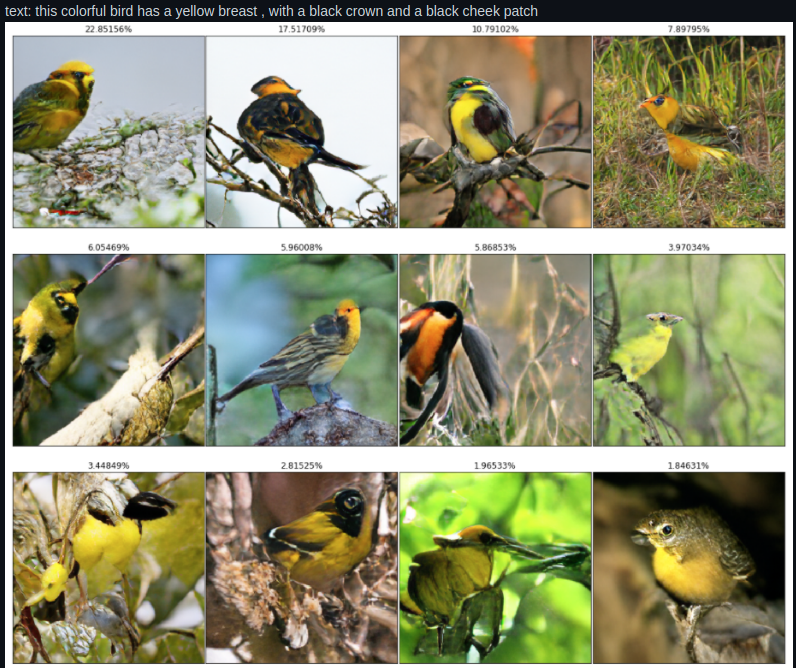
-
(3/15/21) afiaka87 has managed one epoch using a reversible DALL-E and the dVaE here
-
TheodoreGalanos has trained on 150k layouts with the following results


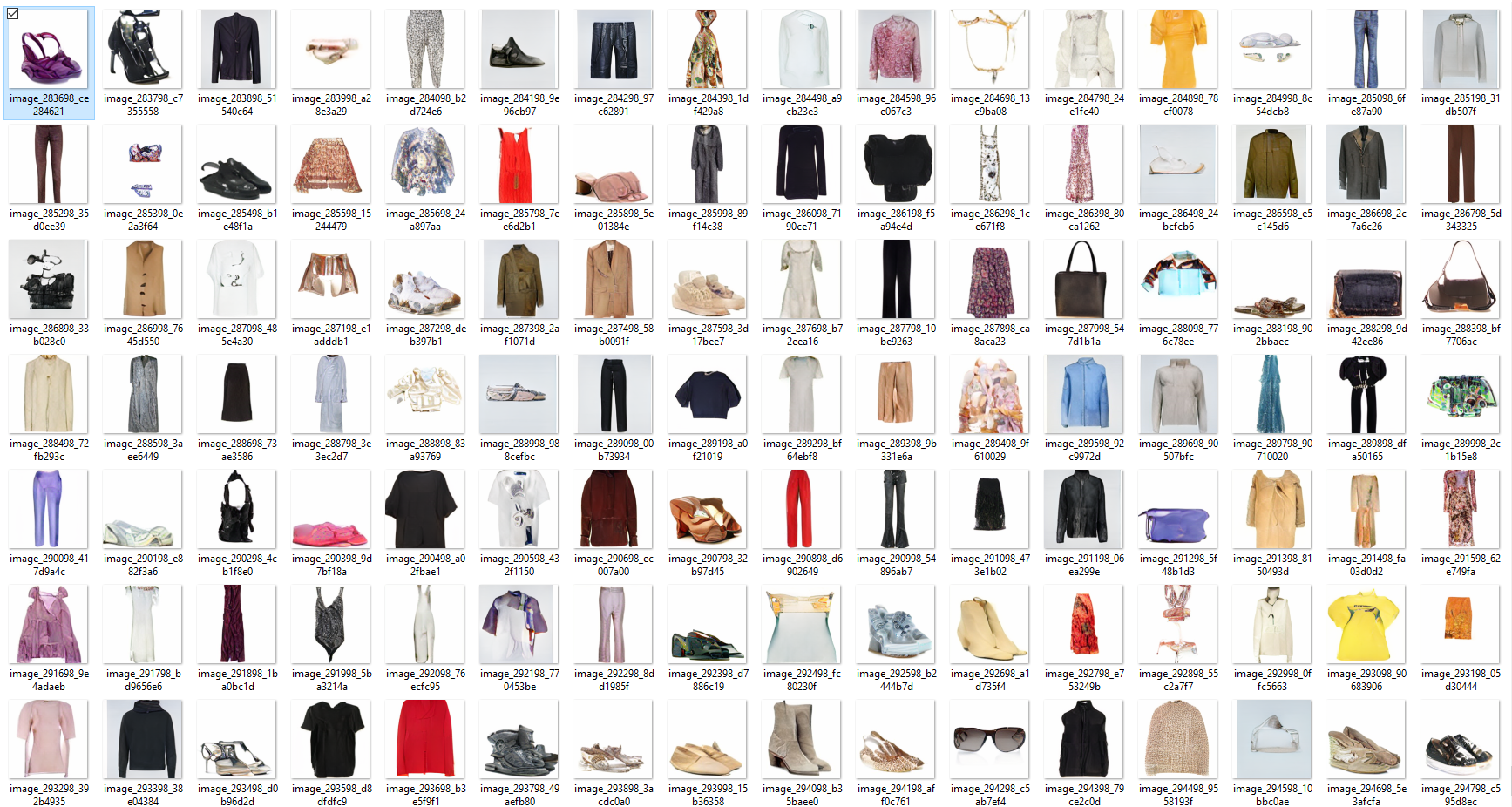
- afiaka87 trained for 6 epochs on the same dataset as before thanks to the efficient 16k VQGAN with the following results


Thanks to the amazing "mega b#6696" you can generate from this checkpoint in colab -
-
(5/2/21) First 1.3B DALL-E from 🇷🇺 has been trained and released to the public! 🎉
-
(4/8/22) Moving onwards to DALLE-2!
Install
$ pip install dalle-pytorch
Usage
Train VAE
import torch
from dalle_pytorch import DiscreteVAE

vae = DiscreteVAE(
    image_size = 256,
    num_layers = 3,           # number of downsamples - ex. 256 / (2 ** 3) = (32 x 32 feature map)
    num_tokens = 8192,        # number of visual tokens. in the paper, they used 8192, but could be smaller for downsized projects
    codebook_dim = 512,       # codebook dimension
    hidden_dim = 64,          # hidden dimension
    num_resnet_blocks = 1,    # number of resnet blocks
    temperature = 0.9,        # gumbel softmax temperature, the lower this is, the harder the discretization
    straight_through = False, # straight-through for gumbel softmax. unclear if it is better one way or the other
)

images = torch.randn(4, 3, 256, 256)

loss = vae(images, return_loss = True)
loss.backward()

# train with a lot of data to learn a good codebook
Train DALL-E with pretrained VAE from above
import torch
from dalle_pytorch import DiscreteVAE, DALLE

vae = DiscreteVAE(
    image_size = 256,
    num_layers = 3,
    num_tokens = 8192,
    codebook_dim = 1024,
    hidden_dim = 64,
    num_resnet_blocks = 1,
    temperature = 0.9
)

dalle = DALLE(
    dim = 1024,
    vae = vae,                  # automatically infer (1) image sequence length and (2) number of image tokens
    num_text_tokens = 10000,    # vocab size for text
    text_seq_len = 256,         # text sequence length
    depth = 12,                 # should aim to be 64
    heads = 16,                 # attention heads
    dim_head = 64,              # attention head dimension
    attn_dropout = 0.1,         # attention dropout
    ff_dropout = 0.1            # feedforward dropout
)

text = torch.randint(0, 10000, (4, 256))
images = torch.randn(4, 3, 256, 256)

loss = dalle(text, images, return_loss = True)
loss.backward()

# do the above for a long time with a lot of data ... then

images = dalle.generate_images(text)
images.shape # (4, 3, 256, 256)
To prime with a starting crop of an image, simply pass two more arguments
img_prime = torch.randn(4, 3, 256, 256)

images = dalle.generate_images(
    text,
    img = img_prime,
    num_init_img_tokens = (14 * 32)  # you can set the size of the initial crop, defaults to a little less than ~1/2 of the tokens, as done in the paper
)

images.shape # (4, 3, 256, 256)
You may also want to generate text using DALL-E. For that call this function:
text_tokens, texts = dalle.generate_texts(tokenizer, text)
OpenAI's Pretrained VAE
You can also skip the training of the VAE altogether, using the pretrained model released by OpenAI! The wrapper class should take care of downloading and caching the model for you auto-magically.
import torch
from dalle_pytorch import OpenAIDiscreteVAE, DALLE

vae = OpenAIDiscreteVAE()       # loads pretrained OpenAI VAE

dalle = DALLE(
    dim = 1024,
    vae = vae,                  # automatically infer (1) image sequence length and (2) number of image tokens
    num_text_tokens = 10000,    # vocab size for text
    text_seq_len = 256,         # text sequence length
    depth = 1,                  # should aim to be 64
    heads = 16,                 # attention heads
    dim_head = 64,              # attention head dimension
    attn_dropout = 0.1,         # attention dropout
    ff_dropout = 0.1            # feedforward dropout
)

text = torch.randint(0, 10000, (4, 256))
images = torch.randn(4, 3, 256, 256)

loss = dalle(text, images, return_loss = True)
loss.backward()
Taming Transformer's Pretrained VQGAN VAE
You can also use the pretrained VAE offered by the authors of Taming Transformers! Currently only the VAE with a codebook size of 1024 is offered, with the hope that it may train a little faster than OpenAI's, which has a size of 8192.
In contrast to OpenAI's VAE, it also has an extra layer of downsampling, so the image sequence length is 256 instead of 1024 (this will lead to a 16 reduction in training costs, when you do the math). Whether it will generalize as well as the original DALL-E is up to the citizen scientists out there to discover.
Update - it works!
from dalle_pytorch import VQGanVAE

vae = VQGanVAE()

# the rest is the same as the above example
The default VQGan is the codebook size 1024 one trained on imagenet. If you wish to use a different one, you can use the vqgan_model_path and vqgan_config_path to pass the .ckpt file and the .yaml file. These options can be used both in train-dalle script or as argument of VQGanVAE class. Other pretrained VQGAN can be found in taming transformers readme. If you want to train a custom one you can follow this guide
Adjust text conditioning strength
Recently there has surfaced a new technique for guiding diffusion models without a classifier. The gist of the technique involves randomly dropping out the text condition during training, and at inference time, deriving the rough direction from unconditional to conditional distributions.
Katherine Crowson outlined in a tweet how this could work for autoregressive attention models. I have decided to include her idea in this repository for further exploration. One only has to account for two extra keyword arguments on training (null_cond_prob) and generation (cond_scale).
import torch
from dalle_pytorch import DiscreteVAE, DALLE

vae = DiscreteVAE(
    image_size = 256,
    num_layers = 3,
    num_tokens = 8192,
    codebook_dim = 1024,
    hidden_dim = 64,
    num_resnet_blocks = 1,
    temperature = 0.9
)

dalle = DALLE(
    dim = 1024,
    vae = vae,
    num_text_tokens = 10000,
    text_seq_len = 256,
    depth = 12,
    heads = 16,
    dim_head = 64,
    attn_dropout = 0.1,
    ff_dropout = 0.1
)

text = torch.randint(0, 10000, (4, 256))
images = torch.randn(4, 3, 256, 256)

loss = dalle(
    text,
    images,
    return_loss = True,
    null_cond_prob = 0.2  # firstly, set this to the probability of dropping out the condition, 20% is recommended as a default
)

loss.backward()

# do the above for a long time with a lot of data ... then

images = dalle.generate_images(
    text,
    cond_scale = 3. # secondly, set this to a value greater than 1 to increase the conditioning beyond average
)

images.shape # (4, 3, 256, 256)
That's it!
Ranking the generations
Train CLIP
import torch
from dalle_pytorch import CLIP

clip = CLIP(
    dim_text = 512,
    dim_image = 512,
    dim_latent = 512,
    num_text_tokens = 10000,
    text_enc_depth = 6,
    text_seq_len = 256,
    text_heads = 8,
    num_visual_tokens = 512,
    visual_enc_depth = 6,
    visual_image_size = 256,
    visual_patch_size = 32,
    visual_heads = 8
)

text = torch.randint(0, 10000, (4, 256))
images = torch.randn(4, 3, 256, 256)
mask = torch.ones_like(text).bool()

loss = clip(text, images, text_mask = mask, return_loss = True)
loss.backward()
To get the similarity scores from your trained Clipper, just do
images, scores = dalle.generate_images(text, mask = mask, clip = clip)

scores.shape # (2,)
images.shape # (2, 3, 256, 256)

# do your topk here, in paper they sampled 512 and chose top 32
Or you can just use the official CLIP model to rank the images from DALL-E
Scaling depth
In the blog post, they used 64 layers to achieve their results. I added reversible networks, from the Reformer paper, in order for users to attempt to scale depth at the cost of compute. Reversible networks allow you to scale to any depth at no memory cost, but a little over 2x compute cost (each layer is rerun on the backward pass).
Simply set the reversible keyword to True for the DALLE class
dalle = DALLE(
    dim = 1024,
    vae = vae,
    num_text_tokens = 10000,
    text_seq_len = 256,
    depth = 64,
    heads = 16,
    reversible = True  # <-- reversible networks https://arxiv.org/abs/2001.04451
)
Sparse Attention
The blogpost alluded to a mixture of different types of sparse attention, used mainly on the image (while the text presumably had full causal attention). I have done my best to replicate these types of sparse attention, on the scant details released. Primarily, it seems as though they are doing causal axial row / column attention, combined with a causal convolution-like attention.
By default DALLE will use full attention for all layers, but you can specify the attention type per layer as follows.
-
fullfull attention -
axial_rowaxial attention, along the rows of the image feature map -
axial_colaxial attention, along the columns of the image feature map -
conv_likeconvolution-like attention, for the image feature map
The sparse attention only applies to the image. Text will always receive full attention, as said in the blogpost.
dalle = DALLE(
    dim = 1024,
    vae = vae,
    num_text_tokens = 10000,
    text_seq_len = 256,
    depth = 64,
    heads = 16,
    reversible = True,
    attn_types = ('full', 'axial_row', 'axial_col', 'conv_like')  # cycles between these four types of attention
)
Deepspeed Sparse Attention
You can also train with Microsoft Deepspeed's Sparse Attention, with any combination of dense and sparse attention that you'd like. However, you will have to endure the installation process.
First, you need to install Deepspeed with Sparse Attention
$ sh install_deepspeed.sh
Next, you need to install the pip package triton. It will need to be a version < 1.0 because that's what Microsoft used.
$ pip install triton==0.4.2
If both of the above succeeded, now you can train with Sparse Attention!
dalle = DALLE(
    dim = 512,
    vae = vae,
    num_text_tokens = 10000,
    text_seq_len = 256,
    depth = 64,
    heads = 8,
    attn_types = ('full', 'sparse')  # interleave sparse and dense attention for 64 layers
)
Training
This section will outline how to train the discrete variational autoencoder as well as the final multi-modal transformer (DALL-E). We are going to use Weights & Biases for all the experiment tracking.
(You can also do everything in this section in a Google Colab, link below)
Train in Colab
$ pip install wandb
Followed by
$ wandb login
VAE
To train the VAE, you just need to run
$ python train_vae.py --image_folder /path/to/your/images
If you installed everything correctly, a link to the experiments page should show up in your terminal. You can follow your link there and customize your experiment, like the example layout below.

You can of course open up the training script at ./train_vae.py, where you can modify the constants, what is passed to Weights & Biases, or any other tricks you know to make the VAE learn better.
Model will be saved periodically to ./vae.pt
In the experiment tracker, you will have to monitor the hard reconstruction, as we are essentially teaching the network to compress images into discrete visual tokens for use in the transformer as a visual vocabulary.
Weights and Biases will allow you to monitor the temperature annealing, image reconstructions (encoder and decoder working properly), as well as to watch out for codebook collapse (where the network decides to only use a few tokens out of what you provide it).
Once you have trained a decent VAE to your satisfaction, you can move on to the next step with your model weights at ./vae.pt.
DALL-E Training
Training using an Image-Text-Folder
Now you just have to invoke the ./train_dalle.py script, indicating which VAE model you would like to use, as well as the path to your folder if images and text.
The dataset I am currently working with contains a folder of images and text files, arbitraily nested in subfolders, where text file name corresponds with the image name, and where each text file contains multiple descriptions, delimited by newlines. The script will find and pair all the image and text files with the same names, and randomly select one of the textual descriptions during batch creation.
ex.
📂image-and-text-data
 ┣ 📜cat.png
 ┣ 📜cat.txt
 ┣ 📜dog.jpg
 ┣ 📜dog.txt
 ┣ 📜turtle.jpeg
 ┗ 📜turtle.txt
ex. cat.txt
A black and white cat curled up next to the fireplace
A fireplace, with a cat sleeping next to it
A black cat with a red collar napping
If you have a dataset with its own directory structure for tying together image and text descriptions, do let me know in the issues, and I'll see if I can accommodate it in the script.
$ python train_dalle.py --vae_path ./vae.pt --image_text_folder /path/to/data
You likely will not finish DALL-E training as quickly as you did your Discrete VAE. To resume from where you left off, just run the same script, but with the path to your DALL-E checkpoints.
$ python train_dalle.py --dalle_path ./dalle.pt --image_text_folder /path/to/data
Training using WebDataset
WebDataset files are regular .tar(.gz) files which can be streamed and used for DALLE-pytorch training. You Just need to provide the image (first comma separated argument) and caption (second comma separated argument) column key after the --wds argument. The ---image_text_folder points to your .tar(.gz) file instead of the datafolder.
$ python train_dalle.py --wds img,cap --image_text_folder /path/to/data.tar(.gz)
Distributed training with deepspeed works the same way, e.g.:
$ deepspeed train_dalle.py --wds img,cap --image_text_folder /path/to/data.tar(.gz) --fp16 --deepspeed
If you have containing shards (dataset split into several .tar(.gz) files), this is also supported:
$ deepspeed train_dalle.py --wds img,cap --image_text_folder /path/to/shardfolder --fp16 --deepspeed
You can stream the data from a http server or gloogle cloud storage like this:
$ deepspeed train_dalle.py --image_text_folder "http://storage.googleapis.com/nvdata-openimages/openimages-train-{000000..000554}.tar" --wds jpg,json --taming --truncate_captions --random_resize_crop_lower_ratio=0.8 --attn_types=full --epochs=2 --fp16 --deepspeed
In order to convert your image-text-folder to WebDataset format, you can make use of one of several methods. (https://www.youtube.com/watch?v=v_PacO-3OGQ here are given 4 examples, or a little helper script which also supports splitting your dataset into shards of .tar.gz files https://github.com/robvanvolt/DALLE-datasets/blob/main/wds_create_shards.py)
DALL-E with OpenAI's VAE
You can now also train DALL-E without having to train the Discrete VAE at all, courtesy to their open-sourcing their model. You simply have to invoke the train_dalle.py script without specifying the --vae_path
$ python train_dalle.py --image_text_folder /path/to/coco/dataset
DALL-E with Taming Transformer's VQVAE
Just use the --taming flag. Highly recommended you use this VAE over the OpenAI one!
$ python train_dalle.py --image_text_folder /path/to/coco/dataset --taming
Generation
Once you have successfully trained DALL-E, you can then use the saved model for generation!
$ python generate.py --dalle_path ./dalle.pt --text 'fireflies in a field under a full moon'
You should see your images saved as ./outputs/{your prompt}/{image number}.jpg
To generate multiple images, just pass in your text with '|' character as a separator.
ex.
$ python generate.py --dalle_path ./dalle.pt --text 'a dog chewing a bone|a cat chasing mice|a frog eating a fly'
Note that DALL-E is a full image+text language model. As a consequence you can also generate text using a dalle model.
$ python generate.py --dalle_path ./dalle.pt --text 'a dog chewing a bone' --gentext
This will complete the provided text, save it in a caption.txt and generate the corresponding images.
Docker
You can use a docker container to make sure the version of Pytorch and Cuda are correct for training DALL-E. Docker and Docker Container Runtime should be installed.
To build:
docker build -t dalle docker
To run in an interactive shell:
docker run --gpus all -it --mount src="$(pwd)",target=/workspace/dalle,type=bind dalle:latest bash
Distributed Training
DeepSpeed
Thanks to janEbert, the repository is now equipped so you can train DALL-E with Microsoft's Deepspeed!
You can simply replace any $ python <file>.py [args...] command with
$ deepspeed <file>.py [args...] --deepspeed
to use the aforementioned DeepSpeed library for distributed training, speeding up your experiments.
Modify the deepspeed_config dictionary in train_dalle.py or
train_vae.py according to the DeepSpeed settings you'd like to use
for each one. See the DeepSpeed configuration
docs for more
information.
DeepSpeed - 32 and 16 bit Precision
As of DeepSpeed version 0.3.16, ZeRO optimizations can be used with
single-precision floating point numbers. If you are using an older
version, you'll have to pass the --fp16 flag to be able to enable
ZeRO optimizations.
DeepSpeed - Apex Automatic Mixed Precision.
Automatic mixed precision is a stable alternative to fp16 which still provides a decent speedup. In order to run with Apex AMP (through DeepSpeed), you will need to install DeepSpeed using either the Dockerfile or the bash script.
Then you will need to install apex from source. This may take awhile and you may see some compilation warnings which can be ignored.
sh install_apex.sh
Now, run train_dalle.py with deepspeed instead of python as done here:
deepspeed train_dalle.py \
    --taming \
    --image_text_folder 'DatasetsDir' \
    --distr_backend 'deepspeed' \
    --amp
Horovod
Horovod offers a stable way for data parallel training.
After installing
Horovod,
replace any $ python <file>.py [args...] command with
$ horovodrun -np <num-gpus> <file>.py [args...] --distributed_backend horovod
to use the Horovod library for distributed training, speeding up your
experiments. This will multiply your effective batch size per training
step by <num-gpus>, so you may need to rescale the learning rate
accordingly.
Custom Tokenizer
This repository supports custom tokenization with YouTokenToMe, if you wish to use it instead of the default simple tokenizer. Simply pass in an extra --bpe_path when invoking train_dalle.py and generate.py, with the path to your BPE model file.
The only requirement is that you use 0 as the padding during tokenization
ex.
$ python train_dalle.py --image_text_folder ./path/to/data --bpe_path ./path/to/bpe.model
To create a BPE model file from scratch, firstly
$ pip install youtokentome
Then you need to prepare a big text file that is a representative sample of the type of text you want to encode. You can then invoke the youtokentome command-line tools. You'll also need to specify the vocab size you wish to use, in addition to the corpus of text.
$ yttm bpe --vocab_size 8000 --data ./path/to/big/text/file.txt --model ./path/to/bpe.model
That's it! The BPE model file is now saved to ./path/to/bpe.model and you can begin training!
Chinese
You can train with a pretrained chinese tokenizer offered by Huggingface 🤗 by simply passing in an extra flag --chinese
ex.
$ python train_dalle.py --chinese --image_text_folder ./path/to/data
$ python generate.py --chinese --text '追老鼠的猫'
Citations
@misc{ramesh2021zeroshot,
    title   = {Zero-Shot Text-to-Image Generation},
    author  = {Aditya Ramesh and Mikhail Pavlov and Gabriel Goh and Scott Gray and Chelsea Voss and Alec Radford and Mark Chen and Ilya Sutskever},
    year    = {2021},
    eprint  = {2102.12092},
    archivePrefix = {arXiv},
    primaryClass = {cs.CV}
}
@misc{unpublished2021clip,
    title  = {CLIP: Connecting Text and Images},
    author = {Alec Radford, Ilya Sutskever, Jong Wook Kim, Gretchen Krueger, Sandhini Agarwal},
    year   = {2021}
}
@misc{kitaev2020reformer,
    title   = {Reformer: The Efficient Transformer},
    author  = {Nikita Kitaev and Łukasz Kaiser and Anselm Levskaya},
    year    = {2020},
    eprint  = {2001.04451},
    archivePrefix = {arXiv},
    primaryClass = {cs.LG}
}
@misc{esser2021taming,
    title   = {Taming Transformers for High-Resolution Image Synthesis},
    author  = {Patrick Esser and Robin Rombach and Björn Ommer},
    year    = {2021},
    eprint  = {2012.09841},
    archivePrefix = {arXiv},
    primaryClass = {cs.CV}
}
@misc{ding2021cogview,
    title   = {CogView: Mastering Text-to-Image Generation via Transformers},
    author  = {Ming Ding and Zhuoyi Yang and Wenyi Hong and Wendi Zheng and Chang Zhou and Da Yin and Junyang Lin and Xu Zou and Zhou Shao and Hongxia Yang and Jie Tang},
    year    = {2021},
    eprint  = {2105.13290},
    archivePrefix = {arXiv},
    primaryClass = {cs.CV}
}
@software{peng_bo_2021_5196578,
    author       = {PENG Bo},
    title        = {BlinkDL/RWKV-LM: 0.01},
    month        = {aug},
    year         = {2021},
    publisher    = {Zenodo},
    version      = {0.01},
    doi          = {10.5281/zenodo.5196578},
    url          = {https://doi.org/10.5281/zenodo.5196578}
}
@misc{su2021roformer,
    title   = {RoFormer: Enhanced Transformer with Rotary Position Embedding},
    author  = {Jianlin Su and Yu Lu and Shengfeng Pan and Bo Wen and Yunfeng Liu},
    year    = {2021},
    eprint  = {2104.09864},
    archivePrefix = {arXiv},
    primaryClass = {cs.CL}
}
@inproceedings{ho2021classifierfree,
    title   = {Classifier-Free Diffusion Guidance},
    author  = {Jonathan Ho and Tim Salimans},
    booktitle = {NeurIPS 2021 Workshop on Deep Generative Models and Downstream Applications},
    year    = {2021},
    url     = {https://openreview.net/forum?id=qw8AKxfYbI}
}
@misc{crowson2022,
    author  = {Katherine Crowson},
    url     = {https://twitter.com/RiversHaveWings/status/1478093658716966912}
}
@article{Liu2023BridgingDA,
    title   = {Bridging Discrete and Backpropagation: Straight-Through and Beyond},
    author  = {Liyuan Liu and Chengyu Dong and Xiaodong Liu and Bin Yu and Jianfeng Gao},
    journal = {ArXiv},
    year    = {2023},
    volume  = {abs/2304.08612}
}
Those who do not want to imitate anything, produce nothing. - Dali
Related repositories
LLMs-from-scratch is Sebastian Raschka's GitHub companion to the Manning book Build a Large Language Model (From Scratch), ISBN 9781633437166, with 102585 stars and 15720 forks. It walks through building, pretraining, and finetuning a GPT-style model in PyTorch across seven chapters and five appendices, plus a growing set of bonus notebooks covering newer open architectures.
TensorFlow is Google's open-source, end-to-end platform for machine learning, hosted at tensorflow/tensorflow with 196,995 stars and 76,009 forks under the Apache-2.0 license. It was originally built within Google Brain's Machine Intelligence team for ML and neural network research, and today it ships stable Python and C++ APIs alongside GPU, CPU-only, and Docker install paths. The README positions it as covering both research work and shipping ML-powered applications.
AutoGPT is an open-source platform designed for building, deploying, and running AI agents that can carry out complete workflows. Users can define tasks in plain English or use a visual builder to shape each step. The project offers two primary paths: a managed, hosted AutoGPT Platform that handles infrastructure and model access for a fee, and a self-hosting option that is free but requires users to provide their own infrastructure and model API keys. Agents can run on demand, on schedules, or from triggers, connecting to over 45 platforms and hundreds of AI models. It's presented as a tool to automate various functions, from executive operations and sales research to marketing campaign drafts and incident triage in engineering.
prompts.chat is the largest open-source prompt library for AI, formerly called Awesome ChatGPT Prompts. It hosts curated prompts in CSV and Markdown, available as a public website, Hugging Face dataset, or self-hosted instance. The project supports multiple LLM providers including ChatGPT, Claude, Gemini, Llama, and Mistral. Self-hosting uses a Next.js setup wizard that configures authentication via GitHub, Google, or Azure AD, with PostgreSQL as the recommended database. CLI access, an MCP server, and a Claude Code plugin extend its reach into developer workflows. The codebase is MIT-licensed while prompt data falls under CC0. Its 166k GitHub stars make it an AI resource on the platform with 166k GitHub stars, and it has been cited by Harvard, Columbia, and Forbes.
Quick answers
Does lucidrains/DALLE-pytorch have a project website?
No homepage URL was recorded for lucidrains/DALLE-pytorch in TopGit's last sync. The README tab above frequently contains screenshots and demo links, or check the repository description on GitHub.
How active is development on lucidrains/DALLE-pytorch?
The most recent commit recorded on lucidrains/DALLE-pytorch was 2.5 years ago, based on the GitHub push timestamp. The repository has 642 forks — one of the better signals of community interest.
How many stars does lucidrains/DALLE-pytorch have?
lucidrains/DALLE-pytorch has 5.6k GitHub stars — refresh the page for the live number, or check github.com/lucidrains/DALLE-pytorch. TopGit mirrors GitHub's count but does not claim minute-by-minute accuracy.
What language is lucidrains/DALLE-pytorch written in?
lucidrains/DALLE-pytorch is written primarily in Python. GitHub's language field is based on the largest share of bytes in the default branch.
What license does lucidrains/DALLE-pytorch use?
lucidrains/DALLE-pytorch is released under the MIT license. Always verify the LICENSE file directly on GitHub for the authoritative terms — license strings can be edited out of sync with a project's actual stance.
What topics is lucidrains/DALLE-pytorch associated with?
GitHub's repository topics for lucidrains/DALLE-pytorch: "artificial-intelligence", "attention-mechanism", "deep-learning", "multi-modal", "text-to-image", "transformers". TopGit's editorial category is AI Tools.
Where do I read more about lucidrains/DALLE-pytorch?
This TopGit page is a snapshot — the READ ME tab shows the project's own README content (links stripped, images preserved). The GitHub repository at github.com/lucidrains/DALLE-pytorch is the definitive source.
Read full README in the tab above.
Want a second opinion on DALLE-pytorch?
Ask an AI that can read this page — one click and you get its take on DALLE-pytorch.