MacDownApp/macdown — an open-source project — sits at 9.8k GitHub stars. Open source Markdown editor for macOS.
Snapshot summary built from the project's own GitHub metadata — there's no written TopGit review yet. The page will update automatically when a full review is published.
WHY NO REVIEW YET
TopGit writes full reviews for the most-starred, most-requested repositories. This page is a snapshot until then — see the READ ME tab for the original README in full.
MacDown is an open source Markdown editor for OS X, released under the MIT License. The author stole the idea from Chen Luo’s Mou so that people can make crappy clones.
Visit the project site for more information, or download MacDown.app.zip directly from the latest releases page.
Install
Download, unzip, and drag the app to Applications folder. MacDown is also available through Homebrew Cask:
brew install --cask macdown
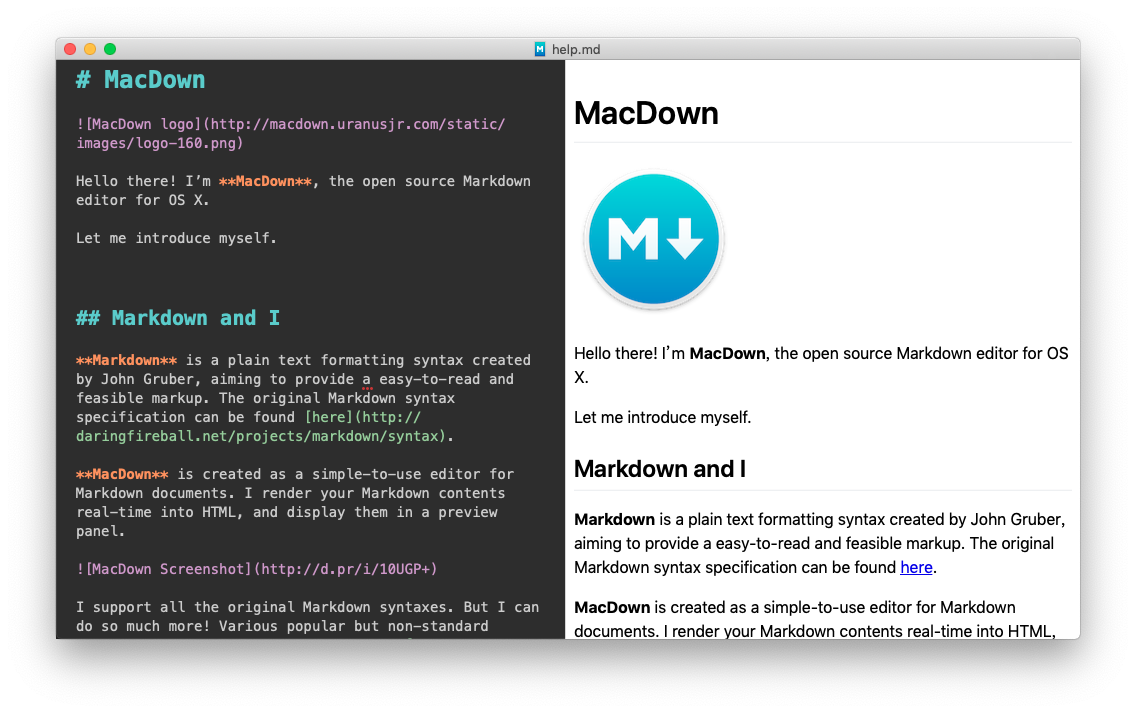
Screenshot
License
MacDown is released under the terms of MIT License. You may find the content of the license here, or inside the LICENSE directory.
You may find full text of licenses about third-party components in the LICENSE directory, or the About MacDown panel in the application.
The following editor themes and CSS files are extracted from Mou, courtesy of Chen Luo:
Mou Fresh Air
Mou Fresh Air+
Mou Night
Mou Night+
Mou Paper
Mou Paper+
Tomorrow
Tomorrow Blue
Tomorrow+
Writer
Writer+
Clearness
Clearness Dark
GitHub
GitHub2
Development
Requirements
If you wish to build MacDown yourself, you will need the following components/tools:
OS X SDK (10.14 or later)
Git
Bundler
Note: Old versions of CocoaPods are not supported. Please use Bundler to execute CocoaPods, or make sure your CocoaPods is later than shown in Gemfile.lock.
Note: The Command Line Tools (CLT) should be unnecessary. If you failed to compile without it, please install CLT with
xcode-select --install
and report back.
An appropriate SDK should be bundled with Xcode 5 or later versions.
Environment Setup
After cloning the repository, run the following commands inside the repository root (directory containing this README.md file):
git submodule update --init
bundle install
bundle exec pod install
make -C Dependency/peg-markdown-highlight
and open MacDown.xcworkspace in Xcode. The first command initialises the dependency submodule(s) used in MacDown; the second one installs dependencies managed by CocoaPods.
Refer to the official guides of Git and CocoaPods if you need more instructions. If you run into build issues later on, try running the following commands to update dependencies:
git submodule update
bundle exec pod install
Translation
Please help translation on Transifex.
Discussion
Join our Gitter channel if you have any problems with MacDown. Any suggestions are welcomed, too!
You can also file an issue directly on GitHub if you prefer so. But please, search first to make sure no-one has reported the same issue already before opening one yourself. MacDown does not update in your computer immediately when we make changes, so something you experienced might be known, or even fixed in the development version.
MacDown depends a lot on other open source projects, such as Hoedown for Markdown-to-HTML rendering, Prism for syntax highlighting (in code blocks), and PEG Markdown Highlight for editor highlighting. If you find problems when using those particular features, you can also consider reporting them directly to upstream projects as well as to MacDown’s issue tracker. I will do what I can if you report it here, but sometimes it can be more beneficial to interact with them directly.
Tipping
If you find MacDown suitable for your needs, please consider giving me a tip through PayPal. Or, if you prefer to buy me a drink personally instead, just send me a tweet when you visit Taipei, Taiwan, where I live. I look forward to meeting you!
TopGit's metadata for MacDownApp/macdown does not record a license. Most public repositories on GitHub ARE open source, but the exact terms vary — verify by opening the LICENSE file directly.
What is MacDownApp/macdown?
MacDownApp/macdown (MacDownApp/macdown) is a Rich Text Format project on GitHub. From the project's own README: Open source Markdown editor for macOS.
Where can I see MacDownApp/macdown in action?
The project maintains a homepage at https://macdown.uranusjr.com/. The README tab on this page also usually contains screenshots and a quickstart.
Where do I read more about MacDownApp/macdown?
This TopGit page is a snapshot — the READ ME tab shows the project's own README content (links stripped, images preserved). The GitHub repository at github.com/MacDownApp/macdown is the definitive source.
Read full README in the tab above.
Want a second opinion on macdown?
Ask an AI that can read this page — one click and you get its take on macdown.

 /macdown