microsoft/AirSim sits at 18.4k stars on GitHub, written primarily in C++. Open source simulator for autonomous vehicles built on Unreal Engine / Unity, from Microsoft AI & Research
Snapshot summary built from the project's own GitHub metadata — there's no written TopGit review yet. The page will update automatically when a full review is published.
WHY NO REVIEW YET
TopGit writes full reviews for the most-starred, most-requested repositories. This page is a snapshot until then — see the READ ME tab for the original README in full.
AirSim is a simulator for drones, cars and more, built on Unreal Engine (we now also have an experimental Unity release). It is open-source, cross platform, and supports software-in-the-loop simulation with popular flight controllers such as PX4 & ArduPilot and hardware-in-loop with PX4 for physically and visually realistic simulations. It is developed as an Unreal plugin that can simply be dropped into any Unreal environment. Similarly, we have an experimental release for a Unity plugin.
AirSim was conceived and created by Shital Shah with PX4 and hardware-in-loop code contributed by Chris Lovett.
Our goal is to develop AirSim as a platform for AI research to experiment with deep learning, computer vision and reinforcement learning algorithms for autonomous vehicles. For this purpose, AirSim also exposes APIs to retrieve data and control vehicles in a platform independent way.
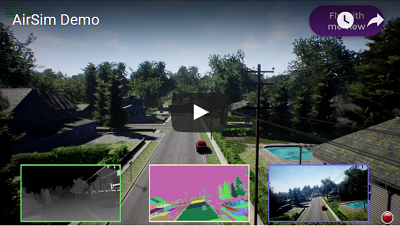
Check out the quick 1.5 minute demo
Drones in AirSim
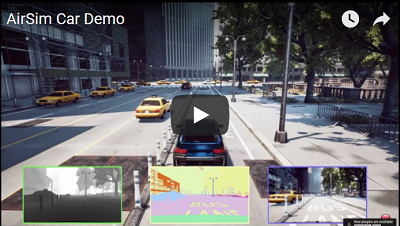
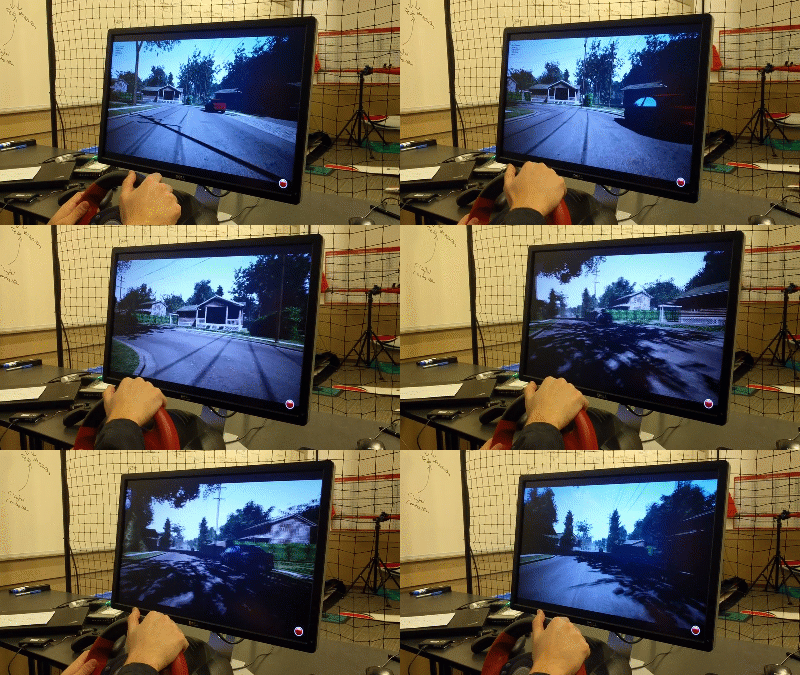
Cars in AirSim
How to Get It
Windows
Download binaries
Build it
Linux
Download binaries
Build it
macOS
Build it
For more details, see the use precompiled binaries document.
How to Use It
Documentation
View our detailed documentation on all aspects of AirSim.
Manual drive
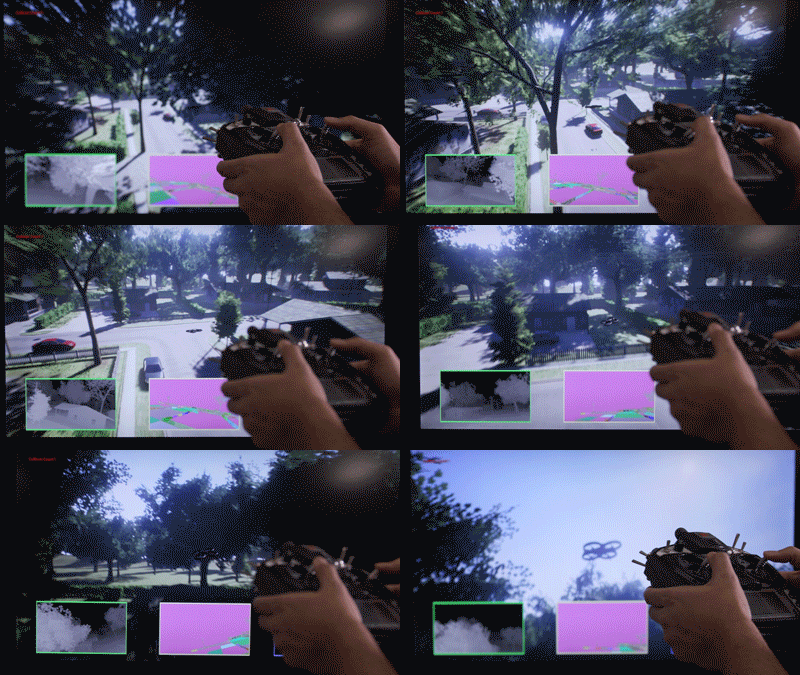
If you have remote control (RC) as shown below, you can manually control the drone in the simulator. For cars, you can use arrow keys to drive manually.
More details
Programmatic control
AirSim exposes APIs so you can interact with the vehicle in the simulation programmatically. You can use these APIs to retrieve images, get state, control the vehicle and so on. The APIs are exposed through the RPC, and are accessible via a variety of languages, including C++, Python, C# and Java.
These APIs are also available as part of a separate, independent cross-platform library, so you can deploy them on a companion computer on your vehicle. This way you can write and test your code in the simulator, and later execute it on the real vehicles. Transfer learning and related research is one of our focus areas.
Note that you can use SimMode setting to specify the default vehicle or the new ComputerVision mode so you don't get prompted each time you start AirSim.
More details
Gathering training data
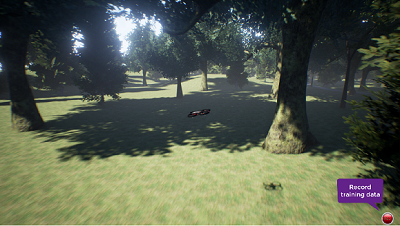
There are two ways you can generate training data from AirSim for deep learning. The easiest way is to simply press the record button in the lower right corner. This will start writing pose and images for each frame. The data logging code is pretty simple and you can modify it to your heart's content.
A better way to generate training data exactly the way you want is by accessing the APIs. This allows you to be in full control of how, what, where and when you want to log data.
Computer Vision mode
Yet another way to use AirSim is the so-called "Computer Vision" mode. In this mode, you don't have vehicles or physics. You can use the keyboard to move around the scene, or use APIs to position available cameras in any arbitrary pose, and collect images such as depth, disparity, surface normals or object segmentation.
More details
Weather Effects
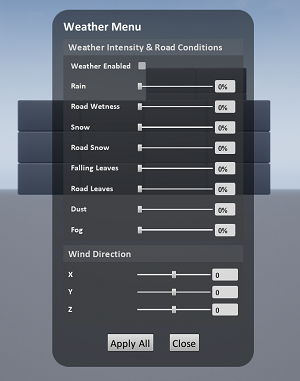
Press F10 to see various options available for weather effects. You can also control the weather using APIs. Press F1 to see other options available.
Tutorials
Video - Setting up AirSim with Pixhawk Tutorial by Chris Lovett
Video - Using AirSim with Pixhawk Tutorial by Chris Lovett
Video - Using off-the-self environments with AirSim by Jim Piavis
Webinar - Harnessing high-fidelity simulation for autonomous systems by Sai Vemprala
Reinforcement Learning with AirSim by Ashish Kapoor
The Autonomous Driving Cookbook by Microsoft Deep Learning and Robotics Garage Chapter
Using TensorFlow for simple collision avoidance by Simon Levy and WLU team
Participate
Paper
More technical details are available in AirSim paper (FSR 2017 Conference). Please cite this as:
@inproceedings{airsim2017fsr,
  author = {Shital Shah and Debadeepta Dey and Chris Lovett and Ashish Kapoor},
  title = {AirSim: High-Fidelity Visual and Physical Simulation for Autonomous Vehicles},
  year = {2017},
  booktitle = {Field and Service Robotics},
  eprint = {arXiv:1705.05065},
  url = {https://arxiv.org/abs/1705.05065}
}
Contribute
Please take a look at open issues if you are looking for areas to contribute to.
More on AirSim design
More on code structure
Contribution Guidelines
Who is Using AirSim?
We are maintaining a list of a few projects, people and groups that we are aware of. If you would like to be featured in this list please make a request here.
Contact
Join our GitHub Discussions group to stay up to date or ask any questions.
We also have an AirSim group on Facebook.
What's New
Project AirmSim
Cinematographic Camera
ROS2 wrapper
API to list all assets
movetoGPS API
Optical flow camera
simSetKinematics API
Dynamically set object textures from existing UE material or texture PNG
Ability to spawn/destroy lights and control light parameters
Support for multiple drones in Unity
Control manual camera speed through the keyboard
For complete list of changes, view our Changelog
FAQ
If you run into problems, check the FAQ and feel free to post issues in the AirSim repository.
Code of Conduct
This project has adopted the Microsoft Open Source Code of Conduct. For more information see the Code of Conduct FAQ or contact [email protected] with any additional questions or comments.
License
This project is released under the MIT License. Please review the License file for more details.
The most recent commit recorded on microsoft/AirSim was 1 month ago, based on the GitHub push timestamp. The repository has 4.9k forks — one of the better signals of community interest.
How does microsoft/AirSim compare to other AI Tools projects?
microsoft/AirSim is tracked by TopGit in the AI Tools category, with 18.4k GitHub stars and written in C++. Browse the AI Tools topic page on TopGit to compare it against similar projects by stars and activity.
How many stars does microsoft/AirSim have?
microsoft/AirSim has 18.4k GitHub stars — refresh the page for the live number, or check github.com/microsoft/AirSim. TopGit mirrors GitHub's count but does not claim minute-by-minute accuracy.
What is microsoft/AirSim?
microsoft/AirSim (microsoft/AirSim) is a C++ project on GitHub. From the project's own README: Open source simulator for autonomous vehicles built on Unreal Engine / Unity, from Microsoft AI & Research
What language is microsoft/AirSim written in?
microsoft/AirSim is written primarily in C++. GitHub's language field is based on the largest share of bytes in the default branch.
What topics is microsoft/AirSim associated with?
GitHub's repository topics for microsoft/AirSim: "ai", "airsim", "artificial-intelligence", "autonomous-quadcoptor", "autonomous-vehicles", "computer-vision", "control-systems", "cross-platform", "deep-reinforcement-learning", "deeplearning", "drones", "pixhawk", "platform-independent", "research", "self-driving-car", "simulator", "unreal-engine". TopGit's editorial category is AI Tools.
Why is microsoft/AirSim categorized under AI Tools?
TopGit places microsoft/AirSim in the AI Tools category based on its GitHub topics and description (tagged: "ai", "airsim", "artificial-intelligence"). Categories are assigned from real repository metadata, not editorial guesswork.
Read full README in the tab above.
Still deciding about AirSim?
One click hands the question to an AI along with this page — see what it says about AirSim.
 /AirSim