TopGit tracks OlafenwaMoses/ImageAI on GitHub as part of the AI Tools family. The project has 8.9k stars. A python library built to empower developers to build applications and systems with self-contained Computer Vision capabilities
Snapshot summary built from the project's own GitHub metadata — there's no written TopGit review yet. The page will update automatically when a full review is published.
WHY NO REVIEW YET
TopGit writes full reviews for the most-starred, most-requested repositories. This page is a snapshot until then — see the READ ME tab for the original README in full.
An open-source python library built to empower developers to build applications and systems with self-contained Deep Learning and Computer Vision capabilities using simple and few lines of code.
If you will like to sponsor this project, kindly visit the Github sponsor page.
We the creators of ImageAI are glad to announce 2 new AI projects to provide state-of-the-art Generative AI, LLM and Image Understanding on your personal computer and servers.
Install Jarvis on PC/Mac to setup limitless access to LLM powered AI Chats for your every day work, research and generative AI needs with 100% privacy and full offline capability.
Visit https://jarvis.genxr.co to get started.
TheiaEngine, the next-generation computer Vision AI API capable of all Generative and Understanding computer vision tasks in a single API call and available via REST API to all programming languages. Features include
Detect 300+ objects ( 220 more objects than ImageAI)
Provide answers to any content or context questions asked on an image
very useful to get information on any object, action or information without needing to train a new custom model for every tasks
Generate scene description and summary
Convert 2D image to 3D pointcloud and triangular mesh
Semantic Scene mapping of objects, walls, floors, etc
Stateless Face recognition and emotion detection
Image generation and augmentation from prompt
etc.
Visit https://www.genxr.co/theia-engine to try the demo and join in the beta testing today.
Built with simplicity in mind, ImageAI
supports a list of state-of-the-art Machine Learning algorithms for image prediction, custom image prediction, object detection, video detection, video object tracking
and image predictions trainings. ImageAI currently supports image prediction and training using 4 different Machine Learning algorithms
trained on the ImageNet-1000 dataset. ImageAI also supports object detection, video detection and object tracking using RetinaNet, YOLOv3 and TinyYOLOv3 trained on COCO dataset. Finally, ImageAI allows you to train custom models for performing detection and recognition of new objects.
Eventually, ImageAI will provide support for a wider and more specialized aspects of Computer Vision
New Release : ImageAI 3.0.2
What's new:
PyTorch backend
TinyYOLOv3 model training
TABLE OF CONTENTS
:white_square_button: Installation
:white_square_button: Features
:white_square_button: Documentation
:white_square_button: Sponsors
:white_square_button: Projects Built on ImageAI
:white_square_button: High Performance Implementation
:white_square_button: AI Practice Recommendations
:white_square_button: Contact Developers
:white_square_button: Citation
:white_square_button: References
Installation
To install ImageAI, run the python installation instruction below in the command line:
Download and Install Python 3.7, Python 3.8, Python 3.9 or Python 3.10
Install dependencies
CPU: Download requirements.txt file and install via the command
ImageAI provides 4 different algorithms and model types to perform image prediction, trained on the ImageNet-1000 dataset. The 4 algorithms provided for image prediction include MobileNetV2, ResNet50, InceptionV3 and DenseNet121.
Click the link below to see the full sample codes, explanations and best practices guide.
>>> Get Started
Object Detection
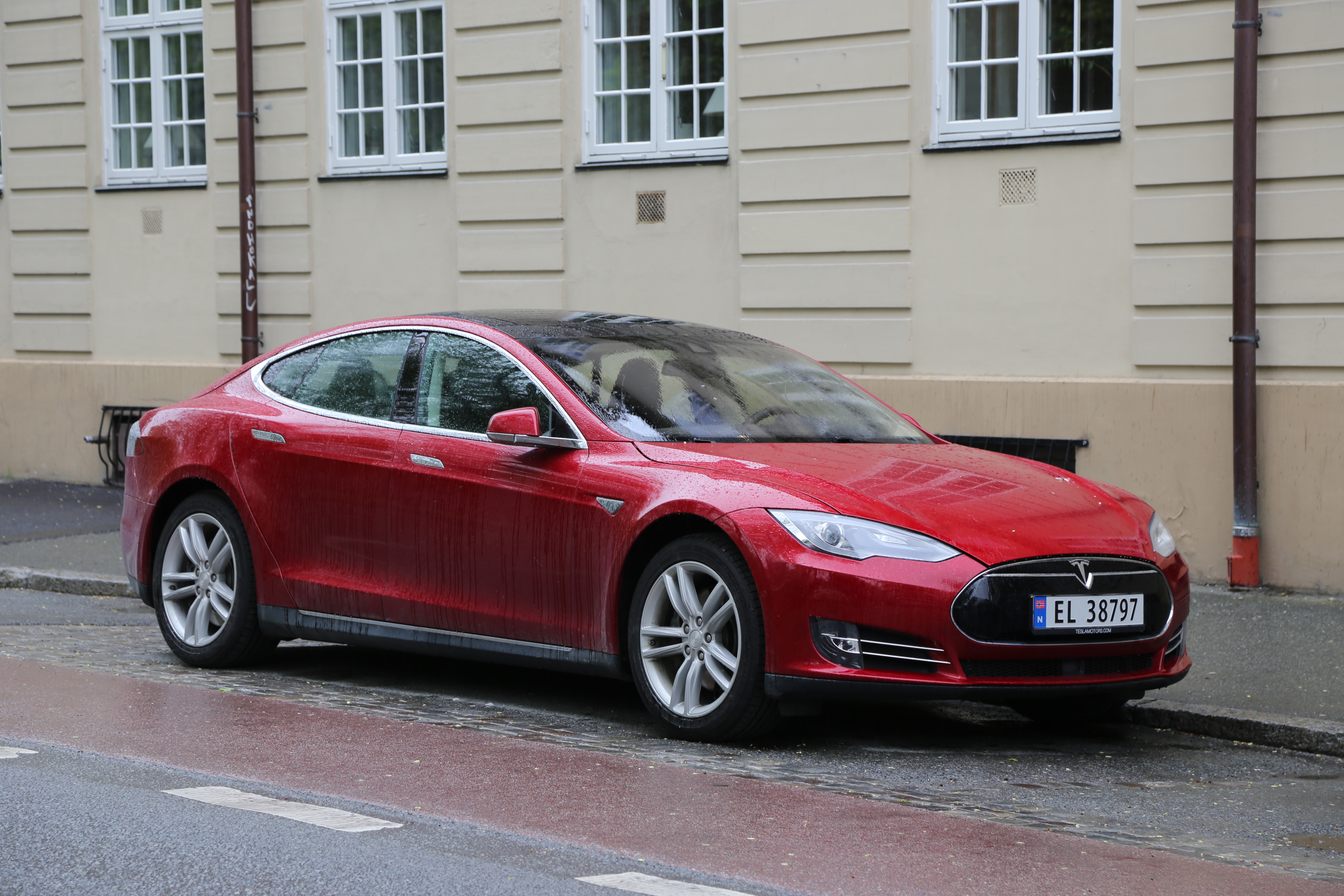
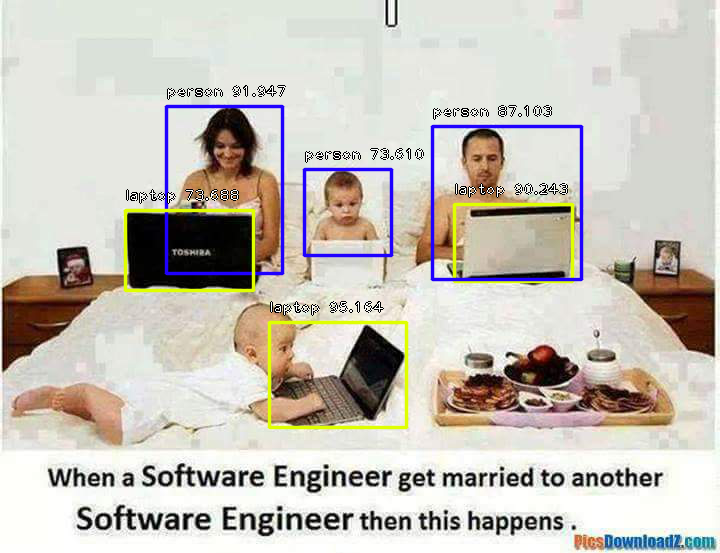
ImageAI provides very convenient and powerful methods to perform object detection on images and extract each object from the image. The object detection class provides support for RetinaNet, YOLOv3 and TinyYOLOv3, with options to adjust for state of the art performance or real time processing. Click the link below to see the full sample codes, explanations and best practices guide.
>>> Get Started
Video Object Detection & Analysis
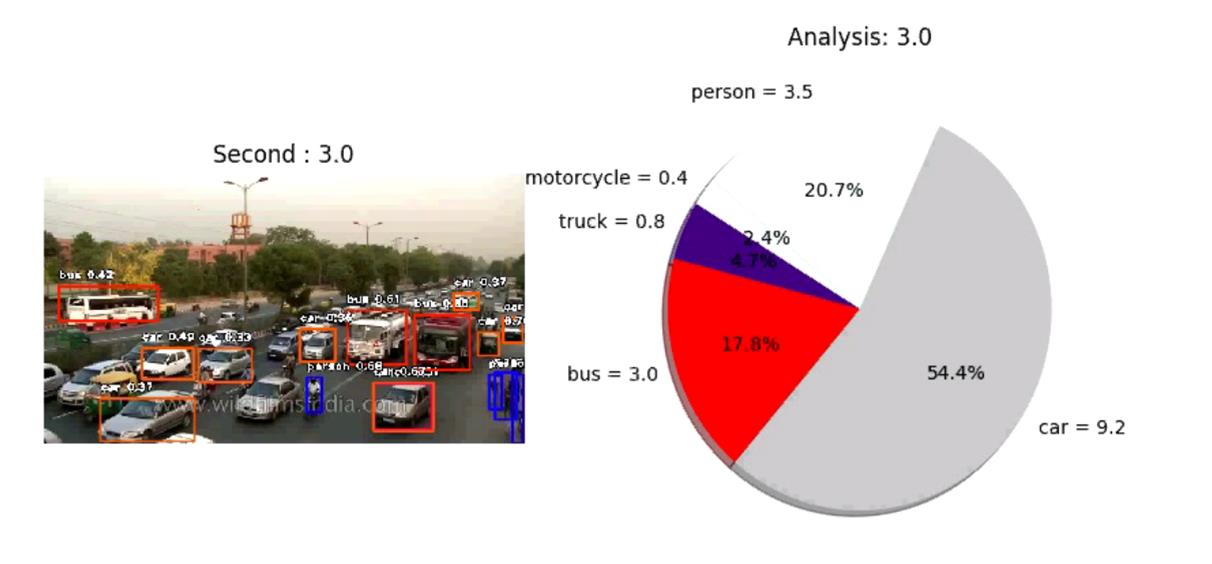
ImageAI provides very convenient and powerful methods to perform object detection in videos. The video object detection class provided only supports the current state-of-the-art RetinaNet. Click the link to see the full videos, sample codes, explanations and best practices guide.
>>> Get Started
Custom Classification model training
ImageAI provides classes and methods for you to train a new model that can be used to perform prediction on your own custom objects. You can train your custom models using MobileNetV2, ResNet50, InceptionV3 and DenseNet in 5 lines of code. Click the link below to see the guide to preparing training images, sample training codes, explanations and best practices.
>>> Get Started
Custom Model Classification
ImageAI provides classes and methods for you to run image prediction your own custom objects using your own model trained with ImageAI Model Training class. You can use your custom models trained with MobileNetV2, ResNet50, InceptionV3 and DenseNet and the JSON file containing the mapping of the custom object names. Click the link below to see the guide to sample training codes, explanations, and best practices guide.
>>> Get Started
Custom Detection Model Training
ImageAI provides classes and methods for you to train new YOLOv3 or TinyYOLOv3 object detection models on your custom dataset. This means you can train a model to detect literally any object of interest by providing the images, the annotations and training with ImageAI. Click the link below to see the guide to sample training codes, explanations, and best practices guide.
>>> Get Started
Custom Object Detection
ImageAI now provides classes and methods for you detect and recognize your own custom objects in images using your own model trained with the DetectionModelTrainer class. You can use your custom trained YOLOv3 or TinyYOLOv3 model and the **.json** file generated during the training. Click the link below to see the guide to sample training codes, explanations, and best practices guide.
>>> Get Started
Custom Video Object Detection & Analysis
ImageAI now provides classes and methods for you detect and recognize your own custom objects in images using your own model trained with the DetectionModelTrainer class. You can use your custom trained YOLOv3 or TinyYOLOv3 model and the **.json** file generated during the training. Click the link below to see the guide to sample training codes, explanations, and best practices guide.
>>> Get Started
Documentation
We have provided full documentation for all ImageAI classes and functions. Visit the link below:
Documentation - English Version https://imageai.readthedocs.io
Sponsors
Real-Time and High Performance Implementation
ImageAI provides abstracted and convenient implementations of state-of-the-art Computer Vision technologies. All of ImageAI implementations and code can work on any computer system with moderate CPU capacity. However, the speed of processing for operations like image prediction, object detection and others on CPU is slow and not suitable for real-time applications. To perform real-time Computer Vision operations with high performance, you need to use GPU enabled technologies.
ImageAI uses the PyTorch backbone for it's Computer Vision operations. PyTorch supports both CPUs and GPUs ( Specifically NVIDIA GPUs. You can get one for your PC or get a PC that has one) for machine learning and artificial intelligence algorithms' implementations.
Projects Built on ImageAI
AI Practice Recommendations
For anyone interested in building AI systems and using them for business, economic, social and research purposes, it is critical that the person knows the likely positive, negative and unprecedented impacts the use of such technologies will have.
They must also be aware of approaches and practices recommended by experienced industry experts to ensure every use of AI brings overall benefit to mankind.
We therefore recommend to everyone that wishes to use ImageAI and other AI tools and resources to read Microsoft's January 2018 publication on AI titled "The Future Computed : Artificial Intelligence and its role in society".
Kindly follow the link below to download the publication.
You can cite ImageAI in your projects and research papers via the BibTeX entry below.
@misc {ImageAI,
    author = "Moses",
    title  = "ImageAI, an open source python library built to empower developers to build applications and systems  with self-contained Computer Vision capabilities",
    url    = "https://github.com/OlafenwaMoses/ImageAI",
    month  = "mar",
    year   = "2018--"
}
References
Somshubra Majumdar, DenseNet Implementation of the paper, Densely Connected Convolutional Networks in Keras
https://github.com/titu1994/DenseNet
Broad Institute of MIT and Harvard, Keras package for deep residual networks
https://github.com/broadinstitute/keras-resnet
Fizyr, Keras implementation of RetinaNet object detection
https://github.com/fizyr/keras-retinanet
Francois Chollet, Keras code and weights files for popular deeplearning models
https://github.com/fchollet/deep-learning-models
Forrest N. et al, SqueezeNet: AlexNet-level accuracy with 50x fewer parameters and <0.5MB model size
https://arxiv.org/abs/1602.07360
Kaiming H. et al, Deep Residual Learning for Image Recognition
https://arxiv.org/abs/1512.03385
Szegedy. et al, Rethinking the Inception Architecture for Computer Vision
https://arxiv.org/abs/1512.00567
Gao. et al, Densely Connected Convolutional Networks
https://arxiv.org/abs/1608.06993
Tsung-Yi. et al, Focal Loss for Dense Object Detection
https://arxiv.org/abs/1708.02002
O Russakovsky et al, ImageNet Large Scale Visual Recognition Challenge
https://arxiv.org/abs/1409.0575
TY Lin et al, Microsoft COCO: Common Objects in Context
https://arxiv.org/abs/1405.0312
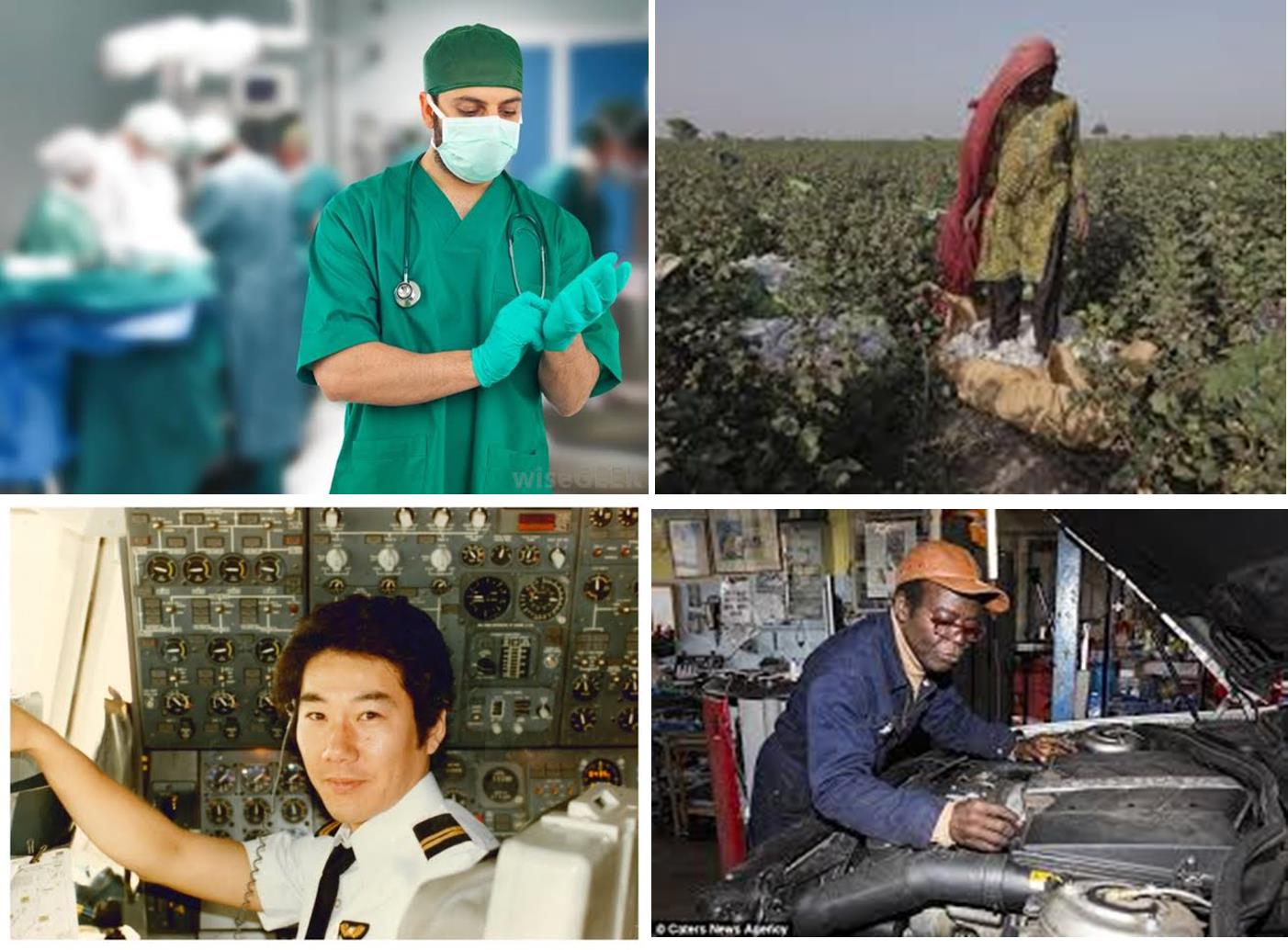
Moses & John Olafenwa, A collection of images of identifiable professionals.
https://github.com/OlafenwaMoses/IdenProf
Joseph Redmon and Ali Farhadi, YOLOv3: An Incremental Improvement.
https://arxiv.org/abs/1804.02767
Experiencor, Training and Detecting Objects with YOLO3
https://github.com/experiencor/keras-yolo3
MobileNetV2: Inverted Residuals and Linear Bottlenecks
https://arxiv.org/abs/1801.04381
YOLOv3 in PyTorch > ONNX > CoreML > TFLite https://github.com/ultralytics/yolov3
How does OlafenwaMoses/ImageAI compare to other AI Tools projects?
OlafenwaMoses/ImageAI is tracked by TopGit in the AI Tools category, with 8.9k GitHub stars and written in Python. Browse the AI Tools topic page on TopGit to compare it against similar projects by stars and activity.
Is OlafenwaMoses/ImageAI open source?
Yes — OlafenwaMoses/ImageAI ships under the MIT license, which makes its source code freely readable (and, depending on license terms, forkable and reusable). Source: github.com/OlafenwaMoses/ImageAI.
What else is in the AI Tools space?
OlafenwaMoses/ImageAI is tracked by TopGit under the AI Tools category, alongside 19 GitHub-tagged topics. Trending and Topics pages list peer repositories of comparable stars and language.
What is OlafenwaMoses/ImageAI?
OlafenwaMoses/ImageAI (OlafenwaMoses/ImageAI) is a Python project on GitHub. From the project's own README: A python library built to empower developers to build applications and systems with self-contained Computer Vision capabilities
Where do I read more about OlafenwaMoses/ImageAI?
This TopGit page is a snapshot — the READ ME tab shows the project's own README content (links stripped, images preserved). The GitHub repository at github.com/OlafenwaMoses/ImageAI is the definitive source.
Why is OlafenwaMoses/ImageAI categorized under AI Tools?
TopGit places OlafenwaMoses/ImageAI in the AI Tools category based on its GitHub topics and description (tagged: "ai-practice-recommendations", "algorithm", "artificial-intelligence"). Categories are assigned from real repository metadata, not editorial guesswork.
Read full README in the tab above.
Still deciding about ImageAI?
One click hands the question to an AI along with this page — see what it says about ImageAI.

 /ImageAI