Indexed by TopGit from live GitHub metadata: pomber/code-surfer has 6.4k stars, written primarily in JavaScript. Rad code slides <🏄/>
Snapshot summary built from the project's own GitHub metadata — there's no written TopGit review yet. The page will update automatically when a full review is published.
WHY NO REVIEW YET
TopGit writes full reviews for the most-starred, most-requested repositories. This page is a snapshot until then — see the READ ME tab for the original README in full.
Help to keep this project alive with your support ❤️
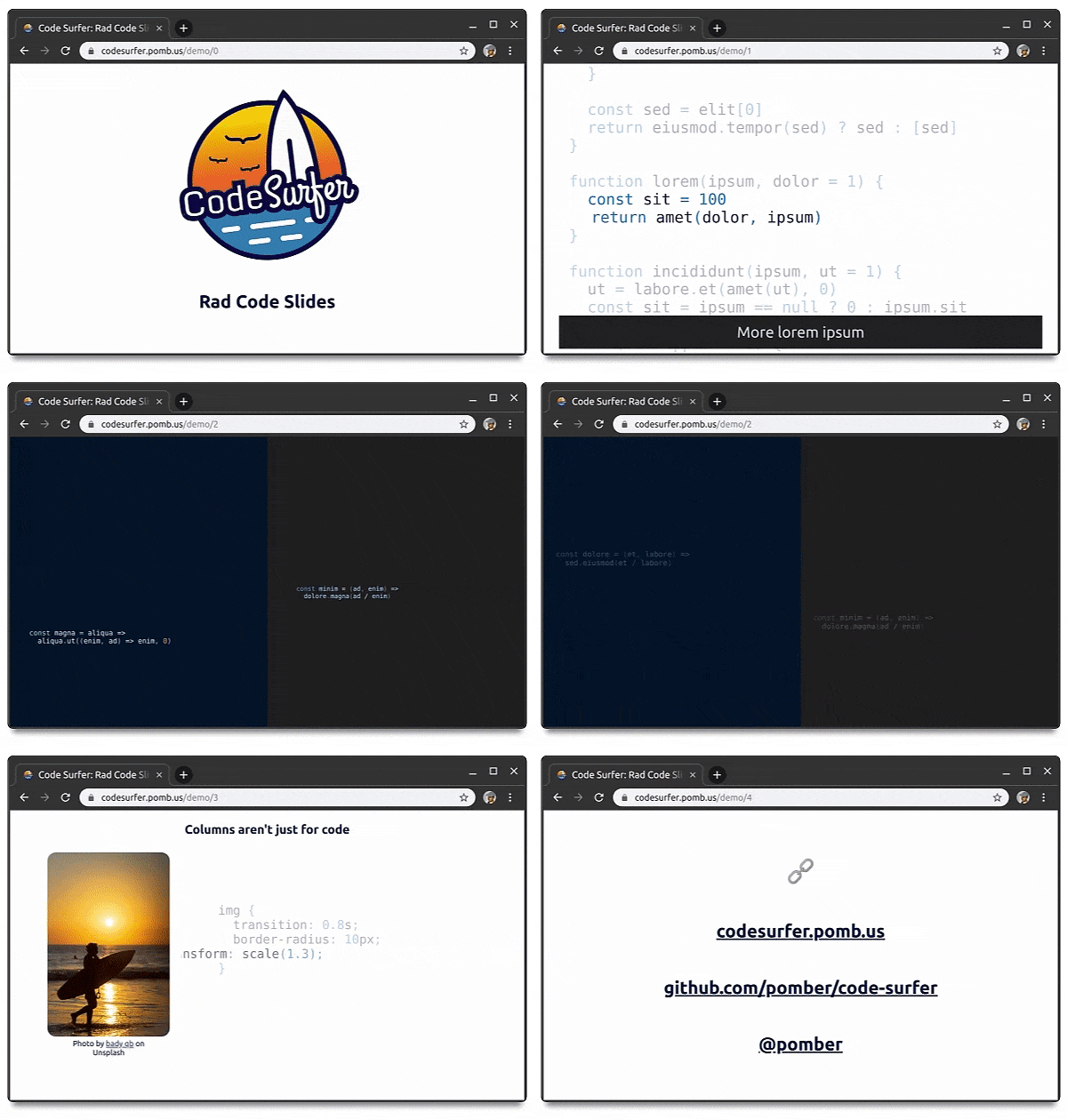
Code Surfer adds code highlighting, code zooming, code scrolling, code focusing, code morphing, and fun to MDX Deck slides.
To create a new project run:
npm init code-surfer-deck my-deck
cd my-deck
npm start
Examples
Formidable's GraphQL Workshop by Phil Pluckthun
React Conf 2018 Hooks Demo
How to use Code Surfer
It may help to know how MDX Deck works first
To use Code Surfer you need to import it and wrap the code you want to show inside <CodeSurfer> tags (the empty lines before and after the codeblock are required):
import { CodeSurfer } from "code-surfer"

# Deck Title

---

<CodeSurfer>

```js
console.log(1);
console.log(2);
console.log(3);
```

</CodeSurfer>
Features:
Focus
Steps
Title and Subtitle
Themes
Custom Styles
Languages
Columns
Import Code
Line Numbers
Diffs
Here is a live deck using all the features (and its mdx source) just in case you prefer to read code instead of docs.
Focus
Add a focus string after the language in the first line of a codeblock to tell Code Surfer what lines and columns you want to focus.
Code Surfer will fade out all the code that isn't focused and, if necessary, zoom it out to fit it in the slide.
You can change the focus and/or the code for different steps and Code Surfer will make the transition between the steps: zooming, scrolling, fading in, fading out, adding and removing lines.
Title and Subtitle
<CodeSurfer>

```js 1 title="Title" subtitle="Look at the first line"
console.log(1);
console.log(2);
console.log(3);
```

```js 2 title="Title" subtitle="and now the second"
console.log(1);
console.log(2);
console.log(3);
```

</CodeSurfer>
Themes
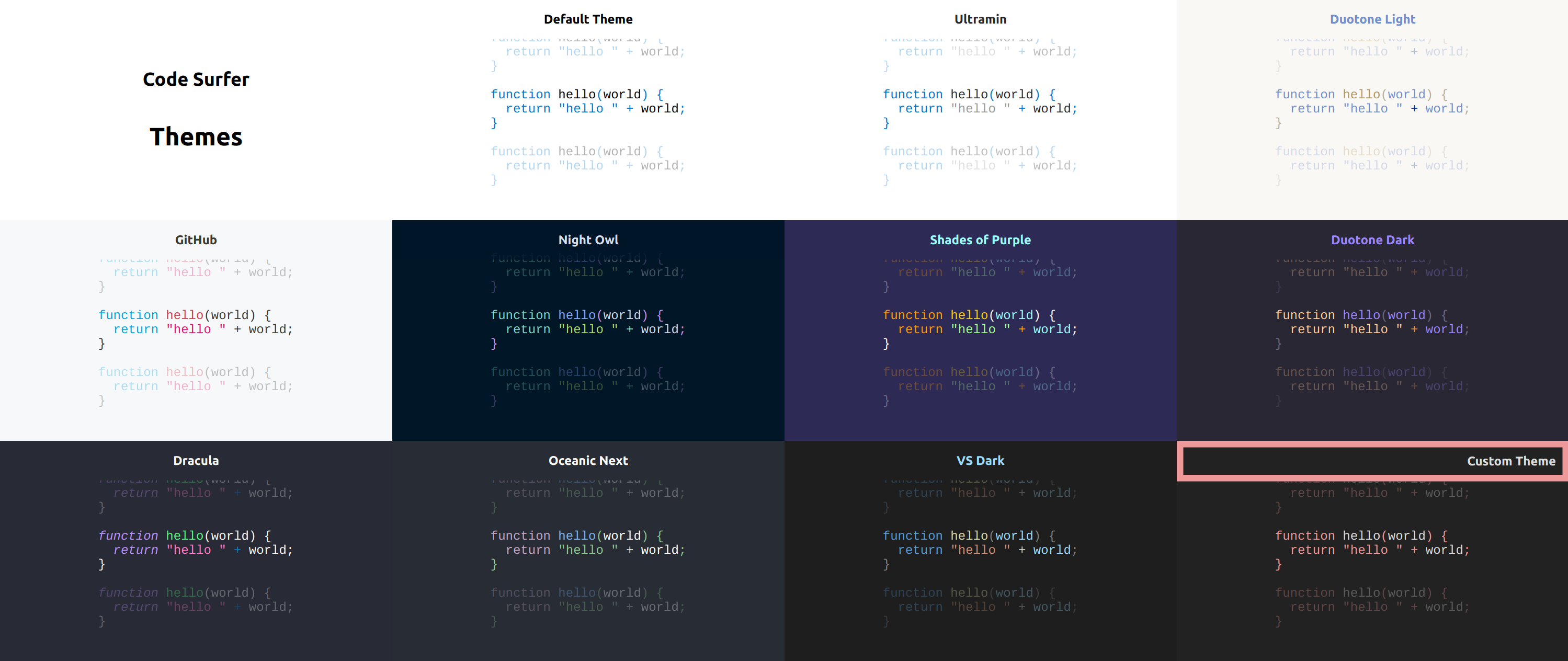
There are many Code Surfer themes available on the @code-surfer/themes package.
You can pass the theme as a prop <CodeSurfer theme={someTheme}>:
import { CodeSurfer } from "code-surfer"
import { nightOwl } from "@code-surfer/themes"

<CodeSurfer theme={nightOwl}>

```js
console.log(1);
console.log(2);
console.log(3);
```

</CodeSurfer>
Or set the theme for the whole deck as any other MDX Deck theme:
Exporting the theme like this will also change the text and background colors for slides that aren't using Code Surfer. If you want to keep the colors from a different mdx deck theme you can compose both themes together: export const themes = [codeSurferTheme, mdxDeckTheme]
Custom Styles
You can write your own Code Surfer theme and change the style of the code, title and subtitle:
import { CodeSurfer } from "code-surfer"
import customTheme from "./custom-theme"

<CodeSurfer theme={customTheme}>

```js
console.log(1);
console.log(2);
console.log(3);
```

</CodeSurfer>
Languages
Code Surfer uses Prism for parsing different languages, so it supports all the languages supported by Prism.
Most popular languages are supported out of the box, for the rest you need to import them:
import { CodeSurfer } from "code-surfer"
import "prismjs/components/prism-smalltalk"

<CodeSurfer>

```smalltalk
result := a > b
    ifTrue:[ 'greater' ]
    ifFalse:[ 'less or equal' ]
```

</CodeSurfer>
Columns
If you want to show more than one piece of code at the same time, use <CodeSurferColumns>:
You can use different themes for each column: <CodeSurferColumns themes={[nightOwl, ultramin]}>. And change the relative size of the columns with <CodeSurferColumns sizes={[1,3]}>.
Columns aren't only for code, you can use them for any kind of content:
import { CodeSurferColumns, Step } from "code-surfer"
import MyComponent from "./my-component.jsx"

<CodeSurferColumns>

<Step>

```js
console.log(1);
console.log(2);
```

# Some Markdown

</Step>

<Step>

```js 2
console.log(1);
console.log(2);
```

<MyComponent/>

</Step>

</CodeSurferColumns>
Import Code
Instead of writing the code inside codeblocks you can import it from a file:
The most recent commit recorded on pomber/code-surfer was 3.5 years ago, based on the GitHub push timestamp. The repository has 174 forks — one of the better signals of community interest.
How many stars does pomber/code-surfer have?
pomber/code-surfer has 6.4k GitHub stars — refresh the page for the live number, or check github.com/pomber/code-surfer. TopGit mirrors GitHub's count but does not claim minute-by-minute accuracy.
What else is in the Frontend space?
pomber/code-surfer is tracked by TopGit under the Frontend category, alongside 11 GitHub-tagged topics. Trending and Topics pages list peer repositories of comparable stars and language.
What language is pomber/code-surfer written in?
pomber/code-surfer is written primarily in JavaScript. GitHub's language field is based on the largest share of bytes in the default branch.
What topics is pomber/code-surfer associated with?
This TopGit page is a snapshot — the READ ME tab shows the project's own README content (links stripped, images preserved). The GitHub repository at github.com/pomber/code-surfer is the definitive source.
Why is pomber/code-surfer categorized under Frontend?
TopGit places pomber/code-surfer in the Frontend category based on its GitHub topics and description (tagged: "code", "deck", "keynote"). Categories are assigned from real repository metadata, not editorial guesswork.
Read full README in the tab above.
Curious whether code-surfer is right for you?
Let ChatGPT, Claude, or Perplexity look into it — click below and see what AI actually says about code-surfer.

 /code-surfer