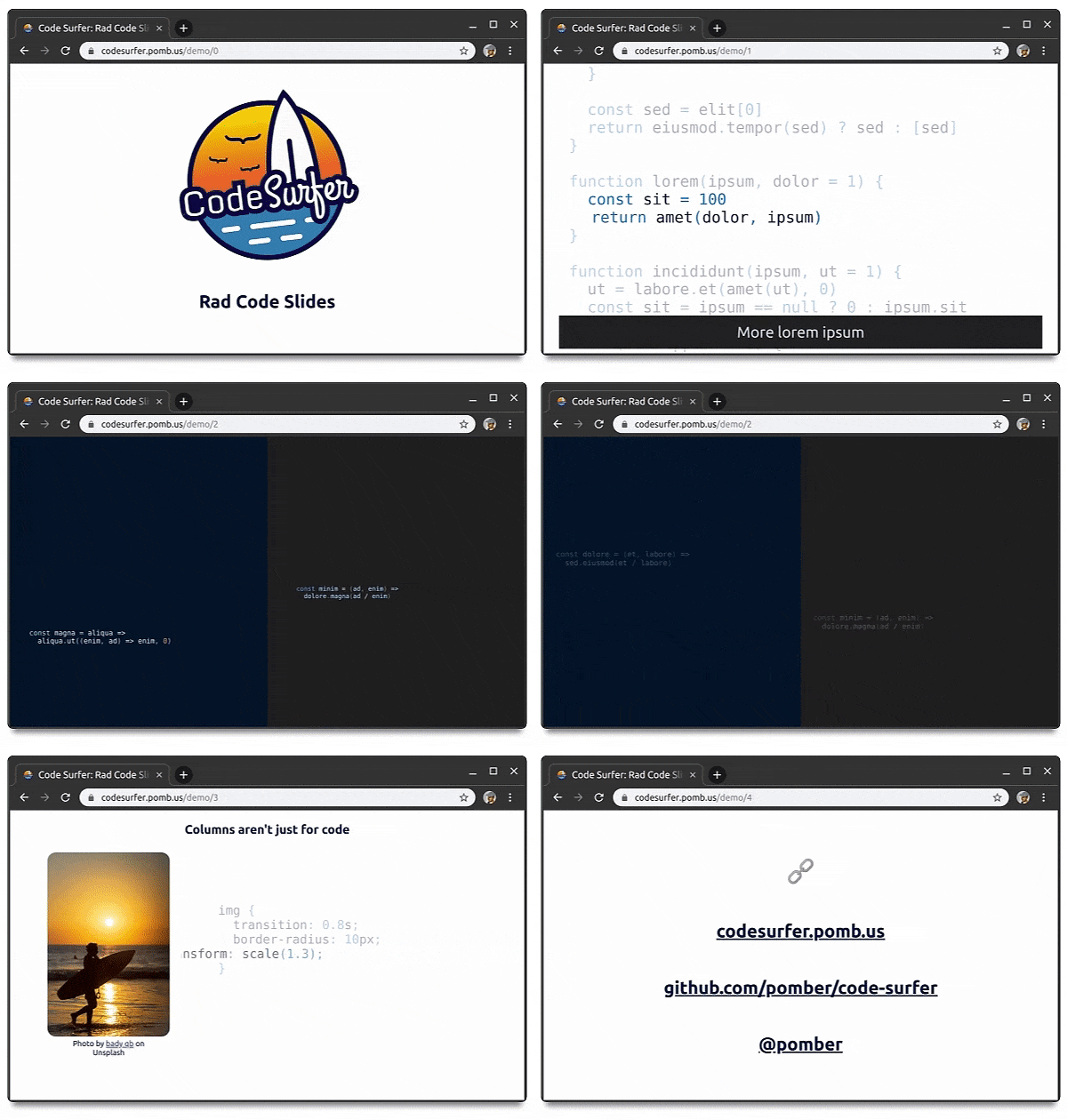
pomber/code-surfer là dự án tập trung giao diện trên GitHub với 6.4k sao, viết chủ yếu bằng JavaScript. Rad code slides <🏄/>
Tóm tắt dựng từ metadata GitHub của chính dự án — chưa có bài review TopGit. Trang sẽ tự động cập nhật khi bài review đầy đủ được xuất bản.
VÌ SAO CHƯA CÓ REVIEW
TopGit viết bài đầy đủ cho repo có nhiều sao nhất và được yêu cầu nhiều nhất. Trang này là snapshot trong thời gian chờ — xem README gốc ở tab READ ME.
Help to keep this project alive with your support ❤️
Code Surfer adds code highlighting, code zooming, code scrolling, code focusing, code morphing, and fun to MDX Deck slides.
To create a new project run:
npm init code-surfer-deck my-deck
cd my-deck
npm start
Examples
Formidable's GraphQL Workshop by Phil Pluckthun
React Conf 2018 Hooks Demo
How to use Code Surfer
It may help to know how MDX Deck works first
To use Code Surfer you need to import it and wrap the code you want to show inside <CodeSurfer> tags (the empty lines before and after the codeblock are required):
import { CodeSurfer } from "code-surfer"

# Deck Title

---

<CodeSurfer>

```js
console.log(1);
console.log(2);
console.log(3);
```

</CodeSurfer>
Features:
Focus
Steps
Title and Subtitle
Themes
Custom Styles
Languages
Columns
Import Code
Line Numbers
Diffs
Here is a live deck using all the features (and its mdx source) just in case you prefer to read code instead of docs.
Focus
Add a focus string after the language in the first line of a codeblock to tell Code Surfer what lines and columns you want to focus.
Code Surfer will fade out all the code that isn't focused and, if necessary, zoom it out to fit it in the slide.
You can change the focus and/or the code for different steps and Code Surfer will make the transition between the steps: zooming, scrolling, fading in, fading out, adding and removing lines.
Title and Subtitle
<CodeSurfer>

```js 1 title="Title" subtitle="Look at the first line"
console.log(1);
console.log(2);
console.log(3);
```

```js 2 title="Title" subtitle="and now the second"
console.log(1);
console.log(2);
console.log(3);
```

</CodeSurfer>
Themes
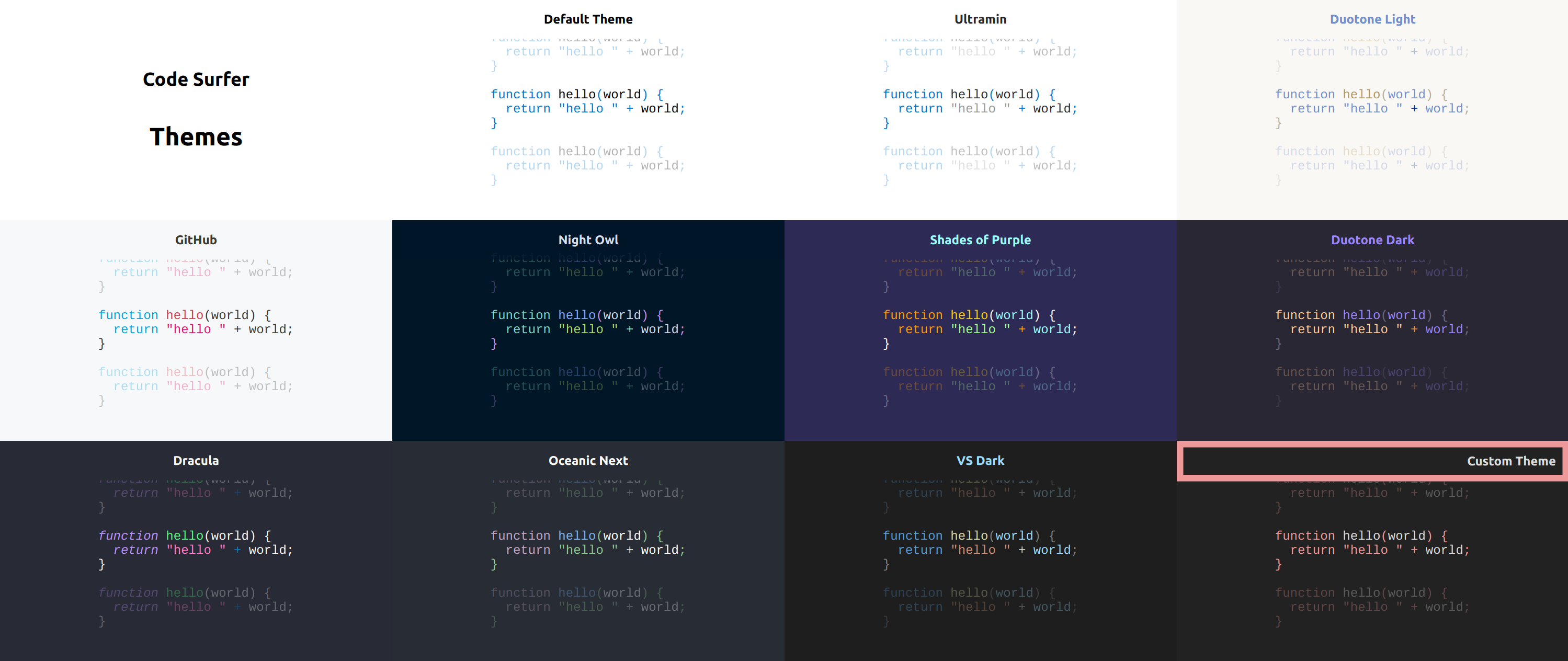
There are many Code Surfer themes available on the @code-surfer/themes package.
You can pass the theme as a prop <CodeSurfer theme={someTheme}>:
import { CodeSurfer } from "code-surfer"
import { nightOwl } from "@code-surfer/themes"

<CodeSurfer theme={nightOwl}>

```js
console.log(1);
console.log(2);
console.log(3);
```

</CodeSurfer>
Or set the theme for the whole deck as any other MDX Deck theme:
Exporting the theme like this will also change the text and background colors for slides that aren't using Code Surfer. If you want to keep the colors from a different mdx deck theme you can compose both themes together: export const themes = [codeSurferTheme, mdxDeckTheme]
Custom Styles
You can write your own Code Surfer theme and change the style of the code, title and subtitle:
import { CodeSurfer } from "code-surfer"
import customTheme from "./custom-theme"

<CodeSurfer theme={customTheme}>

```js
console.log(1);
console.log(2);
console.log(3);
```

</CodeSurfer>
Languages
Code Surfer uses Prism for parsing different languages, so it supports all the languages supported by Prism.
Most popular languages are supported out of the box, for the rest you need to import them:
import { CodeSurfer } from "code-surfer"
import "prismjs/components/prism-smalltalk"

<CodeSurfer>

```smalltalk
result := a > b
    ifTrue:[ 'greater' ]
    ifFalse:[ 'less or equal' ]
```

</CodeSurfer>
Columns
If you want to show more than one piece of code at the same time, use <CodeSurferColumns>:
You can use different themes for each column: <CodeSurferColumns themes={[nightOwl, ultramin]}>. And change the relative size of the columns with <CodeSurferColumns sizes={[1,3]}>.
Columns aren't only for code, you can use them for any kind of content:
import { CodeSurferColumns, Step } from "code-surfer"
import MyComponent from "./my-component.jsx"

<CodeSurferColumns>

<Step>

```js
console.log(1);
console.log(2);
```

# Some Markdown

</Step>

<Step>

```js 2
console.log(1);
console.log(2);
```

<MyComponent/>

</Step>

</CodeSurferColumns>
Import Code
Instead of writing the code inside codeblocks you can import it from a file:
pomber/code-surfer thuộc nhóm Frontend trên TopGit, cùng 11 topic GitHub. Trang Trending và Topics liệt kê các repo cùng số sao và cùng ngôn ngữ để so sánh.
Đọc thêm về pomber/code-surfer ở đâu?
Trang TopGit này là một snapshot — tab "Readme" hiển thị nguyên văn README của repo (đã bỏ link, giữ ảnh). Repo GitHub ở github.com/pomber/code-surfer là nguồn chính thức.
pomber/code-surfer có bao nhiêu sao?
pomber/code-surfer có 6.4k sao GitHub — tải lại trang để xem số mới nhất, hoặc xem trực tiếp github.com/pomber/code-surfer. TopGit phản chiếu số sao của GitHub nhưng không cam kết đến từng phút.
Commit gần nhất trên pomber/code-surfer là 3.6 năm trước (theo timestamp GitHub). Repo có 174 fork — một chỉ báo về mức độ quan tâm của cộng đồng.
pomber/code-surfer viết bằng ngôn ngữ gì?
pomber/code-surfer chủ yếu viết bằng JavaScript. Trường "language" của GitHub dựa trên phần lớn byte ở nhánh mặc định.
Vì sao pomber/code-surfer được xếp vào nhóm Frontend?
TopGit xếp pomber/code-surfer vào nhóm Frontend dựa trên GitHub topics và mô tả của repo (gắn thẻ: "code", "deck", "keynote"). Việc phân loại dựa trên metadata thật của repo, không phải đoán theo cảm tính biên tập.
Đọc đầy đủ README ở tab phía trên.
Vẫn đang phân vân về code-surfer?
Một cú bấm sẽ gửi câu hỏi kèm trang này cho AI — xem AI nói gì về code-surfer.

 /code-surfer