1.1k GitHub stars and counting — ropensci/targets is a R project TopGit is tracking across repositories on the platform. Function-oriented Make-like declarative workflows for R
Snapshot summary built from the project's own GitHub metadata — there's no written TopGit review yet. The page will update automatically when a full review is published.
WHY NO REVIEW YET
TopGit writes full reviews for the most-starred, most-requested repositories. This page is a snapshot until then — see the READ ME tab for the original README in full.
Pipeline tools coordinate the pieces of computationally demanding
analysis projects. The targets package is a Make-like pipeline tool
for statistics and data science in R. The package skips costly runtime
for tasks that are already up to date, orchestrates the necessary
computation with implicit parallel computing, and abstracts files as R
objects. If all the current output matches the current upstream code and
data, then the whole pipeline is up to date, and the results are more
trustworthy than otherwise.
Philosophy
A pipeline is a computational workflow that does statistics, analytics,
or data science. Examples include forecasting customer behavior,
simulating a clinical trial, and detecting differential expression from
genomics data. A pipeline contains tasks to prepare datasets, run
models, and summarize results for a business deliverable or research
paper. The methods behind these tasks are user-defined R functions that
live in R scripts, ideally in a folder called "R/" in the project. The
tasks themselves are called “targets”, and they run the functions and
return R objects. The targets package orchestrates the targets and
stores the output objects to make your pipeline efficient, painless, and
reproducible.
Prerequisites
Familiarity with the R programming
language, covered in R for Data
Science.
Data science workflow management
techniques.
How to write functions to
prepare data, analyze data, and summarize results in a data analysis
project.
Installation
If you are using targets with crew for distributed
computing, it is
recommended to use crew version 0.4.0 or higher.
install.packages("crew")
There are multiple ways to install the targets package itself, and
both the latest release and the development version are available.
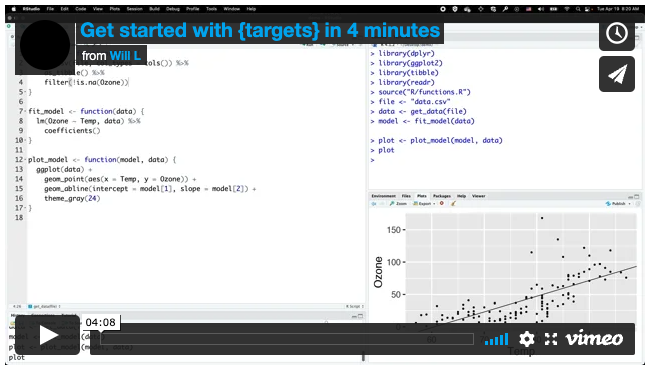
The 4-minute video at https://vimeo.com/700982360 demonstrates the
example pipeline used in the
walkthrough and
functions chapters
of the user manual. Visit
https://github.com/wlandau/targets-four-minutes for the code and
https://rstudio.cloud/project/3946303 to try out the code in a browser
(no download or installation required).
Usage
To create a pipeline of your own:
Write R
functions for a
pipeline and save them to R scripts (ideally in the "R/" folder of
your project).
Call
use_targets()
to write key files, including the vital _targets.R file which
configures and defines the pipeline.
Follow the comments in _targets.R to fill in the details of your
specific pipeline.
Check the pipeline with
tar_visnetwork(),
run it with
tar_make(),
and read output with
tar_read().
More
functions
are available.
Documentation
User manual: in-depth
discussion about how to use targets. The most important chapters are
the
walkthrough,
help guide, and
debugging guide.
Reference website: formal
documentation of all user-side functions, the statement of need, and
multiple design documents of the internal architecture.
Developer documentation:
software design documents for developers contributing to the deep
internal architecture of targets.
Help
Please read the help
guide to learn how best
to ask for help using targets.
Courses
Carpentries
workshop
by Joel Nitta
Half-day interactive tutorial with a Keras
example
Selected talks
English
Get started with targets in 4 minutes
(4:08)
Powerful simulation pipelines with
targets. useR! 2025
Conference
(1:00:25).
targets in Action
with Joel Nitta and Eric
Scott. rOpenSci Community
Call (1:09:56).
targets and crew for clinical trial simulation
pipelines.
R/Pharma 2023 (1:57:22).
targets and stantargets for Bayesian model validation
pipelines. R/Medicine 2021 (15:33)
Reproducible computation at scale in R with
targets New York Open Statistical
Programming Meetup, December 2020 (1:54:28).
ds-incubator series,
2021
by Mauro Lepore.
Español
Introducción a targets.
Irene Cruz, R-Ladies Barcelona, 2021-05-25 (1:25:12).
日本語
Bio”Pack”athon, 2022-03-31
(1:04:10), Joel
Nitta
Example projects
Four-minute example
Minimal example
Machine learning with
Keras
Validate a minimal Stan
model
Using Target Markdown and stantargets to validate a Bayesian
longitudinal model for clinical trial data
analysis
Shiny app that runs a
pipeline
Deploy a pipeline to RStudio
Connect
Apps
tar_watch():
a built-in Shiny app to visualize progress while a pipeline is
running. Available as a Shiny module via
tar_watch_ui()
and
tar_watch_server().
targetsketch: a Shiny
app to help sketch pipelines
(app,
source).
Deployment
tar_github_actions()
sets up a pipeline to run on GitHub Actions. The minimal
example demonstrates this
approach.
Extending and customizing targets
R Targetopia: a collection of
R packages that
extend targets. These
packages simplify
pipeline construction for specific fields of Statistics and data
science.
Target
factories:
a programming technique to write specialized interfaces for custom
pipelines. Posts here
and here
describe how.
Code of conduct
Please note that this package is released with a Contributor Code of
Conduct.
Citation
citation("targets")
To cite targets in publications use:

  Landau, W. M., (2021). The targets R package: a dynamic Make-like
  function-oriented pipeline toolkit for reproducibility and
  high-performance computing. Journal of Open Source Software, 6(57),
  2959, https://doi.org/10.21105/joss.02959

A BibTeX entry for LaTeX users is

  @Article{,
    title = {The targets R package: a dynamic Make-like function-oriented pipeline toolkit for reproducibility and high-performance computing},
    author = {William Michael Landau},
    journal = {Journal of Open Source Software},
    year = {2021},
    volume = {6},
    number = {57},
    pages = {2959},
    url = {https://doi.org/10.21105/joss.02959},
  }
How does ropensci/targets compare to other Automation projects?
ropensci/targets is tracked by TopGit in the Automation category, with 1.1k GitHub stars and written in R. Browse the Automation topic page on TopGit to compare it against similar projects by stars and activity.
How many stars does ropensci/targets have?
ropensci/targets has 1.1k GitHub stars — refresh the page for the live number, or check github.com/ropensci/targets. TopGit mirrors GitHub's count but does not claim minute-by-minute accuracy.
Is ropensci/targets open source?
TopGit's metadata for ropensci/targets does not record a license. Most public repositories on GitHub ARE open source, but the exact terms vary — verify by opening the LICENSE file directly.
What else is in the Automation space?
ropensci/targets is tracked by TopGit under the Automation category, alongside 13 GitHub-tagged topics. Trending and Topics pages list peer repositories of comparable stars and language.
What is ropensci/targets?
ropensci/targets (ropensci/targets) is a R project on GitHub. From the project's own README: Function-oriented Make-like declarative workflows for R
Where can I see ropensci/targets in action?
The project maintains a homepage at https://docs.ropensci.org/targets/. The README tab on this page also usually contains screenshots and a quickstart.
Where do I read more about ropensci/targets?
This TopGit page is a snapshot — the READ ME tab shows the project's own README content (links stripped, images preserved). The GitHub repository at github.com/ropensci/targets is the definitive source.
Read full README in the tab above.
Want a second opinion on targets?
Ask an AI that can read this page — one click and you get its take on targets.