5.2k GitHub stars and counting — shufo/vscode-blade-formatter is a TypeScript project TopGit is tracking across repositories on the platform. An opinionated Blade file formatter for VSCode
Snapshot summary built from the project's own GitHub metadata — there's no written TopGit review yet. The page will update automatically when a full review is published.
WHY NO REVIEW YET
TopGit writes full reviews for the most-starred, most-requested repositories. This page is a snapshot until then — see the READ ME tab for the original README in full.
An opinionated Blade file formatter for VSCode. Marketplace page is here.
You can also format programmatically with the same syntax using the blade-formatter that this extension relies on.
Features
Automatically indent markup inside directives
Automatically add spacing to blade template markers
PHP 8 support (null safe operator, named arguments) 🐘
PSR-2 support (format inside directives)
Automatically sort Tailwind CSS classes with respect of tailwind.config.js
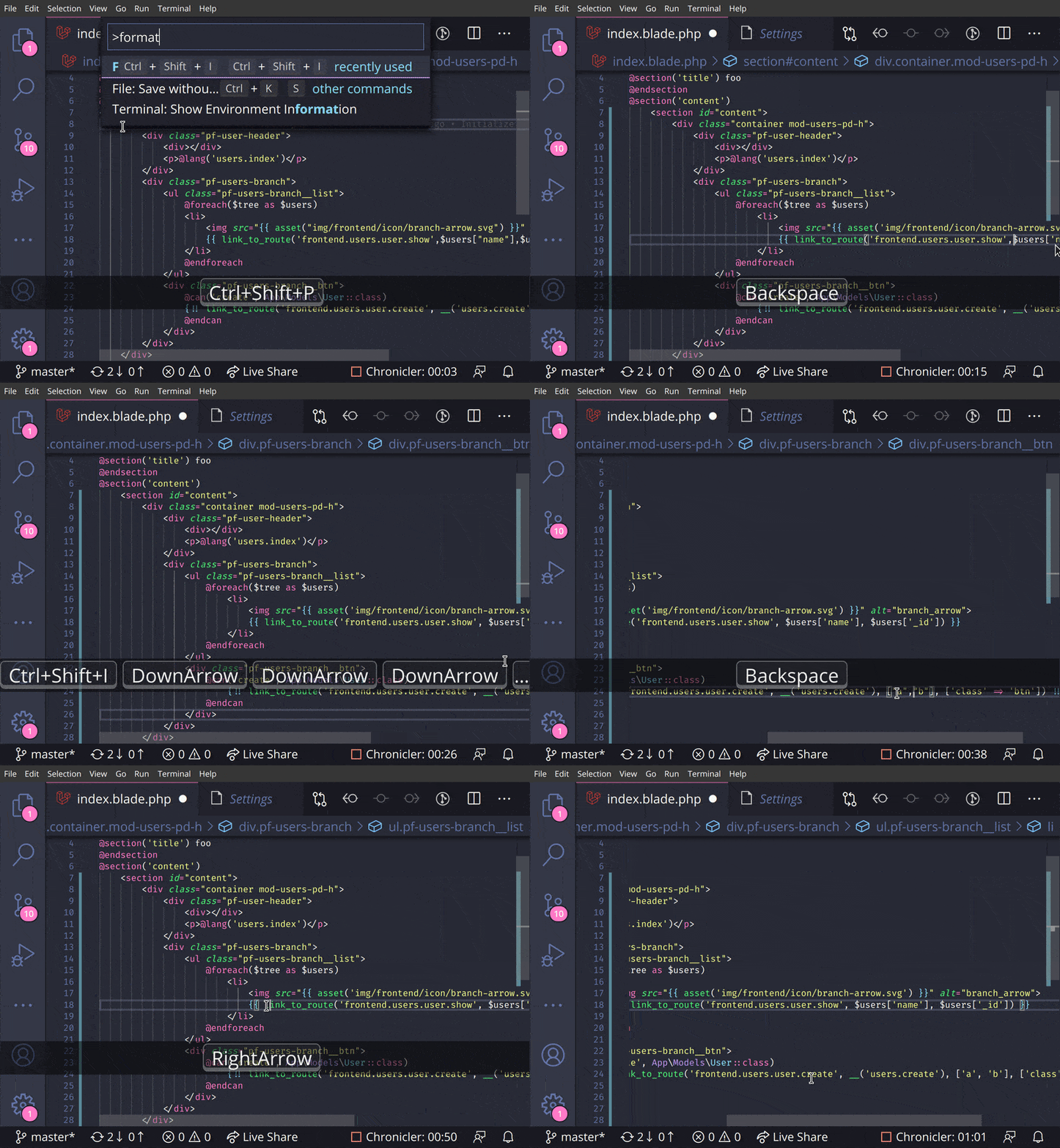
Screencast
Extension Settings
setting
description
default
Blade Formatter: format Enabled
Whether it enables or not
true
Blade Formatter: format Indent Size
An indent size
4
Blade Formatter: format Wrap Line Length
The length of line wrap size
120
Blade Formatter: format Wrap Attributes
The way to wrap attributes. [auto|force|force-aligned|force-expand-multiline|aligned-multiple|preserve|preserve-aligned]
auto
Blade Formatter: format Wrap Attributes Min Attrs
Minimum number of html tag attributes for force wrap attribute options. Wrap the first attribute only if force-expand-multiline is specified in wrap attributes
2
Blade Formatter: format Sort Tailwind Css Classes
Sort Tailwind CSS classes automatically
false
Blade Formatter: format Sort HTML Attributes
Sort HTML Attributes in the specified order. [none | alphabetical | code-guide | idiomatic | vuejs]
none
Blade Formatter: format Indent Inner Html
Indent <head> and <body> sections in html.
false
Blade Formatter: format use Tabs
Use tab as indentation character
false
Blade Formatter: format Custom Html Attributes Order
Comma separated custom HTML attributes order. e.g. id, data-.+, class, name. To enable this you must specify sort html attributes option as custom. You can use regex for attribute names.
none
Blade Formatter: format No Multiple Empty Lines
Collapses multiple blank lines into a single blank line.
false
Blade Formatter: format No PHP Syntax Check
Disable PHP Syntax check. Enabling this will suppress syntax error reporing.
""
Blade Formatter: format No Single Quote
Use double quotes instead of single quotes for php expression.
false
Blade Formatter: format No Trailing Comma Php
If set to true, no trailing commas are printed for php expression.
false
Blade Formatter: format Component Prefix
Specify custom prefixes for component names separated by comma. e.g. x-,livewire. This changes the format rules applied to custom components e.g. preserve style in attributes.
x-,livewire
Blade Formatter: format PHP Version
A php version using for syntax compatibility.
8.4
Blade Formatter: Dont Show New Version Message
If set to 'true', the new version message won't be shown anymore.
false
Configuration file: .bladeformatterrc.json or .bladeformatterrc
To configure settings per project, put .bladeformatterrc.json or .bladeformatterrc to your project root will vscode-blade-formatter treat it as setting files.
To disable formatting for an entire file, put a {{-- blade-formatter-disable --}} comment at the beginning of the file:
{{-- blade-formatter-disable --}}

{{ $foo }}
TODO
Add more option for HTML formatting rules
Add option for PHP formatting rules
Automate package publishing flow
Integration test
Release Notes
see CHANGELOG.md
Related Projects
blade-formatter - CLI blade formatter this extension relies on
prettier-plugin-blade - Prettier plugin for Blade
coc-blade - coc.nvim Extension by @yaegassy
Contributing
Fork it
Create your feature branch (git checkout -b my-new-feature)
Commit your changes (git commit -am 'Add some feature')
Push to the branch (git push origin my-new-feature)
Create new Pull Request
Development
$ yarn install
$ cp .env.example .env # set your app insight key
$ yarn run watch # watch changes
Testing
$ yarn install
$ cp .env.example .env # set your app insight key
$ yarn run compile
$ yarn run test
Sponsors
Contributors
Shuhei Hayashibara
SlovenianGooner
Snyk Bot
Yaegassy
dianfishekqi
Isaac Emmanuel
Julio J. Foulquie
LICENSE
MIT
Data and telemetry
This extension collects usage data and sends it to Azure Application Insight to improve extension. This extension respects the telemetry.enableTelemetry setting.
To opt out, please set the telemetry.enableTelemetry setting to false. Learn more in FAQ.
How active is development on shufo/vscode-blade-formatter?
The most recent commit recorded on shufo/vscode-blade-formatter was 15 days ago, based on the GitHub push timestamp. The repository has 43 forks — one of the better signals of community interest.
How does shufo/vscode-blade-formatter compare to other Developer Tools projects?
shufo/vscode-blade-formatter is tracked by TopGit in the Developer Tools category, with 5.2k GitHub stars and written in TypeScript. Browse the Developer Tools topic page on TopGit to compare it against similar projects by stars and activity.
How many stars does shufo/vscode-blade-formatter have?
shufo/vscode-blade-formatter has 5.2k GitHub stars — refresh the page for the live number, or check github.com/shufo/vscode-blade-formatter. TopGit mirrors GitHub's count but does not claim minute-by-minute accuracy.
Is shufo/vscode-blade-formatter open source?
Yes — shufo/vscode-blade-formatter ships under the MIT license, which makes its source code freely readable (and, depending on license terms, forkable and reusable). Source: github.com/shufo/vscode-blade-formatter.
What is shufo/vscode-blade-formatter?
shufo/vscode-blade-formatter (shufo/vscode-blade-formatter) is a TypeScript project on GitHub. From the project's own README: An opinionated Blade file formatter for VSCode
Where do I read more about shufo/vscode-blade-formatter?
This TopGit page is a snapshot — the READ ME tab shows the project's own README content (links stripped, images preserved). The GitHub repository at github.com/shufo/vscode-blade-formatter is the definitive source.
Read full README in the tab above.
Is vscode-blade-formatter worth your time?
ChatGPT, Claude and Perplexity can all read this page. Ask one of them what it makes of vscode-blade-formatter.
 /vscode-blade-formatter