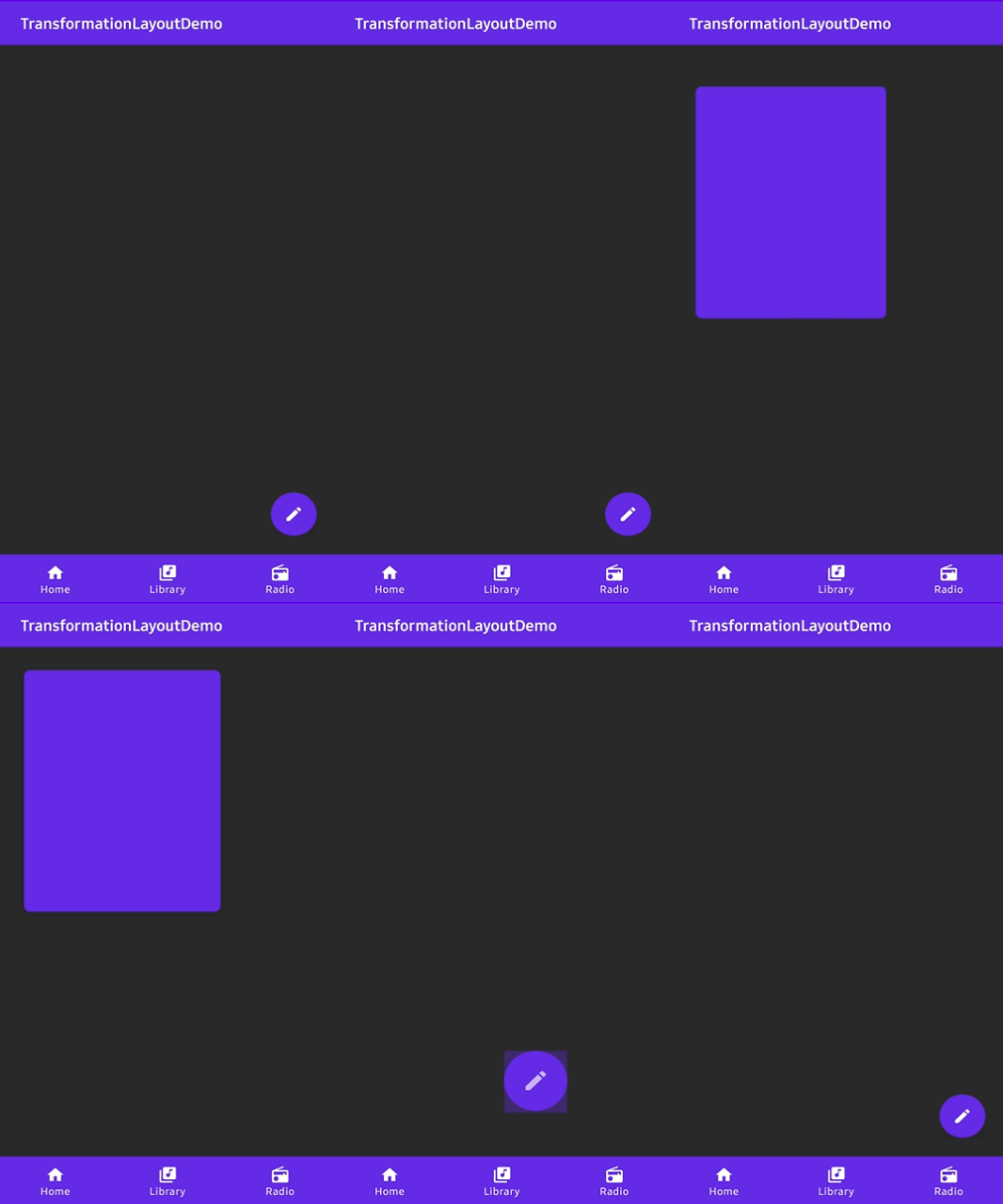
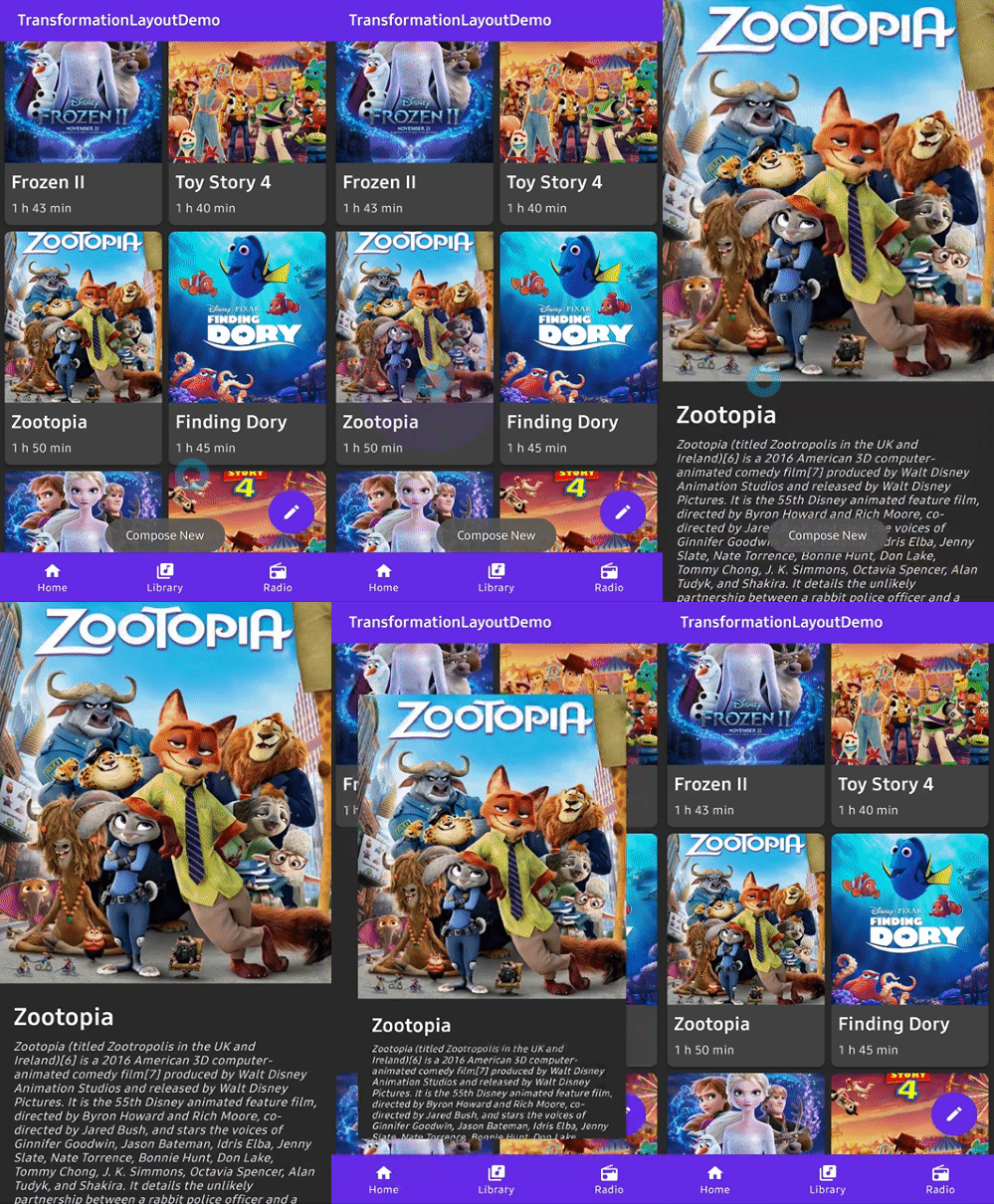
skydoves/TransformationLayout is tracked by TopGit as a mobile project, with 2.4k stars on GitHub, written primarily in Kotlin. 🌠 Transform between two Views, Activities, and Fragments, or a View to a Fragment with container transform animations for Android.
Snapshot summary built from the project's own GitHub metadata — there's no written TopGit review yet. The page will update automatically when a full review is published.
WHY NO REVIEW YET
TopGit writes full reviews for the most-starred, most-requested repositories. This page is a snapshot until then — see the READ ME tab for the original README in full.
TransformationLayout is an essential concept to transform your Views, Activities, and Fragments into other components. You must wrap one or more Views that are supposed to be transformed using TransformationLayout like the example code below:
<com.skydoves.transformationlayout.TransformationLayout
  android:layout_width="wrap_content"
  android:layout_height="wrap_content"
  app:transformation_targetView="@+id/my_cardView" // sets a target view.
  app:transformation_duration="450" // sets a duration of the transformation.
  app:transformation_direction="auto" // auto, entering, returning
  app:transformation_fadeMode="in" // in, out, cross, through
  app:transformation_fitMode="auto" // auto, height, width
  app:transformation_pathMode="arc" // arc, linear
>

   <!-- other complicated views -->

</com.skydoves.transformationlayout.TransformationLayout>
Transform into a view
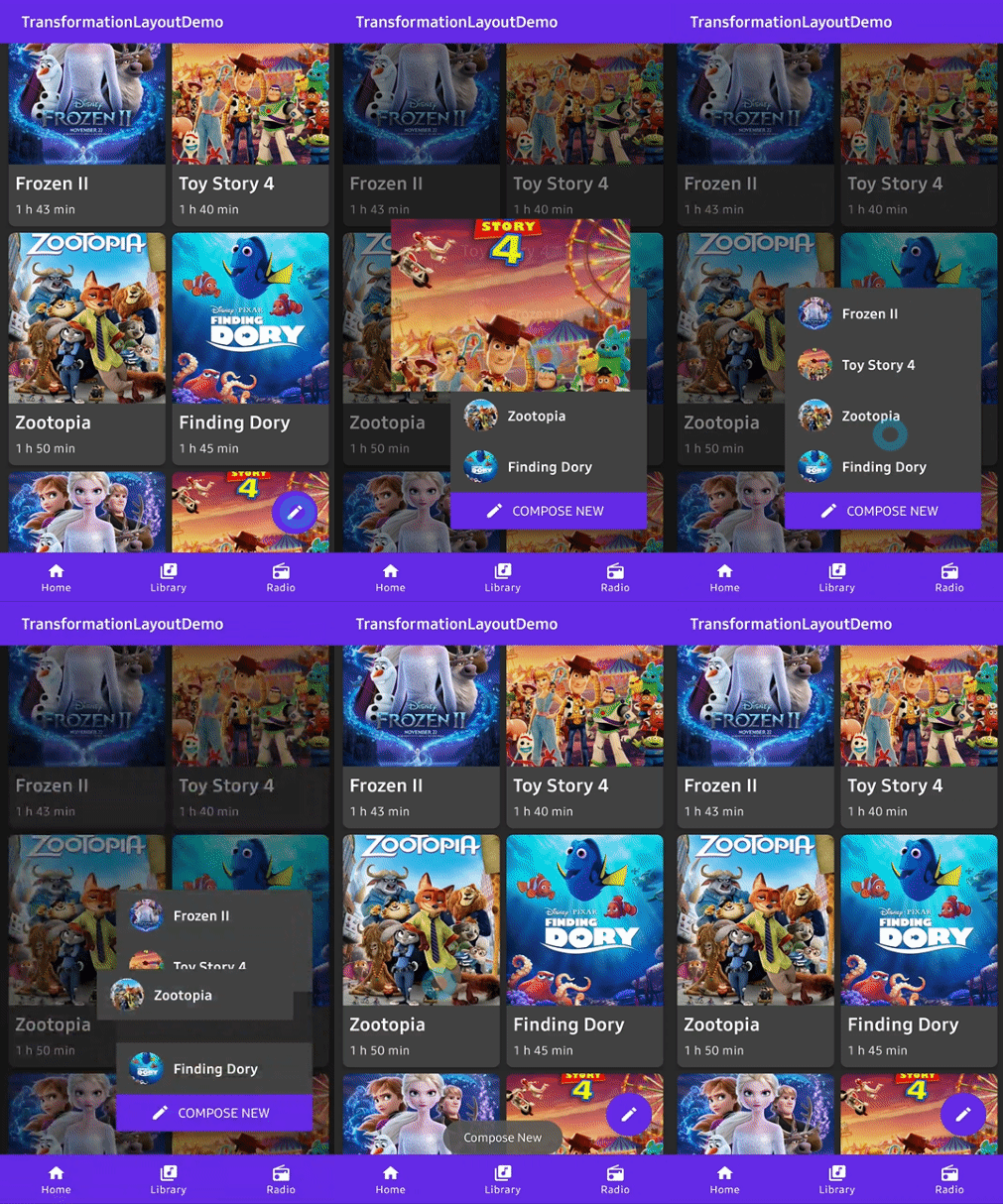
For instance, you can transform a floating button into a CardView as you've seen in the example below:
With the attribute below in your XML file, you can bind a targetView that should be transformed from the TransformationLayout. If you bind a targetView with a TransformationLayout, the targetView's visibility will be GONE by default.
app:transformation_targetView="@+id/myCardView"
You can also bind a targetView with a TransformationLayout using bindTargetView method like the code below:
transformationLayout.bindTargetView(myCardView)
Starting and finishing the transformation
After binding a targetView, we can start or finish transformation using the below methods.
// start transformation when touching the fab.
fab.setOnClickListener {
  transformationLayout.startTransform()
}

// finish transformation when touching the myCardView.
myCardView.setOnClickListener {
  transformationLayout.finishTransform()
}
Here are other functionalities to starting and finishing transformation.
// starts and finishes transformation 1000 milliseconds later.
// If we use this method on onCreate() method, it will starts transformation automatically 200ms later.
transformationLayout.startTransformWithDelay(200)
transformationLayout.finishTransformWithDelay(200)

// starts and finishes transformation with stopping a parent layout.
transformationLayout.startTransform(parent)
transformationLayout.finishTransform(parent)
OnTransformFinishListener
We can listen a TransformationLayout is transformed or not using OnTransformFinishListener.
We should add onTransformationStartContainer() to the Activity that has the floating action button. If your view is in the fragment, the code should be added to the fragment's Activity. It must be called before super.onCreate.
override fun onCreate(savedInstanceState: Bundle?) {
    onTransformationStartContainer() // should be called before super.onCreate().
    super.onCreate(savedInstanceState)
    setContentView(R.layout.activity_main)
}
And we should call startActivity with bundle and intent data.
We should get a bundle using withActivity method. It needs a context and any name of transition.
The bundle must be used as startActivity's parameter.
We should put parcelable data to the intent using getParcelableParams() method.
The extra name of the parcelable data can be anything, and it will be reused later.
fab.setOnClickListener {
    val bundle = transformationLayout.withActivity(this, "myTransitionName")
    val intent = Intent(this, DetailActivity::class.java)
    intent.putExtra("TransformationParams", transformationLayout.getParcelableParams())
    startActivity(intent, bundle)
}
If we want to get bundle data in RecyclerView or other classes,
we can use withView and withContext instead of withActivty.
// usage in the RecyclerView.Adapter
override fun onBindViewHolder(holder: PosterViewHolder, position: Int) {
   val bundle = transformationLayout.withView(holder.itemView, "myTransitionName")
}
We can implement transformation between fragments for a single Activity application.
Here is an example of transforming a floating action button in Fragment A to Fragment B.
We should get a bundle from the TransformationLayout and put it into the argument.
And in the fragment manager's transaction, we should add the TransformationLayout using addTransformation method.
val fragment = MainSingleDetailFragment()
val bundle = transformationLayout.getBundle("TransformationParams")
bundle.putParcelable(MainSingleDetailFragment.posterKey, poster)
fragment.arguments = bundle

requireFragmentManager()
  .beginTransaction()
  .addTransformation(transformationLayout)
  .replace(R.id.main_container, fragment, MainSingleDetailFragment.TAG)
  .addToBackStack(MainSingleDetailFragment.TAG)
  .commit()
}
We must set a specific transition name to the TransformationLayout.
If you want to transform a recyclerView's item, set transiton name in onBindViewHolder.
Set the FadeMode to be used to swap the content of the start View with that of the end View.
fitMode
FitMode.AUTO, FitMode.WIDTH, FitMode.HEIGHT
FitMode.AUTO
Set the fitMode to be used when scaling the incoming content of the end View.
startElevation
Float
ELEVATION_NOT_SET
The elevation that will be used to render a shadow around the container at the start of the transition.
endElevation
Float
ELEVATION_NOT_SET
The elevation that will be used to render a shadow around the container at the end of the transition.
elevationShadowEnabled
Boolean
true if (version > Pie)
Whether shadows should be drawn around the container to approximate native elevation shadows on the start and end views.
holdAtEndEnabled
Boolean
false
Whether to hold the last frame at the end of the animation.
Additional 🎈
You can reference the usage of the TransformationLayout in another repository MarvelHeroes.
A demo application based on modern Android application tech-stacks and MVVM architecture.
Find this library useful? :heart:
Support it by joining stargazers for this repository. :star:
And follow me for my next creations! 🤩
License
Copyright 2020 skydoves (Jaewoong Eum)

Licensed under the Apache License, Version 2.0 (the "License");
you may not use this file except in compliance with the License.
You may obtain a copy of the License at

   http://www.apache.org/licenses/LICENSE-2.0

Unless required by applicable law or agreed to in writing, software
distributed under the License is distributed on an "AS IS" BASIS,
WITHOUT WARRANTIES OR CONDITIONS OF ANY KIND, either express or implied.
See the License for the specific language governing permissions and
limitations under the License.
How active is development on skydoves/TransformationLayout?
The most recent commit recorded on skydoves/TransformationLayout was 10 months ago, based on the GitHub push timestamp. The repository has 195 forks — one of the better signals of community interest.
How does skydoves/TransformationLayout compare to other Mobile projects?
skydoves/TransformationLayout is tracked by TopGit in the Mobile category, with 2.4k GitHub stars and written in Kotlin. Browse the Mobile topic page on TopGit to compare it against similar projects by stars and activity.
How many stars does skydoves/TransformationLayout have?
skydoves/TransformationLayout has 2.4k GitHub stars — refresh the page for the live number, or check github.com/skydoves/TransformationLayout. TopGit mirrors GitHub's count but does not claim minute-by-minute accuracy.
What is skydoves/TransformationLayout?
skydoves/TransformationLayout (skydoves/TransformationLayout) is a Kotlin project on GitHub. From the project's own README: 🌠 Transform between two Views, Activities, and Fragments, or a View to a Fragment with container transform animations for Android.
What language is skydoves/TransformationLayout written in?
skydoves/TransformationLayout is written primarily in Kotlin. GitHub's language field is based on the largest share of bytes in the default branch.
What topics is skydoves/TransformationLayout associated with?
GitHub's repository topics for skydoves/TransformationLayout: "android", "android-library", "android-ui", "kotlin", "material", "motions", "skydoves", "transition". TopGit's editorial category is Mobile.
Why is skydoves/TransformationLayout categorized under Mobile?
TopGit places skydoves/TransformationLayout in the Mobile category based on its GitHub topics and description (tagged: "android", "android-library", "android-ui"). Categories are assigned from real repository metadata, not editorial guesswork.
Read full README in the tab above.
Want a second opinion on TransformationLayout?
Ask an AI that can read this page — one click and you get its take on TransformationLayout.

 /TransformationLayout