Được TopGit lập chỉ mục từ metadata GitHub: skydoves/TransformationLayout có 2.4k sao, viết chủ yếu bằng Kotlin. 🌠 Transform between two Views, Activities, and Fragments, or a View to a Fragment with container transform animations for Android.
Tóm tắt dựng từ metadata GitHub của chính dự án — chưa có bài review TopGit. Trang sẽ tự động cập nhật khi bài review đầy đủ được xuất bản.
VÌ SAO CHƯA CÓ REVIEW
TopGit viết bài đầy đủ cho repo có nhiều sao nhất và được yêu cầu nhiều nhất. Trang này là snapshot trong thời gian chờ — xem README gốc ở tab READ ME.
TransformationLayout is an essential concept to transform your Views, Activities, and Fragments into other components. You must wrap one or more Views that are supposed to be transformed using TransformationLayout like the example code below:
<com.skydoves.transformationlayout.TransformationLayout
  android:layout_width="wrap_content"
  android:layout_height="wrap_content"
  app:transformation_targetView="@+id/my_cardView" // sets a target view.
  app:transformation_duration="450" // sets a duration of the transformation.
  app:transformation_direction="auto" // auto, entering, returning
  app:transformation_fadeMode="in" // in, out, cross, through
  app:transformation_fitMode="auto" // auto, height, width
  app:transformation_pathMode="arc" // arc, linear
>

   <!-- other complicated views -->

</com.skydoves.transformationlayout.TransformationLayout>
Transform into a view
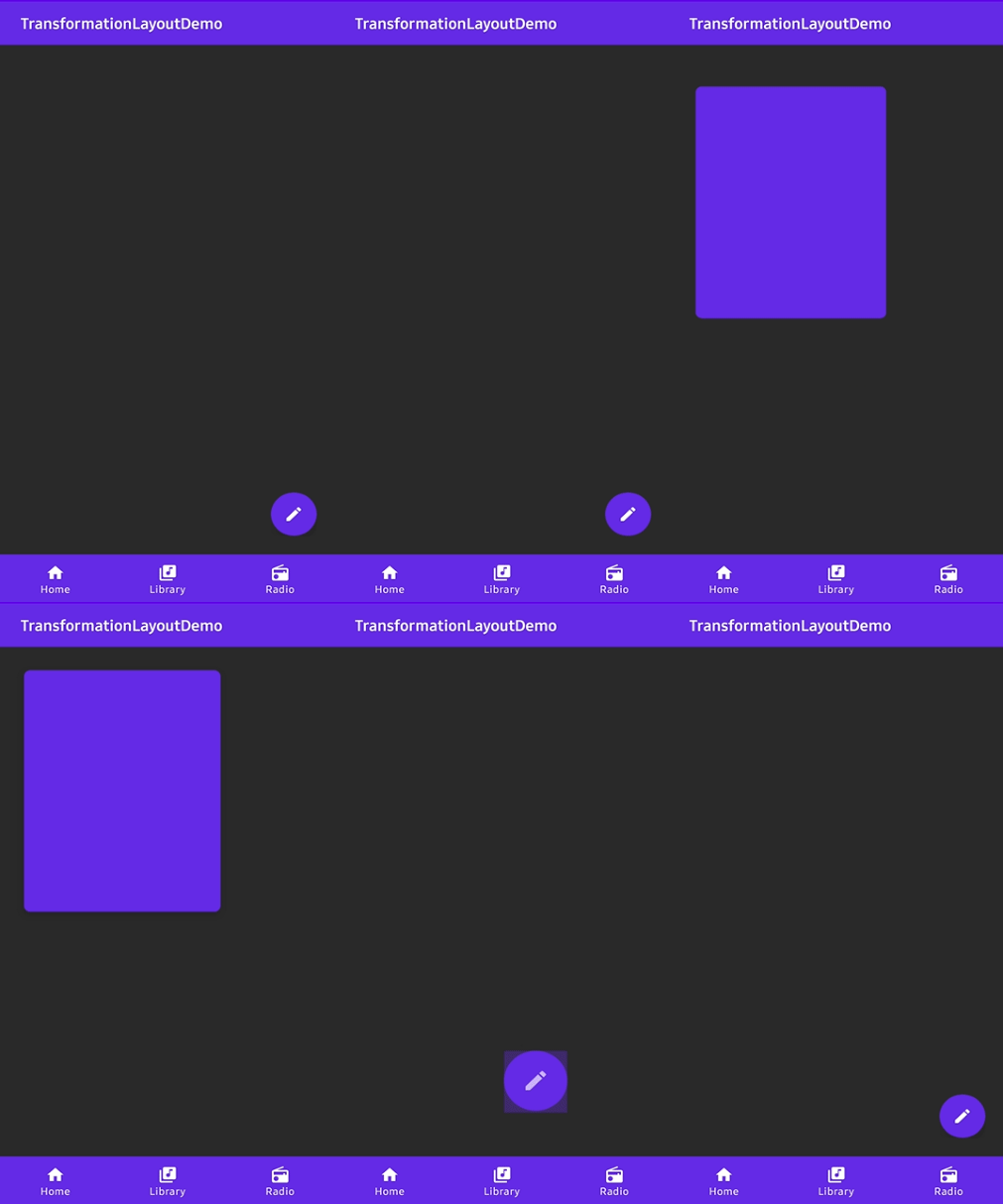
For instance, you can transform a floating button into a CardView as you've seen in the example below:
With the attribute below in your XML file, you can bind a targetView that should be transformed from the TransformationLayout. If you bind a targetView with a TransformationLayout, the targetView's visibility will be GONE by default.
app:transformation_targetView="@+id/myCardView"
You can also bind a targetView with a TransformationLayout using bindTargetView method like the code below:
transformationLayout.bindTargetView(myCardView)
Starting and finishing the transformation
After binding a targetView, we can start or finish transformation using the below methods.
// start transformation when touching the fab.
fab.setOnClickListener {
  transformationLayout.startTransform()
}

// finish transformation when touching the myCardView.
myCardView.setOnClickListener {
  transformationLayout.finishTransform()
}
Here are other functionalities to starting and finishing transformation.
// starts and finishes transformation 1000 milliseconds later.
// If we use this method on onCreate() method, it will starts transformation automatically 200ms later.
transformationLayout.startTransformWithDelay(200)
transformationLayout.finishTransformWithDelay(200)

// starts and finishes transformation with stopping a parent layout.
transformationLayout.startTransform(parent)
transformationLayout.finishTransform(parent)
OnTransformFinishListener
We can listen a TransformationLayout is transformed or not using OnTransformFinishListener.
We should add onTransformationStartContainer() to the Activity that has the floating action button. If your view is in the fragment, the code should be added to the fragment's Activity. It must be called before super.onCreate.
override fun onCreate(savedInstanceState: Bundle?) {
    onTransformationStartContainer() // should be called before super.onCreate().
    super.onCreate(savedInstanceState)
    setContentView(R.layout.activity_main)
}
We should add onTransformationStartContainer() to the Activity that has the floating action button. If your view is in the fragment, the code should be added to the fragment's Activity. It must be called before super.onCreate.
override fun onCreate(savedInstanceState: Bundle?) {
    onTransformationStartContainer() // should be called before super.onCreate().
    super.onCreate(savedInstanceState)
    setContentView(R.layout.activity_main)
}
And we should call startActivity with bundle and intent data.
We should get a bundle using withActivity method. It needs a context and any name of transition.
The bundle must be used as startActivity's parameter.
We should put parcelable data to the intent using getParcelableParams() method.
The extra name of the parcelable data can be anything, and it will be reused later.
fab.setOnClickListener {
    val bundle = transformationLayout.withActivity(this, "myTransitionName")
    val intent = Intent(this, DetailActivity::class.java)
    intent.putExtra("TransformationParams", transformationLayout.getParcelableParams())
    startActivity(intent, bundle)
}
If we want to get bundle data in RecyclerView or other classes,
we can use withView and withContext instead of withActivty.
// usage in the RecyclerView.Adapter
override fun onBindViewHolder(holder: PosterViewHolder, position: Int) {
   val bundle = transformationLayout.withView(holder.itemView, "myTransitionName")
}
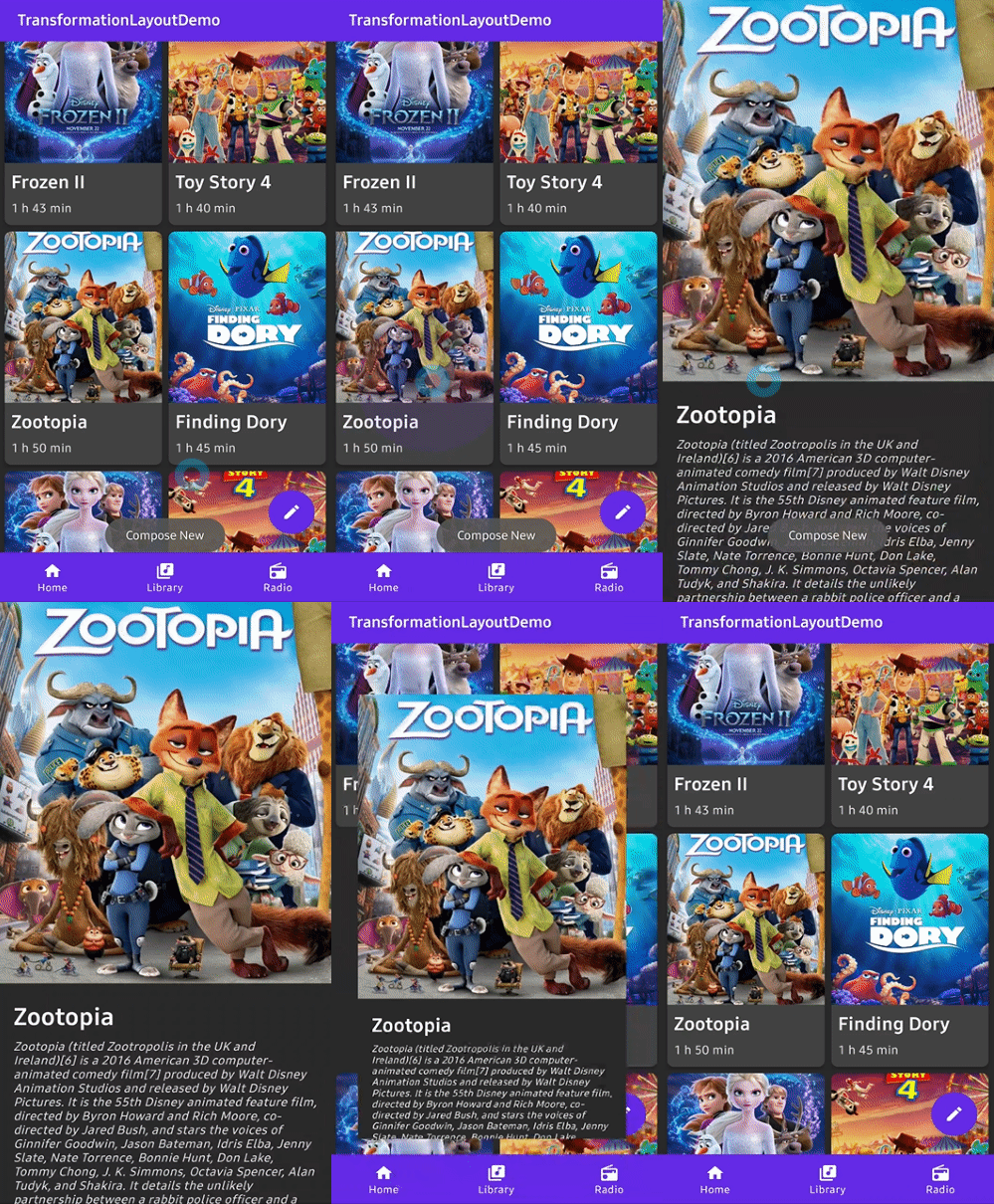
We can implement transformation between fragments for a single Activity application.
Here is an example of transforming a floating action button in Fragment A to Fragment B.
We should get a bundle from the TransformationLayout and put it into the argument.
And in the fragment manager's transaction, we should add the TransformationLayout using addTransformation method.
val fragment = MainSingleDetailFragment()
val bundle = transformationLayout.getBundle("TransformationParams")
bundle.putParcelable(MainSingleDetailFragment.posterKey, poster)
fragment.arguments = bundle

requireFragmentManager()
  .beginTransaction()
  .addTransformation(transformationLayout)
  .replace(R.id.main_container, fragment, MainSingleDetailFragment.TAG)
  .addToBackStack(MainSingleDetailFragment.TAG)
  .commit()
}
We must set a specific transition name to the TransformationLayout.
If you want to transform a recyclerView's item, set transiton name in onBindViewHolder.
Set the FadeMode to be used to swap the content of the start View with that of the end View.
fitMode
FitMode.AUTO, FitMode.WIDTH, FitMode.HEIGHT
FitMode.AUTO
Set the fitMode to be used when scaling the incoming content of the end View.
startElevation
Float
ELEVATION_NOT_SET
The elevation that will be used to render a shadow around the container at the start of the transition.
endElevation
Float
ELEVATION_NOT_SET
The elevation that will be used to render a shadow around the container at the end of the transition.
elevationShadowEnabled
Boolean
true if (version > Pie)
Whether shadows should be drawn around the container to approximate native elevation shadows on the start and end views.
holdAtEndEnabled
Boolean
false
Whether to hold the last frame at the end of the animation.
Additional 🎈
You can reference the usage of the TransformationLayout in another repository MarvelHeroes.
A demo application based on modern Android application tech-stacks and MVVM architecture.
Find this library useful? :heart:
Support it by joining stargazers for this repository. :star:
And follow me for my next creations! 🤩
License
Copyright 2020 skydoves (Jaewoong Eum)

Licensed under the Apache License, Version 2.0 (the "License");
you may not use this file except in compliance with the License.
You may obtain a copy of the License at

   http://www.apache.org/licenses/LICENSE-2.0

Unless required by applicable law or agreed to in writing, software
distributed under the License is distributed on an "AS IS" BASIS,
WITHOUT WARRANTIES OR CONDITIONS OF ANY KIND, either express or implied.
See the License for the specific language governing permissions and
limitations under the License.
skydoves/TransformationLayout có 2.4k sao GitHub — tải lại trang để xem số mới nhất, hoặc xem trực tiếp github.com/skydoves/TransformationLayout. TopGit phản chiếu số sao của GitHub nhưng không cam kết đến từng phút.
skydoves/TransformationLayout có những chủ đề gì?
GitHub topics của skydoves/TransformationLayout: "android", "android-library", "android-ui", "kotlin", "material", "motions", "skydoves", "transition". TopGit xếp repo vào nhóm Mobile.
skydoves/TransformationLayout còn đang phát triển không?
Commit gần nhất trên skydoves/TransformationLayout là 10 tháng trước (theo timestamp GitHub). Repo có 194 fork — một chỉ báo về mức độ quan tâm của cộng đồng.
skydoves/TransformationLayout là gì?
skydoves/TransformationLayout (skydoves/TransformationLayout) là dự án Kotlin trên GitHub. Theo mô tả gốc: 🌠 Transform between two Views, Activities, and Fragments, or a View to a Fragment with container transform animations for Android.
skydoves/TransformationLayout so với các dự án Mobile khác thế nào?
skydoves/TransformationLayout được TopGit xếp vào nhóm Mobile, với 2.4k sao GitHub và viết bằng Kotlin. Xem trang chủ đề Mobile trên TopGit để so sánh với các dự án tương tự theo số sao và mức độ hoạt động.
skydoves/TransformationLayout viết bằng ngôn ngữ gì?
skydoves/TransformationLayout chủ yếu viết bằng Kotlin. Trường "language" của GitHub dựa trên phần lớn byte ở nhánh mặc định.
Vì sao skydoves/TransformationLayout được xếp vào nhóm Mobile?
TopGit xếp skydoves/TransformationLayout vào nhóm Mobile dựa trên GitHub topics và mô tả của repo (gắn thẻ: "android", "android-library", "android-ui"). Việc phân loại dựa trên metadata thật của repo, không phải đoán theo cảm tính biên tập.
Đọc đầy đủ README ở tab phía trên.
Vẫn đang phân vân về TransformationLayout?
Một cú bấm sẽ gửi câu hỏi kèm trang này cho AI — xem AI nói gì về TransformationLayout.

 /TransformationLayout