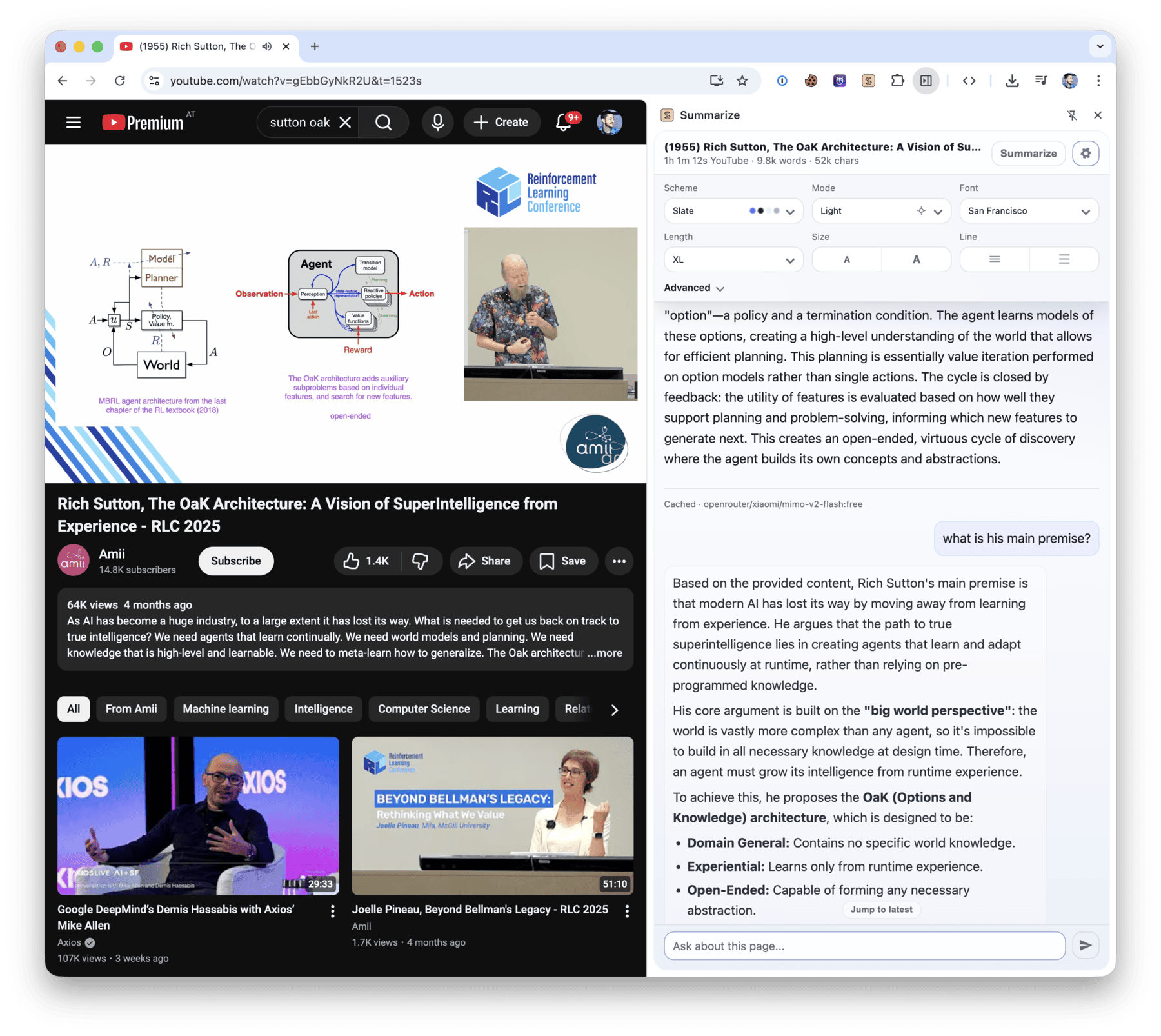
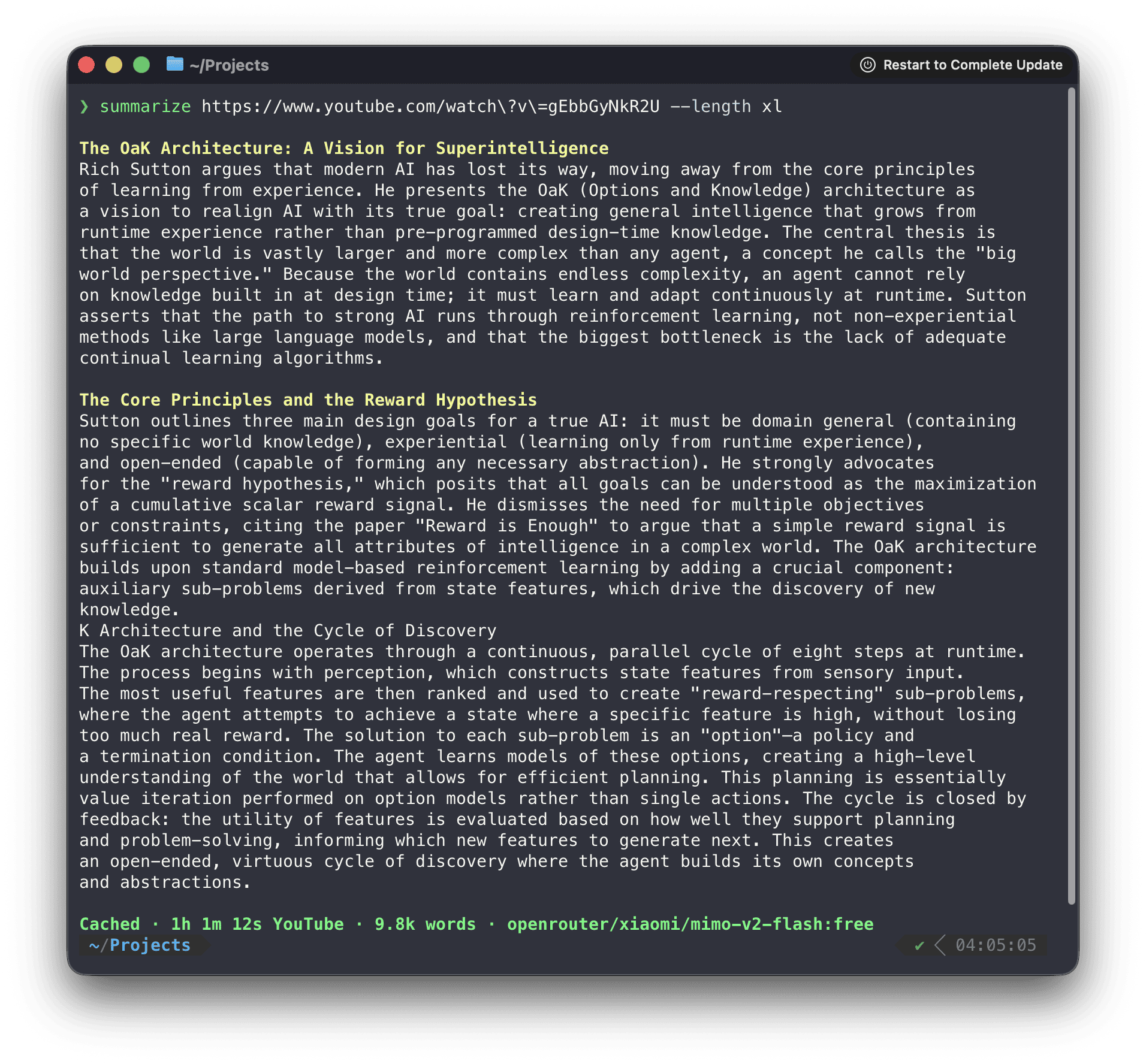
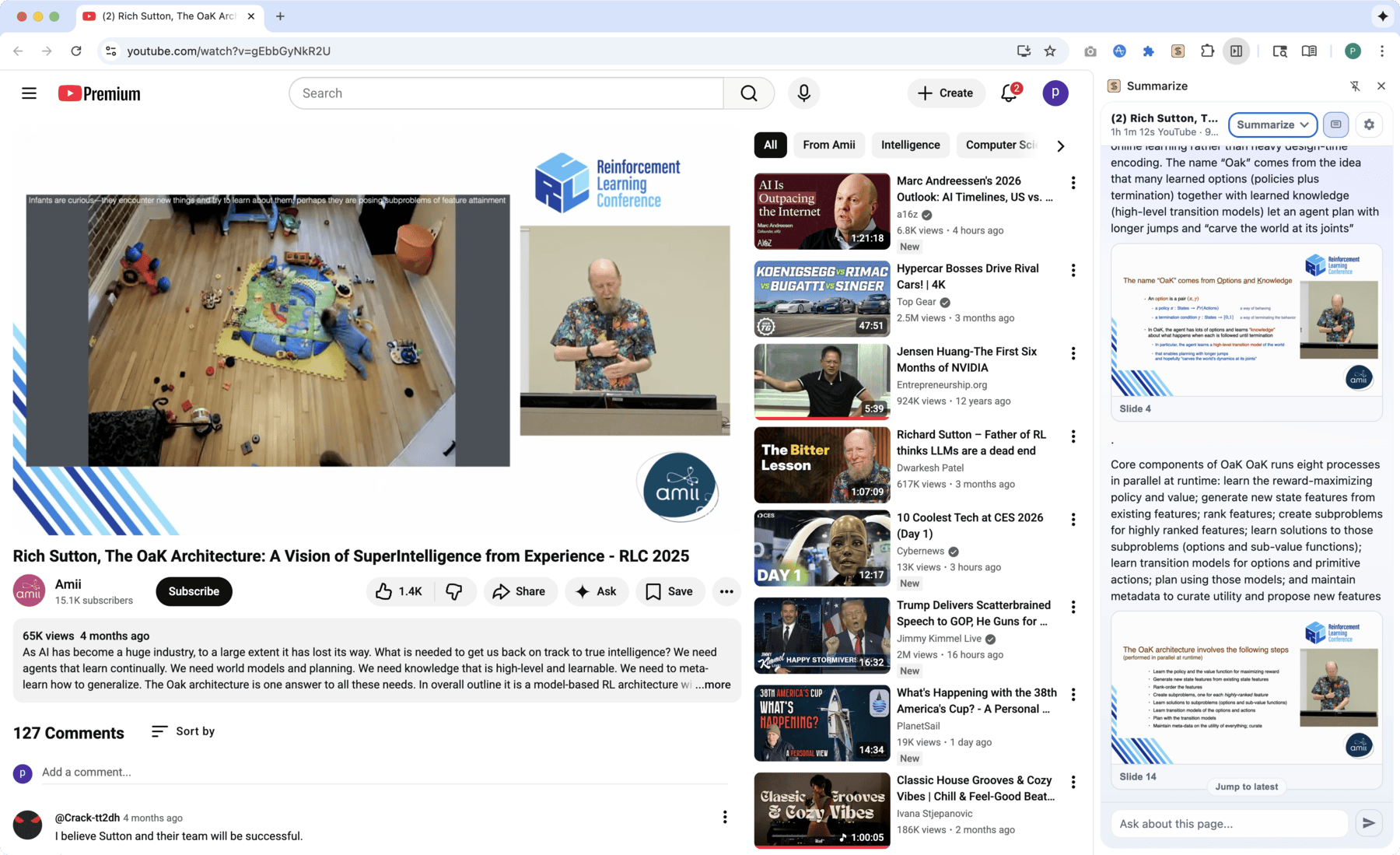
TopGit tracks steipete/summarize on GitHub as part of the Developer Tools family. The project has 6.8k stars. Point at any URL/YouTube/Podcast or file. Get the gist. CLI and Chrome Extension.
Snapshot summary built from the project's own GitHub metadata — there's no written TopGit review yet. The page will update automatically when a full review is published.
WHY NO REVIEW YET
TopGit writes full reviews for the most-starred, most-requested repositories. This page is a snapshot until then — see the READ ME tab for the original README in full.
Summarize extracts clean text and produces summaries from web pages, files, YouTube videos, podcasts, and other audio or video. Use it from the Node.js CLI or from the Chrome Side Panel and Firefox Sidebar.
$ summarize "https://example.com" --extract --plain
This domain is for use in documentation examples without needing permission. Avoid use in operations.
[Learn more](https://iana.org/domains/example)
Install
Run it once without installing:
npx -y @steipete/summarize --version
Or install the CLI with npm or Homebrew:
npm install --global @steipete/summarize
brew install summarize
The npm package requires Node.js 24 or newer. Homebrew/core and the macOS archives on GitHub Releases provide standalone builds. See the installation guide for optional media tools and platform notes.
Quick start
Extract readable content without an API key:
summarize "https://example.com" --extract --plain
For a model-generated summary, configure a supported provider or use an authenticated coding CLI:
summarize "https://example.com" --cli codex
The default auto model chooses among configured providers. The five-minute quickstart covers API keys, local models, files, YouTube, podcasts, and JSON output.
Languages
The CLI and Chrome/Firefox extension interfaces support English, German, French, Spanish, Italian, Brazilian Portuguese, Dutch, Polish, Russian, Japanese, Simplified Chinese, Traditional Chinese, Korean, and Turkish.
The interface follows your system or browser language, with English as the fallback. Use --locale de or SUMMARIZE_LOCALE=de for German CLI help and progress, or select Interface language in the extension’s options. Summary language stays independent:
summarize "https://example.com" --locale de --language japanese
The localization guide covers locale selection, translation glossaries, adding languages, and the CI checks that keep catalogs complete.
What it handles
Input
Processing path
Web pages
Readability extraction, with optional Markdown and Firecrawl fallbacks
PDFs, images, and text files
File-aware extraction and model attachments where supported
YouTube and podcasts
Published transcripts first, then configured transcription fallbacks
Audio and video
Local or cloud transcription, with optional speaker labels
Video slides
Scene-based frames, optional OCR, and timestamped output
Use --extract when you only need clean content, --json for a stable automation envelope, and --slides for video frames. The command reference documents every flag.
Browser extension
Install Summarize Side Panel from the Chrome Web Store to summarize the active tab, chat with its content, and work with video transcripts and slides.
Direct mode runs without a companion service. Browser media uses Chrome capabilities for local transcription and slide extraction; the optional daemon adds CLI model backends, native media tools, OCR, shared caches, and Firefox media support.
To pair the installed CLI, copy the token shown by the extension and run:
summarize daemon install --token <TOKEN>
See the extension setup and architecture and troubleshooting guide.
Media and slides
Summarize prefers existing captions and podcast transcripts before it transcribes media. Native ffmpeg, yt-dlp, and tesseract extend codec, YouTube slide, and OCR support; a bundled WebAssembly FFmpeg path covers common media without a native install.
The focused guides describe YouTube extraction, media routing, slides, and local ONNX transcription.
Models and configuration
Model IDs use provider/model names. Summarize works with configured API providers, OpenAI-compatible endpoints, Ollama, OpenRouter free models, and authenticated coding CLIs such as Codex, Claude, Gemini, OpenClaw, GitHub Copilot, and Grok.
Configuration lives at ~/.summarize/config.json; command-line flags take precedence. Inspect the effective setup without exposing keys:
summarize status
Read the model guide, automatic selection rules, CLI provider guide, and configuration reference for the full setup.
Library
For programmatic extraction without the CLI dependency surface, install @steipete/summarize-core:
npm install @steipete/summarize-core
The package exports focused content and prompt entry points. See the core package README for usage.
Documentation
Start with the documentation index, then follow the guide for your task:
Installation and quickstart
Commands and configuration
Website extraction and Firecrawl fallback
YouTube, media, and slides
Agent skill for automated workflows
Development
Requires Node.js 24 and the workspace's pinned pnpm version through Corepack.
The most recent commit recorded on steipete/summarize was 9 days ago, based on the GitHub push timestamp. The repository has 454 forks — one of the better signals of community interest.
How many stars does steipete/summarize have?
steipete/summarize has 6.8k GitHub stars — refresh the page for the live number, or check github.com/steipete/summarize. TopGit mirrors GitHub's count but does not claim minute-by-minute accuracy.
What language is steipete/summarize written in?
steipete/summarize is written primarily in TypeScript. GitHub's language field is based on the largest share of bytes in the default branch.
What license does steipete/summarize use?
steipete/summarize is released under the MIT license. Always verify the LICENSE file directly on GitHub for the authoritative terms — license strings can be edited out of sync with a project's actual stance.
What topics is steipete/summarize associated with?
GitHub's repository topics for steipete/summarize: "ai", "cli", "summarize", "typescript". TopGit's editorial category is Developer Tools.
Where can I see steipete/summarize in action?
The project maintains a homepage at https://summarize.sh. The README tab on this page also usually contains screenshots and a quickstart.
Where do I read more about steipete/summarize?
This TopGit page is a snapshot — the READ ME tab shows the project's own README content (links stripped, images preserved). The GitHub repository at github.com/steipete/summarize is the definitive source.
Read full README in the tab above.
Still deciding about summarize?
One click hands the question to an AI along with this page — see what it says about summarize.

 /summarize