Summarize 📝 — Link in, signal out.


Summarize extracts clean text and produces summaries from web pages, files, YouTube videos, podcasts, and other audio or video. Use it from the Node.js CLI or from the Chrome Side Panel and Firefox Sidebar.
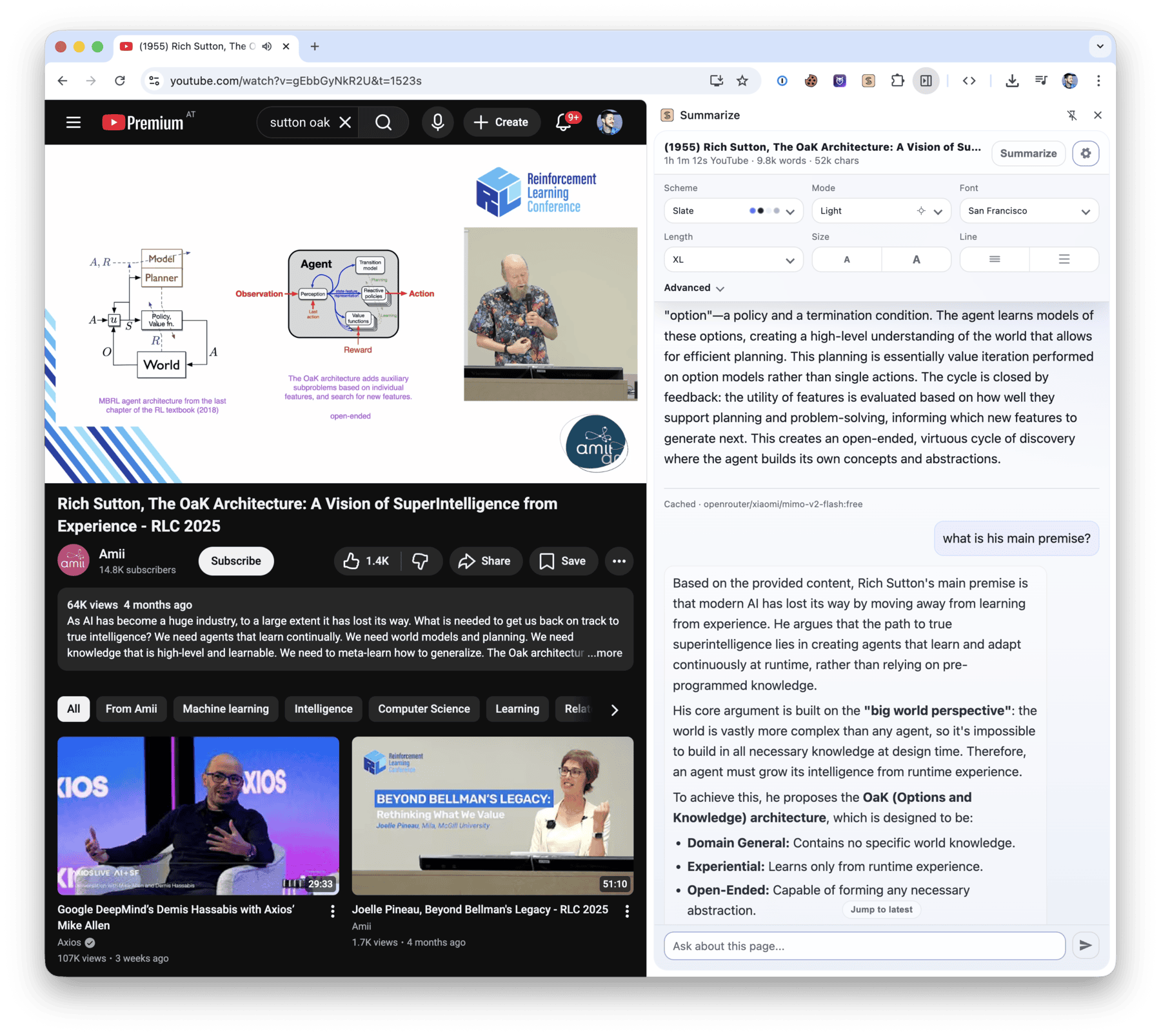
$ summarize "https://example.com" --extract --plain
This domain is for use in documentation examples without needing permission. Avoid use in operations.
[Learn more](https://iana.org/domains/example)
Install
Run it once without installing:
npx -y @steipete/summarize --version
Or install the CLI with npm or Homebrew:
npm install --global @steipete/summarize
brew install summarize
The npm package requires Node.js 24 or newer. Homebrew/core and the macOS archives on GitHub Releases provide standalone builds. See the installation guide for optional media tools and platform notes.
Quick start
Extract readable content without an API key:
summarize "https://example.com" --extract --plain
For a model-generated summary, configure a supported provider or use an authenticated coding CLI:
summarize "https://example.com" --cli codex
The default auto model chooses among configured providers. The five-minute quickstart covers API keys, local models, files, YouTube, podcasts, and JSON output.
What it handles
| Input | Processing path |
|---|
| Web pages | Readability extraction, with optional Markdown and Firecrawl fallbacks |
| PDFs, images, and text files | File-aware extraction and model attachments where supported |
| YouTube and podcasts | Published transcripts first, then configured transcription fallbacks |
| Audio and video | Local or cloud transcription, with optional speaker labels |
| Video slides | Scene-based frames, optional OCR, and timestamped output |
Use --extract when you only need clean content, --json for a stable automation envelope, and --slides for video frames. The command reference documents every flag.
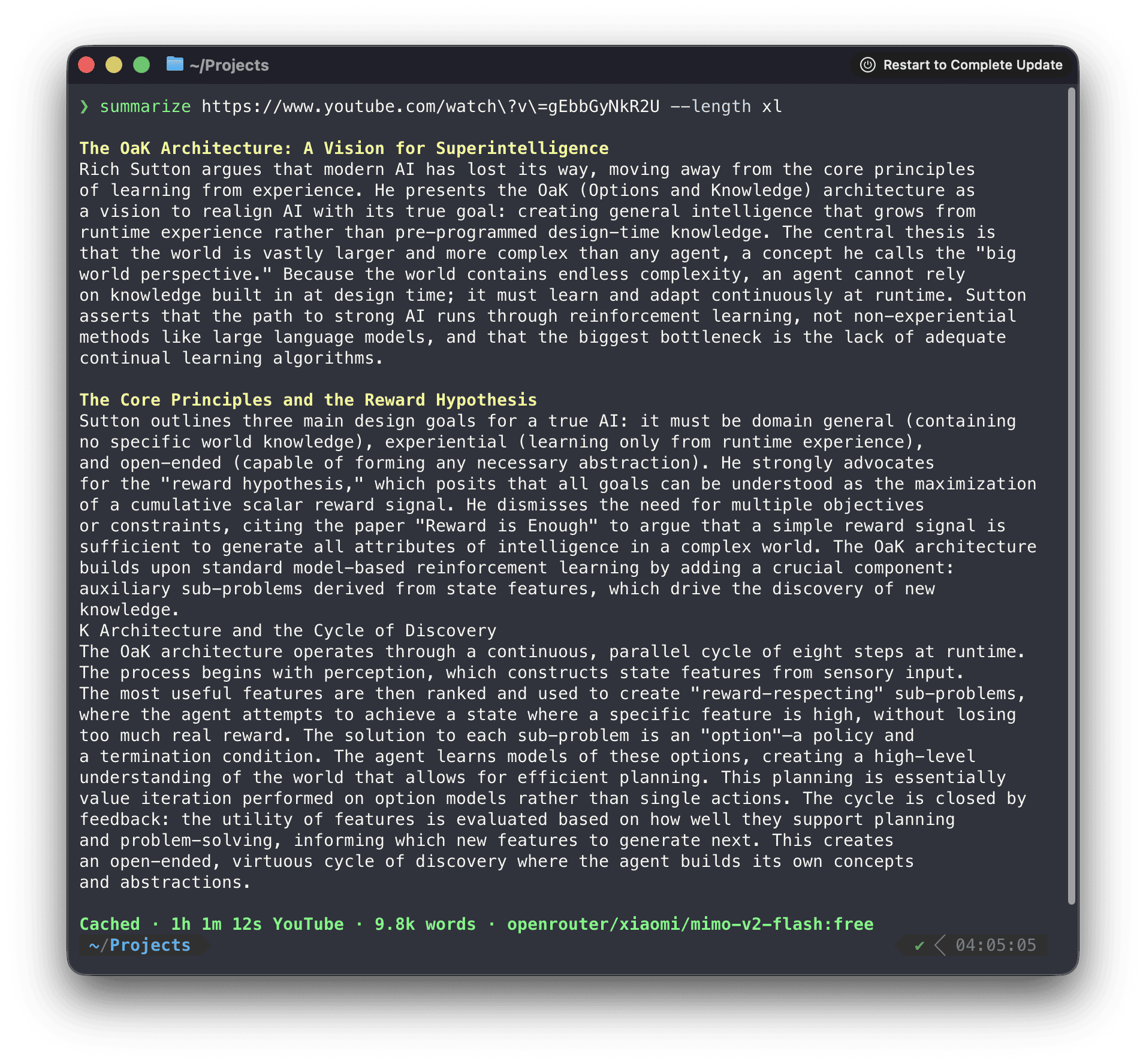
Browser extension
Install Summarize Side Panel from the Chrome Web Store to summarize the active tab, chat with its content, and work with video transcripts and slides.
Direct mode runs without a companion service. Browser media uses Chrome capabilities for local transcription and slide extraction; the optional daemon adds CLI model backends, native media tools, OCR, shared caches, and Firefox media support.
To pair the installed CLI, copy the token shown by the extension and run:
summarize daemon install --token <TOKEN>
See the extension setup and architecture and troubleshooting guide.
Media and slides
Summarize prefers existing captions and podcast transcripts before it transcribes media. Native ffmpeg, yt-dlp, and tesseract extend codec, YouTube slide, and OCR support; a bundled WebAssembly FFmpeg path covers common media without a native install.
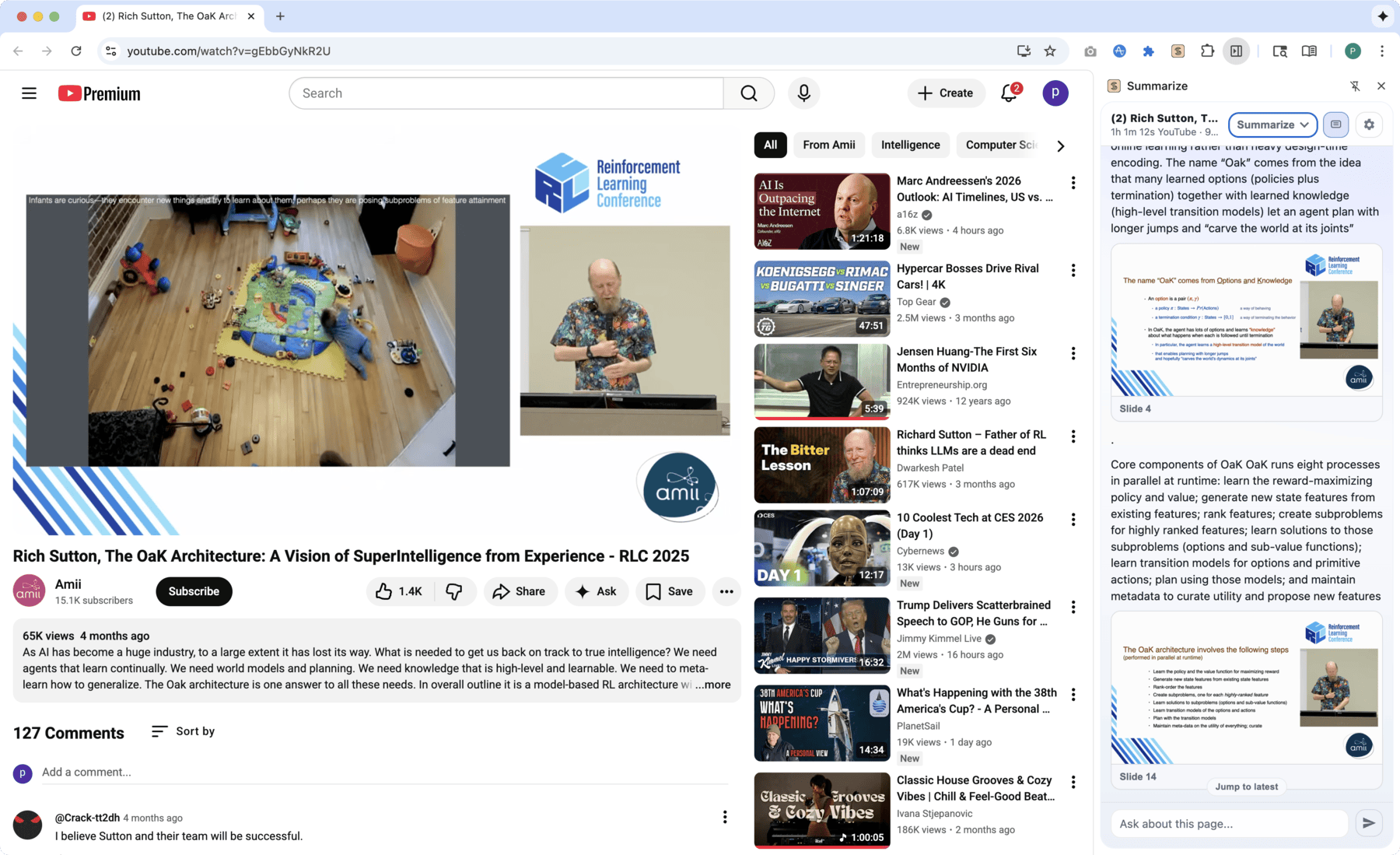
The focused guides describe YouTube extraction, media routing, slides, and local ONNX transcription.
Models and configuration
Model IDs use provider/model names. Summarize works with configured API providers, OpenAI-compatible endpoints, Ollama, OpenRouter free models, and authenticated coding CLIs such as Codex, Claude, Gemini, OpenClaw, and GitHub Copilot.
Configuration lives at ~/.summarize/config.json; command-line flags take precedence. Inspect the effective setup without exposing keys:
summarize status
Read the model guide, automatic selection rules, CLI provider guide, and configuration reference for the full setup.
Library
For programmatic extraction without the CLI dependency surface, install @steipete/summarize-core:
npm install @steipete/summarize-core
The package exports focused content and prompt entry points. See the core package README for usage.
Documentation
Start with the documentation index, then follow the guide for your task:
- Installation and quickstart
- Commands and configuration
- Website extraction and Firecrawl fallback
- YouTube, media, and slides
- Agent skill for automated workflows
Development
Requires Node.js 24 and pnpm 10.34.5.
pnpm install --frozen-lockfile
pnpm build
pnpm check
See CONTRIBUTING.md for repository layout and extension workflows.
License
MIT. See LICENSE.
