ClawX: AI Agent Desktop App for OpenClaw
 ValueCell-ai/ClawX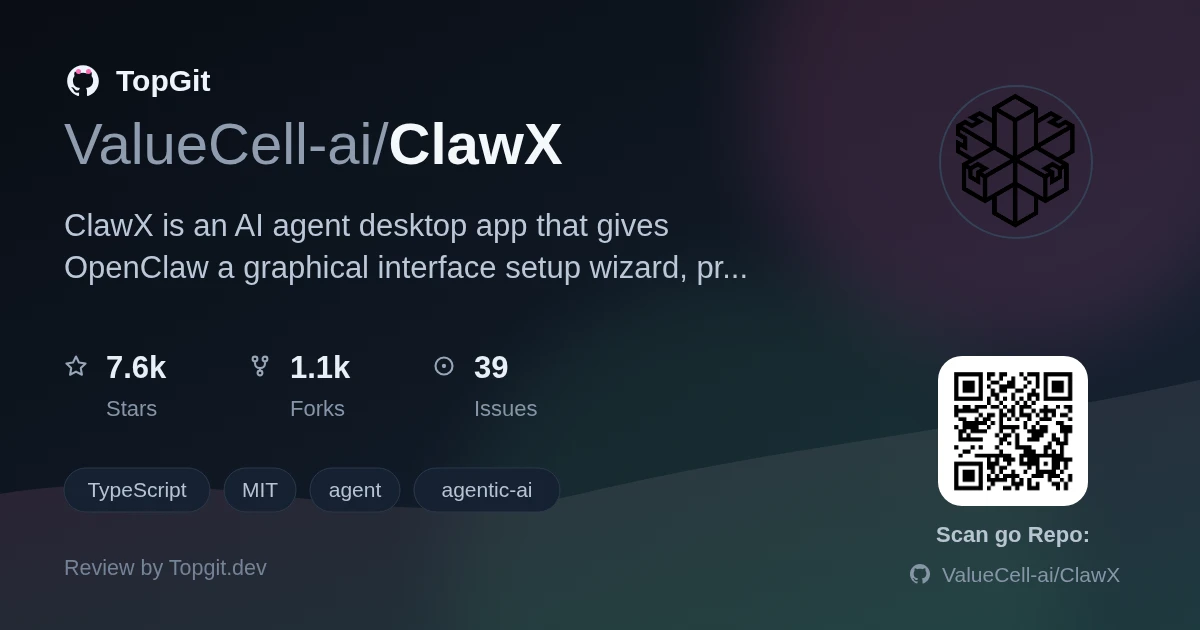
ClawX is a free, MIT-licensed desktop wrapper around the OpenClaw agent runtime, turning its command-line setup into a GUI with a setup wizard, provider panel, and cron scheduler. Reach for it if you want to run OpenClaw agents on Windows without touching config files; skip it if you need the full skill marketplace or plan to drive OpenClaw programmatically, since community builds trim the bundled skill set to just skill-creator.
The Challenge of CLI-Based AI Agents
OpenClaw itself runs as a command-line agent orchestrator — you configure providers, channels, and scheduled jobs by hand-editing config files and juggling a Gateway process yourself. The README's own comparison table lists the frictions directly: complex CLI setup, configuration files, process management, and manually editing jobs.json for cron-based tasks. That's a real barrier for anyone who wants to run and monitor OpenClaw agents day-to-day without becoming a systems administrator for their own AI setup.
Introducing ClawX: A Desktop Interface for OpenClaw
ClawX is a desktop application built on the OpenClaw agent runtime, giving OpenClaw's command-line AI orchestration a graphical interface on macOS, Windows, and Linux. It has 7,564 stars and 1,131 forks on GitHub, carries an MIT license, and embeds the OpenClaw core instead of requiring a separate install. Provider setup, channel management, cron scheduling, and skills live behind a Setup Wizard and settings screens instead of config files.
Core Capabilities of ClawX
- ✓Chat interface renders streaming Markdown with syntax-highlighted code blocks, GitHub-flavored tables, and KaTeX math ($inline$, $$block$$), and lets you route a message straight to a specific agent with @agent.
- ✓Cron page splits scheduling into Recurring (hourly/daily/weekdays/weekly/custom cron) and Once tabs, with external delivery configured right in the task form instead of hand-editing jobs.json.
- ✓Local-first Skills page scans managed and workspace skill directories and lets you enable or disable skills without the Gateway running; community builds ship only the skill-creator bundled skill.
- ✓Secure provider integration stores credentials in the OS-native keychain and supports OpenAI (API key or Codex OAuth), Anthropic, and Z.AI/GLM (default model glm-5.2), plus custom OpenAI-compatible endpoints.
- ✓Multi-channel management lets each channel run multiple accounts with per-account agent binding, including a bundled Tencent WeChat channel plugin with an in-app QR linking flow.
- ✓Built-in proxy settings under Settings → Gateway → Proxy cover HTTP/HTTPS/SOCKS overrides and reapply networking plus restart the Gateway automatically when saved.
- ✓Workspace/Preview panel renders read-only previews of Markdown, .docx, and .pptx files up to 20 MB, plus self-contained local HTML with all links stripped of click behavior.
- ✓Dual-process Electron architecture keeps the Gateway process alive across ordinary config changes (providers, agents, channels, skills), reserving full restarts for proxy or environment changes.
Practical Applications for ClawX
- •Running a personal AI assistant across chat, WeChat, and other channels without maintaining a CLI session or hand-editing OpenClaw config files.
- •Setting up recurring reports or reminders through the Cron page's Recurring/Once scheduler instead of hand-editing jobs.json.
- •Reviewing AI-generated documents (PDF/XLSX/DOCX/PPTX) inline through the bundled document-processing skills instead of switching to a separate viewer.
- •Standardizing a team on one provider setup — Z.AI/GLM, OpenAI, or Anthropic — through the visual provider panel instead of distributing environment variables.
- •Running OpenClaw's agent runtime on Windows, which the README specifically calls out as natively supported alongside multi-language settings.
Getting Started with ClawX
Grab a pre-built release for your OS from the GitHub Releases page — the README lists this as the recommended path. To build from source instead: clone the repo, run pnpm run init, then pnpm dev. System requirements are macOS 11+, Windows 10+, or Linux (Ubuntu 20.04+), 4GB RAM minimum (8GB recommended), and 1GB of free disk space. First launch walks you through a four-step Setup Wizard — language/region, AI provider, skill bundles, and a verification step — before you reach the main interface.
Strengths
- ✓Setup Wizard genuinely removes CLI/YAML friction — install, provider config, skill bundles, and a verification step all happen through GUI screens.
- ✓Embeds the OpenClaw runtime directly ("battery-included") instead of requiring a separate install, and the maintainers say they track upstream OpenClaw closely for compatibility.
- ✓Chat interface handles real document work: streaming Markdown with KaTeX math, syntax-highlighted code, and inline previews for Markdown/DOCX/PPTX up to 20 MB.
- ✓Cron scheduler's Recurring/Once split with automatic recipient-target discovery beats manually maintaining jobs.json.
- ✓Credentials sit in the OS-native keychain rather than plaintext config, and you can swap between OpenAI, Anthropic, Z.AI/GLM, and custom endpoints from one panel.
Current Limitations and Considerations
- △Community builds trim the bundled skill set down to just skill-creator — the fuller skill marketplace is gated behind "enterprise builds" per the README, so open-source users start with fewer tools out of the box.
- △Web search is disabled by design at both the agent and Gateway layers, including Moonshot/Kimi search — you get managed browser automation and web_fetch instead, not general search.
- △It's an Electron desktop app wrapping a separate Gateway process, so you're running two moving parts (Electron Main + Gateway) instead of one CLI binary — more surface area when something breaks.
- △Pricing and scope of the "enterprise edition" aren't documented anywhere in the README beyond a contact email, so you can't evaluate that tier before reaching out.
- △Office file previews have real caveats: DOCX pagination can differ from Microsoft Word, PPTX animations/transitions/media don't render, and anything over 20 MB opens in an external app instead.
ClawX vs. Command-Line OpenClaw
Frequently Asked Questions
ClawX is released under the MIT license and free to download from GitHub; the README also mentions a separate enterprise edition with dedicated service support for business deployments.
ClawX runs on macOS 11+, Windows 10+, and Linux (Ubuntu 20.04+), per the documented system requirements.
ClawX connects to OpenAI, Anthropic, Z.AI/GLM, and custom OpenAI-compatible endpoints, storing credentials in the system's native keychain.
ClawX disables OpenClaw's general-purpose web_search tool, including Moonshot/Kimi search, at both the agent and Gateway layers, though managed browser automation and web_fetch still work.
ClawX's Cron page schedules tasks as Recurring (hourly, daily, weekdays, weekly, or custom cron) or as a single Once run at a future date and time, removing one-time tasks once they finish.
ClawX offers a separate enterprise edition with dedicated service support and deployment guidance, reachable through the contact address listed in its README.
Who should try it — and who should skip
Reach for ClawX if you want to run OpenClaw agents without living in a terminal — the setup wizard, visual provider panel, and Cron scheduler cover real day-to-day operation, and native Windows support matters if OpenClaw itself feels CLI-first to you. Skip it if you specifically want the full skill marketplace or plan to script/automate ClawX's own behavior — community builds only expose the skill-creator bundled skill, and the README shows no API for external tooling to drive ClawX itself.