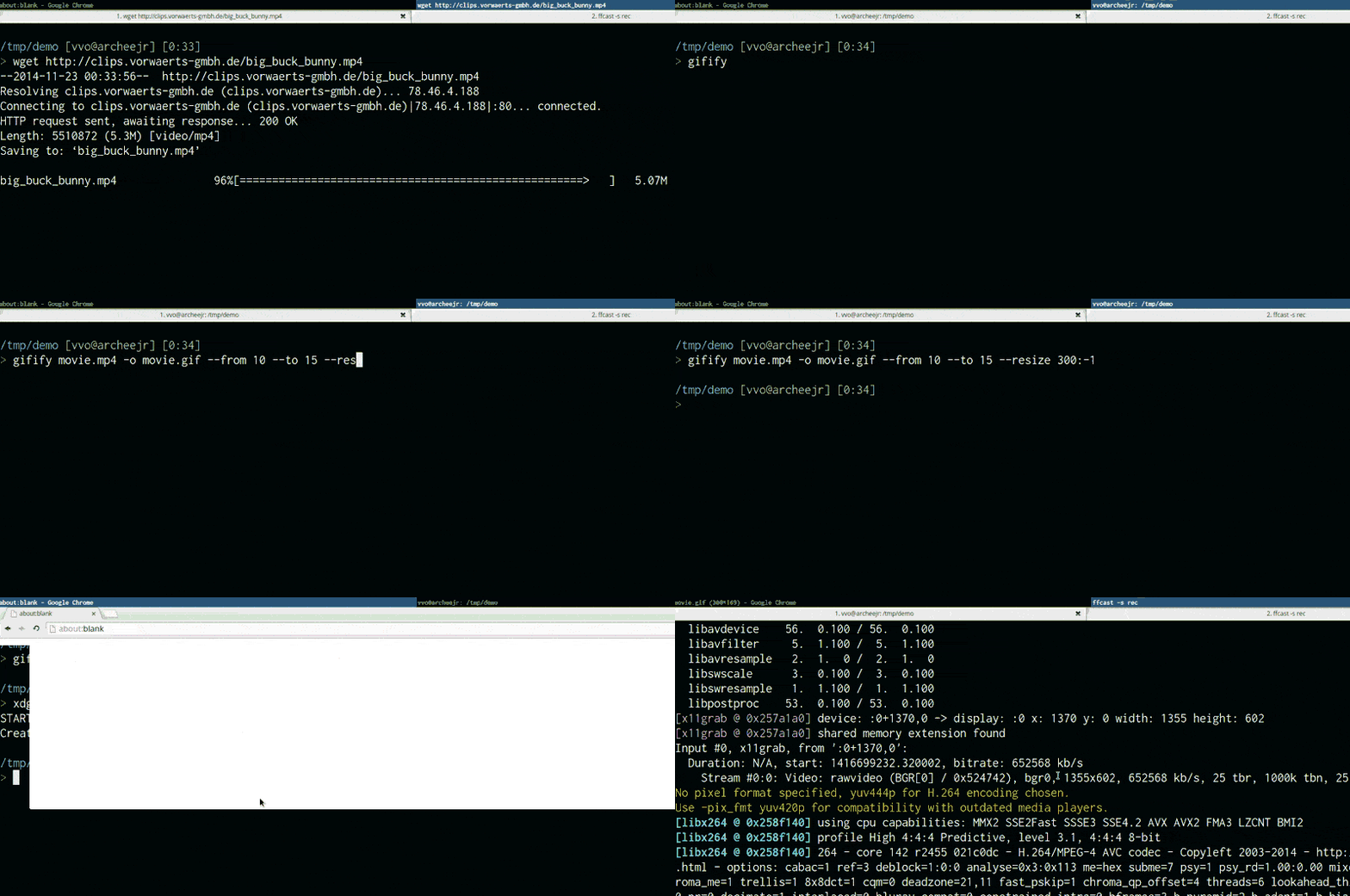
As an image tool, vvo/gifify has picked up 6.3k stars on GitHub (JavaScript). 😻 Convert any video file to an optimized animated GIF.
Snapshot summary built from the project's own GitHub metadata — there's no written TopGit review yet. The page will update automatically when a full review is published.
WHY NO REVIEW YET
TopGit writes full reviews for the most-starred, most-requested repositories. This page is a snapshot until then — see the READ ME tab for the original README in full.
optimized! uses pornel/giflossy to generate light GIFS
lots of options: movie speed, fps, colors, compression, resize, reverse, from & to, subtitles
no temp files used, everything happens in memory
fast! Extracting a 5-second GIF from the middle of a 2-hour movie takes less than 20 seconds
Requirements
Before using gifify, please install:
Node.js ($ brew install node)
FFmpeg 🐓🐓🐓🐓 ($ brew install ffmpeg)
convert, the famous ImageMagick ($ brew install imagemagick)
pornel/giflossy, it's a gifsicle fork (waiting for gifsicle#16 to be merged) ($ brew install giflossy)
You can also use the gifify Docker image which comes with everything installed.
Installation
npm install -g gifify
Command line usage
> gifify -h

  Usage: gifify [options] [file]

  Options:

    -h, --help              output usage information
    -V, --version           output the version number
    --colors <n>            Number of colors, up to 255, defaults to 80
    --compress <n>          Compression (quality) level, from 0 (no compression) to 100, defaults to 40
    --from <position>       Start position, hh:mm:ss or seconds, defaults to 0
    --fps <n>               Frames Per Second, defaults to 10
    -o, --output <file>     Output file, defaults to stdout
    --resize <W:H>          Resize output, use -1 when specifying only width or height. `350:100`, `400:-1`, `-1:200`
    --reverse               Reverses movie
    --speed <n>             Movie speed, defaults to 1
    --subtitles <filepath>  Subtitle filepath to burn to the GIF
    --text <string>         Add some text at the bottom of the movie
    --to <position>         End position, hh:mm:ss or seconds, defaults to end of movie
    --no-loop               Will show every frame once without looping
Programmatic usage
See the example.
var fs = require('fs');
var gifify = require('gifify');
var path = require('path');

var input = path.join(__dirname, 'movie.mp4');
var output = path.join(__dirname, 'movie.gif');

var gif = fs.createWriteStream(output);

var options = {
  resize: '200:-1',
  from: 30,
  to: 35
};

gifify(input, options).pipe(gif);
You can also pass a readable stream to gifify(stream, opts).
Readable stream input performance
Gifify supports streams both on command line (cat movie.mp4 | gifify -o out.gif) and in the programmatic API (gifify(readableStream, opts).pipe(writableStream)).
While it's super useful in some cases, if you have the file on disk already, you better do gifify movie.mp4 -o out.gif or gifify(filePath, opts).pipe(writableStream).
Why? Because piping 3.4GB when you want to cut from 40:20 to 40:22 still takes a loooooot of time and does not give you any performance benefit.
FFmpeg has to read from 0GB -> $START_BYTE_40:20 and discards it. But everything flows in your memory.
When using direct file input from command line, we pass the -i filename option to FFmpeg and then it's super fast!
No homepage URL was recorded for vvo/gifify in TopGit's last sync. The README tab above frequently contains screenshots and demo links, or check the repository description on GitHub.
How does vvo/gifify compare to other Image Tools projects?
vvo/gifify is tracked by TopGit in the Image Tools category, with 6.3k GitHub stars and written in JavaScript. Browse the Image Tools topic page on TopGit to compare it against similar projects by stars and activity.
How many stars does vvo/gifify have?
vvo/gifify has 6.3k GitHub stars — refresh the page for the live number, or check github.com/vvo/gifify. TopGit mirrors GitHub's count but does not claim minute-by-minute accuracy.
Is vvo/gifify open source?
Yes — vvo/gifify ships under the ISC license, which makes its source code freely readable (and, depending on license terms, forkable and reusable). Source: github.com/vvo/gifify.
What else is in the Image Tools space?
vvo/gifify is tracked by TopGit under the Image Tools category, alongside 9 GitHub-tagged topics. Trending and Topics pages list peer repositories of comparable stars and language.
What is vvo/gifify?
vvo/gifify (vvo/gifify) is a JavaScript project on GitHub. From the project's own README: 😻 Convert any video file to an optimized animated GIF.
Where do I read more about vvo/gifify?
This TopGit page is a snapshot — the READ ME tab shows the project's own README content (links stripped, images preserved). The GitHub repository at github.com/vvo/gifify is the definitive source.
Read full README in the tab above.
Want a second opinion on gifify?
Ask an AI that can read this page — one click and you get its take on gifify.

 /gifify