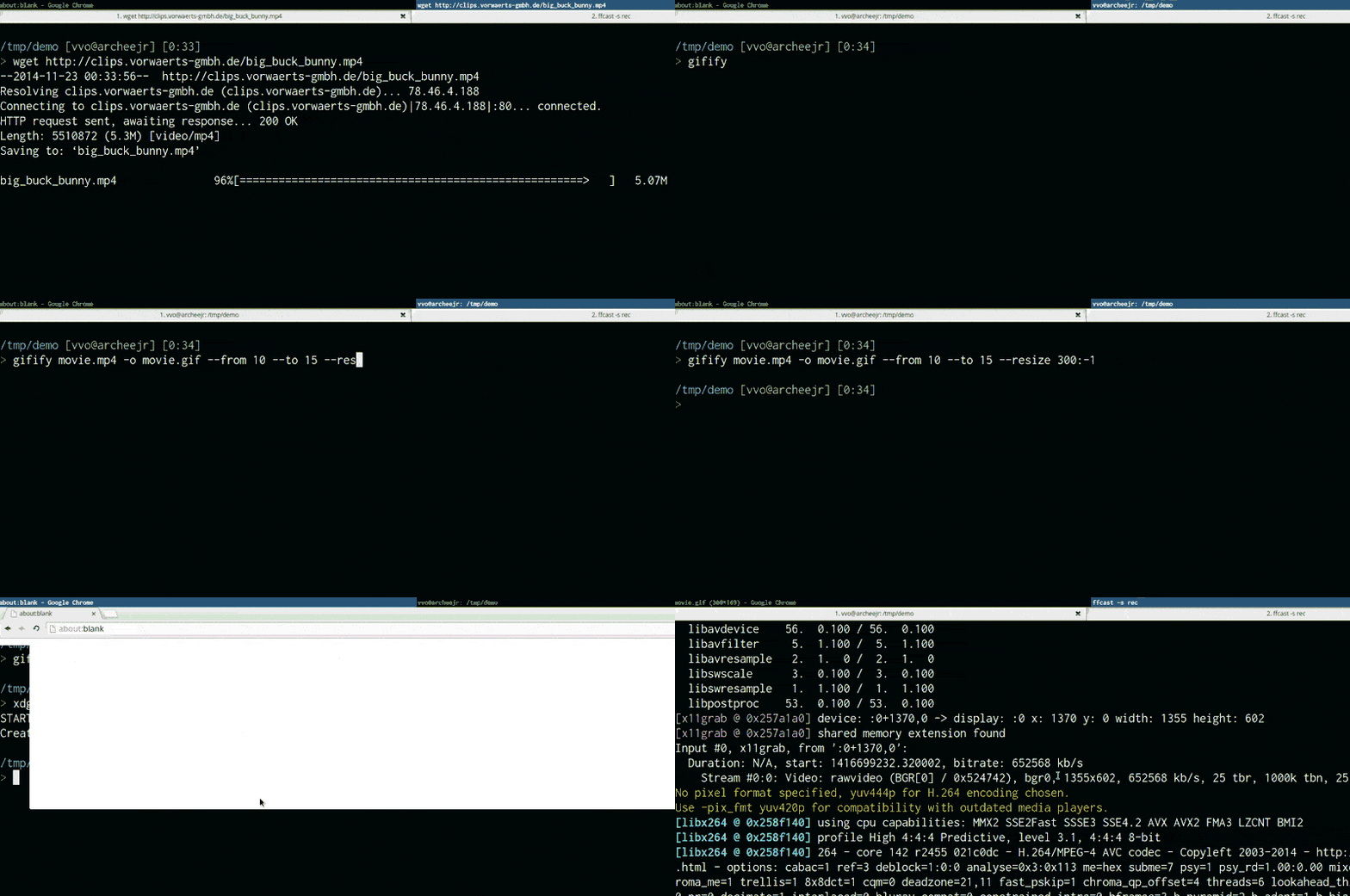
vvo/gifify được TopGit xếp vào nhóm công cụ xử lý ảnh, với 6.3k sao trên GitHub, viết chủ yếu bằng JavaScript. 😻 Convert any video file to an optimized animated GIF.
Tóm tắt dựng từ metadata GitHub của chính dự án — chưa có bài review TopGit. Trang sẽ tự động cập nhật khi bài review đầy đủ được xuất bản.
VÌ SAO CHƯA CÓ REVIEW
TopGit viết bài đầy đủ cho repo có nhiều sao nhất và được yêu cầu nhiều nhất. Trang này là snapshot trong thời gian chờ — xem README gốc ở tab READ ME.
optimized! uses pornel/giflossy to generate light GIFS
lots of options: movie speed, fps, colors, compression, resize, reverse, from & to, subtitles
no temp files used, everything happens in memory
fast! Extracting a 5-second GIF from the middle of a 2-hour movie takes less than 20 seconds
Requirements
Before using gifify, please install:
Node.js ($ brew install node)
FFmpeg 🐓🐓🐓🐓 ($ brew install ffmpeg)
convert, the famous ImageMagick ($ brew install imagemagick)
pornel/giflossy, it's a gifsicle fork (waiting for gifsicle#16 to be merged) ($ brew install giflossy)
You can also use the gifify Docker image which comes with everything installed.
Installation
npm install -g gifify
Command line usage
> gifify -h

  Usage: gifify [options] [file]

  Options:

    -h, --help              output usage information
    -V, --version           output the version number
    --colors <n>            Number of colors, up to 255, defaults to 80
    --compress <n>          Compression (quality) level, from 0 (no compression) to 100, defaults to 40
    --from <position>       Start position, hh:mm:ss or seconds, defaults to 0
    --fps <n>               Frames Per Second, defaults to 10
    -o, --output <file>     Output file, defaults to stdout
    --resize <W:H>          Resize output, use -1 when specifying only width or height. `350:100`, `400:-1`, `-1:200`
    --reverse               Reverses movie
    --speed <n>             Movie speed, defaults to 1
    --subtitles <filepath>  Subtitle filepath to burn to the GIF
    --text <string>         Add some text at the bottom of the movie
    --to <position>         End position, hh:mm:ss or seconds, defaults to end of movie
    --no-loop               Will show every frame once without looping
Programmatic usage
See the example.
var fs = require('fs');
var gifify = require('gifify');
var path = require('path');

var input = path.join(__dirname, 'movie.mp4');
var output = path.join(__dirname, 'movie.gif');

var gif = fs.createWriteStream(output);

var options = {
  resize: '200:-1',
  from: 30,
  to: 35
};

gifify(input, options).pipe(gif);
You can also pass a readable stream to gifify(stream, opts).
Readable stream input performance
Gifify supports streams both on command line (cat movie.mp4 | gifify -o out.gif) and in the programmatic API (gifify(readableStream, opts).pipe(writableStream)).
While it's super useful in some cases, if you have the file on disk already, you better do gifify movie.mp4 -o out.gif or gifify(filePath, opts).pipe(writableStream).
Why? Because piping 3.4GB when you want to cut from 40:20 to 40:22 still takes a loooooot of time and does not give you any performance benefit.
FFmpeg has to read from 0GB -> $START_BYTE_40:20 and discards it. But everything flows in your memory.
When using direct file input from command line, we pass the -i filename option to FFmpeg and then it's super fast!
vvo/gifify thuộc nhóm Image Tools trên TopGit, cùng 9 topic GitHub. Trang Trending và Topics liệt kê các repo cùng số sao và cùng ngôn ngữ để so sánh.
Đọc thêm về vvo/gifify ở đâu?
Trang TopGit này là một snapshot — tab "Readme" hiển thị nguyên văn README của repo (đã bỏ link, giữ ảnh). Repo GitHub ở github.com/vvo/gifify là nguồn chính thức.
vvo/gifify có bao nhiêu sao?
vvo/gifify có 6.3k sao GitHub — tải lại trang để xem số mới nhất, hoặc xem trực tiếp github.com/vvo/gifify. TopGit phản chiếu số sao của GitHub nhưng không cam kết đến từng phút.
vvo/gifify có phải mã nguồn mở không?
Có — vvo/gifify phát hành theo license ISC, nghĩa là mã nguồn mở để đọc, fork và (tùy license) tái sử dụng. Mã: github.com/vvo/gifify.
vvo/gifify có website riêng không?
TopGit chưa ghi nhận URL trang chủ cho vvo/gifify. Phần README ở tab phía trên thường có link demo, hoặc xem mô tả GitHub của repo.
vvo/gifify là gì?
vvo/gifify (vvo/gifify) là dự án JavaScript trên GitHub. Theo mô tả gốc: 😻 Convert any video file to an optimized animated GIF.
vvo/gifify so với các dự án Image Tools khác thế nào?
vvo/gifify được TopGit xếp vào nhóm Image Tools, với 6.3k sao GitHub và viết bằng JavaScript. Xem trang chủ đề Image Tools trên TopGit để so sánh với các dự án tương tự theo số sao và mức độ hoạt động.
Đọc đầy đủ README ở tab phía trên.
Muốn nghe thêm một ý kiến về gifify?
Hỏi một AI đọc được trang này — một cú bấm là có ngay nhận định về gifify.
 /gifify