yoav-lavi/melody is a server-side project on GitHub with 4.7k stars, written primarily in Rust. Melody is a language that compiles to regular expressions and aims to be more readable and maintainable
Snapshot summary built from the project's own GitHub metadata — there's no written TopGit review yet. The page will update automatically when a full review is published.
WHY NO REVIEW YET
TopGit writes full reviews for the most-starred, most-requested repositories. This page is a snapshot until then — see the READ ME tab for the original README in full.
Melody is a language that compiles to ECMAScript regular expressions, while aiming to be more readable and maintainable.
Examples
Note: these are for the currently supported syntax and may change
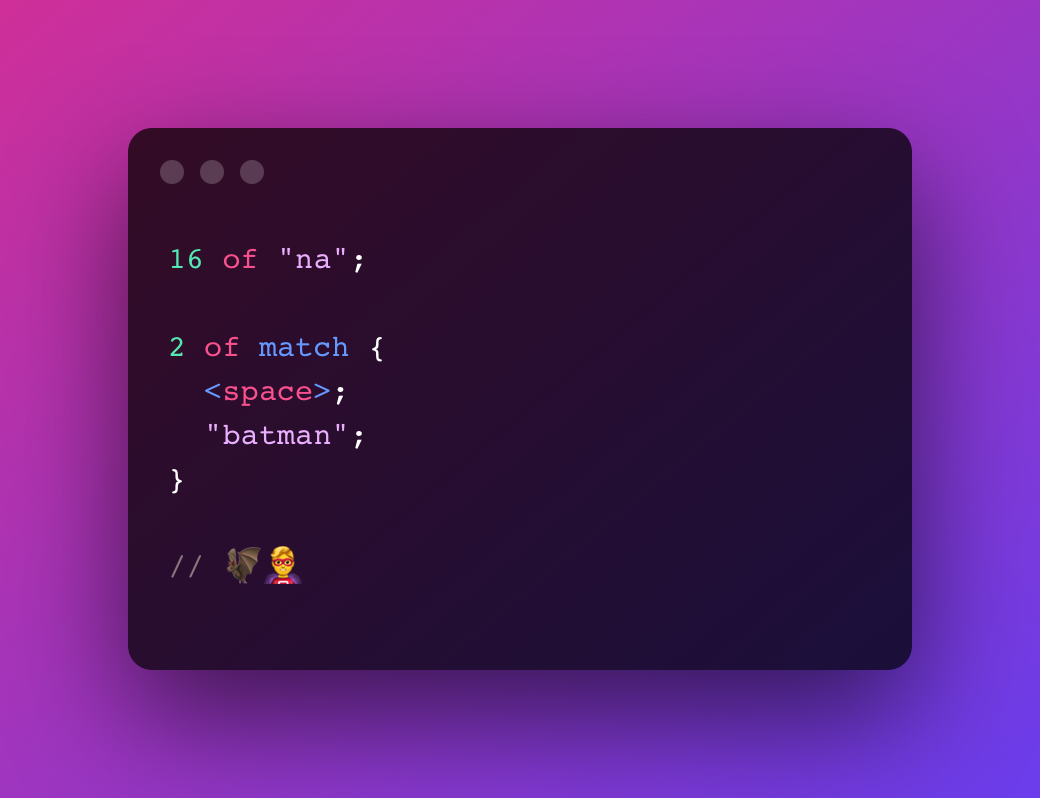
Batman Theme try in playground
16 of "na";
2 of match {
<space>;
"batman";
}
// 🦇🦸♂️
Turns into
(?:na){16}(?: batman){2}
Twitter Hashtag try in playground
"#";
some of <word>;

// #melody
Turns into
#\w+
Introductory Courses try in playground
some of <alphabetic>;
<space>;
"1";
2 of <digit>;

// classname 1xx
Turns into
[a-zA-Z]+ 1\d{2}
Indented Code (2 spaces) try in playground
some of match {
  2 of <space>;
}

some of <char>;
";";

// let value = 5;
Turns into
(?: {2})+.+;
Semantic Versions try in playground
<start>;

option of "v";

capture major {
  some of <digit>;
}

".";

capture minor {
  some of <digit>;
}

".";

capture patch {
  some of <digit>;
}

<end>;

// v1.0.0
Turns into
^v?(?<major>\d+)\.(?<minor>\d+)\.(?<patch>\d+)$
Playground
You can try Melody in your browser using the playground
Book
Read the book here
Install
Cargo
cargo install melody_cli
From Source
git clone https://github.com/yoav-lavi/melody.git
cd melody
cargo install --path crates/melody_cli
Binary
macOS binaries (aarch64 and x86_64) can be downloaded from the release page
Community
Brew (macOS and Linux)
Installation instructions
brew install melody
Arch Linux (maintained by @ilai-deutel)
Installation instructions
Installation with an AUR helper, for instance using paru:
paru -Syu melody
Install manually with makepkg:
git clone https://aur.archlinux.org/melody.git
cd melody
makepkg -si
NixOS (maintained by @jyooru)
Installation instructions
Declarative installation using /etc/nixos/configuration.nix:
USAGE:
    melody [OPTIONS] [INPUT_FILE_PATH]

ARGS:
    <INPUT_FILE_PATH>    Read from a file
                         Use '-' and or pipe input to read from stdin

OPTIONS:
    -f, --test-file <TEST_FILE>
            Test the compiled regex against the contents of a file

        --generate-completions <COMPLETIONS>
            Outputs completions for the selected shell
            To use, write the output to the appropriate location for your shell

    -h, --help
            Print help information

    -n, --no-color
            Print output with no color

    -o, --output <OUTPUT_FILE_PATH>
            Write to a file

    -r, --repl
            Start the Melody REPL

    -t, --test <TEST>
            Test the compiled regex against a string

    -V, --version
            Print version information
Changelog
See the changelog here or in the release page
Syntax
Quantifiers
... of - used to express a specific amount of a pattern. equivalent to regex {5} (assuming 5 of ...)
... to ... of - used to express an amount within a range of a pattern. equivalent to regex {5,9} (assuming 5 to 9 of ...)
over ... of - used to express more than an amount of a pattern. equivalent to regex {6,} (assuming over 5 of ...)
some of - used to express 1 or more of a pattern. equivalent to regex +
any of - used to express 0 or more of a pattern. equivalent to regex *
option of - used to express 0 or 1 of a pattern. equivalent to regex ?
All quantifiers can be preceded by lazy to match the least amount of characters rather than the most characters (greedy). Equivalent to regex +?, *?, etc.
Symbols
<char> - matches any single character. equivalent to regex .
<space> - matches a space character. equivalent to regex
<whitespace> - matches any kind of whitespace character. equivalent to regex \s or [ \t\n\v\f\r]
<newline> - matches a newline character. equivalent to regex \n
<tab> - matches a tab character. equivalent to regex \t
<return> - matches a carriage return character. equivalent to regex \r
<feed> - matches a form feed character. equivalent to regex \f
<null> - matches a null characther. equivalent to regex \0
<digit> - matches any single digit. equivalent to regex \d or [0-9]
<vertical> - matches a vertical tab character. equivalent to regex \v
<word> - matches a word character (any latin letter, any digit or an underscore). equivalent to regex \w or [a-zA-Z0-9_]
<alphabetic> - matches any single latin letter. equivalent to regex [a-zA-Z]
<alphanumeric> - matches any single latin letter or any single digit. equivalent to regex [a-zA-Z0-9]
<boundary> - Matches a character between a character matched by <word> and a character not matched by <word> without consuming the character. equivalent to regex \b
<backspace> - matches a backspace control character. equivalent to regex [\b]
All symbols can be preceeded with not to match any character other than the symbol
Special Symbols
<start> - matches the start of the string. equivalent to regex ^
<end> - matches the end of the string. equivalent to regex $
Unicode Categories
Note: these are not supported when testing in the CLI (-t or -f) as the regex engine used does not support unicode categories. These require using the u flag.
<category::letter> - any kind of letter from any language
<category::lowercase_letter> - a lowercase letter that has an uppercase variant
<category::uppercase_letter> - an uppercase letter that has a lowercase variant.
<category::titlecase_letter> - a letter that appears at the start of a word when only the first letter of the word is capitalized
<category::cased_letter> - a letter that exists in lowercase and uppercase variants
<category::modifier_letter> - a special character that is used like a letter
<category::other_letter> - a letter or ideograph that does not have lowercase and uppercase variants
<category::mark> - a character intended to be combined with another character (e.g. accents, umlauts, enclosing boxes, etc.)
<category::non_spacing_mark> - a character intended to be combined with another character without taking up extra space (e.g. accents, umlauts, etc.)
<category::spacing_combining_mark> - a character intended to be combined with another character that takes up extra space (vowel signs in many Eastern languages)
<category::enclosing_mark> - a character that encloses the character it is combined with (circle, square, keycap, etc.)
<category::separator> - any kind of whitespace or invisible separator
<category::space_separator> - a whitespace character that is invisible, but does take up space
<category::line_separator> - line separator character U+2028
<category::paragraph_separator> - paragraph separator character U+2029
<category::symbol> - math symbols, currency signs, dingbats, box-drawing characters, etc
<category::math_symbol> - any mathematical symbol
<category::currency_symbol> - any currency sign
<category::modifier_symbol> - a combining character (mark) as a full character on its own
<category::other_symbol> - various symbols that are not math symbols, currency signs, or combining characters
<category::number> - any kind of numeric character in any script
<category::decimal_digit_number> - a digit zero through nine in any script except ideographic scripts
<category::letter_number> - a number that looks like a letter, such as a Roman numeral
<category::other_number> - a superscript or subscript digit, or a number that is not a digit 0–9 (excluding numbers from ideographic scripts)
<category::punctuation> - any kind of punctuation character
<category::dash_punctuation> - any kind of hyphen or dash
<category::open_punctuation> - any kind of opening bracket
<category::close_punctuation> - any kind of closing bracket
<category::initial_punctuation> - any kind of opening quote
<category::final_punctuation> - any kind of closing quote
<category::connector_punctuation> - a punctuation character such as an underscore that connects words
<category::other_punctuation> - any kind of punctuation character that is not a dash, bracket, quote or connectors
<category::other> - invisible control characters and unused code points
<category::control> - an ASCII or Latin-1 control character: 0x00–0x1F and 0x7F–0x9F
<category::private_use> - any code point reserved for private use
<category::surrogate> - one half of a surrogate pair in UTF-16 encoding
<category::unassigned> - any code point to which no character has been assigned
These descriptions are from regular-expressions.info
Character Ranges
... to ... - used with digits or alphabetic characters to express a character range. equivalent to regex [5-9] (assuming 5 to 9) or [a-z] (assuming a to z)
Literals
"..." or '...' - used to mark a literal part of the match. Melody will automatically escape characters as needed. Quotes (of the same kind surrounding the literal) should be escaped
Raw
`...` - added directly to the output without any escaping
Groups
capture - used to open a capture or named capture block. capture patterns are later available in the list of matches (either positional or named). equivalent to regex (...)
match - used to open a match block, matches the contents without capturing. equivalent to regex (?:...)
either - used to open an either block, matches one of the statements within the block. equivalent to regex (?:...|...)
Assertions
ahead - used to open an ahead block. equivalent to regex (?=...). use after an expression
behind - used to open an behind block. equivalent to regex (?<=...). use before an expression
Assertions can be preceeded by not to create a negative assertion (equivalent to regex (?!...), (?<!...))
Variables
let .variable_name = { ... } - defines a variable from a block of statements. can later be used with .variable_name. Variables must be declared before being used. Variable invocations cannot be quantified directly, use a group if you want to quantify a variable invocation
compiler/long input (1M lines)
                          time:   [470.04 ms 472.35 ms 474.78 ms]
mean   [470.04 ms 474.78 ms] std. dev.      [2.0458 ms 5.3453 ms]
median [469.54 ms 475.24 ms] med. abs. dev. [734.10 µs 6.8144 ms]
The most recent commit recorded on yoav-lavi/melody was 2.0 years ago, based on the GitHub push timestamp. The repository has 62 forks — one of the better signals of community interest.
Is yoav-lavi/melody open source?
Yes — yoav-lavi/melody ships under the Apache-2.0 license, which makes its source code freely readable (and, depending on license terms, forkable and reusable). Source: github.com/yoav-lavi/melody.
What license does yoav-lavi/melody use?
yoav-lavi/melody is released under the Apache-2.0 license. Always verify the LICENSE file directly on GitHub for the authoritative terms — license strings can be edited out of sync with a project's actual stance.
What topics is yoav-lavi/melody associated with?
GitHub's repository topics for yoav-lavi/melody: "compiler", "language", "melody", "melodylang", "regex", "regexp", "regular-expression", "rust". TopGit's editorial category is Backend.
Where can I see yoav-lavi/melody in action?
The project maintains a homepage at https://yoav-lavi.github.io/melody/book/. The README tab on this page also usually contains screenshots and a quickstart.
Where do I read more about yoav-lavi/melody?
This TopGit page is a snapshot — the READ ME tab shows the project's own README content (links stripped, images preserved). The GitHub repository at github.com/yoav-lavi/melody is the definitive source.
Read full README in the tab above.
Curious whether melody is right for you?
Let ChatGPT, Claude, or Perplexity look into it — click below and see what AI actually says about melody.

 /melody