hackingtool security toolkit: 215 tools, one console
 /hackingtool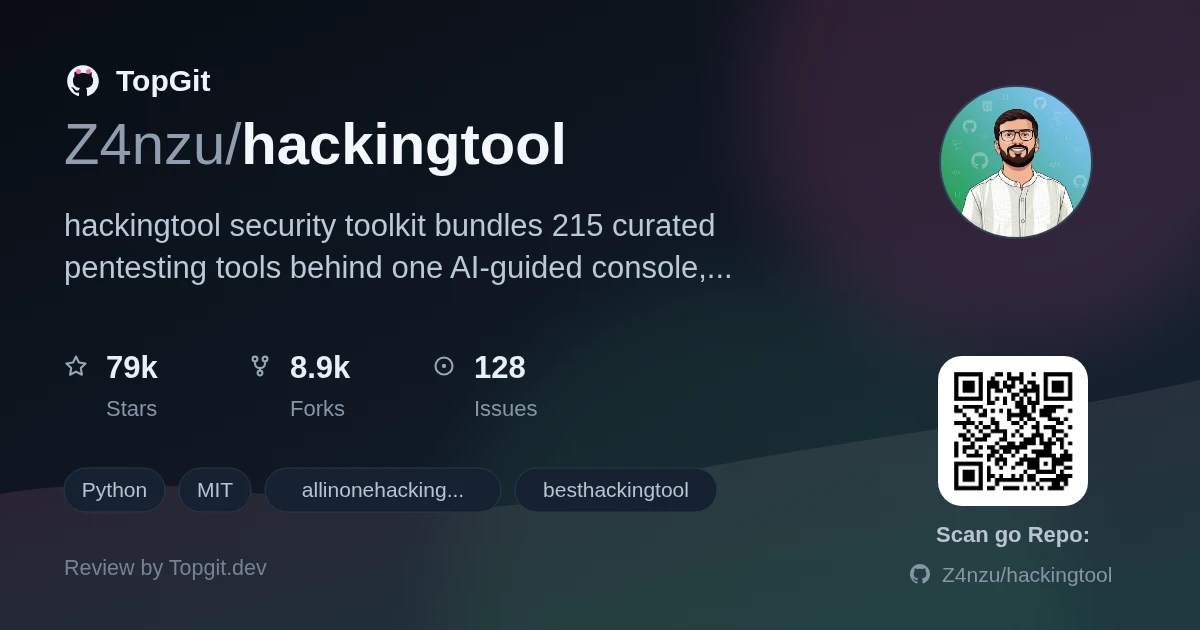
hackingtool is a menu-driven console that puts 215 pentesting and OSINT tools behind one command-line launcher, with an optional AI layer that turns a plain-English goal into the exact command to run. Reach for it if you want a single install that indexes tools you'd otherwise hunt down one repo at a time; skip it if you already have a curated kit on Kali or Parrot and don't need another catalog stacked on top.
What is hackingtool?
hackingtool is a Python console application that bundles 215 curated security tools across 21 categories, spanning web and wireless attacks, OSINT, phishing, forensics, and post-exploitation, into one menu launched from a terminal. Typing a goal in plain English triggers an AI layer that maps the request to the right tool and hands back the documented command, without auto-executing anything on its own.
Why a Unified Security Toolkit?
Security tools for recon, wireless attacks, or forensics each live in separate GitHub repos with their own install quirks, so assembling a working kit means cloning, compiling, and patching PATH entries project by project. hackingtool folds 215 of those tools into a single catalog organized under 63 fixed tags, so typing /search or @tag:osint locates a tool instead of a web search turning up an abandoned fork. The AI layer adds a second piece to that: rather than memorizing flags for each tool, you state the goal and get back a documented command for something already sitting in the catalog.
Core Features and AI Guidance
- ✓AI-guided command mapping: describe a goal in plain English and the AI layer picks a tool from the catalog and returns its documented command. You bring your own OpenAI-compatible key or run a local Ollama model.
- ✓/find looks through the 215-tool catalog before it ever reaches out to the GitHub search API, for anything not yet vetted. It only suggests results, never calls the AI model, and never clones, installs, or runs a thing by itself.
- ✓/goal puts together a brief, ordered list of real commands for an objective, asks you to confirm you're authorized against the target, then steps through it with y/s/e/q choices to run, skip, edit, or abort each one, logging everything to a timestamped folder under ~/.hackingtool/goals/.
- ✓Every install and run step goes through subprocess calls built as argument lists rather than a shell string, downloads are version-pinned and checked against SHA-256, sudo is never forced, and each release ships signed with an SBOM.
- ✓Long scans run in a labeled tmux pane instead of blocking the console when you add a trailing & to a /run command; /panes lists active jobs and /attach lets you check on one.
- ✓A headless mode (hackingtool --engagement <name> --targets <t> --pipeline recon) drives the same catalog non-interactively and writes normalized output to one findings.json, with optional AI passes for a summary or a report draft.
- ✓63 tags cover the whole catalog, so /tags and @tag:<name> let you browse by grouping (OSINT, wireless, web, forensics) instead of scrolling one long flat list.
Who Should Use hackingtool?
The README lists its audience directly: bug-bounty hunters, CTF players, OSINT researchers, security researchers or students, penetration testers, red teamers, and blue-team, SOC, or DFIR analysts, all restricted to targets they're permitted to test. It's a good fit if you're tired of re-cloning the same couple dozen recon tools for every new engagement or CTF box. Skip it if you only ever touch one or two specialized tools already installed on your own machine; the catalog overhead isn't worth it for a narrow, fixed toolkit.
Installation and Setup
hackingtool's documented baseline is Python 3.10 or newer, running on Linux or macOS. The README names Kali, Parrot, Debian/Ubuntu, and Arch specifically as supported distros. Windows isn't supported at all: the app detects it and exits rather than attempting a partial install. The recommended route is pipx: clone the repo, run `pipx install .`, and the `hackingtool` command becomes callable from any directory, sitting in its own isolated environment separate from your system Python. `uv tool install .` does the same job if you'd rather use uv, and a plain `python3 -m venv .venv && pip install .` also works, though then the command only stays reachable while that venv is active. There's also a published Docker image; running `docker run -it --rm hardikzinzu/hackingtool:latest` skips a local install entirely. None of these paths pipe a remote script into a shell. Updating later is a `git pull` plus a re-run of the pipx install with `--force`; removing it is one `pipx uninstall` command.
Using the hackingtool Console
Once launched, hackingtool reads three kinds of input at its prompt: a slash command like /search, an @-mention that opens a specific tool by name with fuzzy matching, or a plain sentence describing what you're trying to do. /search <keyword> matches against tool names, descriptions, and tags; /run <tool> opens that tool's own menu, and tacking a trailing & onto the command sends it to a background pane instead, running under tmux while the console stays free. Bare text, or /ai <goal>, gets you tool recommendations for whatever you typed; /goal <objective> turns the same idea into a confirmed, step-by-step run instead of a single suggestion. Typing /config brings up a full-screen configuration screen covering settings like the AI endpoint or the background-runner toggle; /config test verifies the AI connection is actually working, and /config github validates whatever GitHub token you've set. Inside any category, digits pick a numbered tool, 97 installs everything you haven't grabbed yet, and 99 backs out. On a terminal that isn't interactive, or one missing the prompt_toolkit library, hackingtool switches on its own to an older numbered-menu style; you can also request that mode directly by launching with --classic.
Strengths
- ✓215 tools spanning 21 categories in one install, browsable through 63 tags instead of hunting down individual repos.
- ✓Genuinely safety-minded defaults: version-pinned downloads checked against SHA-256, no piping a script into a shell, argument-list subprocess calls, sudo never forced, and each release is signed and includes an SBOM.
- ✓The AI layer stays opt-in, works with your own key or a local Ollama model, and can only return tags from a fixed taxonomy, so it can't invent a tool or fire off a command by itself.
- ✓/goal and the headless --engagement mode leave an actual audit trail (plan.json, a timestamped run log, and per-step output) instead of a shell history you'd have to reconstruct after the fact.
- ✓MIT-licensed, with a one-YAML-file path documented for contributing a new tool to the catalog.
Considerations and Limitations
- △Windows isn't supported in any form; the app checks for it and exits immediately, so you're limited to WSL2 or an actual Linux/macOS machine.
- △Some catalog tools need runtimes hackingtool doesn't install for you: Go 1.21+ for nuclei, ffuf, amass, httpx, katana, dalfox, gobuster, and subfinder; Ruby for haiti and evil-winrm; Docker for the optional Mythic and MobSF entries.
- △hackingtool's AI features stay off unless you opt in, and do little without configuration. With no ai_base_url or API key set, and no Ollama instance reachable, /ai and /goal drop down to a plain keyword matcher instead of real recommendations.
- △59 tool entries sit archived as unmaintained or dead upstream and stay hidden by default; you only see them after turning on show_archived through /config, so what you browse day to day is a smaller set than the full catalog.
- △Unauthenticated GitHub searches through /find are capped at 10 per minute; a token with no special scopes raises that ceiling to 30.
- △Each wrapped tool carries its own upstream license and its own maintenance status. hackingtool's MIT license covers the console itself, not the security posture of every tool it can install.
Alternatives for Security Testing
Common Questions
hackingtool builds safety measures into the install and run path: no piping a remote script into a shell, version-pinned downloads checked against SHA-256, list-form subprocess calls, and sudo that's never forced, with releases shipped signed and carrying an SBOM. Its AI layer also refuses out-of-scope requests like jamming or mass-targeting before making any network call.
hackingtool needs Python 3.10 or newer and runs on Linux or macOS, with Kali, Parrot, Debian/Ubuntu, and Arch named in the README. Windows isn't supported; the app detects it and exits instead of installing.
hackingtool is released under the MIT license, which permits commercial use, modification, and redistribution as long as the license and copyright notice stay attached. Individual tools it wraps carry their own separate licenses, so check those too.
hackingtool's AI features only switch on once you supply an OpenAI-compatible endpoint and key of your own, or point it at a local Ollama model; without either, it falls back to a plain keyword matcher. It can only return tags from a fixed taxonomy, so it can't invent a tool, and for /goal the model is called once to plan a run rather than acting on its own.
Most tools go in as a single YAML entry under src/hackingtool/catalog/, with tags drawn from a fixed taxonomy, so adding one doesn't require writing Python. Run make check locally first, then open a pull request titled '[New Tool] Name — Category' following the CONTRIBUTING.md guide.
hackingtool supports background execution: with tmux installed, adding a trailing & to a /run command sends the tool to a background pane while you keep using the console. /panes lists what's running, and /attach lets you check on one. Without tmux, hackingtool runs the tool directly in the console instead of routing it to a pane.
Best use cases
- •Setting up a repeatable OSINT or recon environment for a new bug-bounty target without re-cloning a dozen tools by hand.
- •Working a CTF or TryHackMe box where you need fast access to wordlist generators, SQLi tools, and steganography tools in one place.
- •Blue-team or DFIR triage, where the forensic-tools category and background tmux panes let a scan run while you work on something else.
- •Scripted, non-interactive engagements through the --engagement and --pipeline flags, feeding a normalized findings.json into your own reporting pipeline.
- •Learning security tooling as a student by using /ai or /goal to see which tool applies to a task and why it was picked.
Related repositories
Curious whether hackingtool is right for you?
Let ChatGPT, Claude, or Perplexity look into it — click below and see what AI actually says about hackingtool.