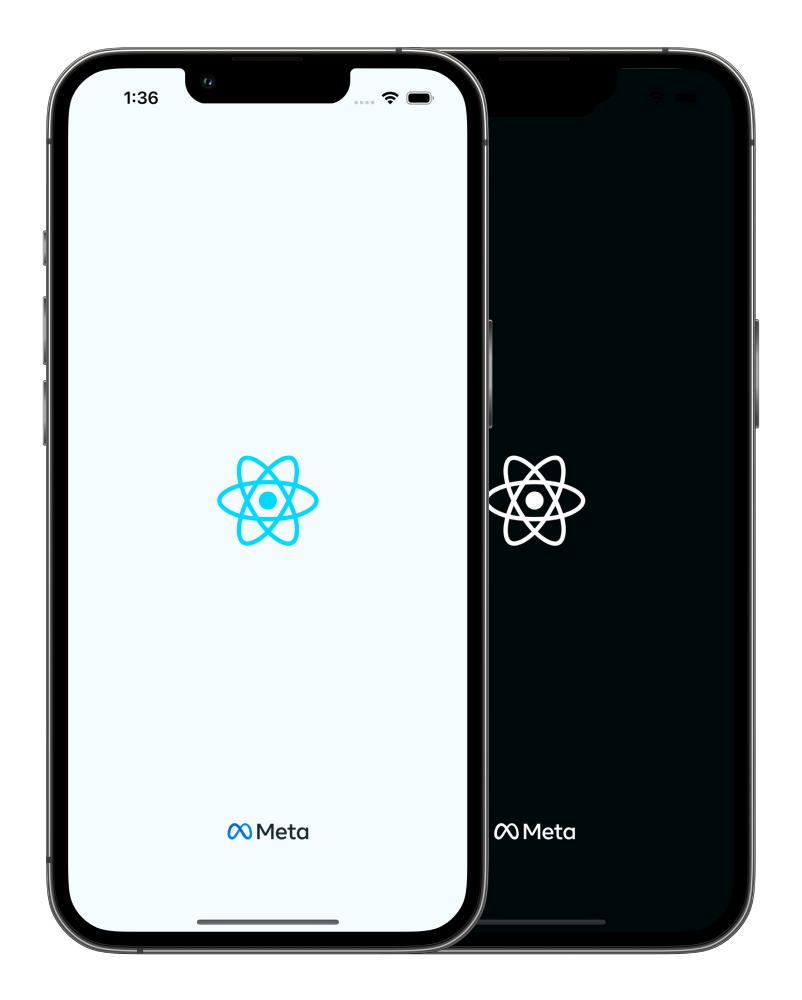
zoontek/react-native-bootsplash is tracked by TopGit as a frontend project, with 4.3k stars on GitHub, written primarily in TypeScript. 🚀 Show a splash screen during app startup. Hide it when you are ready.
Snapshot summary built from the project's own GitHub metadata — there's no written TopGit review yet. The page will update automatically when a full review is published.
WHY NO REVIEW YET
TopGit writes full reviews for the most-starred, most-requested repositories. This page is a snapshot until then — see the READ ME tab for the original README in full.
⚠️ Don't forget going into the ios directory to execute a pod install.
Setup
Assets generation
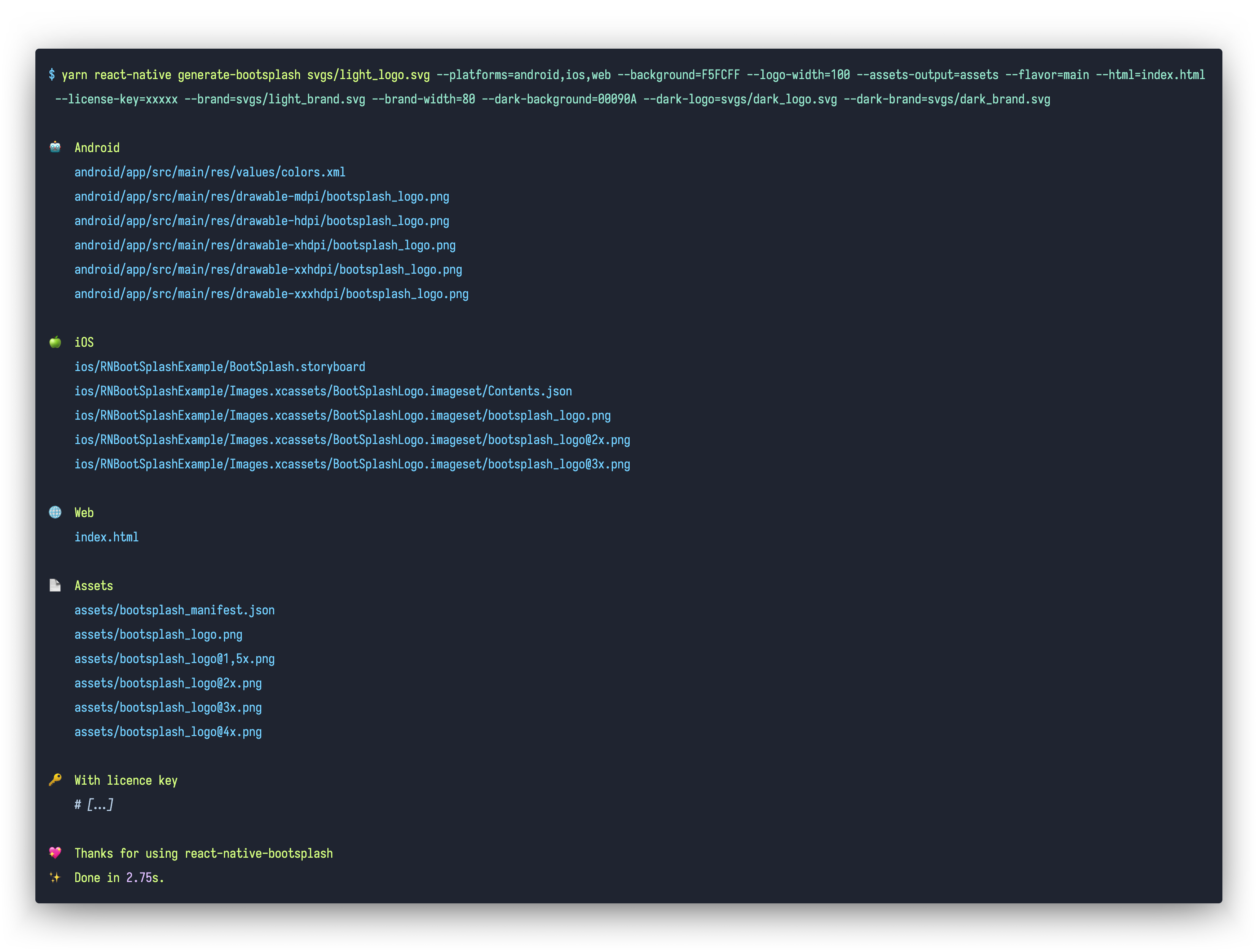
In order to speed up the setup, we provide a CLI to generate assets, update config files, create the Android Drawable XML file and the iOS Storyboard file automatically ✨.
Usage: react-native-bootsplash generate [options] <logo>

Generate a launch screen using a logo file path (PNG or SVG)

Arguments:
  logo                        Logo file path (PNG or SVG)

Options:
  --platforms <list>          Platforms to generate for, separated by a comma (default: "android,ios,web")
  --background <string>       Background color (in hexadecimal format) (default: "#fff")
  --logo-width <number>       Logo width at @1x (in dp - we recommend approximately ~100) (default: 100)
  --assets-output <string>    Assets output directory path (default: "assets/bootsplash")
  --flavor <string>           Android flavor build variant (where your resource directory is) (default: "main")
  --html <string>             HTML template file path (your web app entry point) (default: "public/index.html")
  --plist <string>            Custom Info.plist file path
  --license-key <string>      License key to enable brand and dark mode assets generation
  --brand <string>            Brand file path (PNG or SVG)
  --brand-width <number>      Brand width at @1x (in dp - we recommend approximately ~80) (default: 80)
  --dark-background <string>  [dark mode] Background color (in hexadecimal format)
  --dark-logo <string>        [dark mode] Logo file path (PNG or SVG)
  --dark-brand <string>       [dark mode] Brand file path (PNG or SVG)
  -h, --help                  display help for command
💪 Unlock the CLI full potential
In order to use the --brand, --brand-width and --dark-* options, you must specify a --license-key.
With it, the generator is able to output over 50 files (logo and brand images generated in all pixel densities, dark mode versions, etc.), saving you (and your company!) a massive amount of time not only at creation, but also at each adjustment ⏱️
📍 This license key grants unlimited and unrestricted usage of the generator for the buyer's purposes (meaning you can execute the assets generation as much as you want).
import ReactAppDependencyProvider
import RNBootSplash // ⬅️ add this import

// …

class ReactNativeDelegate: RCTDefaultReactNativeFactoryDelegate {

  // …

  // ⬇️ override this method
  override func customize(_ rootView: RCTRootView) {
    super.customize(rootView)
    RNBootSplash.initWithStoryboard("BootSplash", rootView: rootView) // ⬅️ initialize the splash screen
  }
}
Android
Edit your android/app/src/main/java/com/yourapp/MainActivity.kt file:
Without react-native-screens
// ⬇️ add these required imports
import android.os.Bundle
import com.zoontek.rnbootsplash.RNBootSplash

// …

class MainActivity : ReactActivity() {

  // …

  override fun onCreate(savedInstanceState: Bundle?) {
    RNBootSplash.init(this, R.style.BootTheme) // ⬅️ initialize the splash screen
    super.onCreate(savedInstanceState)
  }
}
With react-native-screens >= v4.16.0
// ⬇️ add these required imports
import android.os.Bundle
import com.swmansion.rnscreens.fragment.restoration.RNScreensFragmentFactory
import com.zoontek.rnbootsplash.RNBootSplash

// …

class MainActivity : ReactActivity() {

  // …

  override fun onCreate(savedInstanceState: Bundle?) {
    supportFragmentManager.fragmentFactory = RNScreensFragmentFactory()
    RNBootSplash.init(this, R.style.BootTheme) // ⬅️ initialize the splash screen
    super.onCreate(savedInstanceState)
  }
}
With react-native-screens < v4.16.0
// ⬇️ add these required imports
import android.os.Bundle
import com.zoontek.rnbootsplash.RNBootSplash

// …

class MainActivity : ReactActivity() {

  // …

  override fun onCreate(savedInstanceState: Bundle?) {
    RNBootSplash.init(this, R.style.BootTheme) // ⬅️ initialize the splash screen
    super.onCreate(null)
  }
}
ℹ️ Refer to previous package documentation for setup steps with React Native < 0.80.
API
hide()
Hide the splash screen (immediately, or with a fade out).
Method type
type hide = (config?: { fade?: boolean }) => Promise<void>;
Usage
import { useEffect } from "react";
import { Text } from "react-native";
import BootSplash from "react-native-bootsplash";

const App = () => {
  useEffect(() => {
    const init = async () => {
      // …do multiple sync or async tasks
    };

    init().finally(async () => {
      await BootSplash.hide({ fade: true });
      console.log("BootSplash has been hidden successfully");
    });
  }, []);

  return <Text>My awesome app</Text>;
};
isVisible()
Return the current visibility status of the native splash screen.
Method type
type isVisible = () => boolean;
Usage
import BootSplash from "react-native-bootsplash";

if (BootSplash.isVisible()) {
  // Do something
}
useHideAnimation()
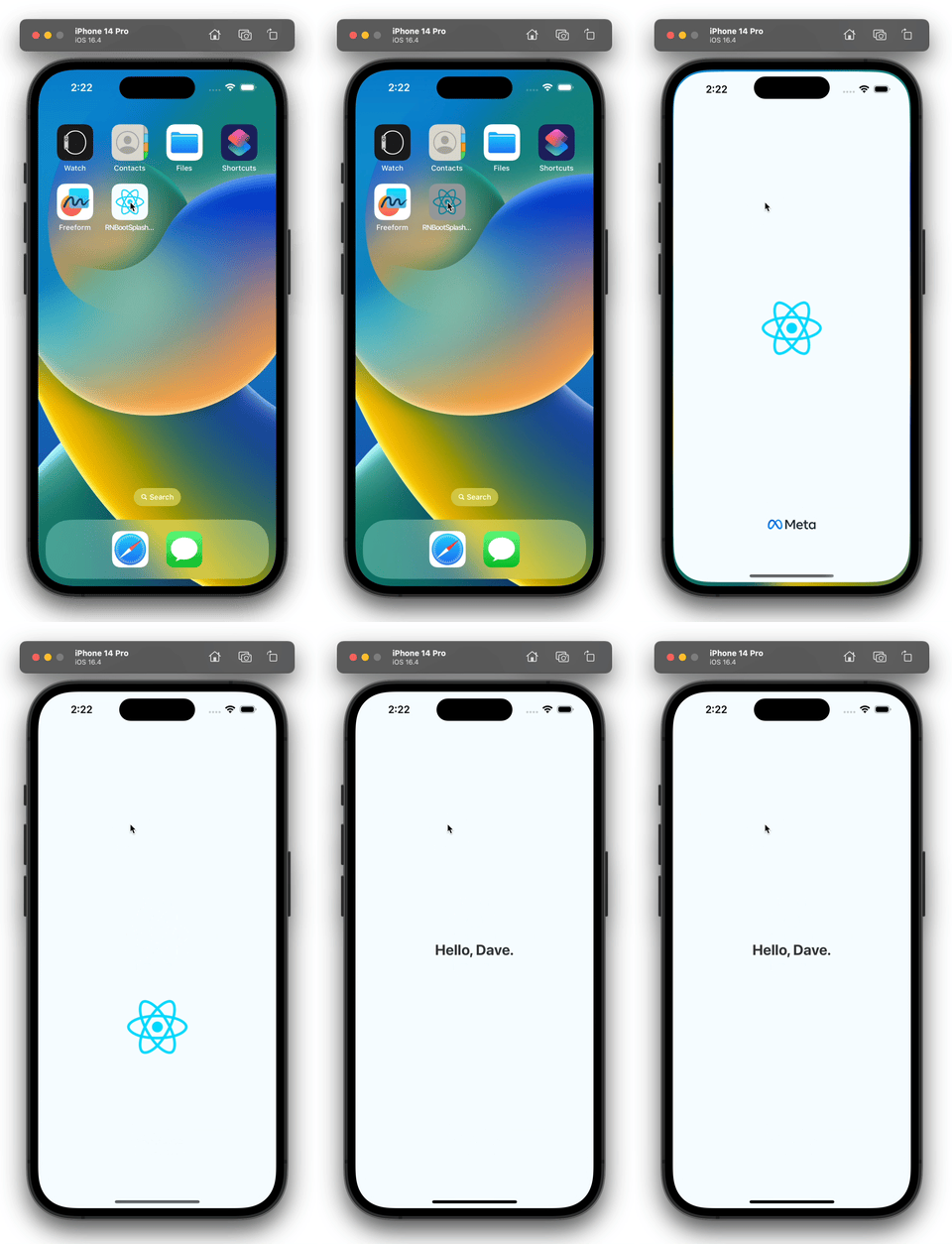
A hook to easily create a custom hide animation by animating all splash screen elements using Animated, react-native-reanimated or else (similar as the video on top of this documentation).
Method type
type useHideAnimation = (config: {
  ready?: boolean; // a boolean flag to delay the animate execution (default: true)

  // the required generated assets
  manifest: Manifest; // the manifest file is generated in your assets directory
  logo?: ImageRequireSource;
  darkLogo?: ImageRequireSource;
  brand?: ImageRequireSource;
  darkBrand?: ImageRequireSource;

  // specify if you are using translucent status / navigation bars
  // in order to avoid a shift between the native and JS splash screen
  statusBarTranslucent?: boolean;
  navigationBarTranslucent?: boolean;

  animate: () => void;
}) => {
  container: ContainerProps;
  logo: LogoProps;
  brand: BrandProps;
};
This example is simple for documentation purpose (we only animate the container). 🤙 A more complex example is available in the /example folder.
FAQ
How can I enforce the splash screen system bar colors?
By default, the system bars uses dark-content in light mode and light-content in dark mode. To enforce a specific value, edit your values/styles.xml file:
Why are both light and dark assets inlined in my index.html?
For the sake of simplicity. Since the light and dark versions of your assets are likely identical (except for the colors), if your index.html file is compressed with gzip, the size difference will be negligible.
How should I use it with React Navigation?
If you are using React Navigation, you can hide the splash screen once the navigation container and all children have finished mounting by using the onReady function.
After that, we need to add the setup file in the jest config. You can add it under setupFiles option in your jest config file:
{
  "setupFiles": ["<rootDir>/jest/setup.js"]
}
Sponsors
This module is provided as is, I work on it in my free time.
If you or your company uses it in a production app, consider sponsoring this project 💰. You also can contact me for premium enterprise support: help with issues, prioritize bugfixes, feature requests, etc.
Does zoontek/react-native-bootsplash have a project website?
No homepage URL was recorded for zoontek/react-native-bootsplash in TopGit's last sync. The README tab above frequently contains screenshots and demo links, or check the repository description on GitHub.
How does zoontek/react-native-bootsplash compare to other Frontend projects?
zoontek/react-native-bootsplash is tracked by TopGit in the Frontend category, with 4.3k GitHub stars and written in TypeScript. Browse the Frontend topic page on TopGit to compare it against similar projects by stars and activity.
How many stars does zoontek/react-native-bootsplash have?
zoontek/react-native-bootsplash has 4.3k GitHub stars — refresh the page for the live number, or check github.com/zoontek/react-native-bootsplash. TopGit mirrors GitHub's count but does not claim minute-by-minute accuracy.
Is zoontek/react-native-bootsplash open source?
Yes — zoontek/react-native-bootsplash ships under the MIT license, which makes its source code freely readable (and, depending on license terms, forkable and reusable). Source: github.com/zoontek/react-native-bootsplash.
What else is in the Frontend space?
zoontek/react-native-bootsplash is tracked by TopGit under the Frontend category, alongside 5 GitHub-tagged topics. Trending and Topics pages list peer repositories of comparable stars and language.
What is zoontek/react-native-bootsplash?
zoontek/react-native-bootsplash (zoontek/react-native-bootsplash) is a TypeScript project on GitHub. From the project's own README: 🚀 Show a splash screen during app startup. Hide it when you are ready.
Where do I read more about zoontek/react-native-bootsplash?
This TopGit page is a snapshot — the READ ME tab shows the project's own README content (links stripped, images preserved). The GitHub repository at github.com/zoontek/react-native-bootsplash is the definitive source.
Read full README in the tab above.
Still deciding about react-native-bootsplash?
One click hands the question to an AI along with this page — see what it says about react-native-bootsplash.

 /react-native-bootsplash