0x7c13/Notepads là dự án C# với 10.2k sao. A modern, lightweight text editor with a minimalist design.
Tóm tắt dựng từ metadata GitHub của chính dự án — chưa có bài review TopGit. Trang sẽ tự động cập nhật khi bài review đầy đủ được xuất bản.
VÌ SAO CHƯA CÓ REVIEW
TopGit viết bài đầy đủ cho repo có nhiều sao nhất và được yêu cầu nhiều nhất. Trang này là snapshot trong thời gian chờ — xem README gốc ở tab READ ME.
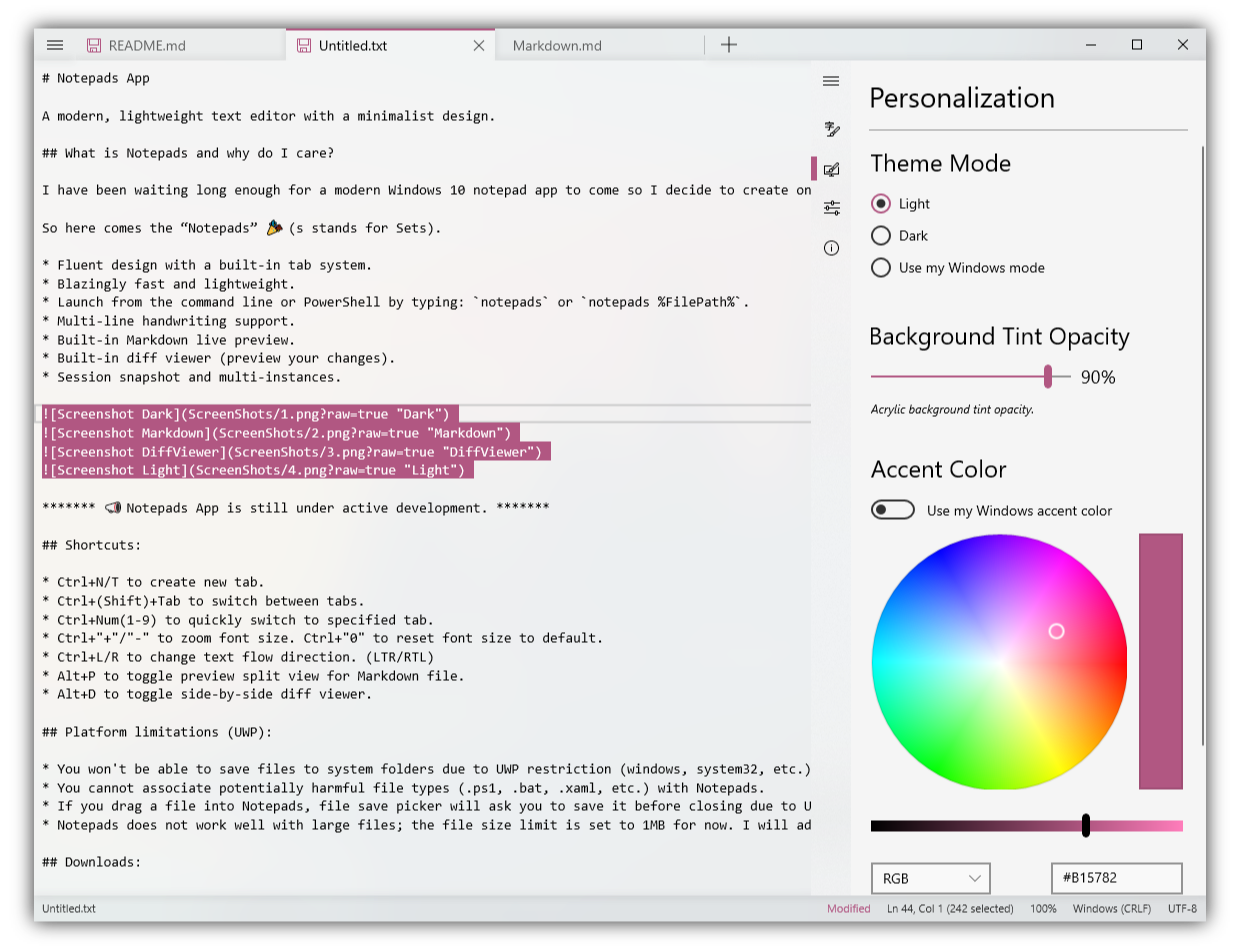
A modern, lightweight text editor with a minimalist design.
What is Notepads and why do I care?
I have been waiting long enough for a modern Windows 10 notepad app to come before I decided to create one myself. Don’t get me wrong, Notepad++, VS Code, and Sublime are great text editors. I have used them all and I will continue to use them in the future. However, they are either too heavy or look less appealing. There are times that I just wanted to use Windows notepad for things like writing notes or editing config files. So I decided to create a win32 notepad replacement here and try to give it a modern look and feel. Most importantly, it has to be blazingly fast and appeals to everyone.
So here comes the “Notepads” 🎉 (s stands for Sets).
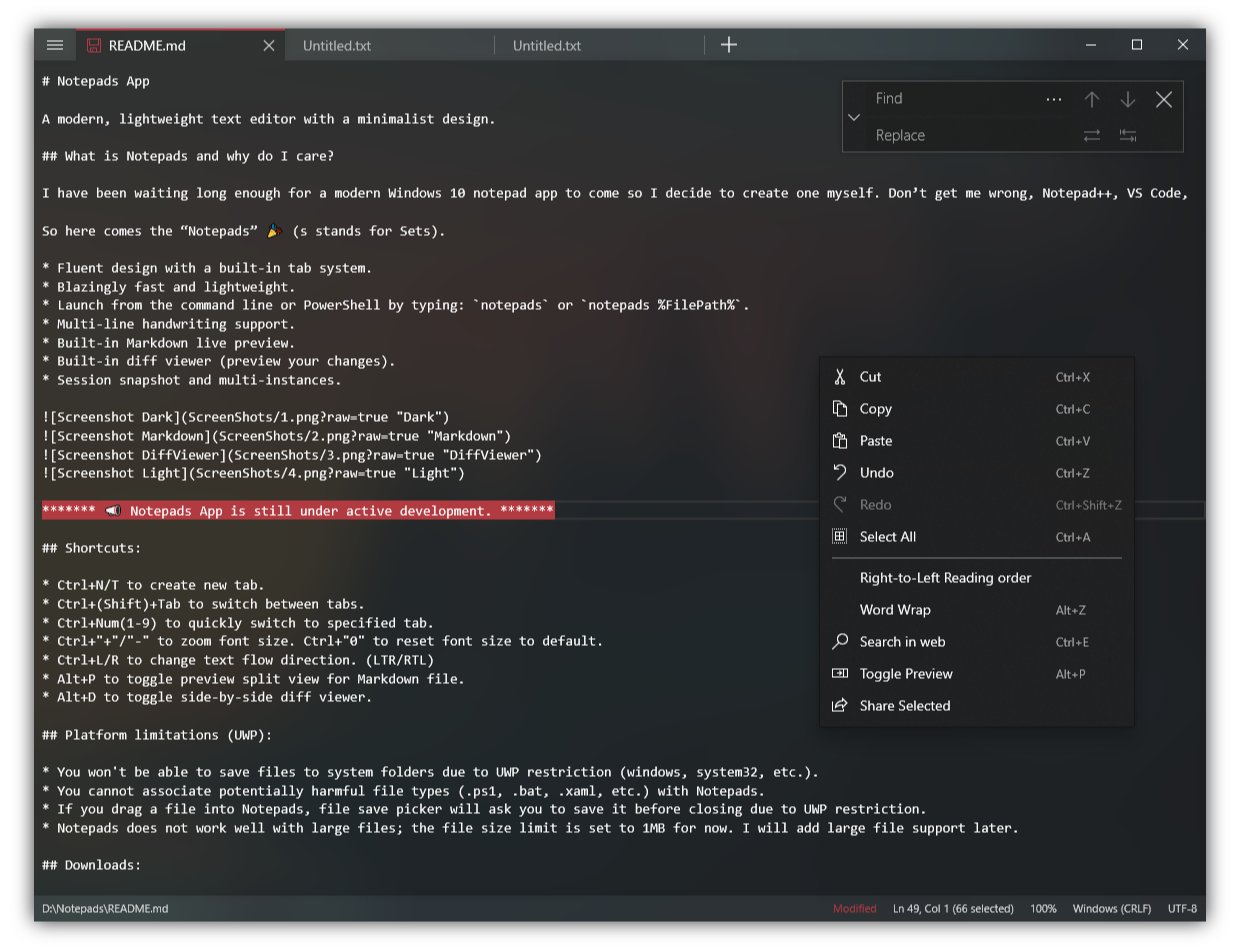
Fluent design with a built-in tab system.
Blazingly fast and lightweight.
Launch from the command line or PowerShell by typing: notepads or notepads %FilePath%.
Multi-line handwriting support.
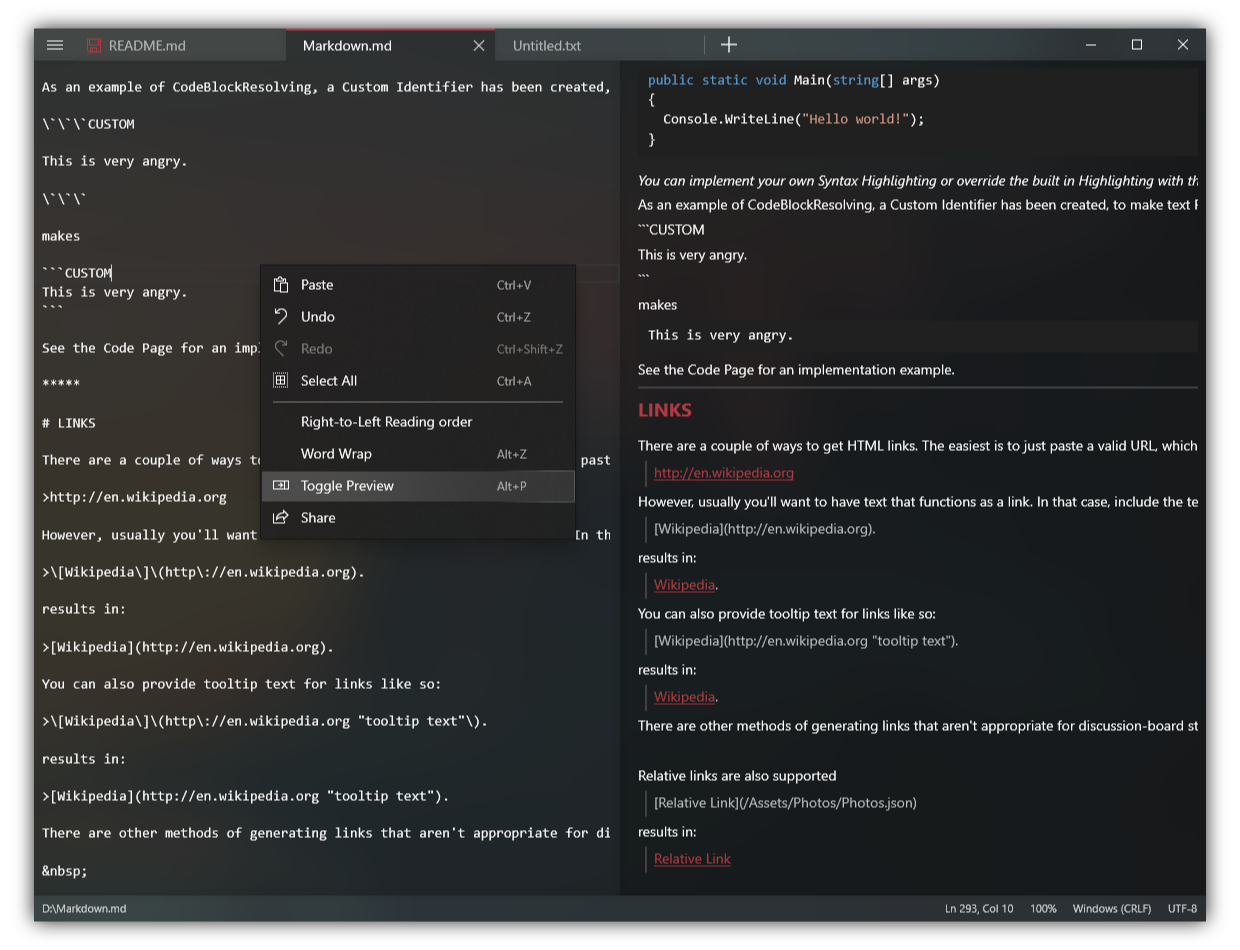
Built-in Markdown live preview.
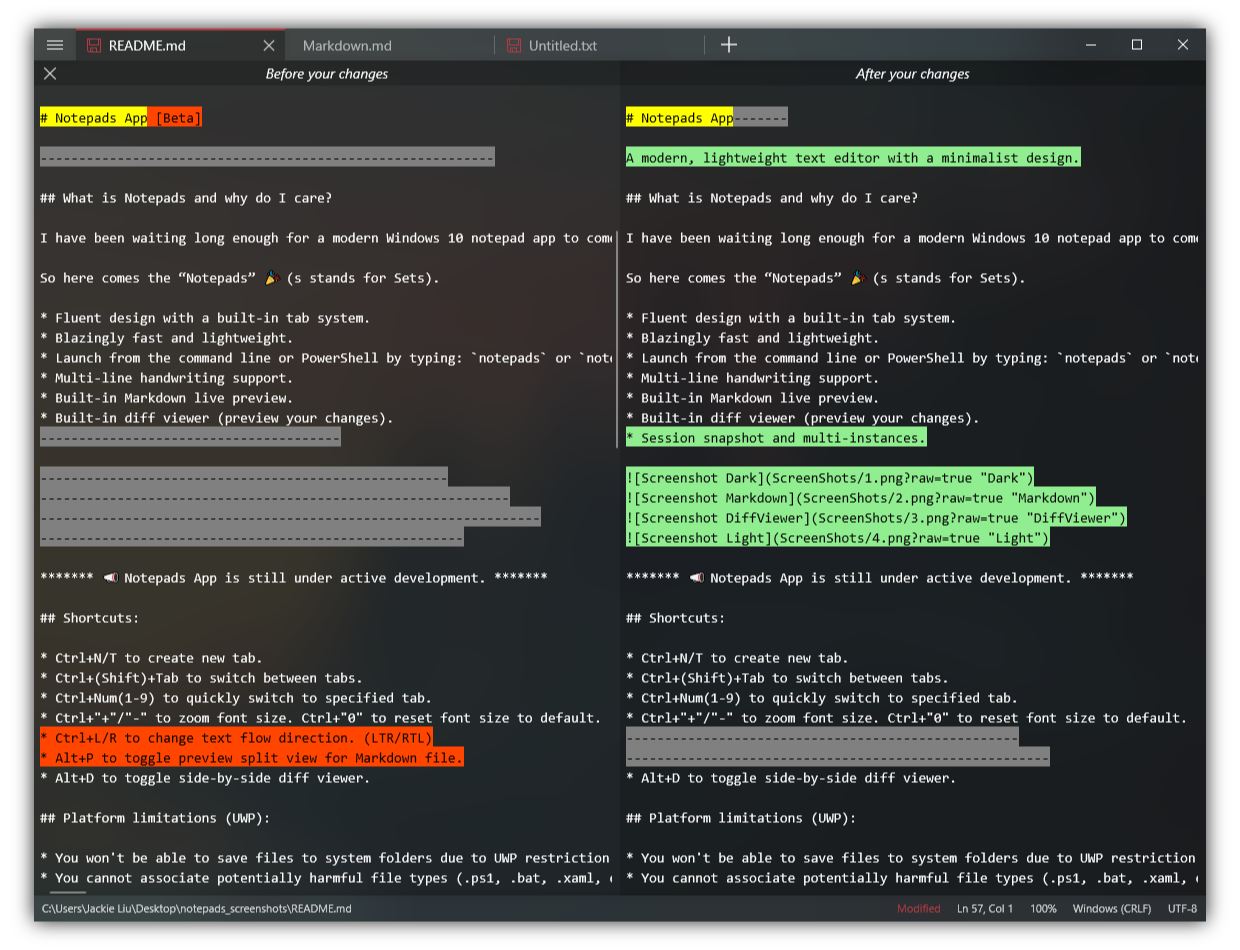
Built-in diff viewer (preview your changes).
Session snapshot and multi-instances.
Shortcuts:
Ctrl+N/T to create new tab.
Ctrl+(Shift)+Tab to switch between tabs.
Ctrl+Num(1-9) to quickly switch to specified tab.
Ctrl+"+"/"-" for zooming. Ctrl+"0" to reset zooming to default.
Ctrl+L/R to change text flow direction. (LTR/RTL)
Alt+P to toggle preview split view for Markdown file.
Alt+D to toggle side-by-side diff viewer.
Platform limitations (UWP):
You won't be able to save files to system folders due to UWP restriction (windows, system32, etc.).
You cannot associate potentially harmful file types (.cmd, .bat etc.) with Notepads.
Notepads does not work well with large files; the file size limit is set to 1MB for now. I will add large file support later.
Downloads:
Notepads is available in the Microsoft Store. You can get the latest version of Notepads here for free: Microsoft Store Link.
You can also use the Windows Package Manager to install notepads:
winget install "Notepads App"
Changelog:
Notepads Releases
Disclaimer and Privacy statement:
To be 100% transparent:
Notepads does not and will never collect user information in terms of user privacy.
I will not track your IP.
I will not record your typings or read any of your files created in Notepads including file name and file path.
No typings or files will be sent to me or third parties.
I am using analytics service "AppCenter" to collect basic usage data plus some minimum telemetry to help me debug runtime errors. Here is the thread I made clear on this topic: https://github.com/0x7c13/Notepads/issues/334
Feel free to review the source code or build your own version of Notepads since it is 100% open sourced.
More to read here: [Privacy Policy]
TL;DR: You might notice that I work for Microsoft but Notepads is my personal project that I accomplish during free time (to empower every person and every organization on the planet to achieve more😃). I do not work for the Windows team, nor do I work for a Microsoft UX/App team. I am not expert on creating Windows apps either. I learned how to code UWP as soon as I started this project, so don’t put too much hope on me or treat it as a project sponsored by Microsoft.
Contributing:
How to contribute?
Notepads is free and open source, if you like my work, please consider:
Star this project on GitHub
Leave me a review here
Dependencies and References:
Windows Community Toolkit
XAML Controls Gallery
Windows UI Library
ColorCode Universal
UTF Unknown
DiffPlex
Win2D
Special Thanks:
Yi Zhou - App icon designer, Notepads App Icon (old) is greatly inspired by the new icon for Windows Terminal.
Mahmoud Qurashy - App icon and file icon(s) designer, creator of the new Notepads App Icon.
Alexandru Sterpu - App Tester, who helped me a lot during preview/beta testing.
Code Contributors: DanverZ, BernhardWebstudio, Csányi István, Pavel Erokhin, Sergio Pedri, Lucas Pinho B. Santos, Soumya Ranjan Mahunt, Belleve Invis, Maickonn Richard, Xam
Documentation Contributors: Craig S.
Localization Contributors:
[fr-FR][French (France)]: François Rousselet, François-Joseph du Fou, Armand Delessert
[es-ES][Spanish (Spain)]: Jose Pinilla
[zh-CN][Chinese (S)]: lindexi, walterlv, 0x7c13
[hu-HU][Hungarian (Hungary)]: Csányi István, Kristóf Kékesi
[tr-TR][Turkish (Turkey)]: Mert Can Demir, Emirhakan Tanhan
[ja-JP][Japanese (Japan)]: Mamoru Satoh
[de-DE][German (Germany)]/[de-CH][German (Switzerland)]: Walter Wolf
0x7c13/Notepads có 10.2k sao GitHub — tải lại trang để xem số mới nhất, hoặc xem trực tiếp github.com/0x7c13/Notepads. TopGit phản chiếu số sao của GitHub nhưng không cam kết đến từng phút.
0x7c13/Notepads có phải mã nguồn mở không?
Có — 0x7c13/Notepads phát hành theo license MIT, nghĩa là mã nguồn mở để đọc, fork và (tùy license) tái sử dụng. Mã: github.com/0x7c13/Notepads.
0x7c13/Notepads còn đang phát triển không?
Commit gần nhất trên 0x7c13/Notepads là 3 tháng trước (theo timestamp GitHub). Repo có 551 fork — một chỉ báo về mức độ quan tâm của cộng đồng.
0x7c13/Notepads dùng license gì?
0x7c13/Notepads phát hành theo license MIT. Nên mở file LICENSE trên GitHub để xác nhận — license metadata đôi khi lệch với thực tế dự án.
0x7c13/Notepads là gì?
0x7c13/Notepads (0x7c13/Notepads) là dự án C# trên GitHub. Theo mô tả gốc: A modern, lightweight text editor with a minimalist design.
0x7c13/Notepads viết bằng ngôn ngữ gì?
0x7c13/Notepads chủ yếu viết bằng C#. Trường "language" của GitHub dựa trên phần lớn byte ở nhánh mặc định.
Đọc thêm về 0x7c13/Notepads ở đâu?
Trang TopGit này là một snapshot — tab "Readme" hiển thị nguyên văn README của repo (đã bỏ link, giữ ảnh). Repo GitHub ở github.com/0x7c13/Notepads là nguồn chính thức.
Đọc đầy đủ README ở tab phía trên.
Chưa chắc Notepads có hợp với bạn?
Để ChatGPT, Claude hoặc Perplexity tìm hiểu giúp — bấm bên dưới và xem AI nói gì về Notepads.
 /Notepads