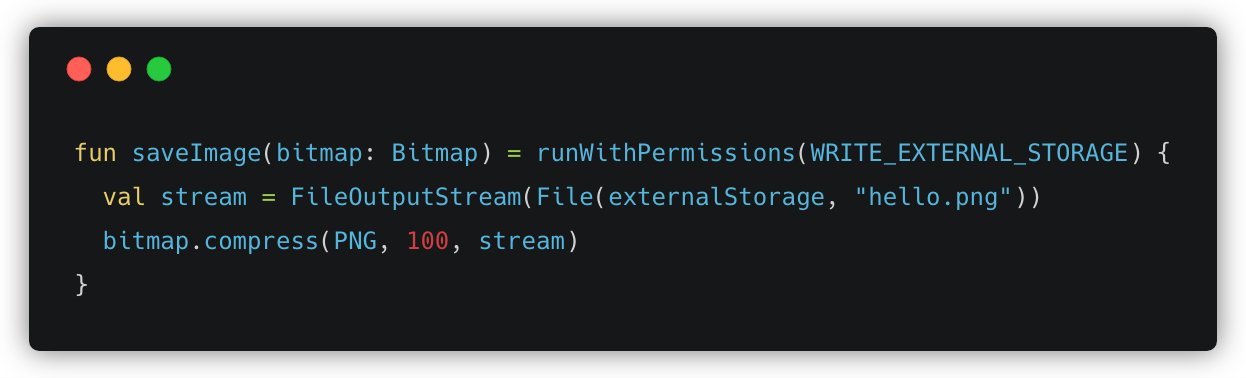
Một mục mã nguồn mở trong kho dữ liệu GitHub của TopGit: afollestad/assent, 843 sao.
Tóm tắt dựng từ metadata GitHub của chính dự án — chưa có bài review TopGit. Trang sẽ tự động cập nhật khi bài review đầy đủ được xuất bản.
VÌ SAO CHƯA CÓ REVIEW
TopGit viết bài đầy đủ cho repo có nhiều sao nhất và được yêu cầu nhiều nhất. Trang này là snapshot trong thời gian chờ — xem README gốc ở tab READ ME.
Runtime permissions on Android are completely reliant on the UI the user is in. Permission requests
go in and out of Activities and Fragments. This library provides its functionality as Kotlin
extensions to Fragment Activities (e.g. AppCompatActivity) and AndroidX Fragments.
Note: you need to have permissions declared in your AndroidManifest.xml too, otherwise
Android will always deny them.
class YourActivity : AppCompatActivity() {

  override fun onCreate(savedInstanceState: Bundle?) {
    super.onCreate(savedInstanceState)

    // Set to true if one or more permissions are all granted
    val permissionsGranted: Boolean = isAllGranted(WRITE_EXTERNAL_STORAGE, CAMERA)

    // Requests one or more permissions, sending the result to a callback
    askForPermissions(WRITE_EXTERNAL_STORAGE, CAMERA) { result ->
      // Check the result, see the Using Results section
    }

    // Requests one or multiple permissions and performs an action if all are granted
    runWithPermissions(WRITE_EXTERNAL_STORAGE, CAMERA) {
      // Do something
    }
  }
}
All of the request methods above have an optional requestCode named parameter which you can use
to customize the request code used when dispatching the permission request.
These methods can all be called from within an Activity or a Fragment. It works the same way in
both.
Using Results
AssentResult is provided in request callbacks. It has a few useful fields and methods:
val result: AssentResult = // ...

val permissions: List<Permission> = result.permissions
val grantResults: List<GrantResult> = result.grantResults

// Takes a single permission and returns if this result contains it in its set
val containsPermission: Boolean = result.containsPermission(WRITE_EXTERNAL_STORAGE)

// You can pass multiple permissions as varargs
val permissionGranted: Boolean = result.isAllGranted(WRITE_EXTERNAL_STORAGE)

// You can pass multiple permissions as varargs
val permissionDenied: Boolean = result.isAllDenied(WRITE_EXTERNAL_STORAGE)

// Returns GRANTED, DENIED, or PERMANENTLY_DENIED
val writeStorageGrantResult: GrantResult = result[WRITE_EXTERNAL_STORAGE]

val granted: Set<Permission> = result.granted()

val denied: Set<Permission> = result.denied()

val permanentlyDenied: Set<Permission> = result.permanentlyDenied()
Permanently Denied
Assent detects when the user of your app has permanently denied a permission. Once a permission
is permanently denied, the Android system will no longer show the permission dialog for that
permission. At this point, the only way to get them to grant the permission is to explain why you
really need the permission and then launch system app details page for your app.
val result: AssentResult = // ...

if (result[WRITE_EXTERNAL_STORAGE] == PERMANENTLY_DENIED) {
  // NOTE: You should show a dialog of some sort before doing this!
  showSystemAppDetailsPage()
}
Google recommends showing rationales for permissions when it may not be obvious to the user why
you need them.
Assent supports extensible rationale handlers, it comes with two out-of-the-box:
SnackBarRationaleHandler
AlertDialogRationaleHandler
// Could also use createDialogRationale(...) here,
// or provide your own implementation of RationaleHandler.
val rationaleHandler = createSnackBarRationale(rootView) {
  onPermission(READ_CONTACTS, "Test rationale #1, please accept!")
  onPermission(WRITE_EXTERNAL_STORAGE, "Test rationale #1, please accept!")
  onPermission(READ_SMS, "Test rationale #3, please accept!")
}

askForPermissions(
    READ_CONTACTS, WRITE_EXTERNAL_STORAGE, READ_SMS,
    rationaleHandler = rationaleHandler
) { result ->
  // Use result
}
Kotlin coroutines enable Assent to work without callbacks. If you do not know the basics of
coroutines, you should research them first.
First, awaitPermissionsResult(...) is the coroutines equivalent to askForPermissions(...):
// The coroutine extensions work from within any `suspend` function/lambda.
coroutineScope {
   val result: AssentResult = awaitPermissionsResult(
       READ_CONTACTS, WRITE_EXTERNAL_STORAGE, READ_SMS,
       rationaleHandler = rationaleHandler
   )
   // Use the result...
}
And second, awaitPermissionsGranted(...) is the coroutines equivalent to runWithPermissions(...):
// The coroutine extensions work from within any `suspend` function/lambda.
coroutineScope {
   awaitPermissionsGranted(
       READ_CONTACTS, WRITE_EXTERNAL_STORAGE, READ_SMS,
       rationaleHandler = rationaleHandler
   )
   // All three permissions were granted...
}
afollestad/assent có 843 sao GitHub — tải lại trang để xem số mới nhất, hoặc xem trực tiếp github.com/afollestad/assent. TopGit phản chiếu số sao của GitHub nhưng không cam kết đến từng phút.
afollestad/assent có tag gì không?
Bản đồng bộ chưa ghi nhận topic GitHub nào cho afollestad/assent. GitHub topics hiển thị ở thanh bên phải trang repo — đó là nơi đáng kiểm tra nhất.
afollestad/assent còn được duy trì không?
TopGit chưa ghi nhận lần push gần đây của afollestad/assent. Xem lịch sử commit trực tiếp trên GitHub để biết thông tin chính xác nhất.
afollestad/assent là gì?
afollestad/assent (afollestad/assent) là dự án đa ngôn ngữ TopGit theo dõi. Tính tới lần đồng bộ gần nhất, repo có 843 sao.
afollestad/assent viết bằng ngôn ngữ gì?
Dữ liệu TopGit chưa ghi nhận ngôn ngữ chính cho afollestad/assent. Xem danh sách file trên GitHub để biết chi tiết.
Đọc đầy đủ README ở tab phía trên.
assent có đáng để bạn bỏ thời gian?
ChatGPT, Claude và Perplexity đều đọc được trang này. Hỏi thử xem họ nghĩ gì về assent.

 /assent