afollestad/assent is a GitHub project with 843 stars.
Snapshot summary built from the project's own GitHub metadata — there's no written TopGit review yet. The page will update automatically when a full review is published.
WHY NO REVIEW YET
TopGit writes full reviews for the most-starred, most-requested repositories. This page is a snapshot until then — see the READ ME tab for the original README in full.
Runtime permissions on Android are completely reliant on the UI the user is in. Permission requests
go in and out of Activities and Fragments. This library provides its functionality as Kotlin
extensions to Fragment Activities (e.g. AppCompatActivity) and AndroidX Fragments.
Note: you need to have permissions declared in your AndroidManifest.xml too, otherwise
Android will always deny them.
class YourActivity : AppCompatActivity() {

  override fun onCreate(savedInstanceState: Bundle?) {
    super.onCreate(savedInstanceState)

    // Set to true if one or more permissions are all granted
    val permissionsGranted: Boolean = isAllGranted(WRITE_EXTERNAL_STORAGE, CAMERA)

    // Requests one or more permissions, sending the result to a callback
    askForPermissions(WRITE_EXTERNAL_STORAGE, CAMERA) { result ->
      // Check the result, see the Using Results section
    }

    // Requests one or multiple permissions and performs an action if all are granted
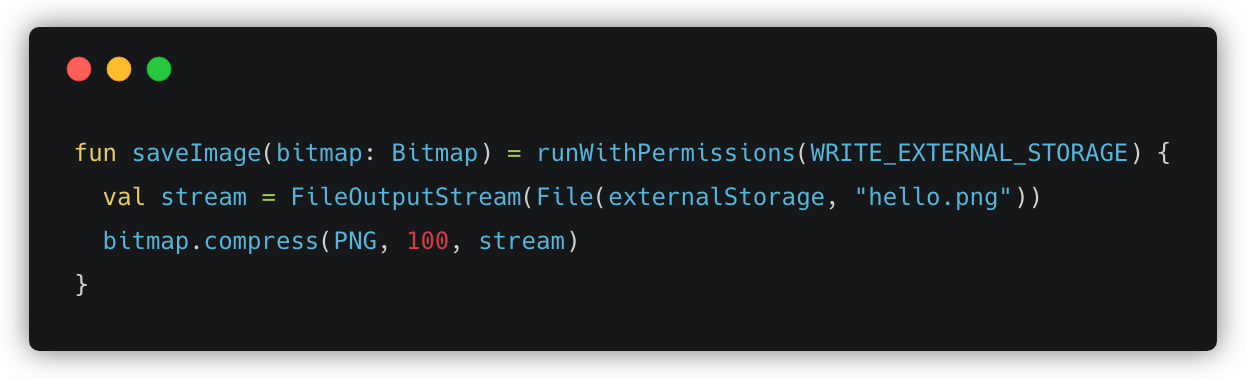
    runWithPermissions(WRITE_EXTERNAL_STORAGE, CAMERA) {
      // Do something
    }
  }
}
All of the request methods above have an optional requestCode named parameter which you can use
to customize the request code used when dispatching the permission request.
These methods can all be called from within an Activity or a Fragment. It works the same way in
both.
Using Results
AssentResult is provided in request callbacks. It has a few useful fields and methods:
val result: AssentResult = // ...

val permissions: List<Permission> = result.permissions
val grantResults: List<GrantResult> = result.grantResults

// Takes a single permission and returns if this result contains it in its set
val containsPermission: Boolean = result.containsPermission(WRITE_EXTERNAL_STORAGE)

// You can pass multiple permissions as varargs
val permissionGranted: Boolean = result.isAllGranted(WRITE_EXTERNAL_STORAGE)

// You can pass multiple permissions as varargs
val permissionDenied: Boolean = result.isAllDenied(WRITE_EXTERNAL_STORAGE)

// Returns GRANTED, DENIED, or PERMANENTLY_DENIED
val writeStorageGrantResult: GrantResult = result[WRITE_EXTERNAL_STORAGE]

val granted: Set<Permission> = result.granted()

val denied: Set<Permission> = result.denied()

val permanentlyDenied: Set<Permission> = result.permanentlyDenied()
Permanently Denied
Assent detects when the user of your app has permanently denied a permission. Once a permission
is permanently denied, the Android system will no longer show the permission dialog for that
permission. At this point, the only way to get them to grant the permission is to explain why you
really need the permission and then launch system app details page for your app.
val result: AssentResult = // ...

if (result[WRITE_EXTERNAL_STORAGE] == PERMANENTLY_DENIED) {
  // NOTE: You should show a dialog of some sort before doing this!
  showSystemAppDetailsPage()
}
Google recommends showing rationales for permissions when it may not be obvious to the user why
you need them.
Assent supports extensible rationale handlers, it comes with two out-of-the-box:
SnackBarRationaleHandler
AlertDialogRationaleHandler
// Could also use createDialogRationale(...) here,
// or provide your own implementation of RationaleHandler.
val rationaleHandler = createSnackBarRationale(rootView) {
  onPermission(READ_CONTACTS, "Test rationale #1, please accept!")
  onPermission(WRITE_EXTERNAL_STORAGE, "Test rationale #1, please accept!")
  onPermission(READ_SMS, "Test rationale #3, please accept!")
}

askForPermissions(
    READ_CONTACTS, WRITE_EXTERNAL_STORAGE, READ_SMS,
    rationaleHandler = rationaleHandler
) { result ->
  // Use result
}
Kotlin coroutines enable Assent to work without callbacks. If you do not know the basics of
coroutines, you should research them first.
First, awaitPermissionsResult(...) is the coroutines equivalent to askForPermissions(...):
// The coroutine extensions work from within any `suspend` function/lambda.
coroutineScope {
   val result: AssentResult = awaitPermissionsResult(
       READ_CONTACTS, WRITE_EXTERNAL_STORAGE, READ_SMS,
       rationaleHandler = rationaleHandler
   )
   // Use the result...
}
And second, awaitPermissionsGranted(...) is the coroutines equivalent to runWithPermissions(...):
// The coroutine extensions work from within any `suspend` function/lambda.
coroutineScope {
   awaitPermissionsGranted(
       READ_CONTACTS, WRITE_EXTERNAL_STORAGE, READ_SMS,
       rationaleHandler = rationaleHandler
   )
   // All three permissions were granted...
}
TopGit's last sync did not record any GitHub topics for afollestad/assent. GitHub topics appear in the right sidebar of a repository page; that's the authoritative place to check.
How many stars does afollestad/assent have?
afollestad/assent has 843 GitHub stars — refresh the page for the live number, or check github.com/afollestad/assent. TopGit mirrors GitHub's count but does not claim minute-by-minute accuracy.
Is afollestad/assent still maintained?
TopGit's metadata for afollestad/assent does not include a recent push date. Check the commit history on the GitHub repository page for the most authoritative activity timeline.
What is afollestad/assent?
afollestad/assent (afollestad/assent) is a multi-language project tracked by TopGit. The repository has 843 GitHub stars at the time of our last sync.
What language is afollestad/assent written in?
TopGit's last sync did not record a primary language for afollestad/assent. Open the repository on GitHub to see the full breakdown by file extension.
Read full README in the tab above.
Still deciding about assent?
One click hands the question to an AI along with this page — see what it says about assent.
 /assent