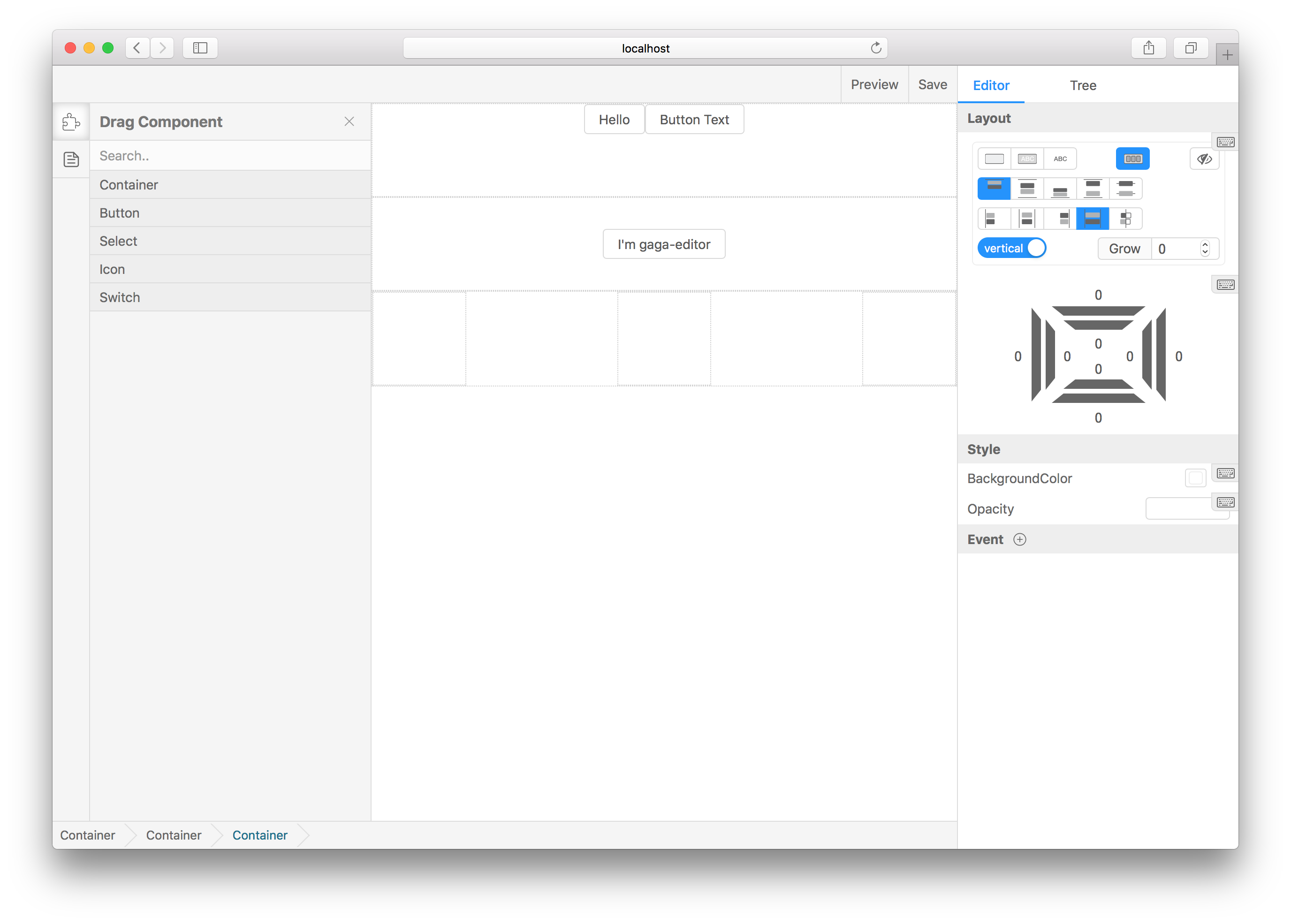
ascoders/gaea-editor là một trong những repo mã nguồn mở mà TopGit theo dõi, hiện có 1.3k sao, viết chủ yếu bằng TypeScript. Design websites in your browser. A smart web editor!
Tóm tắt dựng từ metadata GitHub của chính dự án — chưa có bài review TopGit. Trang sẽ tự động cập nhật khi bài review đầy đủ được xuất bản.
VÌ SAO CHƯA CÓ REVIEW
TopGit viết bài đầy đủ cho repo có nhiều sao nhất và được yêu cầu nhiều nhất. Trang này là snapshot trong thời gian chờ — xem README gốc ở tab READ ME.
You can add any react components to the drag menu, through the following line of code:
import BasicComponents from 'gaea-basic-components';
<Editor componentClasses={[...BasicComponents, CustomComponent1, CustomComponent2]} />;
BasicComponents support container, button, icon, select, switch. And there must be at least one component to set isContainer=true that can be used as outer container.
Generally speaking, with BasicComponents concat is ok, because the component containerBasicComponents offered is a container.
Add editSetting to each component props, to let the editor know how to edit it visualizations:
defaultProps = {
  editSetting: {
    key: 'my-custom-key', // Unique key.
    name: 'Custom one', // The name shown in drag menu.
    isContainer: false, // Can be dragged in.
    editors: [
      {
        field: 'title',
        text: 'Text',
        type: 'string'
      }
    ] // Tell gaea-editor, which props can be edited and how to edit it.
  }
};
More about editors
gaea-editor provides several built-in type editing props. If you need to expand it, you can refer to custom plugin.
common field:
field: which props to edit. EX: valuevisiblestyle.backgroundColor.
text: If exist, will appear in the form label to prompt the user.
The following are the built-in types:
string
Suitable for any string editing scene.
{
    type: 'string',
    text: 'Text',
    field: 'value'
}
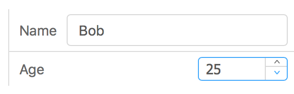
number
Suitable for any number editing scene.
In many cases, it is suggested that inputRange and outputRange be set to the same value.
You can add custom components, custom plugins, save callback, and read saved data.
Props
Type
Description
onSave
(info?: string) => void
When you click the Save button, feed back to you to save the information
defaultValue
object
Editor initial value, you can pass the value of the onSave callback and resume the draft
componentClasses
Array<React.ComponentClass<IGaeaProps>>
React classes. Any react component is supported, but you need some configuration information to tell the editor how to edit it. see custom-component-config
ascoders/gaea-editor có 1.3k sao GitHub — tải lại trang để xem số mới nhất, hoặc xem trực tiếp github.com/ascoders/gaea-editor. TopGit phản chiếu số sao của GitHub nhưng không cam kết đến từng phút.
ascoders/gaea-editor có những chủ đề gì?
GitHub topics của ascoders/gaea-editor: "editor", "web-design", "web-editor". TopGit xếp repo vào nhóm mã nguồn mở.
ascoders/gaea-editor có trang demo không?
Dự án có trang chủ ở https://gaeajs.github.io/gaea-site/. Tab "Readme" ở trang này thường có ảnh chụp và hướng dẫn bắt đầu nhanh.
ascoders/gaea-editor còn đang phát triển không?
Commit gần nhất trên ascoders/gaea-editor là 4.2 năm trước (theo timestamp GitHub). Repo có 215 fork — một chỉ báo về mức độ quan tâm của cộng đồng.
ascoders/gaea-editor dùng license gì?
ascoders/gaea-editor phát hành theo license MIT. Nên mở file LICENSE trên GitHub để xác nhận — license metadata đôi khi lệch với thực tế dự án.
ascoders/gaea-editor viết bằng ngôn ngữ gì?
ascoders/gaea-editor chủ yếu viết bằng TypeScript. Trường "language" của GitHub dựa trên phần lớn byte ở nhánh mặc định.
Đọc thêm về ascoders/gaea-editor ở đâu?
Trang TopGit này là một snapshot — tab "Readme" hiển thị nguyên văn README của repo (đã bỏ link, giữ ảnh). Repo GitHub ở github.com/ascoders/gaea-editor là nguồn chính thức.
Đọc đầy đủ README ở tab phía trên.
Muốn nghe thêm một ý kiến về gaea-editor?
Hỏi một AI đọc được trang này — một cú bấm là có ngay nhận định về gaea-editor.
 /gaea-editor