Một mục mã nguồn mở trong kho dữ liệu GitHub của TopGit: Azure/azure-cli, 4.7k sao, Python. Azure Command-Line Interface
Tóm tắt dựng từ metadata GitHub của chính dự án — chưa có bài review TopGit. Trang sẽ tự động cập nhật khi bài review đầy đủ được xuất bản.
VÌ SAO CHƯA CÓ REVIEW
TopGit viết bài đầy đủ cho repo có nhiều sao nhất và được yêu cầu nhiều nhất. Trang này là snapshot trong thời gian chờ — xem README gốc ở tab READ ME.
A great cloud needs great tools; we're excited to introduce Azure CLI, our next generation multi-platform command line experience for Azure.
Take a test run now from Azure Cloud Shell!
Installation
Please refer to the install guide for detailed install instructions.
A list of common install issues and their resolutions are available at install troubleshooting.
Developer installation (see below)
Docker
Edge Builds
Developer Setup
Usage
$ az [ group ] [ subgroup ] [ command ] {parameters}
Get Started
Please refer to the "get started" guide for in-depth instructions.
For usage and help content, pass in the -h parameter, for example:
$ az storage -h
$ az vm create -h
Highlights
Here are a few features and concepts that can help you get the most out of the Azure CLI.
The following examples are showing using the --output table format, you can change your default using the az configure command.
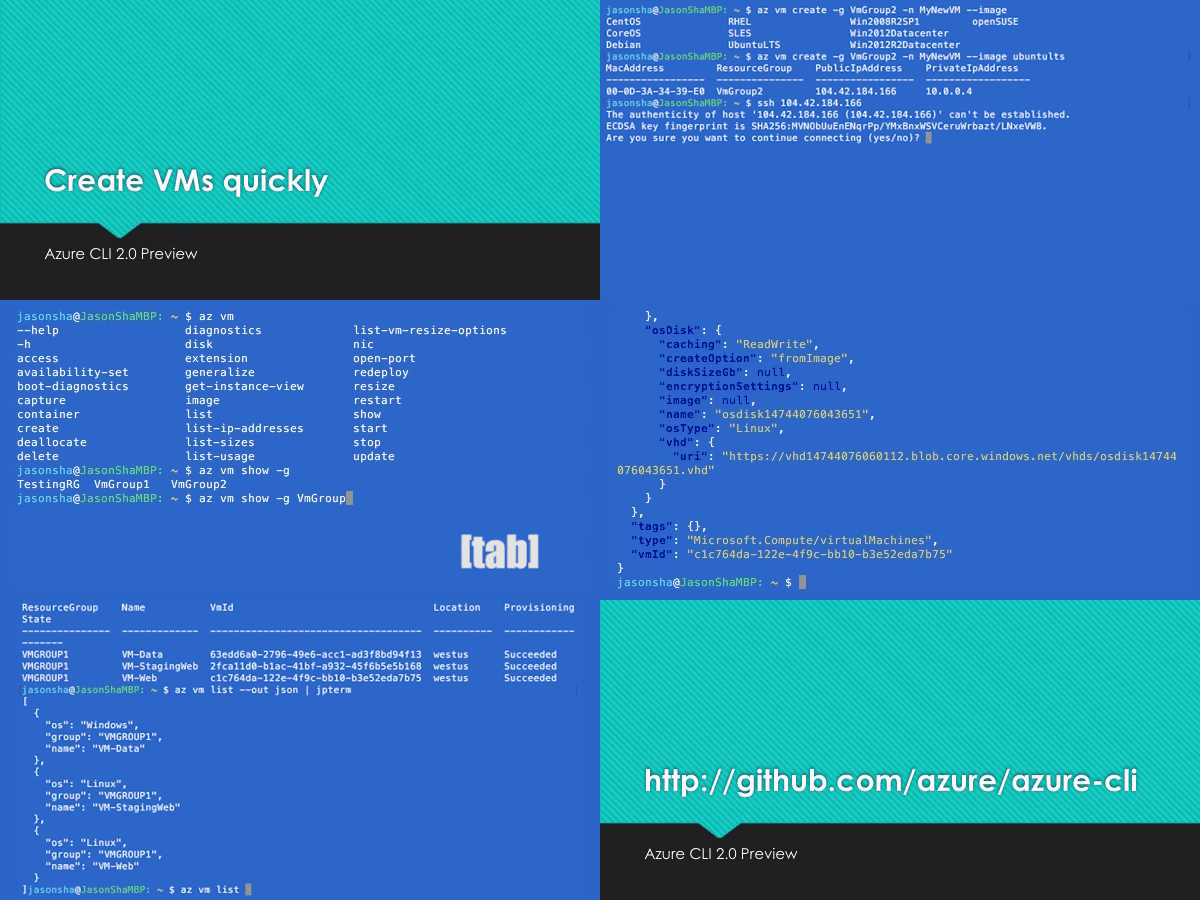
Tab completion
We support tab-completion for groups, commands, and some parameters
# looking up resource group and name
$ az vm show -g [tab][tab]
AccountingGroup   RGOne  WebPropertiesRG

$ az vm show -g WebPropertiesRG -n [tab][tab]
StoreVM  Bizlogic

$ az vm show -g WebPropertiesRG -n Bizlogic
Query
You can use the --query parameter and the JMESPath query syntax to customize your output.
$ az vm list --query "[?provisioningState=='Succeeded'].{ name: name, os: storageProfile.osDisk.osType }"
Name                    Os
----------------------  -------
storevm                 Linux
bizlogic                Linux
demo32111vm             Windows
dcos-master-39DB807E-0  Linux
Exit codes
For scripting purposes, we output certain exit codes for differing scenarios.
Exit Code
Scenario
0
Command ran successfully.
1
Generic error; server returned bad status code, CLI validation failed, etc.
2
Parser error; check input to command line.
3
Missing ARM resource; used for existence check from show commands.
Common scenarios and use Azure CLI effectively
Please check Tips for using Azure CLI effectively. It describes some common scenarios:
Output formatting (json, table, or tsv)
Pass values from one command to another
Async operations
Generic update arguments
Generic resource commands - az resource
REST API command - az rest
Quoting issues
Work behind a proxy
Concurrent builds
More samples and snippets
For more usage examples, take a look at our GitHub samples repo or https://learn.microsoft.com/cli/azure/overview.
Write and run commands in Visual Studio Code
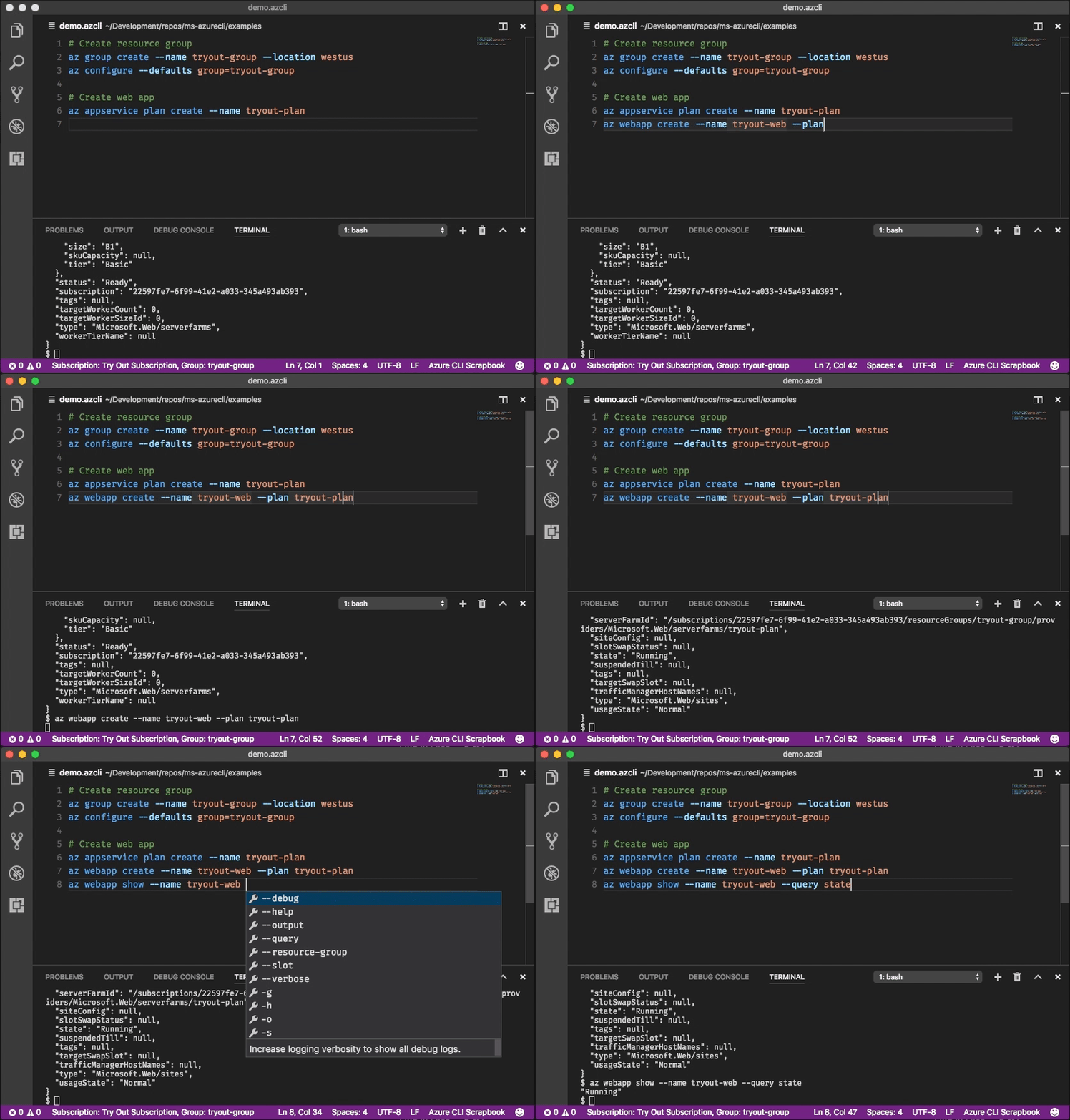
With the Azure CLI Tools Visual Studio Code extension, you can create .azcli files and use these features:
IntelliSense for commands and their arguments.
Snippets for commands, inserting required arguments automatically.
Run the current command in the integrated terminal.
Run the current command and show its output in a side-by-side editor.
Show documentation on mouse hover.
Display current subscription and defaults in status bar.
To enable IntelliSense for other file types like .ps1 or .sh, see microsoft/vscode-azurecli#48.
Data Collection
The software may collect information about you and your use of the software and send it to Microsoft. Microsoft may use this information to provide services and improve our products and services. You may turn off the telemetry as described in the repository. There are also some features in the software that may enable you and Microsoft to collect data from users of your applications. If you use these features, you must comply with applicable law, including providing appropriate notices to users of your applications together with a copy of Microsoft's privacy statement. Our privacy statement is located at https://go.microsoft.com/fwlink/?LinkID=824704. You can learn more about data collection and use in the help documentation and our privacy statement. Your use of the software operates as your consent to these practices.
Telemetry Configuration
Telemetry collection is on by default. To opt out, please run az config set core.collect_telemetry=no to turn it off.
Reporting issues and feedback
If you encounter any bugs with the tool please file an issue in the Issues section of our GitHub repo.
To provide feedback from the command line, try the az feedback command.
[Microsoft internal] You may contact the developer team via [email protected].
Developer installation
Docker
We maintain a Docker image preconfigured with the Azure CLI.
See our Docker tags for available versions.
If you want to get the latest build from the dev branch, you can use our "edge" builds.
You can download the latest builds by following the links below:
Package
Link
MSI
https://aka.ms/InstallAzureCliWindowsEdge
Ubuntu Bionic Deb
https://aka.ms/InstallAzureCliBionicEdge
Ubuntu Focal Deb
https://aka.ms/InstallAzureCliFocalEdge
Ubuntu Jammy Deb
https://aka.ms/InstallAzureCliJammyEdge
RPM el8
https://aka.ms/InstallAzureCliRpmEl8Edge
On Windows, you need to uninstall the official version before installing the edge build. (See https://github.com/Azure/azure-cli/issues/25607#issuecomment-1452855212)
You can install the edge build on Ubuntu Jammy with the following command:
Here's an example of installing edge builds with pip3 in a virtual environment. The --upgrade-strategy=eager option will install the edge builds of dependencies as well.
Azure/azure-cli có 4.7k sao GitHub — tải lại trang để xem số mới nhất, hoặc xem trực tiếp github.com/Azure/azure-cli. TopGit phản chiếu số sao của GitHub nhưng không cam kết đến từng phút.
Azure/azure-cli có phải mã nguồn mở không?
Có — Azure/azure-cli phát hành theo license MIT, nghĩa là mã nguồn mở để đọc, fork và (tùy license) tái sử dụng. Mã: github.com/Azure/azure-cli.
Azure/azure-cli còn đang phát triển không?
Commit gần nhất trên Azure/azure-cli là 2 ngày trước (theo timestamp GitHub). Repo có 3.5k fork — một chỉ báo về mức độ quan tâm của cộng đồng.
Azure/azure-cli là gì?
Azure/azure-cli (Azure/azure-cli) là dự án Python trên GitHub. Theo mô tả gốc: Azure Command-Line Interface
Đọc thêm về Azure/azure-cli ở đâu?
Trang TopGit này là một snapshot — tab "Readme" hiển thị nguyên văn README của repo (đã bỏ link, giữ ảnh). Repo GitHub ở github.com/Azure/azure-cli là nguồn chính thức.
Đọc đầy đủ README ở tab phía trên.
Muốn nghe thêm một ý kiến về azure-cli?
Hỏi một AI đọc được trang này — một cú bấm là có ngay nhận định về azure-cli.

 /azure-cli