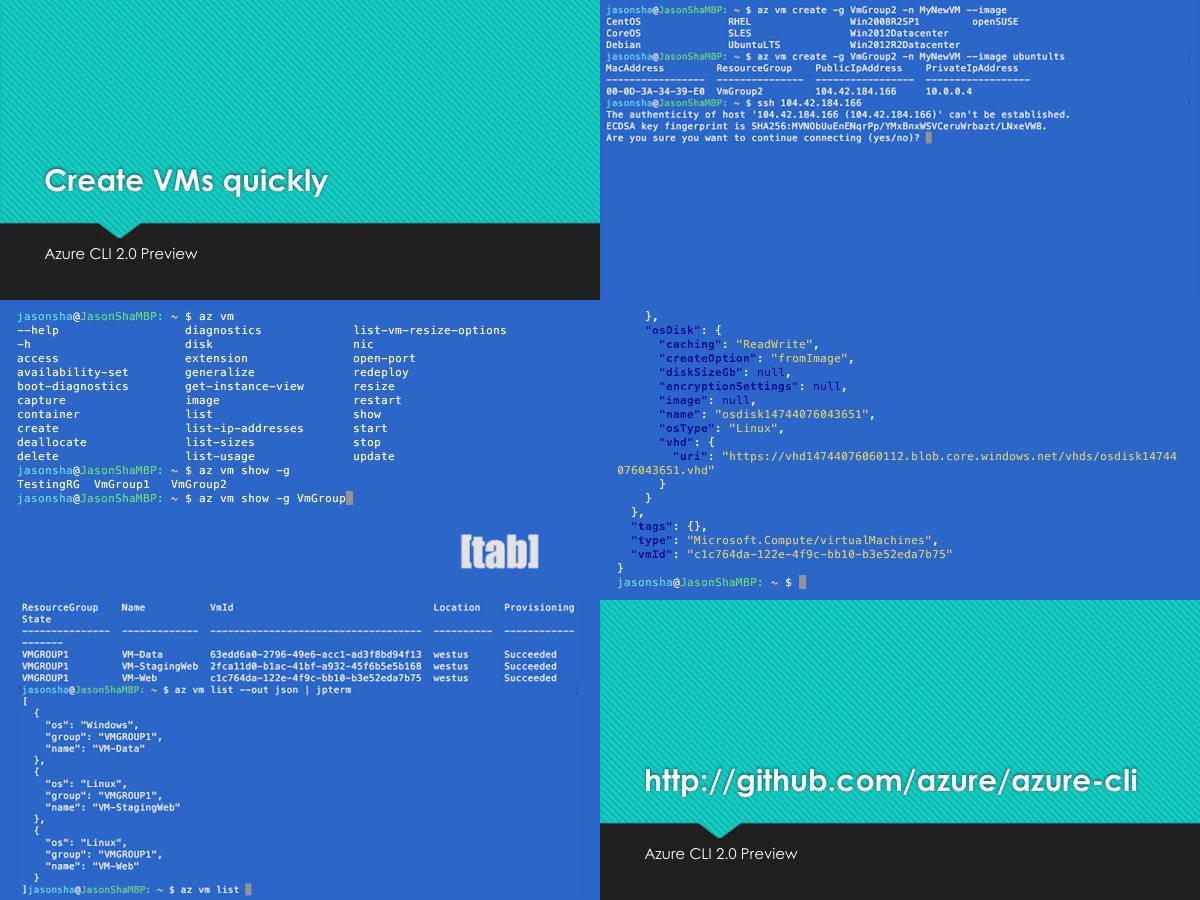
On GitHub, Azure/azure-cli has picked up 4.6k stars, Python. Azure Command-Line Interface
Snapshot summary built from the project's own GitHub metadata — there's no written TopGit review yet. The page will update automatically when a full review is published.
WHY NO REVIEW YET
TopGit writes full reviews for the most-starred, most-requested repositories. This page is a snapshot until then — see the READ ME tab for the original README in full.
A great cloud needs great tools; we're excited to introduce Azure CLI, our next generation multi-platform command line experience for Azure.
Take a test run now from Azure Cloud Shell!
Installation
Please refer to the install guide for detailed install instructions.
A list of common install issues and their resolutions are available at install troubleshooting.
Developer installation (see below)
Docker
Edge Builds
Developer Setup
Usage
$ az [ group ] [ subgroup ] [ command ] {parameters}
Get Started
Please refer to the "get started" guide for in-depth instructions.
For usage and help content, pass in the -h parameter, for example:
$ az storage -h
$ az vm create -h
Highlights
Here are a few features and concepts that can help you get the most out of the Azure CLI.
The following examples are showing using the --output table format, you can change your default using the az configure command.
Tab completion
We support tab-completion for groups, commands, and some parameters
# looking up resource group and name
$ az vm show -g [tab][tab]
AccountingGroup   RGOne  WebPropertiesRG

$ az vm show -g WebPropertiesRG -n [tab][tab]
StoreVM  Bizlogic

$ az vm show -g WebPropertiesRG -n Bizlogic
Query
You can use the --query parameter and the JMESPath query syntax to customize your output.
$ az vm list --query "[?provisioningState=='Succeeded'].{ name: name, os: storageProfile.osDisk.osType }"
Name                    Os
----------------------  -------
storevm                 Linux
bizlogic                Linux
demo32111vm             Windows
dcos-master-39DB807E-0  Linux
Exit codes
For scripting purposes, we output certain exit codes for differing scenarios.
Exit Code
Scenario
0
Command ran successfully.
1
Generic error; server returned bad status code, CLI validation failed, etc.
2
Parser error; check input to command line.
3
Missing ARM resource; used for existence check from show commands.
Common scenarios and use Azure CLI effectively
Please check Tips for using Azure CLI effectively. It describes some common scenarios:
Output formatting (json, table, or tsv)
Pass values from one command to another
Async operations
Generic update arguments
Generic resource commands - az resource
REST API command - az rest
Quoting issues
Work behind a proxy
Concurrent builds
More samples and snippets
For more usage examples, take a look at our GitHub samples repo or https://learn.microsoft.com/cli/azure/overview.
Write and run commands in Visual Studio Code
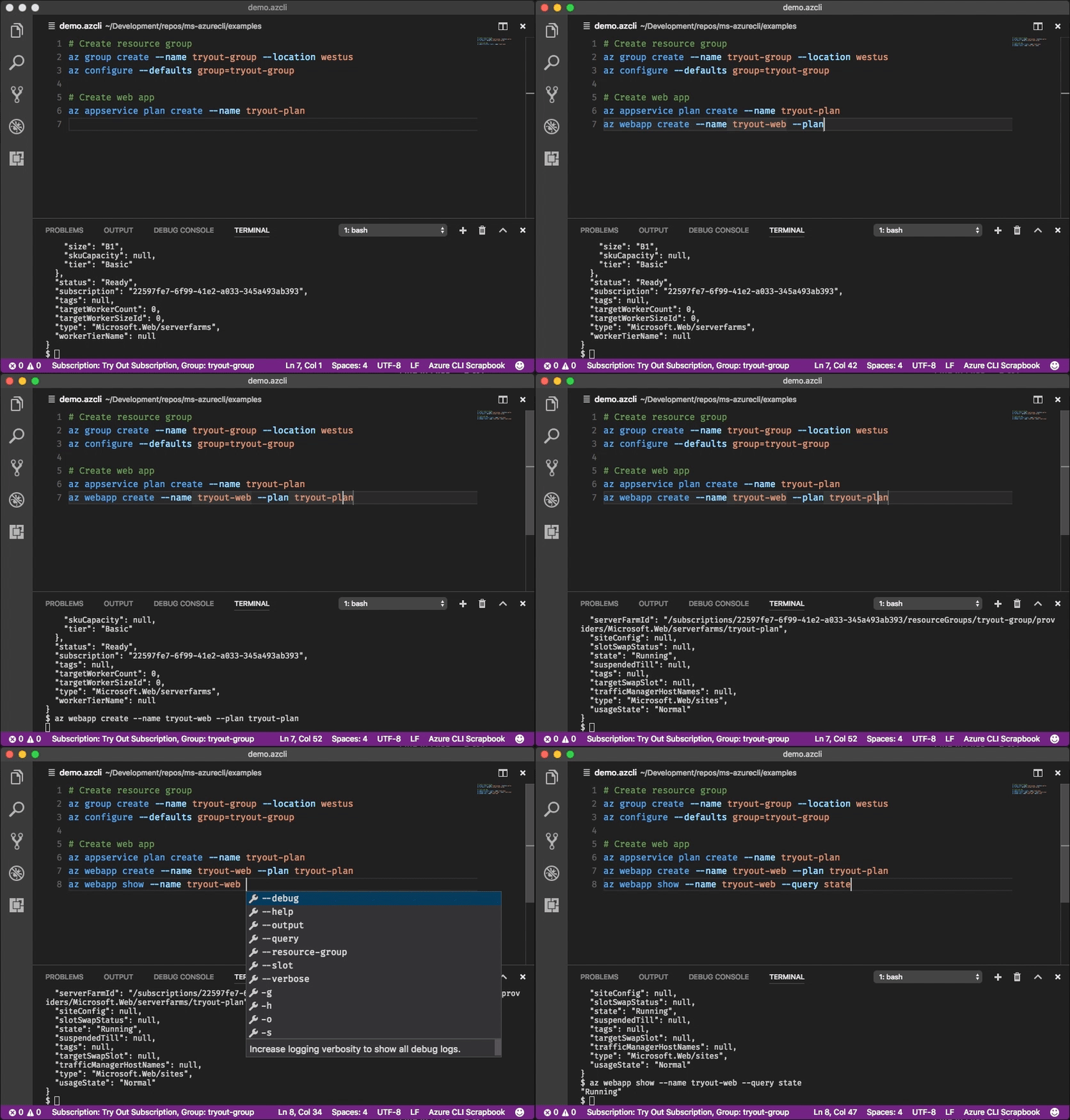
With the Azure CLI Tools Visual Studio Code extension, you can create .azcli files and use these features:
IntelliSense for commands and their arguments.
Snippets for commands, inserting required arguments automatically.
Run the current command in the integrated terminal.
Run the current command and show its output in a side-by-side editor.
Show documentation on mouse hover.
Display current subscription and defaults in status bar.
To enable IntelliSense for other file types like .ps1 or .sh, see microsoft/vscode-azurecli#48.
Data Collection
The software may collect information about you and your use of the software and send it to Microsoft. Microsoft may use this information to provide services and improve our products and services. You may turn off the telemetry as described in the repository. There are also some features in the software that may enable you and Microsoft to collect data from users of your applications. If you use these features, you must comply with applicable law, including providing appropriate notices to users of your applications together with a copy of Microsoft's privacy statement. Our privacy statement is located at https://go.microsoft.com/fwlink/?LinkID=824704. You can learn more about data collection and use in the help documentation and our privacy statement. Your use of the software operates as your consent to these practices.
Telemetry Configuration
Telemetry collection is on by default. To opt out, please run az config set core.collect_telemetry=no to turn it off.
Reporting issues and feedback
If you encounter any bugs with the tool please file an issue in the Issues section of our GitHub repo.
To provide feedback from the command line, try the az feedback command.
[Microsoft internal] You may contact the developer team via [email protected].
Developer installation
Docker
We maintain a Docker image preconfigured with the Azure CLI.
See our Docker tags for available versions.
If you want to get the latest build from the dev branch, you can use our "edge" builds.
You can download the latest builds by following the links below:
Package
Link
MSI
https://aka.ms/InstallAzureCliWindowsEdge
Homebrew Formula
https://aka.ms/InstallAzureCliHomebrewEdge
Ubuntu Bionic Deb
https://aka.ms/InstallAzureCliBionicEdge
Ubuntu Focal Deb
https://aka.ms/InstallAzureCliFocalEdge
Ubuntu Jammy Deb
https://aka.ms/InstallAzureCliJammyEdge
RPM el8
https://aka.ms/InstallAzureCliRpmEl8Edge
On Windows, you need to uninstall the official version before installing the edge build. (See https://github.com/Azure/azure-cli/issues/25607#issuecomment-1452855212)
You can easily install the latest Homebrew edge build with the following command:
# You need to uninstall the stable version with `brew uninstall azure-cli` first
curl --location --silent --output azure-cli.rb https://aka.ms/InstallAzureCliHomebrewEdge
brew install --build-from-source azure-cli.rb
You can install the edge build on Ubuntu Jammy with the following command:
Here's an example of installing edge builds with pip3 in a virtual environment. The --upgrade-strategy=eager option will install the edge builds of dependencies as well.
The most recent commit recorded on Azure/azure-cli was 14 days ago, based on the GitHub push timestamp. The repository has 3.5k forks — one of the better signals of community interest.
How many stars does Azure/azure-cli have?
Azure/azure-cli has 4.6k GitHub stars — refresh the page for the live number, or check github.com/Azure/azure-cli. TopGit mirrors GitHub's count but does not claim minute-by-minute accuracy.
Is Azure/azure-cli open source?
Yes — Azure/azure-cli ships under the MIT license, which makes its source code freely readable (and, depending on license terms, forkable and reusable). Source: github.com/Azure/azure-cli.
What is Azure/azure-cli?
Azure/azure-cli (Azure/azure-cli) is a Python project on GitHub. From the project's own README: Azure Command-Line Interface
Where do I read more about Azure/azure-cli?
This TopGit page is a snapshot — the READ ME tab shows the project's own README content (links stripped, images preserved). The GitHub repository at github.com/Azure/azure-cli is the definitive source.
Read full README in the tab above.
Want a second opinion on azure-cli?
Ask an AI that can read this page — one click and you get its take on azure-cli.
 /azure-cli