ColinEberhardt/VCTransitionsLibrary

ColinEberhardt/VCTransitionsLibrary — 4.5k★ trên GitHub (Objective-C). A collection of iOS7 animation controllers and interaction controllers, providing flip, fold and all kinds of other transitions.
Tóm tắt dựng từ metadata GitHub của chính dự án — chưa có bài review TopGit. Trang sẽ tự động cập nhật khi bài review đầy đủ được xuất bản.
TopGit viết bài đầy đủ cho repo có nhiều sao nhất và được yêu cầu nhiều nhất. Trang này là snapshot trong thời gian chờ — xem README gốc ở tab READ ME.
Snapshot
Cộng tác viên hàng đầu
Xem cộng tác viên hàng đầu
View Controller Transitions Library
With iOS 7 you can easily create custom view controller transitions that can be used in a range of contexts (push, pop, modal …). This project provides a library of custom animations which can be dropped directly into your project. It also has a number of 'interaction controllers' which can be used with any of the custom animations in order to make your transitions interactive.
The library currently contains the following animations, which can be made interactive with either a swipe or pinch gesture.
| Flip | Fold | Crossfade | Explode |
|---|---|---|---|
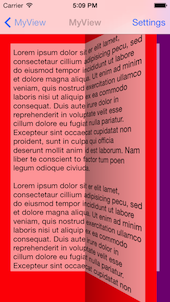 | 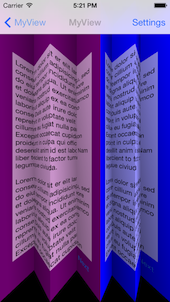 | 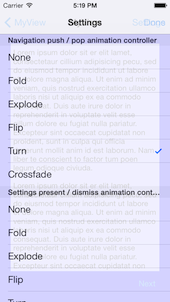 | 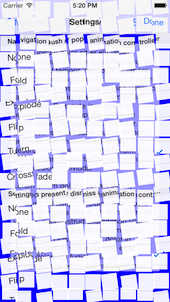 |
| Turn | Cards | NatGeo | Portal |
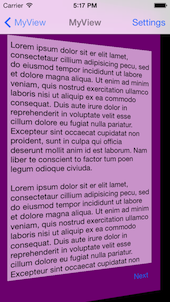 | 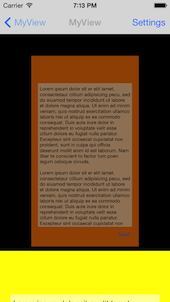 | 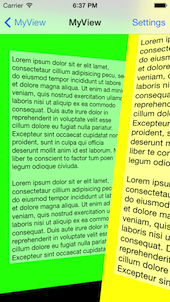 | 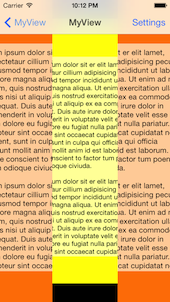 |
| Cube | Pan | ||
 | 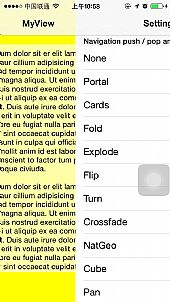 |
Contents
- A brief introduction to custom transitions
- Adding custom transitions to your project
- Grabbing the code
- Using an animation controller
- Custom present / dismiss transitions
- Custom navigation controller transitions
- Custom tab bar controller transitions
- Using an interaction controller
- Interactive dismiss transitions
- Interactive pop transitions
- Interactive tab transitions
- Transitions library
A brief introduction to custom transitions
The following provides a very brief introduction to the concepts, for more detailed coverage I would thoroughly recommend reading Chapter 3 of iOS 7 By Tutorials - which I wrote! (I've heard the other 15 chapters are pretty good too ;-)
There are two key classes involved in a custom transition:
- Animation controller - this class is responsible for performing the custom transitions. When you indicate that a custom transitions should be used, you provide an animation controller. This class performs the required animation, then informs the framework when it has completed.
- Interaction controller - this class is responsible for managing interactive transitions - these are transitions that typically controlled by a gesture, allowing the user to swipe, pinch or perform some other action to navigate between view controllers. Importantly, interaction controllers allow transitions to be cancelled, i.e. a user can start the navigation, change their mind, and reverse it!
NOTE: Animation and interaction controllers are entirely independent, this means you can wire up any interaction controller with any animation controller - which is pretty awesome.
Adding custom transitions to your project
This sections gives a brief overview of the steps required to add custom view controller transitions to your project. You might also want to look at the code for the demo app (in the TransitionsDemo folder) for reference. If you already know how the iOS 7 custom view controller transitions work, feel free to skip this section!
Grabbing the code
There are a couple of ways you can incorporate transitions from this library into your code:
- CocoaPods - simply add a reference to VCTransitionsLibrary to your pod file.
- Manual file copy - if you are not using CocoaPods, you can simply copy the required files into your project. The
AnimationControllersandInteractionControllersfolders contain all the code that is required.
Using an animation controller
The AnimationControllers folder contains a number of animate controllers, which provide custom transitions, which can be integrated into your project as follows:
Custom present / dismiss transitions
The UIViewControllerTransitioningDelegate protocol is used to supply animation controllers for present / dismiss transitions. When a view controller is presented or dismissed the transitioningDelegate property of the view controller being presented or dismissed is used to supply this delegate. Simply return one of the animation controllers in response to the animationControllerForPresentedController: presentingController: sourceController: message for presenting, and animationControllerForDismissedController: for dismissing.
Custom navigation controller transitions
The UINavigationControllerDelegate protocol has methods that can be used to provide animation controllers. Simply return an animation controller in response to the navigationController: animationControllerForOperation: fromViewController: toViewController: message.
Notice that this message has an 'operation' argument that allows you to return different animations for push and pop operations. All of the animation controllers in this library subclass CEReversibleAnimationController which allows you to play the animation in reverse. This is commonly used in conjunction with the navigation controller as follows:
- (id<UIViewControllerAnimatedTransitioning>)navigationController:
                                (UINavigationController *)navigationController
   animationControllerForOperation:(UINavigationControllerOperation)operation
                fromViewController:(UIViewController *)fromVC
                  toViewController:(UIViewController *)toVC {

    // reverse the animation for 'pop' transitions
    _animationController.reverse = operation == UINavigationControllerOperationPop;

    return _animationController;
}
Custom tab bar controller transitions
The UITabBarControllerDelegate protocol has methods that can be used to provide animation controllers. Simply return an animation controller in response to the tabBarController: animationControllerForTransitionFromViewController: toViewController:
message.
In order to determine the animation direction, you can compare the indices of the two view controller as shown below:
- (id <UIViewControllerAnimatedTransitioning>)tabBarController:(UITabBarController *)tabBarController
            animationControllerForTransitionFromViewController:(UIViewController *)fromVC
                                              toViewController:(UIViewController *)toVC {

    NSUInteger fromVCIndex = [tabBarController.viewControllers indexOfObject:fromVC];
    NSUInteger toVCIndex = [tabBarController.viewControllers indexOfObject:toVC];

    _animationController.reverse = fromVCIndex < toVCIndex;
    return _animationController;
}
Using an interaction controller
Interaction controllers work in conjunction with an animation controller in order to make a transitions interactive, i.e. allow a user to control a transitions using gestures. This interactivity allows a use to move forwards, backwards and even cancel a transitions.
The interaction controller is responsible for adding gesture recognisers to the view and triggering the navigation in response to gestures from the user.
Interactive dismiss transitions
The UIViewControllerTransitioningDelegate protocol that is used to supply animation controllers is also used to supply interaction controllers. An example implementation, that uses a swipe interaction together with a flip animation, is show below:
// instance variables, typically instantiated in your init method
CEFlipAnimationController *_animationController;
CESwipeInteractionController *_interactionController;

- (id<UIViewControllerAnimatedTransitioning>)
      animationControllerForPresentedController:(UIViewController *)presented
                           presentingController:(UIViewController *)presenting
                               sourceController:(UIViewController *)source {

    // allow the interaction controller to wire-up its gesture recognisers
    [_interactionController wireToViewController:presented
                                    forOperation:CEInteractionOperationDismiss];
       _animationController.reverse = NO;
    return _animationController;
}

- (id<UIViewControllerAnimatedTransitioning>)
     animationControllerForDismissedController:(UIViewController *)dismissed {
    _animationController.reverse = YES;
    return _animationController;
}

- (id<UIViewControllerInteractiveTransitioning>)
           interactionControllerForDismissal:
                (id<UIViewControllerAnimatedTransitioning>)animator {

    // provide the interaction controller, if an interactive transition is in progress
    return _interactionController.interactionInProgress
                ? _interactionController : nil;
}
Note that in the above code the interactionInProgress property of the interaction controller is checked. This is because your might want to allow the user to dismiss the view controller using a button as well as via an interaction. Also, you must tell the interaction controller the operation it should perform (i.e. pop, dismiss).
Interactive pop transitions
The UINavigationControllerDelegate protocol also has an equivalent method for returning interactions controllers. A typically implementation, which follows the same pattern as above, is shown:
// instance variables, typically instantiated in your init method
CEFlipAnimationController *_animationController;
CESwipeInteractionController *_interactionController;

- (id<UIViewControllerAnimatedTransitioning>)
                 navigationController:(UINavigationController *)navigationController
      animationControllerForOperation:(UINavigationControllerOperation)operation
                   fromViewController:(UIViewController *)fromVC
                     toViewController:(UIViewController *)toVC {

    // wire the interaction controller to the to- view controller
    [_interactionController wireToViewController:toVC
                                    forOperation:CEInteractionOperationPop];

    _animationController.reverse = operation == UINavigationControllerOperationPop;

    return _animationController.reverse;
}

- (id <UIViewControllerInteractiveTransitioning>)
                         navigationController:(UINavigationController *)navigationController
  interactionControllerForAnimationController:(id <UIViewControllerAnimatedTransitioning>)animationController {

    // provide the interaction controller, if an interactive transition is in progress
    return _interactionController.interactionInProgress
                ? _interactionController : nil;
}
Interactive tab transitions
The UITabBarControllerDelegate protocol has an equivalent method for returning interactions controllers. As with the navigation controller example above, the interaction controller needs to add its gesture recognisers to the view controllers that the tab bar controller navigates between. Unfortunately the tab bar delegate methods don't get fired when the first view controller is presented, so I opt for a slightly messier implementation using Key-Value observing:
@implementation TabBarViewController {
    CEFoldAnimationController *_animationController;
    CESwipeInteractionController *_swipeInteractionController;
}

- (id)initWithCoder:(NSCoder *)aDecoder {
    if (self = [super initWithCoder:aDecoder]) {
        self.delegate = self;

        // create the interaction / animation controllers
        _swipeInteractionController = [CESwipeInteractionController new];
        _animationController = [CEFoldAnimationController new];
        _animationController.folds = 3;

        // observe changes in the currently presented view controller
        [self addObserver:self
               forKeyPath:@"selectedViewController"
                  options:NSKeyValueObservingOptionNew
                  context:nil];
    }
    return self;
}

- (void)observeValueForKeyPath:(NSString *)keyPath ofObject:(id)object
                        change:(NSDictionary *)change
                       context:(void *)context
{
    if ([keyPath isEqualToString:@"selectedViewController"] )
    {
    	// wire the interaction controller to the view controller
        [_swipeInteractionController wireToViewController:self.selectedViewController
                                             forOperation:CEInteractionOperationTab];
    }
}


- (id <UIViewControllerAnimatedTransitioning>)tabBarController:(UITabBarController *)tabBarController
            animationControllerForTransitionFromViewController:(UIViewController *)fromVC
                                              toViewController:(UIViewController *)toVC {

    NSUInteger fromVCIndex = [tabBarController.viewControllers indexOfObject:fromVC];
    NSUInteger toVCIndex = [tabBarController.viewControllers indexOfObject:toVC];

    _animationController.reverse = fromVCIndex < toVCIndex;
    return _animationController;
}

-(id<UIViewControllerInteractiveTransitioning>)tabBarController:(UITabBarController *)tabBarController interactionControllerForAnimationController:(id<UIViewControllerAnimatedTransitioning>)animationController
{
    return _swipeInteractionController.interactionInProgress ? _swipeInteractionController : nil;
}

@end
Transitions Library
The following is a graphical illustration of the various transitions. All animation controllers have a duration property that configures the animation duration.
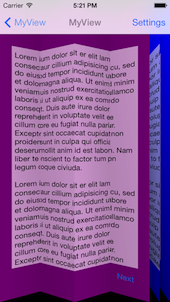
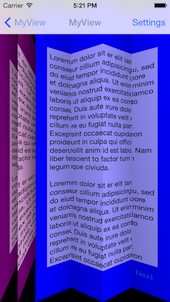
Fold animation - CEFoldAnimationController
Animates between the two view controllers using a paper-fold style transition. You can configure the number of folds via the folds property.

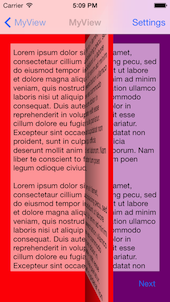
Flip animation - CEFlipAnimationController
Animates between the two view controllers using a page-flip transition.
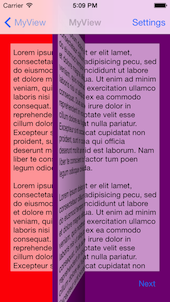
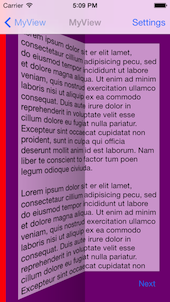
NatGeo animation - CENatGeoAnimationController
Animates between the two view controllers using transition inspired by City Guides by National Geographic. It's an adoptation of MHNatGeoViewControllerTransition to iOS7 APIs.
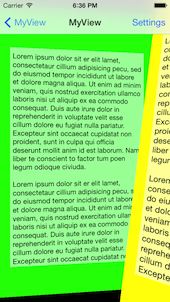
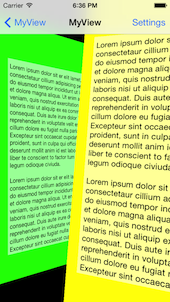
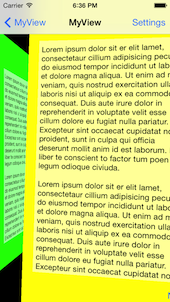
Turn animation - CETurnAnimationController
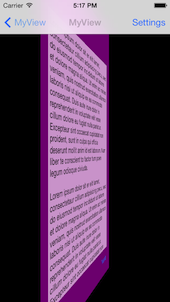
Animates between the two view controllers by performing a 3D flip, to reveal the destination view on the back.The turn animation has a flipDirection property that specifies the turn orientation.
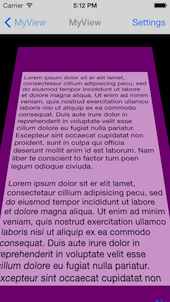
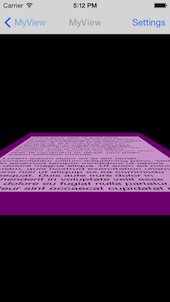

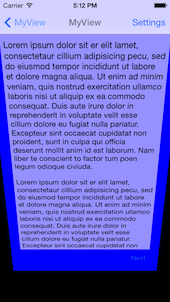
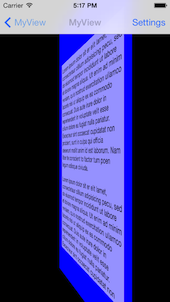

Crossfade animation - CECrossfadeAnimationController
Animates between the two view controllers by performing a simple cross-fade.

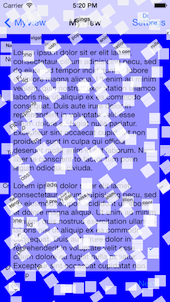
Explode animation - CEExplodeAnimationController
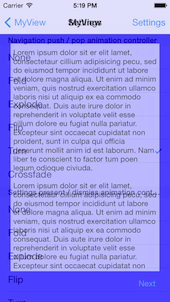
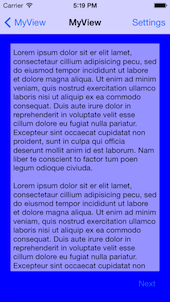
Animates between the two view controllers by slicing the from- view controller into lots of little pieces, then randomly spinning and shrinking them.

Cards animation - CECardsAnimationController
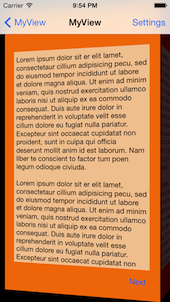
Gives the impression of one view controller pushing the other to the back. It looks a lot more cool than these static screenshots!
(courtesy of Tope - AppDesignVault)
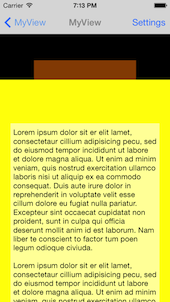
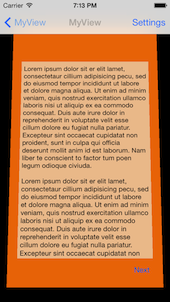

Portal animation - CEPortalAnimationController
The top-most view controller parts in the middle to reveal the view controller beneath.
(courtesy of FreddyF)

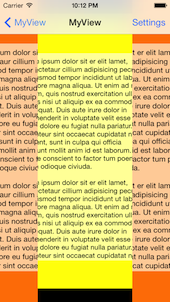
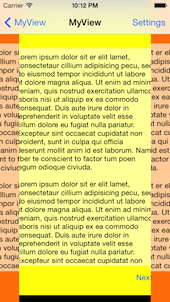
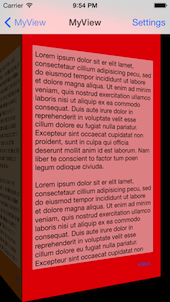
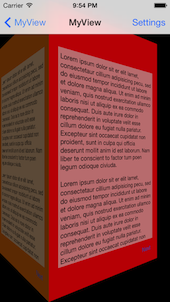
Cube animation - CECubeAnimationController
This transition gives the appearance of rotating the faces of a cube.
(courtesy of Andrés Brun)
Repo liên quan
Master programming by recreating your favorite technologies from scratch.
A curated meta-list of curated lists organized by technology domain. The repository acts as a directory pointing to hundreds of specialized awesome lists covering programming languages, platforms, frameworks, and tooling. All content is community-contributed under the CC0 public domain dedication.
Public APIs is a community-curated GitHub repository listing free, publicly accessible APIs across a wide range of categories, with auth type, HTTPS, and CORS noted for each entry. It's a browsable reference, not a library to install.
freeCodeCamp is a free, self-paced curriculum for learning to code, published as open source at freeCodeCamp/freeCodeCamp. It's a 501(c)(3) nonprofit funded by donor support, structured around six certifications in its Full-Stack Developer Curriculum, each gated by required projects instead of open-book quizzes. The repository also carries beta language certifications for developers, interview-prep resources, and the code that runs the live freecodecamp.org platform.
Trả lời nhanh
ColinEberhardt/VCTransitionsLibrary có bao nhiêu sao?
ColinEberhardt/VCTransitionsLibrary có 4.5k sao GitHub — tải lại trang để xem số mới nhất, hoặc xem trực tiếp github.com/ColinEberhardt/VCTransitionsLibrary. TopGit phản chiếu số sao của GitHub nhưng không cam kết đến từng phút.
ColinEberhardt/VCTransitionsLibrary có tag gì không?
Bản đồng bộ chưa ghi nhận topic GitHub nào cho ColinEberhardt/VCTransitionsLibrary. GitHub topics hiển thị ở thanh bên phải trang repo — đó là nơi đáng kiểm tra nhất.
ColinEberhardt/VCTransitionsLibrary có website riêng không?
TopGit chưa ghi nhận URL trang chủ cho ColinEberhardt/VCTransitionsLibrary. Phần README ở tab phía trên thường có link demo, hoặc xem mô tả GitHub của repo.
ColinEberhardt/VCTransitionsLibrary còn đang phát triển không?
Commit gần nhất trên ColinEberhardt/VCTransitionsLibrary là 6.6 năm trước (theo timestamp GitHub). Repo có 603 fork — một chỉ báo về mức độ quan tâm của cộng đồng.
ColinEberhardt/VCTransitionsLibrary viết bằng ngôn ngữ gì?
ColinEberhardt/VCTransitionsLibrary chủ yếu viết bằng Objective-C. Trường "language" của GitHub dựa trên phần lớn byte ở nhánh mặc định.
Đọc thêm về ColinEberhardt/VCTransitionsLibrary ở đâu?
Trang TopGit này là một snapshot — tab "Readme" hiển thị nguyên văn README của repo (đã bỏ link, giữ ảnh). Repo GitHub ở github.com/ColinEberhardt/VCTransitionsLibrary là nguồn chính thức.
Đọc đầy đủ README ở tab phía trên.
VCTransitionsLibrary có đáng để bạn bỏ thời gian?
ChatGPT, Claude và Perplexity đều đọc được trang này. Hỏi thử xem họ nghĩ gì về VCTransitionsLibrary.