A look at ColinEberhardt/VCTransitionsLibrary: 4.5k stars on GitHub, written primarily in Objective-C. A collection of iOS7 animation controllers and interaction controllers, providing flip, fold and all kinds of other transitions.
Snapshot summary built from the project's own GitHub metadata — there's no written TopGit review yet. The page will update automatically when a full review is published.
WHY NO REVIEW YET
TopGit writes full reviews for the most-starred, most-requested repositories. This page is a snapshot until then — see the READ ME tab for the original README in full.
With iOS 7 you can easily create custom view controller transitions that can be used in a range of contexts (push, pop, modal …). This project provides a library of custom animations which can be dropped directly into your project. It also has a number of 'interaction controllers' which can be used with any of the custom animations in order to make your transitions interactive.
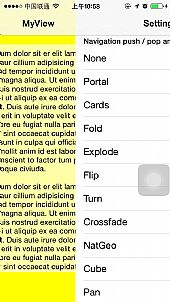
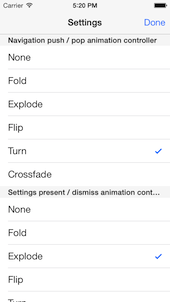
The library currently contains the following animations, which can be made interactive with either a swipe or pinch gesture.
Flip
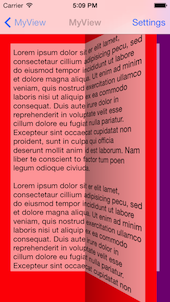
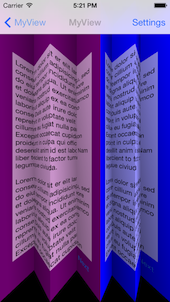
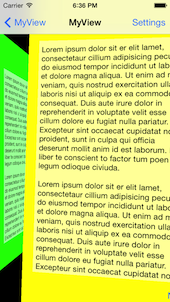
Fold
Crossfade
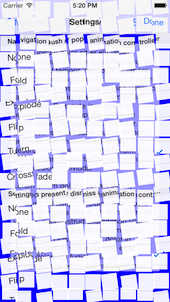
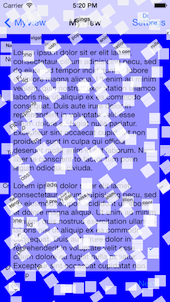
Explode
Turn
Cards
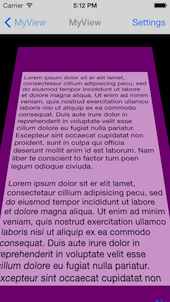
NatGeo
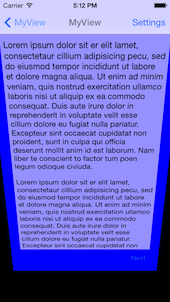
Portal
Cube
Pan
Contents
A brief introduction to custom transitions
Adding custom transitions to your project
Grabbing the code
Using an animation controller
Custom present / dismiss transitions
Custom navigation controller transitions
Custom tab bar controller transitions
Using an interaction controller
Interactive dismiss transitions
Interactive pop transitions
Interactive tab transitions
Transitions library
A brief introduction to custom transitions
The following provides a very brief introduction to the concepts, for more detailed coverage I would thoroughly recommend reading Chapter 3 of iOS 7 By Tutorials - which I wrote! (I've heard the other 15 chapters are pretty good too ;-)
There are two key classes involved in a custom transition:
Animation controller - this class is responsible for performing the custom transitions. When you indicate that a custom transitions should be used, you provide an animation controller. This class performs the required animation, then informs the framework when it has completed.
Interaction controller - this class is responsible for managing interactive transitions - these are transitions that typically controlled by a gesture, allowing the user to swipe, pinch or perform some other action to navigate between view controllers. Importantly, interaction controllers allow transitions to be cancelled, i.e. a user can start the navigation, change their mind, and reverse it!
NOTE: Animation and interaction controllers are entirely independent, this means you can wire up any interaction controller with any animation controller - which is pretty awesome.
Adding custom transitions to your project
This sections gives a brief overview of the steps required to add custom view controller transitions to your project. You might also want to look at the code for the demo app (in the TransitionsDemo folder) for reference. If you already know how the iOS 7 custom view controller transitions work, feel free to skip this section!
Grabbing the code
There are a couple of ways you can incorporate transitions from this library into your code:
CocoaPods - simply add a reference to VCTransitionsLibrary to your pod file.
Manual file copy - if you are not using CocoaPods, you can simply copy the required files into your project. The AnimationControllers and InteractionControllers folders contain all the code that is required.
Using an animation controller
The AnimationControllers folder contains a number of animate controllers, which provide custom transitions, which can be integrated into your project as follows:
Custom present / dismiss transitions
The UIViewControllerTransitioningDelegate protocol is used to supply animation controllers for present / dismiss transitions. When a view controller is presented or dismissed the transitioningDelegate property of the view controller being presented or dismissed is used to supply this delegate. Simply return one of the animation controllers in response to the animationControllerForPresentedController: presentingController: sourceController: message for presenting, and animationControllerForDismissedController: for dismissing.
Custom navigation controller transitions
The UINavigationControllerDelegate protocol has methods that can be used to provide animation controllers. Simply return an animation controller in response to the navigationController: animationControllerForOperation: fromViewController: toViewController: message.
Notice that this message has an 'operation' argument that allows you to return different animations for push and pop operations. All of the animation controllers in this library subclass CEReversibleAnimationController which allows you to play the animation in reverse. This is commonly used in conjunction with the navigation controller as follows:
The UITabBarControllerDelegate protocol has methods that can be used to provide animation controllers. Simply return an animation controller in response to the tabBarController: animationControllerForTransitionFromViewController: toViewController:
message.
In order to determine the animation direction, you can compare the indices of the two view controller as shown below:
Interaction controllers work in conjunction with an animation controller in order to make a transitions interactive, i.e. allow a user to control a transitions using gestures. This interactivity allows a use to move forwards, backwards and even cancel a transitions.
The interaction controller is responsible for adding gesture recognisers to the view and triggering the navigation in response to gestures from the user.
Interactive dismiss transitions
The UIViewControllerTransitioningDelegate protocol that is used to supply animation controllers is also used to supply interaction controllers. An example implementation, that uses a swipe interaction together with a flip animation, is show below:
// instance variables, typically instantiated in your init method
CEFlipAnimationController *_animationController;
CESwipeInteractionController *_interactionController;

- (id<UIViewControllerAnimatedTransitioning>)
      animationControllerForPresentedController:(UIViewController *)presented
                           presentingController:(UIViewController *)presenting
                               sourceController:(UIViewController *)source {

    // allow the interaction controller to wire-up its gesture recognisers
    [_interactionController wireToViewController:presented
                                    forOperation:CEInteractionOperationDismiss];
       _animationController.reverse = NO;
    return _animationController;
}

- (id<UIViewControllerAnimatedTransitioning>)
     animationControllerForDismissedController:(UIViewController *)dismissed {
    _animationController.reverse = YES;
    return _animationController;
}

- (id<UIViewControllerInteractiveTransitioning>)
           interactionControllerForDismissal:
                (id<UIViewControllerAnimatedTransitioning>)animator {

    // provide the interaction controller, if an interactive transition is in progress
    return _interactionController.interactionInProgress
                ? _interactionController : nil;
}
Note that in the above code the interactionInProgress property of the interaction controller is checked. This is because your might want to allow the user to dismiss the view controller using a button as well as via an interaction. Also, you must tell the interaction controller the operation it should perform (i.e. pop, dismiss).
Interactive pop transitions
The UINavigationControllerDelegate protocol also has an equivalent method for returning interactions controllers. A typically implementation, which follows the same pattern as above, is shown:
// instance variables, typically instantiated in your init method
CEFlipAnimationController *_animationController;
CESwipeInteractionController *_interactionController;

- (id<UIViewControllerAnimatedTransitioning>)
                 navigationController:(UINavigationController *)navigationController
      animationControllerForOperation:(UINavigationControllerOperation)operation
                   fromViewController:(UIViewController *)fromVC
                     toViewController:(UIViewController *)toVC {

    // wire the interaction controller to the to- view controller
    [_interactionController wireToViewController:toVC
                                    forOperation:CEInteractionOperationPop];

    _animationController.reverse = operation == UINavigationControllerOperationPop;

    return _animationController.reverse;
}

- (id <UIViewControllerInteractiveTransitioning>)
                         navigationController:(UINavigationController *)navigationController
  interactionControllerForAnimationController:(id <UIViewControllerAnimatedTransitioning>)animationController {

    // provide the interaction controller, if an interactive transition is in progress
    return _interactionController.interactionInProgress
                ? _interactionController : nil;
}
Interactive tab transitions
The UITabBarControllerDelegate protocol has an equivalent method for returning interactions controllers. As with the navigation controller example above, the interaction controller needs to add its gesture recognisers to the view controllers that the tab bar controller navigates between. Unfortunately the tab bar delegate methods don't get fired when the first view controller is presented, so I opt for a slightly messier implementation using Key-Value observing:
The following is a graphical illustration of the various transitions. All animation controllers have a duration property that configures the animation duration.
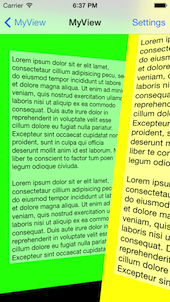
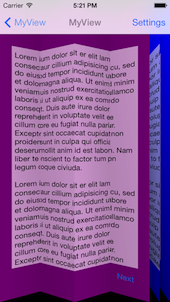
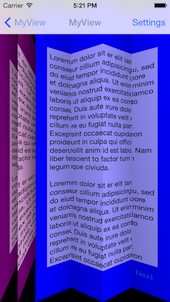
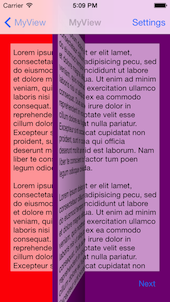
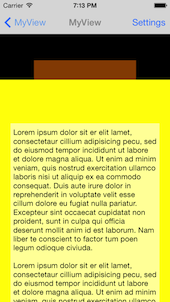
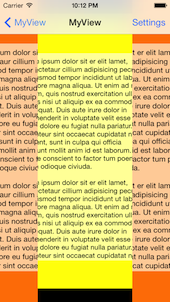
Fold animation - CEFoldAnimationController
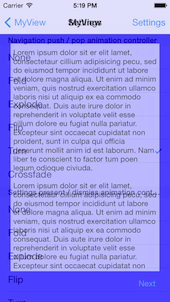
Animates between the two view controllers using a paper-fold style transition. You can configure the number of folds via the folds property.
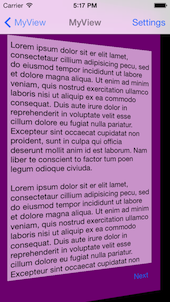
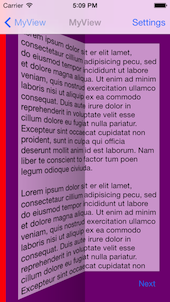
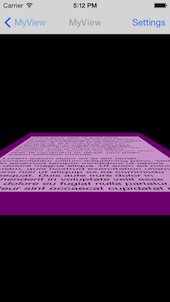
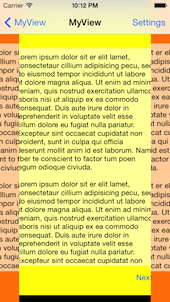
Flip animation - CEFlipAnimationController
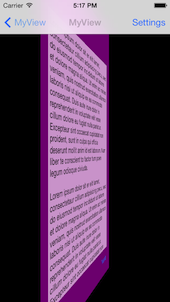
Animates between the two view controllers using a page-flip transition.
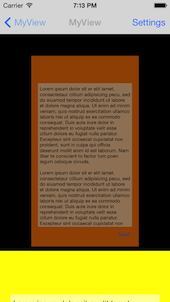
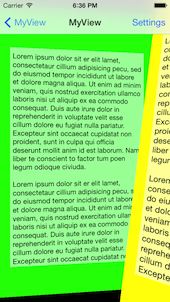
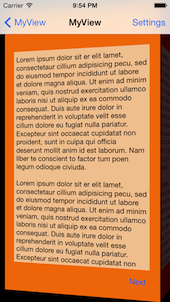
NatGeo animation - CENatGeoAnimationController
Animates between the two view controllers using transition inspired by City Guides by National Geographic.
It's an adoptation of MHNatGeoViewControllerTransition to iOS7 APIs.
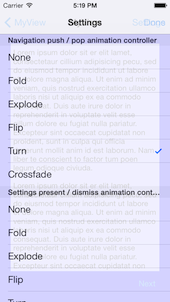
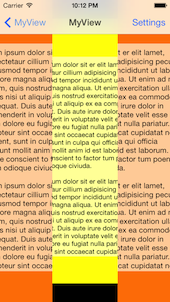
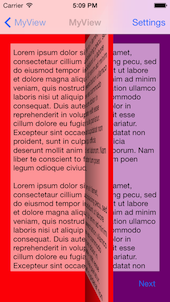
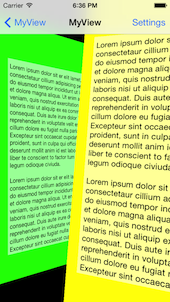
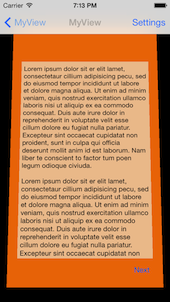
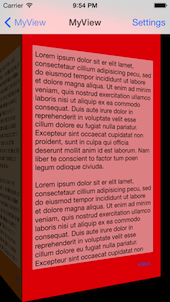
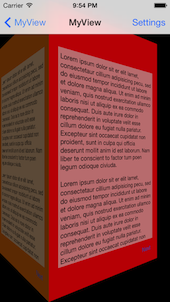
Turn animation - CETurnAnimationController
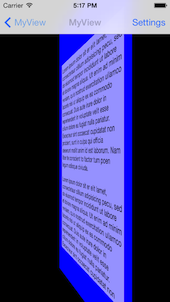
Animates between the two view controllers by performing a 3D flip, to reveal the destination view on the back.The turn animation has a flipDirection property that specifies the turn orientation.
Does ColinEberhardt/VCTransitionsLibrary have a project website?
No homepage URL was recorded for ColinEberhardt/VCTransitionsLibrary in TopGit's last sync. The README tab above frequently contains screenshots and demo links, or check the repository description on GitHub.
Does ColinEberhardt/VCTransitionsLibrary have any tags?
TopGit's last sync did not record any GitHub topics for ColinEberhardt/VCTransitionsLibrary. GitHub topics appear in the right sidebar of a repository page; that's the authoritative place to check.
How active is development on ColinEberhardt/VCTransitionsLibrary?
The most recent commit recorded on ColinEberhardt/VCTransitionsLibrary was 6.6 years ago, based on the GitHub push timestamp. The repository has 603 forks — one of the better signals of community interest.
How many stars does ColinEberhardt/VCTransitionsLibrary have?
ColinEberhardt/VCTransitionsLibrary has 4.5k GitHub stars — refresh the page for the live number, or check github.com/ColinEberhardt/VCTransitionsLibrary. TopGit mirrors GitHub's count but does not claim minute-by-minute accuracy.
What language is ColinEberhardt/VCTransitionsLibrary written in?
ColinEberhardt/VCTransitionsLibrary is written primarily in Objective-C. GitHub's language field is based on the largest share of bytes in the default branch.
Where do I read more about ColinEberhardt/VCTransitionsLibrary?
This TopGit page is a snapshot — the READ ME tab shows the project's own README content (links stripped, images preserved). The GitHub repository at github.com/ColinEberhardt/VCTransitionsLibrary is the definitive source.
Read full README in the tab above.
Want a second opinion on VCTransitionsLibrary?
Ask an AI that can read this page — one click and you get its take on VCTransitionsLibrary.
 /VCTransitionsLibrary