denysdovhan/purifier-card được TopGit xếp vào nhóm dự án mã nguồn mở, với 344 sao trên GitHub, viết chủ yếu bằng TypeScript. Air Purifier card for Home Assistant Lovelace UI
Tóm tắt dựng từ metadata GitHub của chính dự án — chưa có bài review TopGit. Trang sẽ tự động cập nhật khi bài review đầy đủ được xuất bản.
VÌ SAO CHƯA CÓ REVIEW
TopGit viết bài đầy đủ cho repo có nhiều sao nhất và được yêu cầu nhiều nhất. Trang này là snapshot trong thời gian chờ — xem README gốc ở tab READ ME.
I still maintain this card. I will be fixing bugs, maitaining dependencies and styles. However, new features won't be actively developed anymore.
If you have an air purifier and are willing to contribute, you are welcome.
Purifier Card
[!NOTE]
Air Purifier card for Home Assistant Lovelace UI
By default, the Home Assistant does not provide any card for controlling air purifiers. This card displays the state and allows to control your air purifier.
Sponsorship
Your generosity will help me maintain and develop more projects like this one.
This card is available in HACS (Home Assistant Community Store).
Just search for Purifier Card in the plugins tab.
Manual
Click to show how to manually add to dashboard resources
Download purifier-card.js file from the latest-release.
Put purifier-card.js file into your config/www folder.
Add a reference to purifier-card.js in Lovelace. There's two way to do that:
Using UI:Configuration → Lovelace Dashboards → Resources → Click Plus button → Set Url as /local/purifier-card.js → Set Resource type as JavaScript Module.
Using YAML: Add the following code to lovelace section.
An attribute which should be used to get AQI value.
unit
string
Optional
An unit of measurement to display.
You can also combine attribute with entity_id to extract an attribute value of specific entity.
stats object
You can use any attribute of purifier or even any entity by entity_id to display by stats section. Not only that, but you can also combine attribute with entity_id to extract an attribute value of specific entity:
Name
Type
Default
Description
entity_id
string
Optional
An entity_id with state, i.e. sensor.purifier_aqi.
attribute
string
Optional
Attribute name of the stat, i.e. filter_left.
value_template
string
Optional
Jinja2 template returning a value. value variable represents the entity_id or attribute state.
unit
string
Optional
Unit of measure, i.e. hours.
subtitle
string
Optional
Friendly name of the stat, i.e. Filter.
shortcuts object
You can define custom scripts for custom actions or add shortcuts for switching presets and percentages via shortcuts option.
Name
Type
Default
Description
name
string
Optional
Friendly name of the shortcut, i.e. Switch to Auto.
icon
string
Optional
Any icon for shortcut button.
service
string
Optional
A service to call, i.e. script.clean_air.
target
object
Optional
A HassServiceTarget, to define a target for the current service call.
service_data
object
Optional
service_data for service call
percentage
object
Optional
A percentage to switch to, i.e. 27, etc. See entity's percentage_step for valid values.
preset_mode
object
Optional
A speed to switch to, i.e. Auto, etc
The card will automatically try to figure out which one of shortcuts is currently active. The shortcut will be highlighted when:
It's a service.
entity's percentage attribute is equal to shortcut's percentage.
entity's preset_mode attribute is equal to shortcut's preset_mode.
Theming
This card can be styled by changing the values of these CSS properties (globally or per-card via [card-mod][card-mod]):
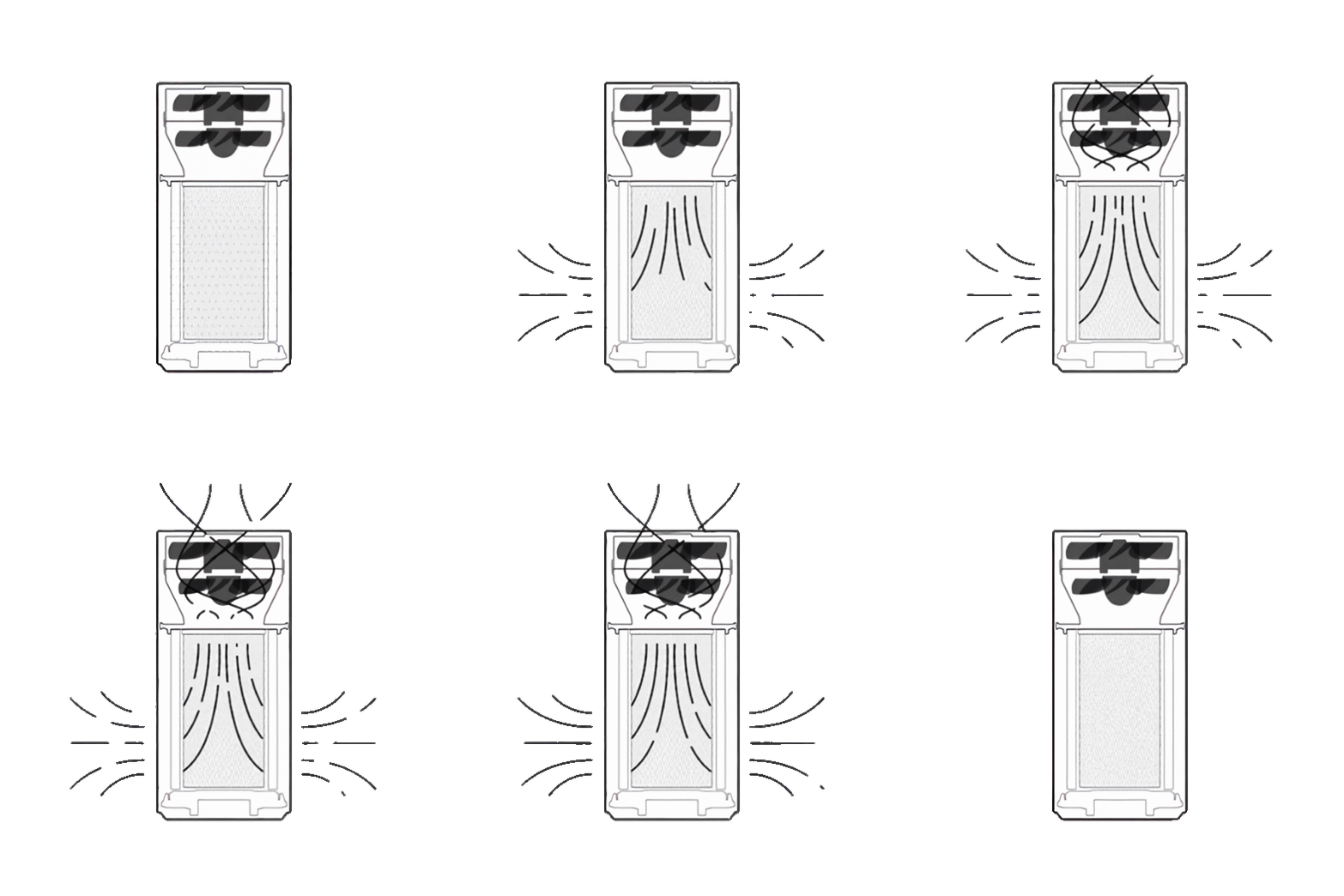
I've added an animation for this card to make it alive:
How did I make this animation? It's a long story…
I took original gif file from here.
Then I tweaked image levels to make the background black and purifier white.
Then I inverted colors on the gif.
Then I've split the gif by frame.
Then I removed the background of the image frame by frame using remove.bg.
Then I upscaled each of those images using icons8.com/upscaler.
Then I put up all of those images back in a single gif.
Profit!
Archive with images from all of these steps can be found here.
Supported languages
This card supports translations. Please, help to add more translations and improve existing ones. Here's a list of supported languages:
English
Українська (Ukrainian)
Türkçe (Turkish)
Français (French)
Norsk (Norwegian)
Polski (Polish)
Български (Bulgarian)
简体中文 (Simplified Chinese)
Deutsch (German)
Català (Catalan)
Русский (Russian)
Italiano (Italian)
繁體中文 (Traditional Chinese)
Čeština (Czech)
Dutch (Netherlands)
Español (Spanish)
Slovenčina (Slovak)
Português (Portuguese)
Your language?
Supported models
This card relies on basic fan services, like toggle, turn_on, turn_off, etc. It should work with any air purifier, however I can physically test it only with my own purifier.
If this card works with your air purifier, please open a PR and your model to the list (in alphabetical order).
denysdovhan/purifier-card có 344 sao GitHub — tải lại trang để xem số mới nhất, hoặc xem trực tiếp github.com/denysdovhan/purifier-card. TopGit phản chiếu số sao của GitHub nhưng không cam kết đến từng phút.
denysdovhan/purifier-card có phải mã nguồn mở không?
Có — denysdovhan/purifier-card phát hành theo license MIT, nghĩa là mã nguồn mở để đọc, fork và (tùy license) tái sử dụng. Mã: github.com/denysdovhan/purifier-card.
denysdovhan/purifier-card có website riêng không?
TopGit chưa ghi nhận URL trang chủ cho denysdovhan/purifier-card. Phần README ở tab phía trên thường có link demo, hoặc xem mô tả GitHub của repo.
denysdovhan/purifier-card còn đang phát triển không?
Commit gần nhất trên denysdovhan/purifier-card là 7 ngày trước (theo timestamp GitHub). Repo có 120 fork — một chỉ báo về mức độ quan tâm của cộng đồng.
Đọc thêm về denysdovhan/purifier-card ở đâu?
Trang TopGit này là một snapshot — tab "Readme" hiển thị nguyên văn README của repo (đã bỏ link, giữ ảnh). Repo GitHub ở github.com/denysdovhan/purifier-card là nguồn chính thức.
Đọc đầy đủ README ở tab phía trên.
Muốn nghe thêm một ý kiến về purifier-card?
Hỏi một AI đọc được trang này — một cú bấm là có ngay nhận định về purifier-card.
 /purifier-card