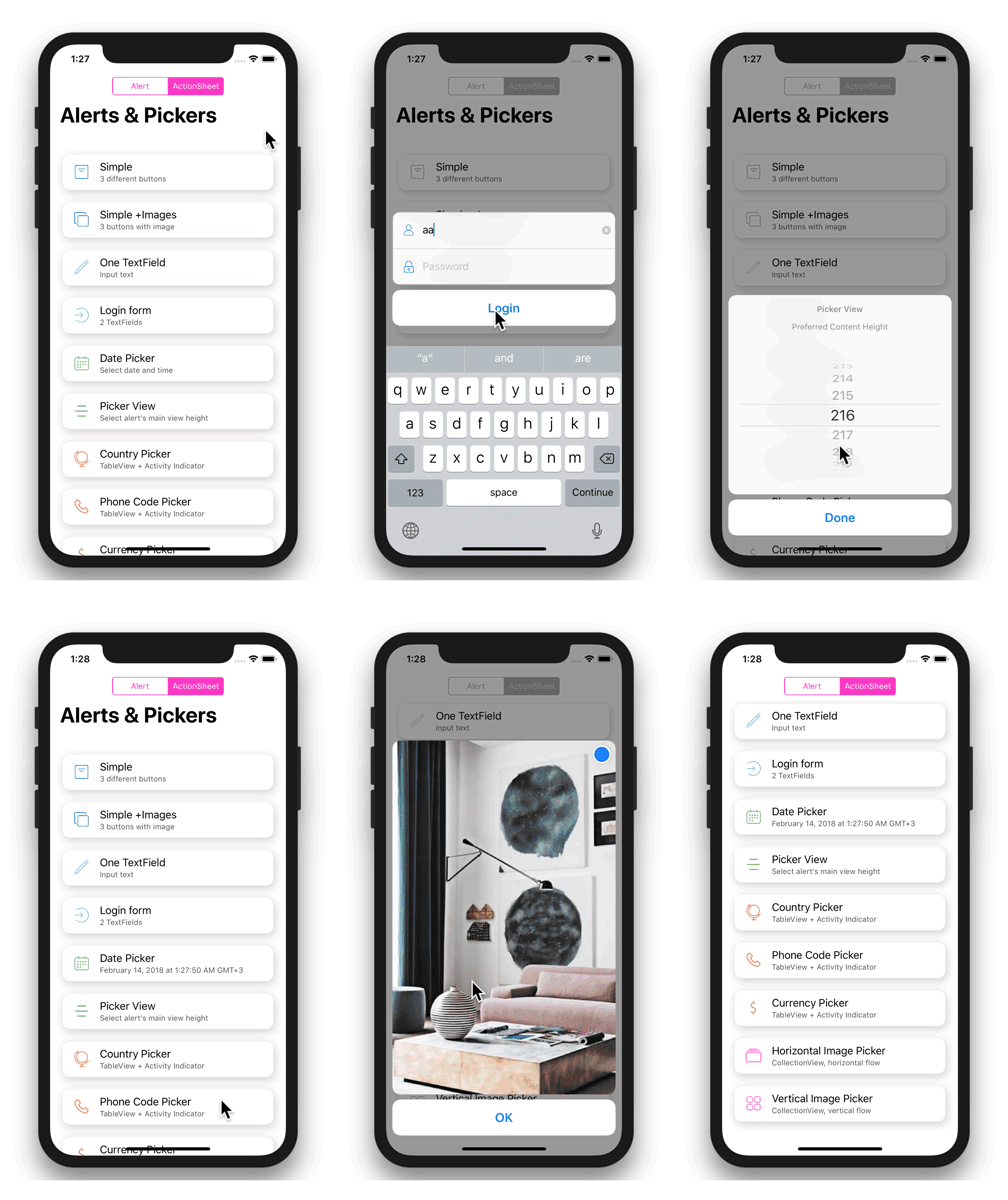
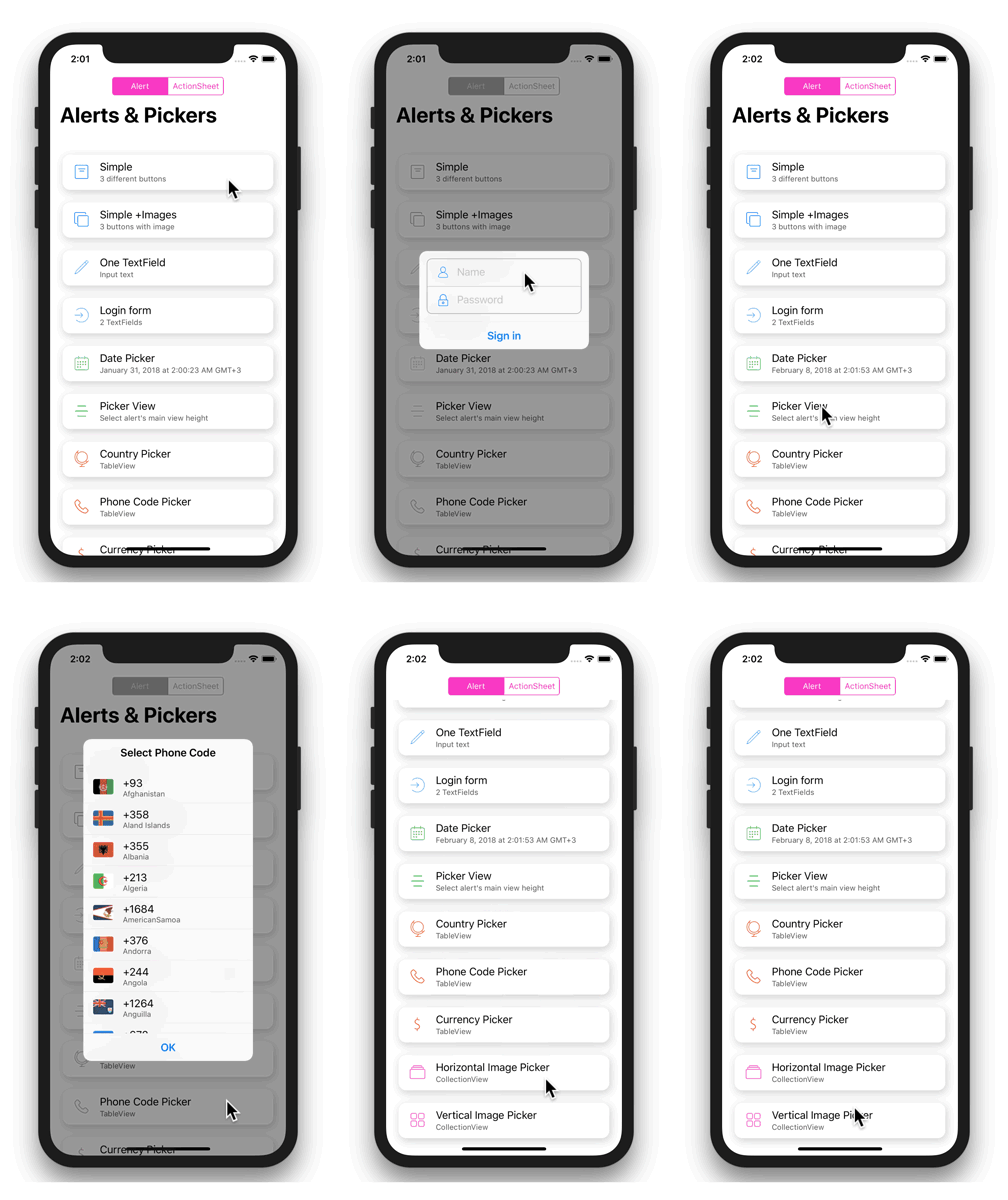
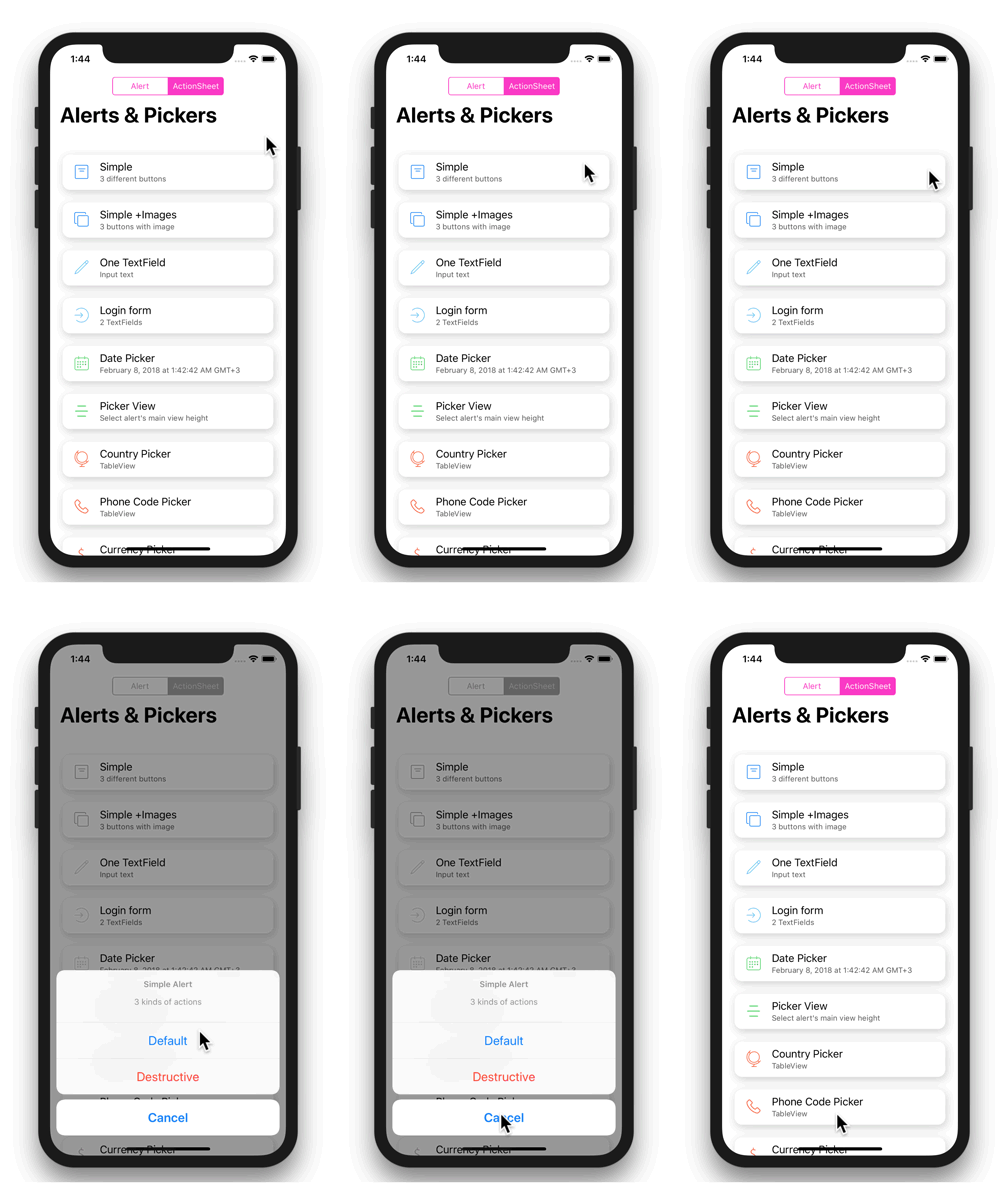
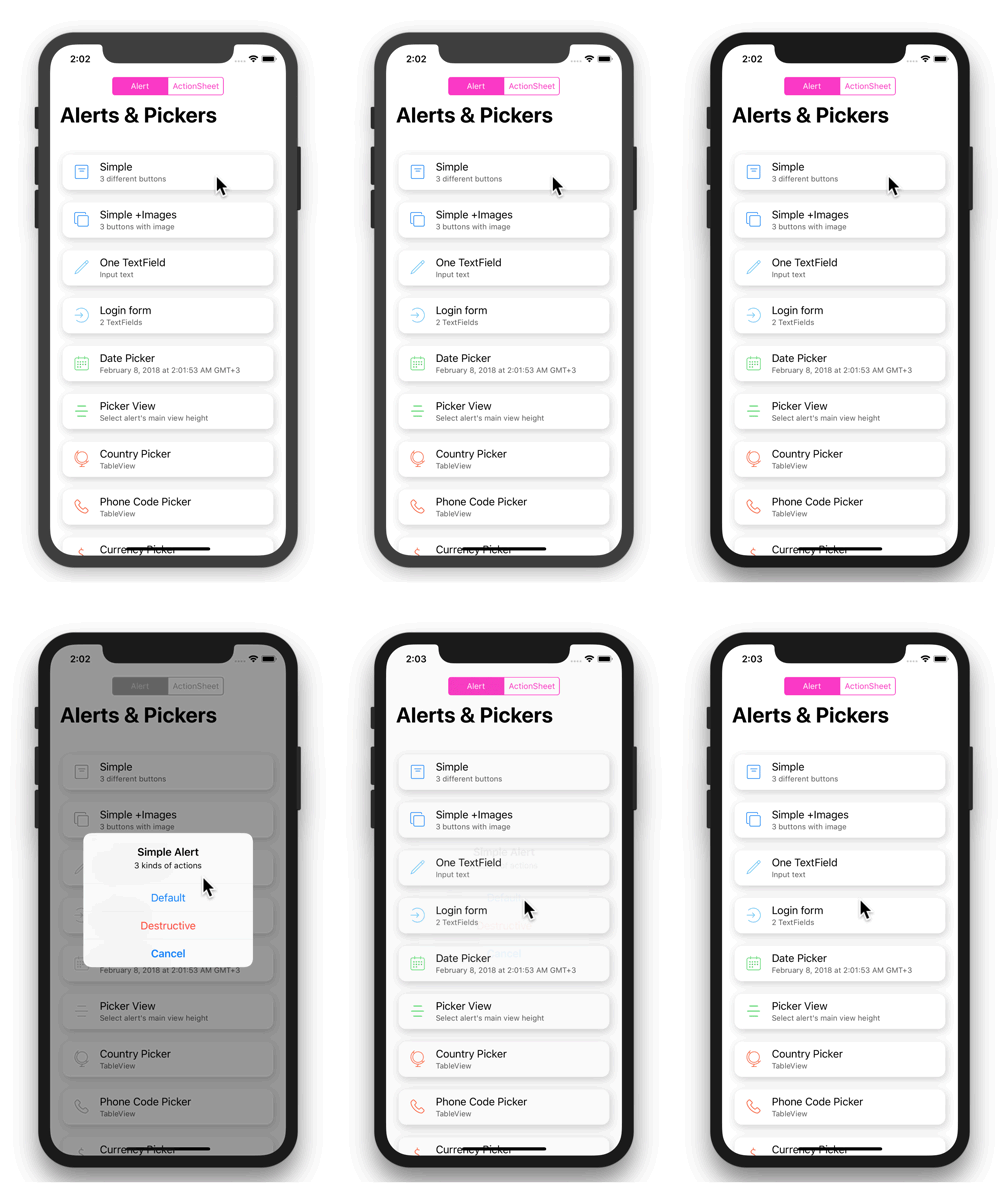
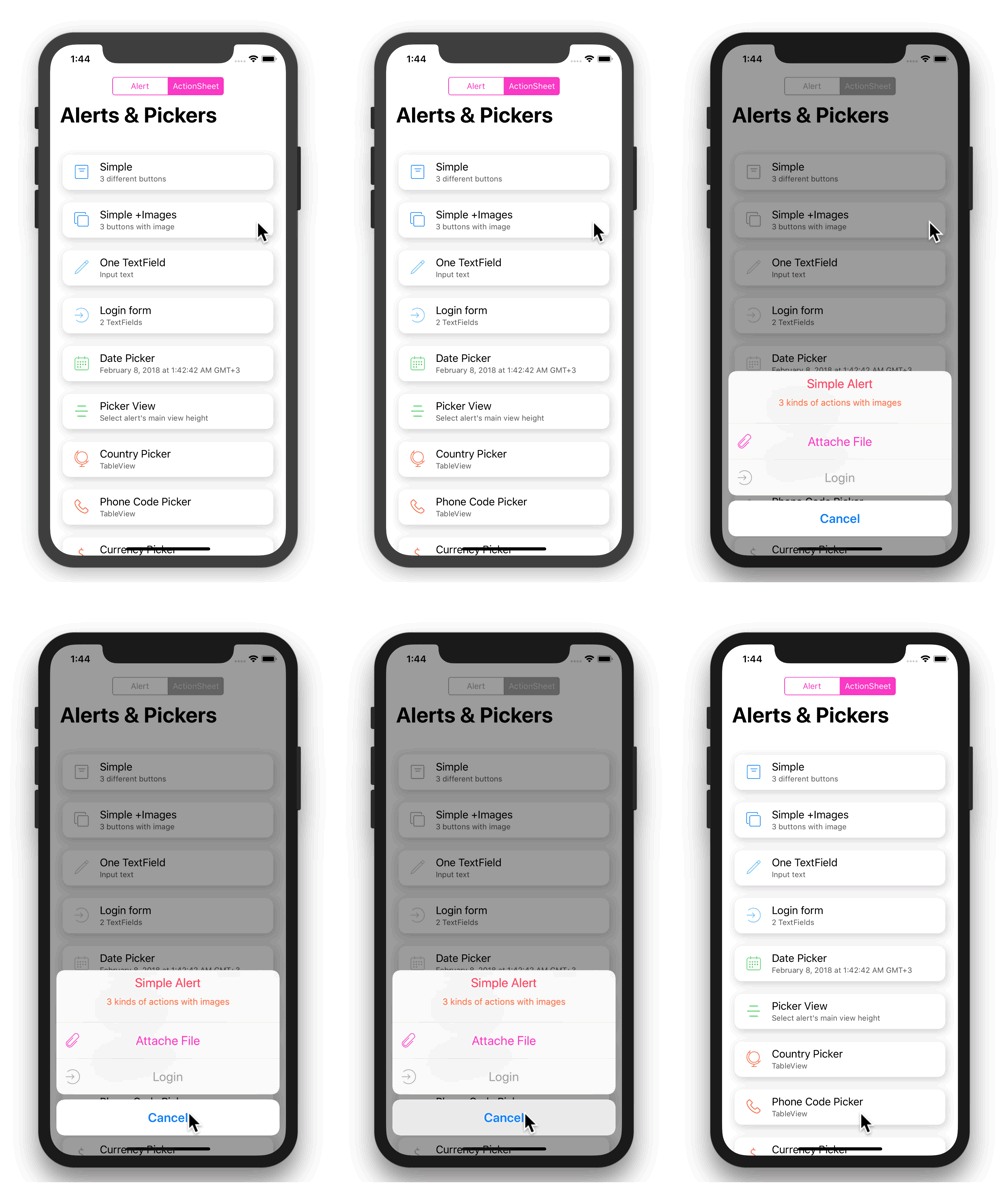
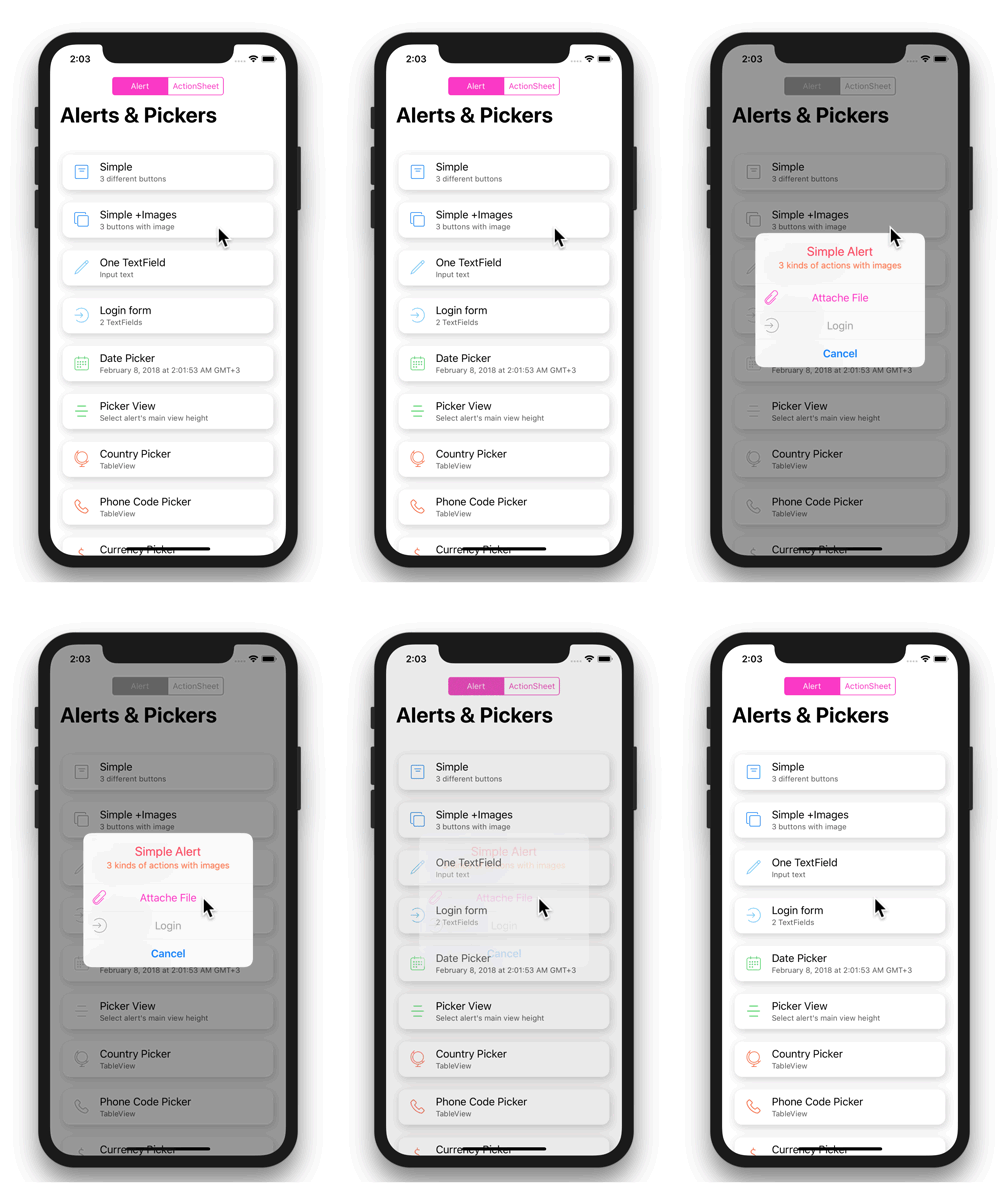
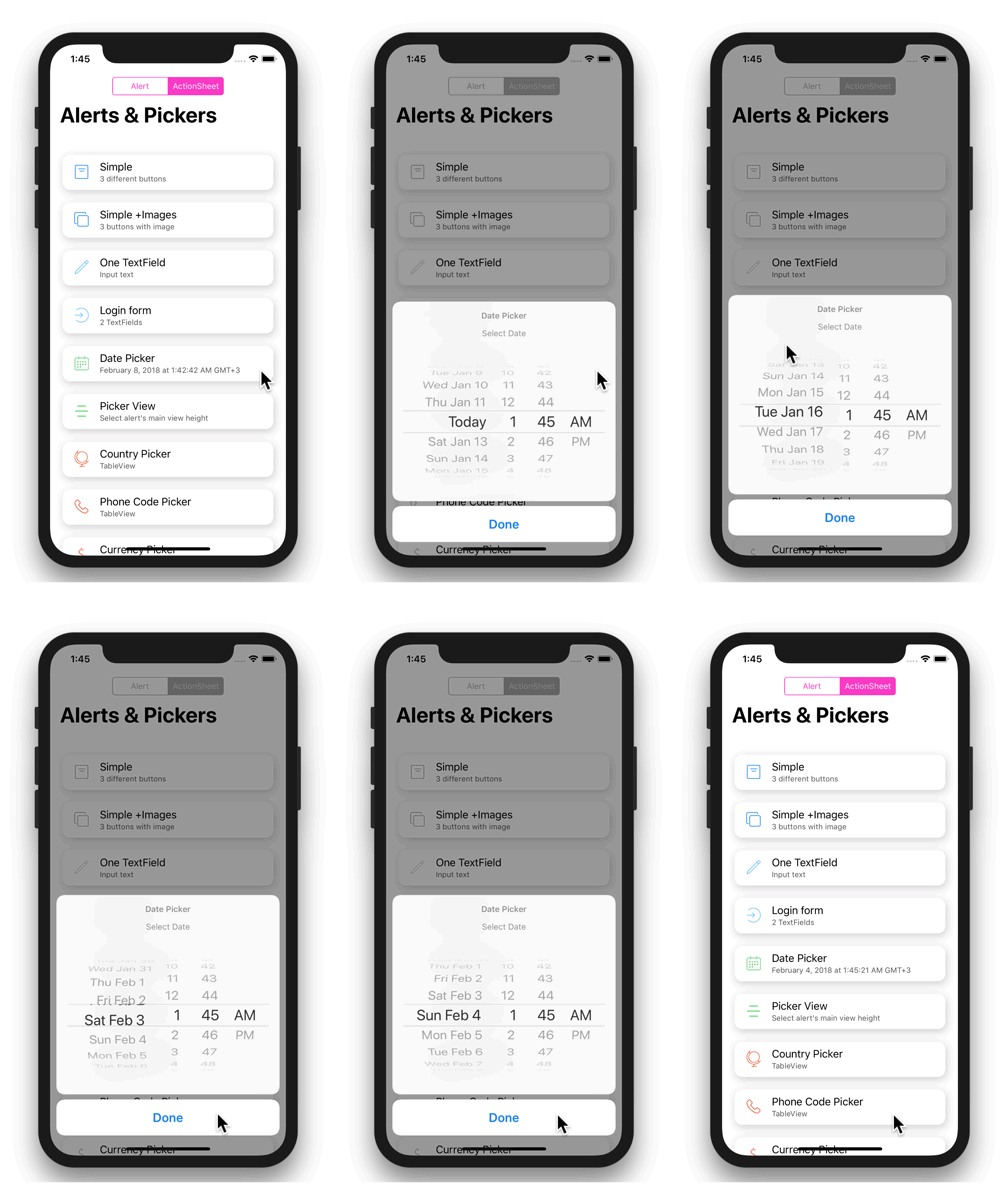
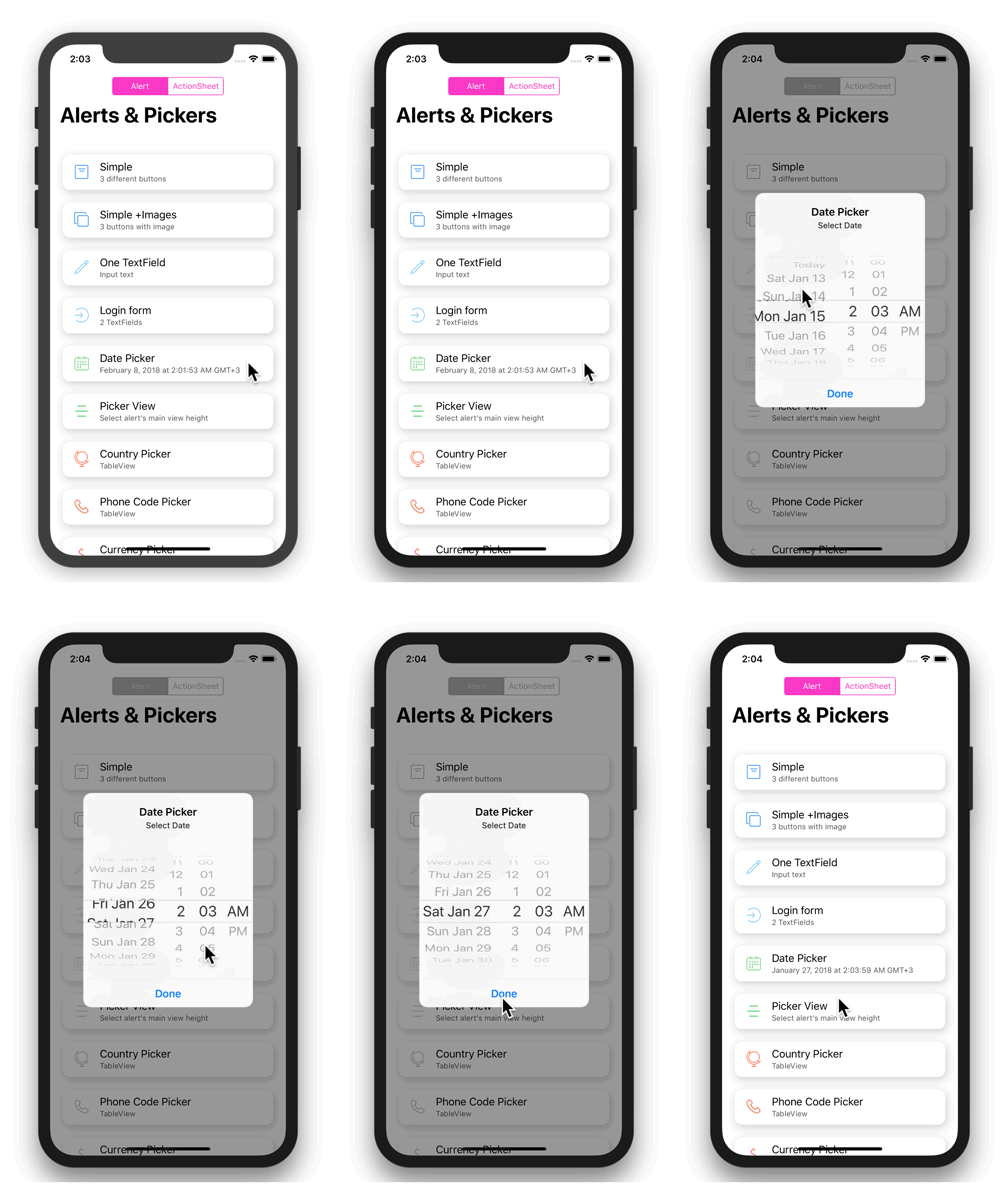
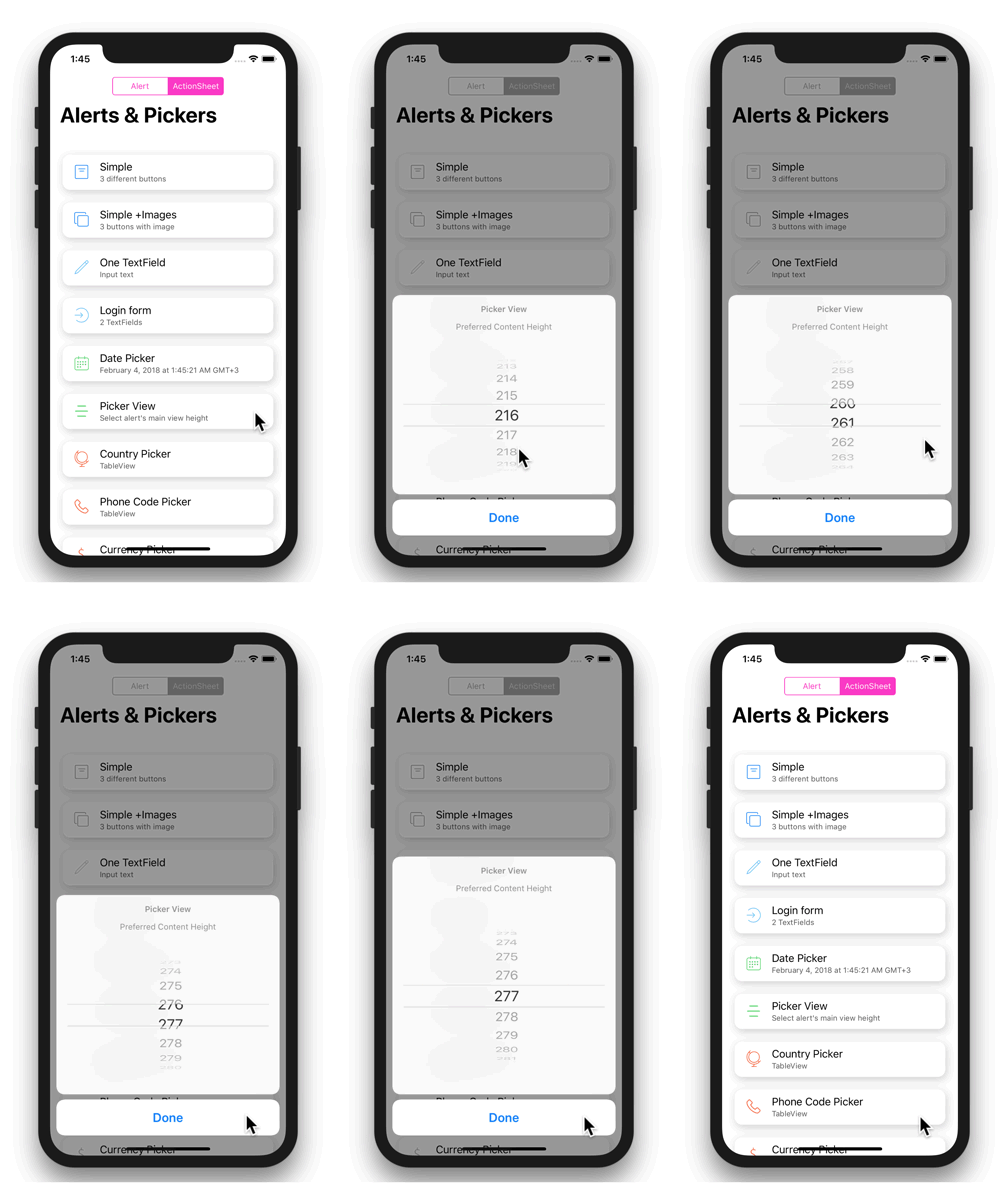
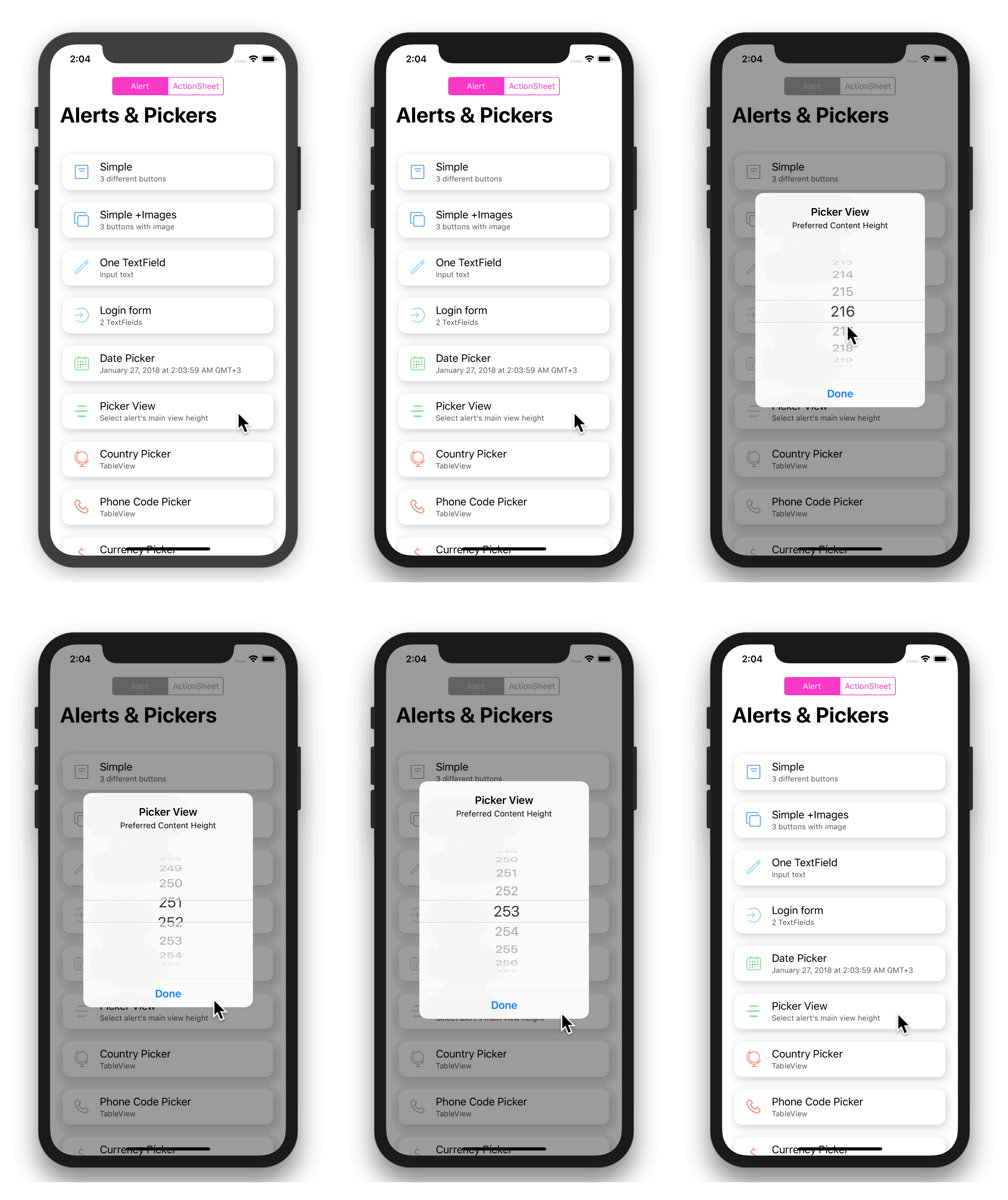
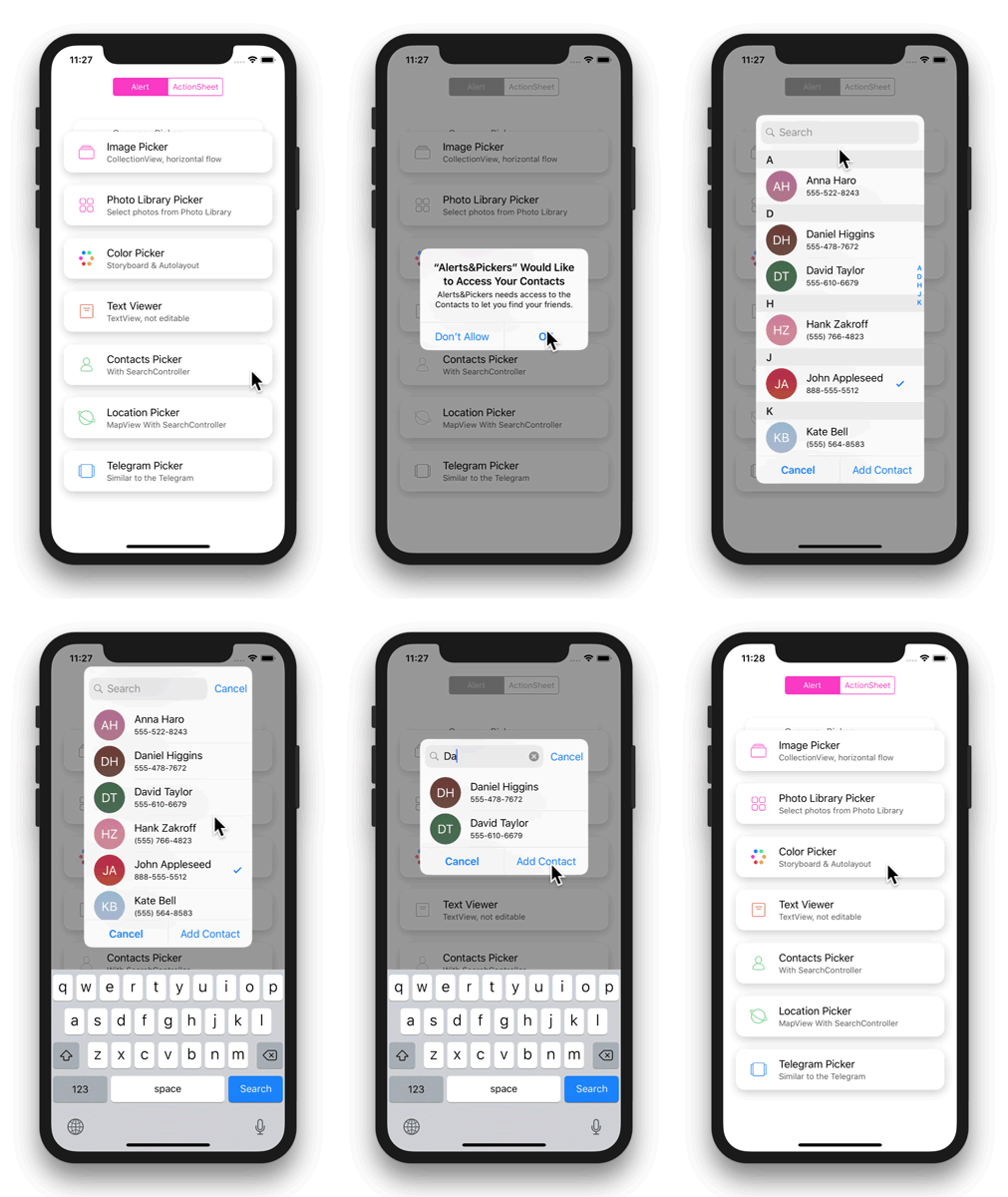
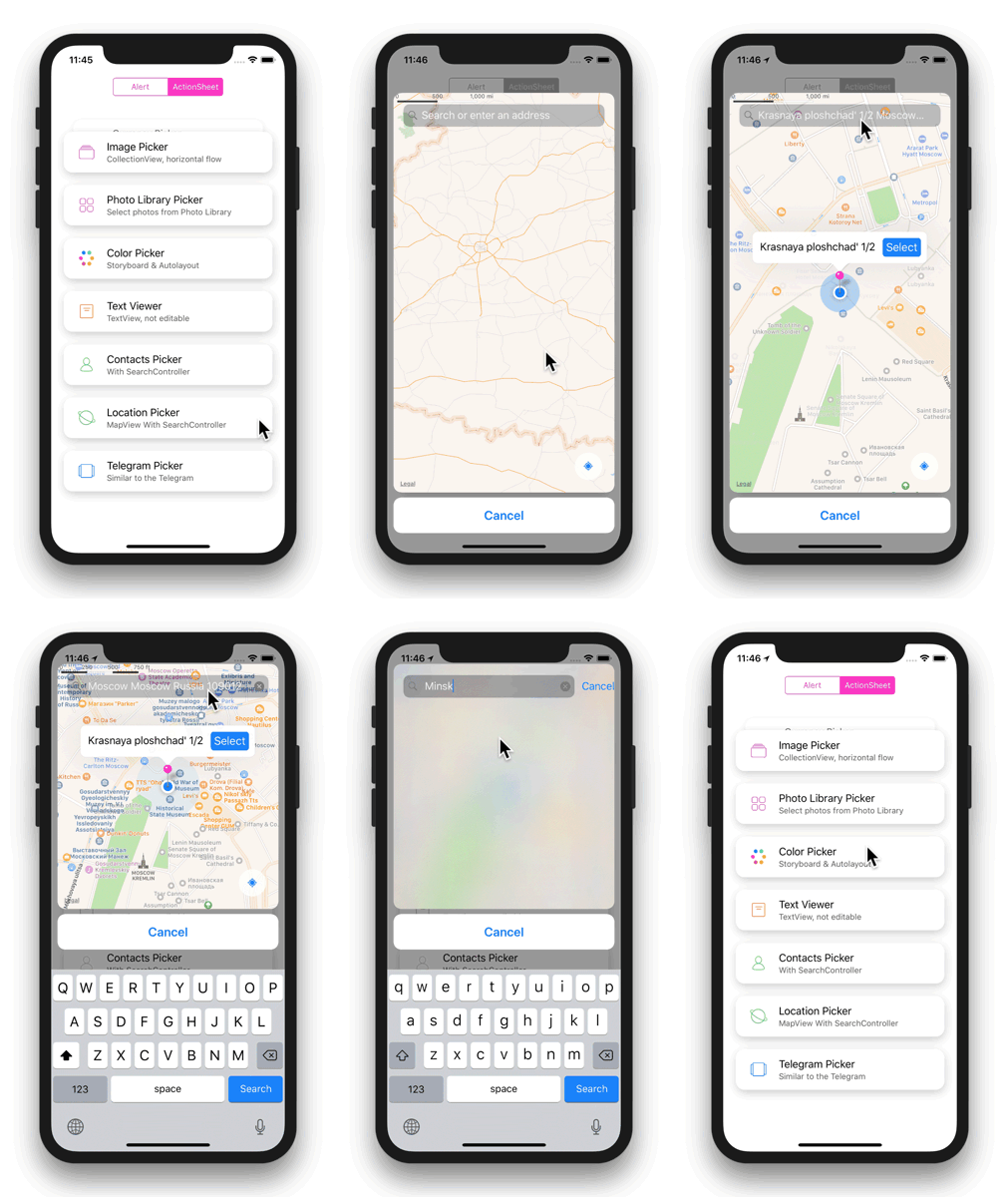
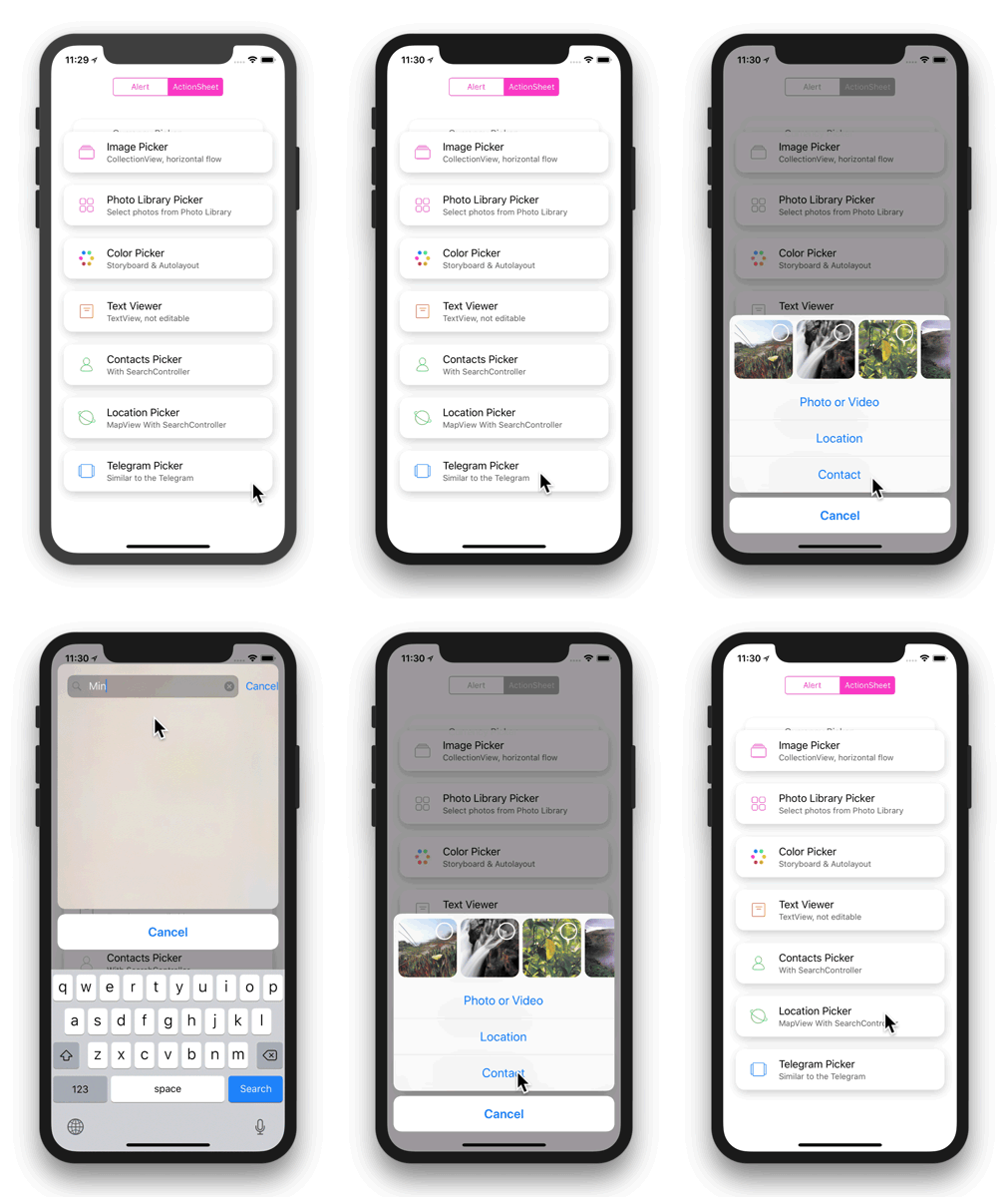
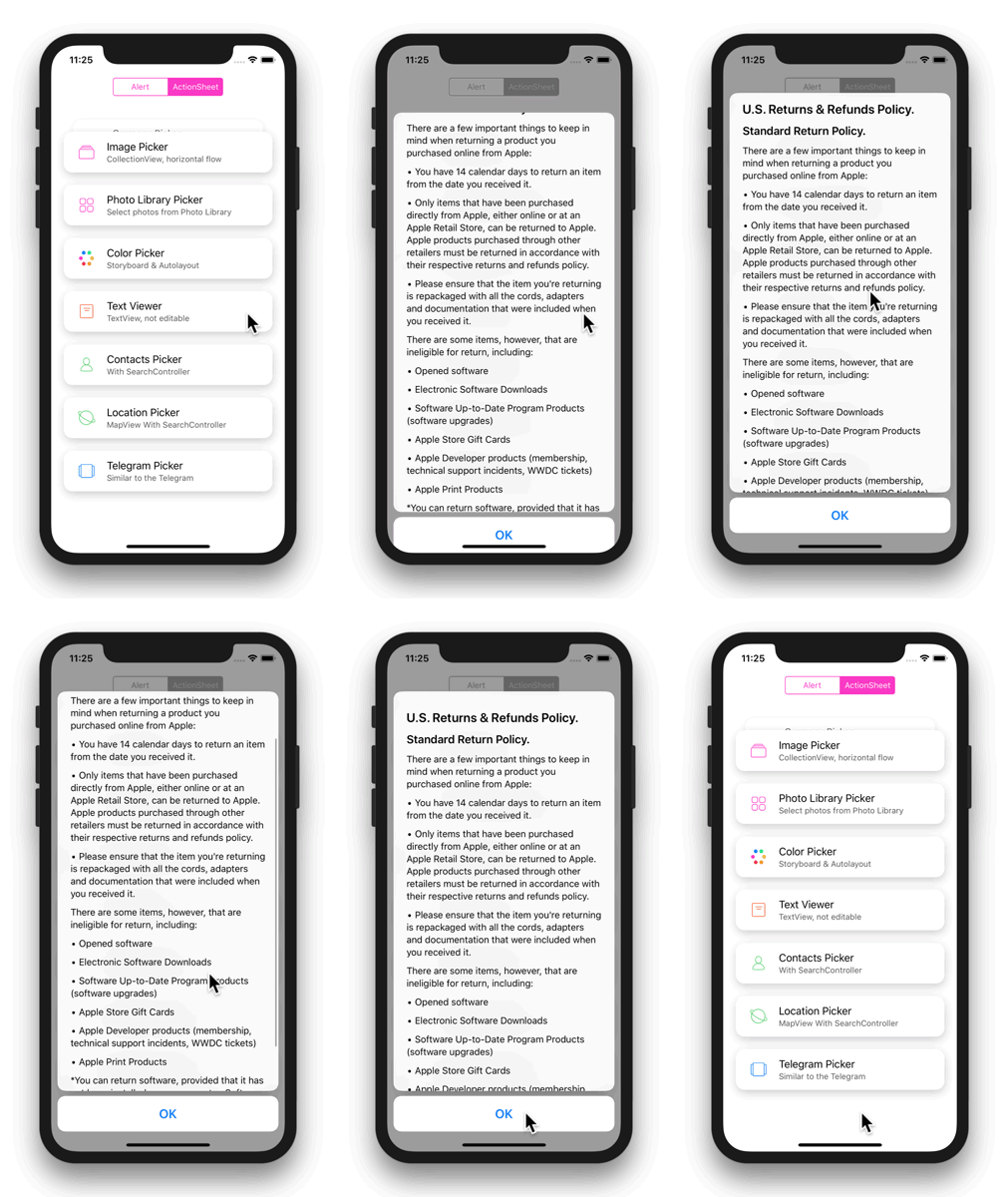
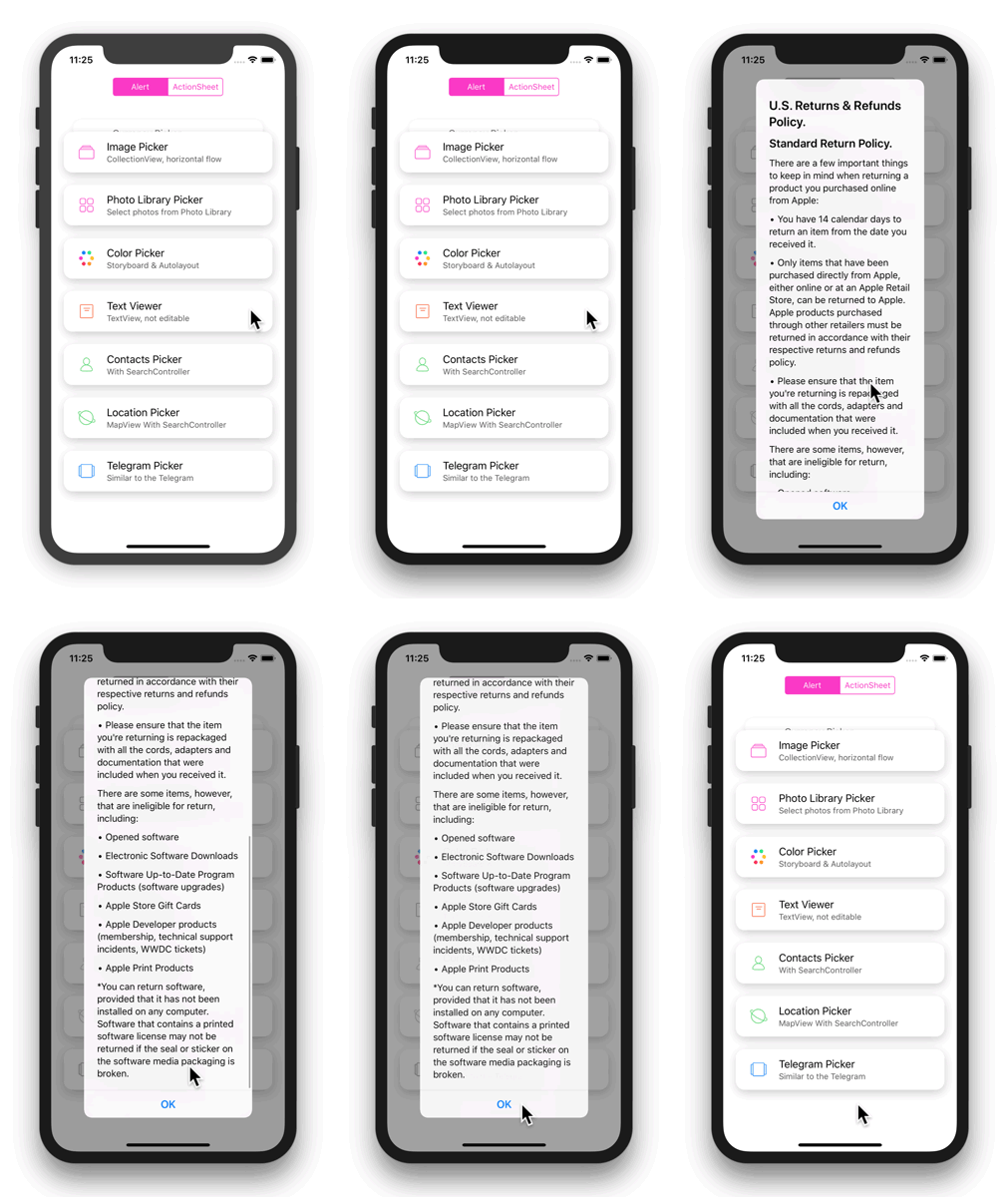
Được TopGit lập chỉ mục từ metadata GitHub: dillidon/alerts-and-pickers có 5.8k sao, viết chủ yếu bằng Swift. Advanced usage of UIAlertController and pickers based on it: Telegram, Contacts, Location, PhotoLibrary, Country, Phone Code, Currency, Date...
Tóm tắt dựng từ metadata GitHub của chính dự án — chưa có bài review TopGit. Trang sẽ tự động cập nhật khi bài review đầy đủ được xuất bản.
VÌ SAO CHƯA CÓ REVIEW
TopGit viết bài đầy đủ cho repo có nhiều sao nhất và được yêu cầu nhiều nhất. Trang này là snapshot trong thời gian chờ — xem README gốc ở tab READ ME.
// show alert
alert.show()

// or show alert with options
alert.show(animated: true, vibrate: true) {
    // completion handler
}
Set Content ViewController
When setting your own custom UIViewController into UIAlertController keep in mind to set prefferedContentSize.height of the controller otherwise it will no effect. You can not set prefferedContentSize.width.
let alert = UIAlertController(style: .alert, title: "Title")
let vc = CustomViewController()
vc.preferredContentSize.height = height
alert.setValue(vc, forKey: "contentViewController")
alert.show()

// or
let alert = UIAlertController(style: .alert, title: "Title")
let vc = CustomViewController()
alert.set(vc: vc, height: height)
alert.show()
Pickers
For UX better to use .actionSheet style in UIAlertController when set picker into contentViewController. If you like you can use .alert style as well, buy .actionSheet style is wider and User can see more as well as action button is placing at bottom that also more convenience for User to touch it.
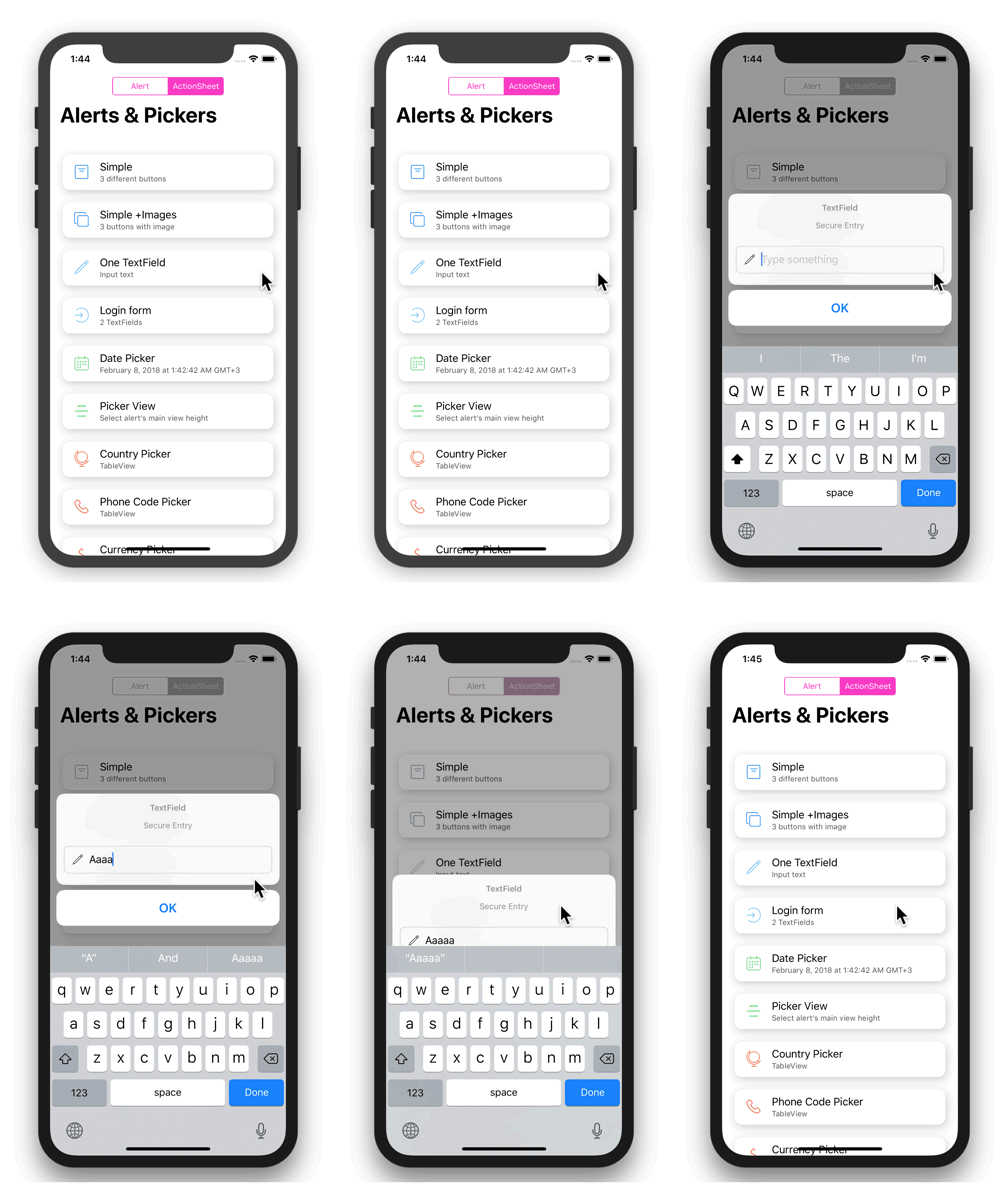
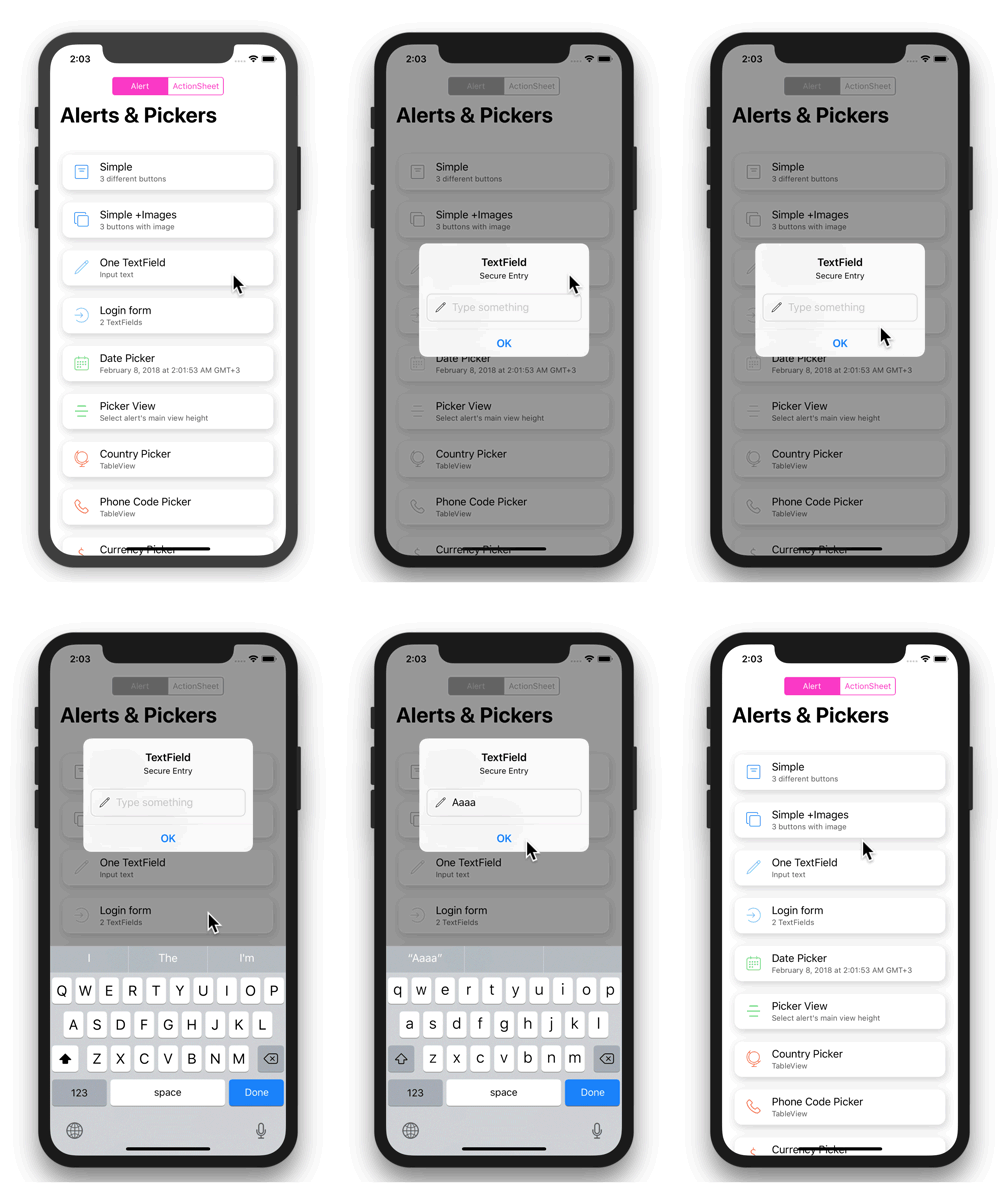
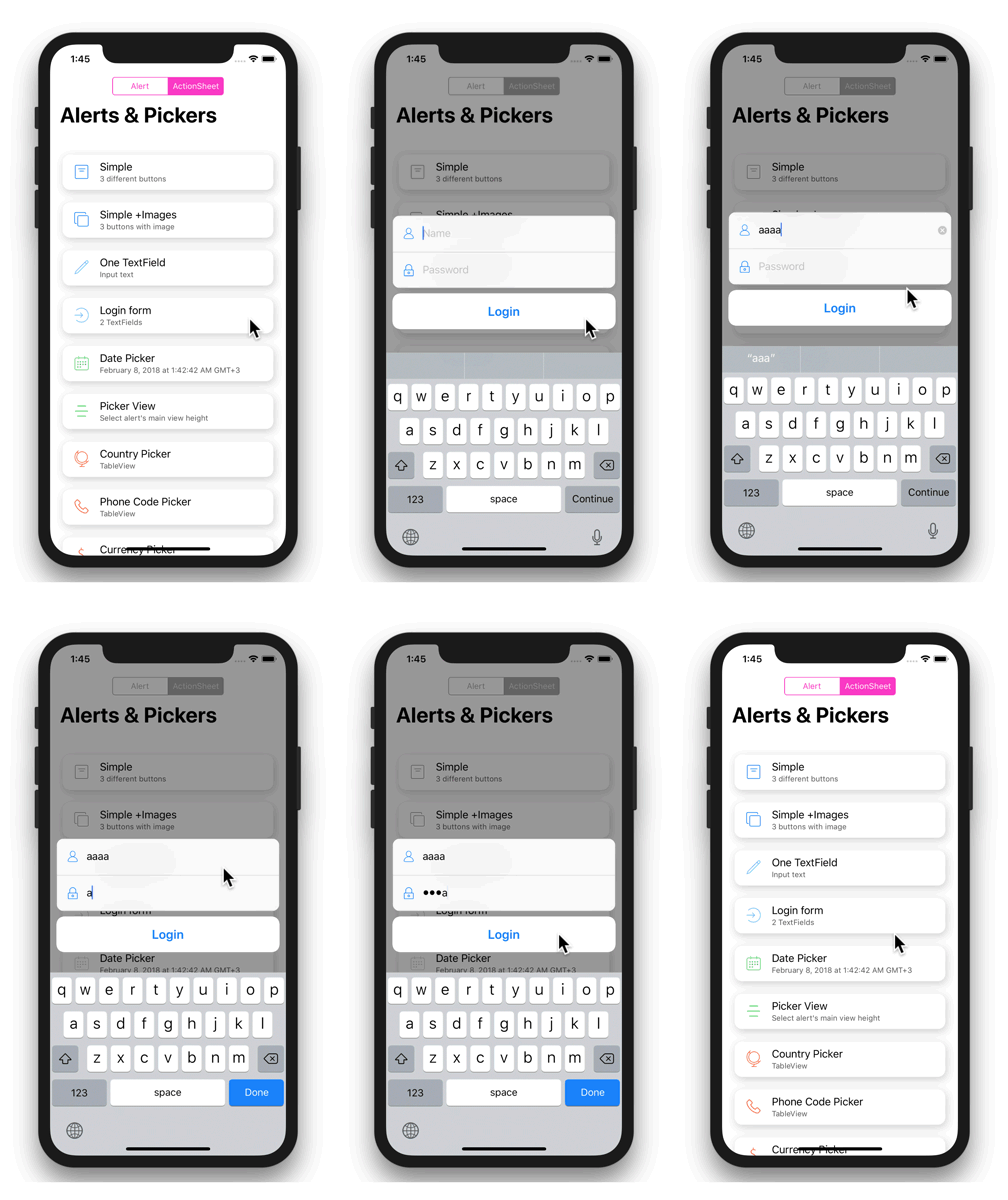
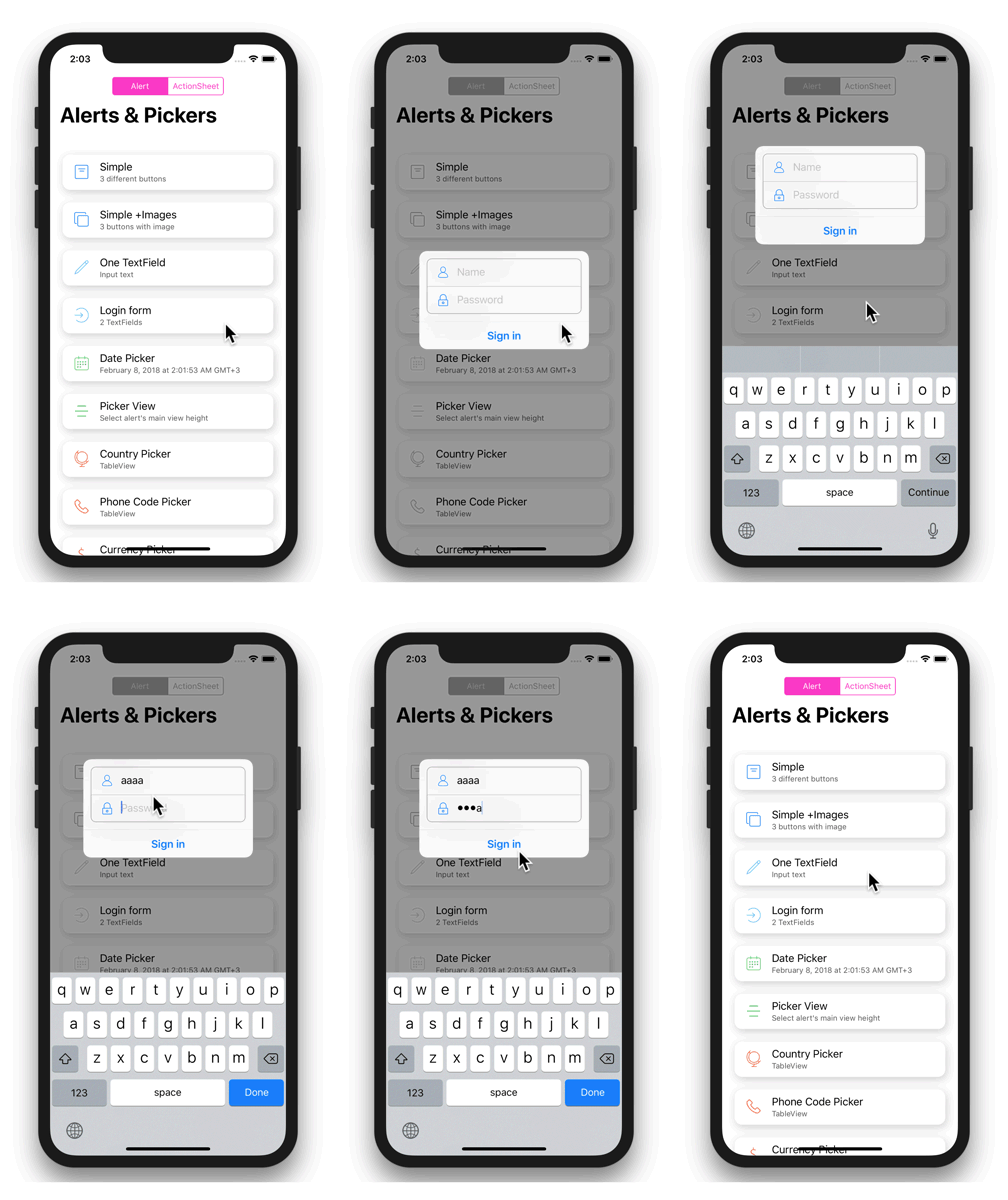
UITextField
In native UIAlertController you can only add UITextField to .alert style with default style and you can not change such properties as .borderColor, .borderWidth, .frame.size and so on. But if you make your own UIViewController with UITextField, it will solve all these problems.
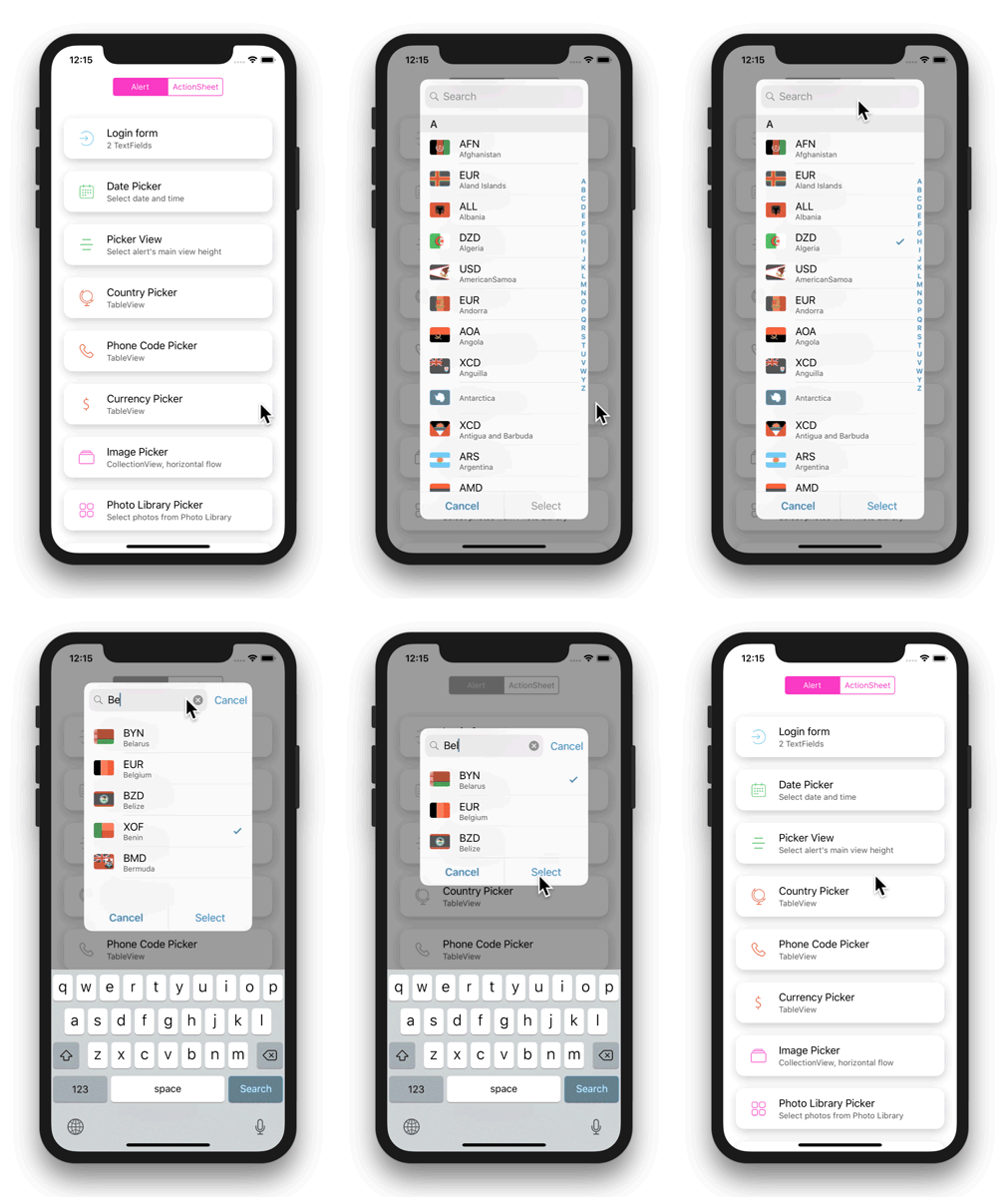
One TextField Picker
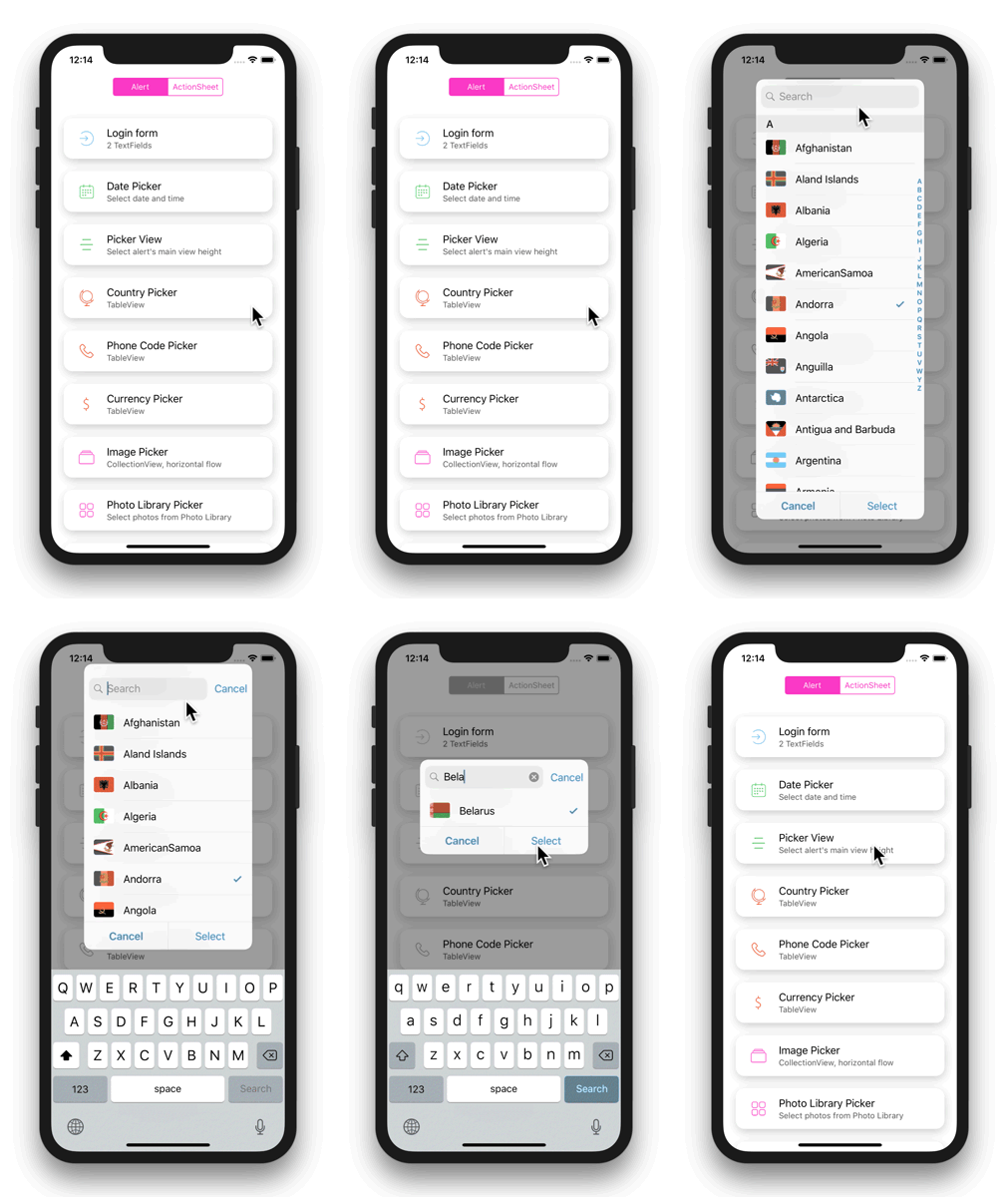
You can use both styles .alert and .actionSheet of UIAlertController.
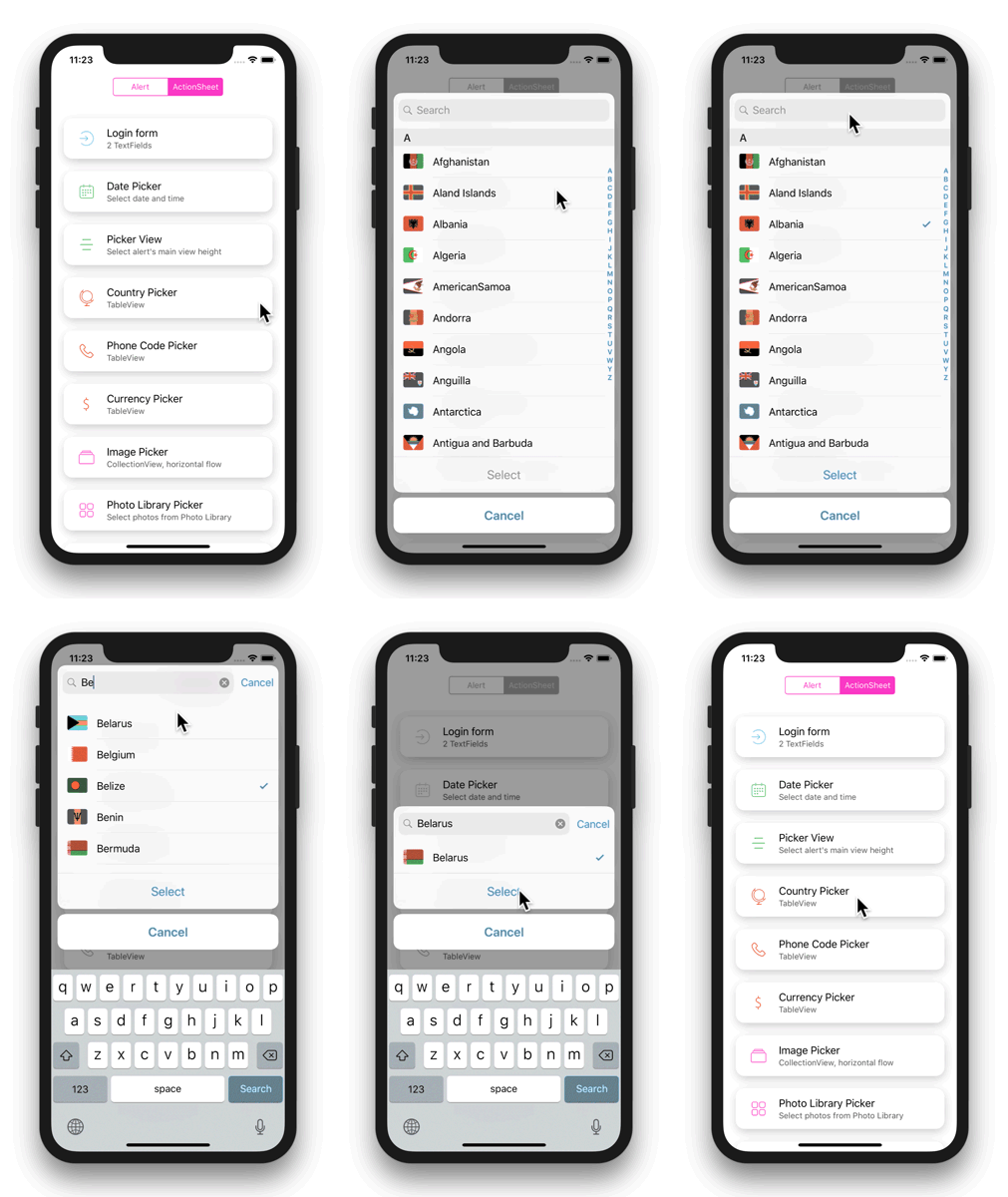
let alert = UIAlertController(style: .actionSheet, message: "Select Country")
alert.addLocalePicker(type: .country) { info in
    // action with selected object
}
alert.addAction(title: "OK", style: .cancel)
alert.show()
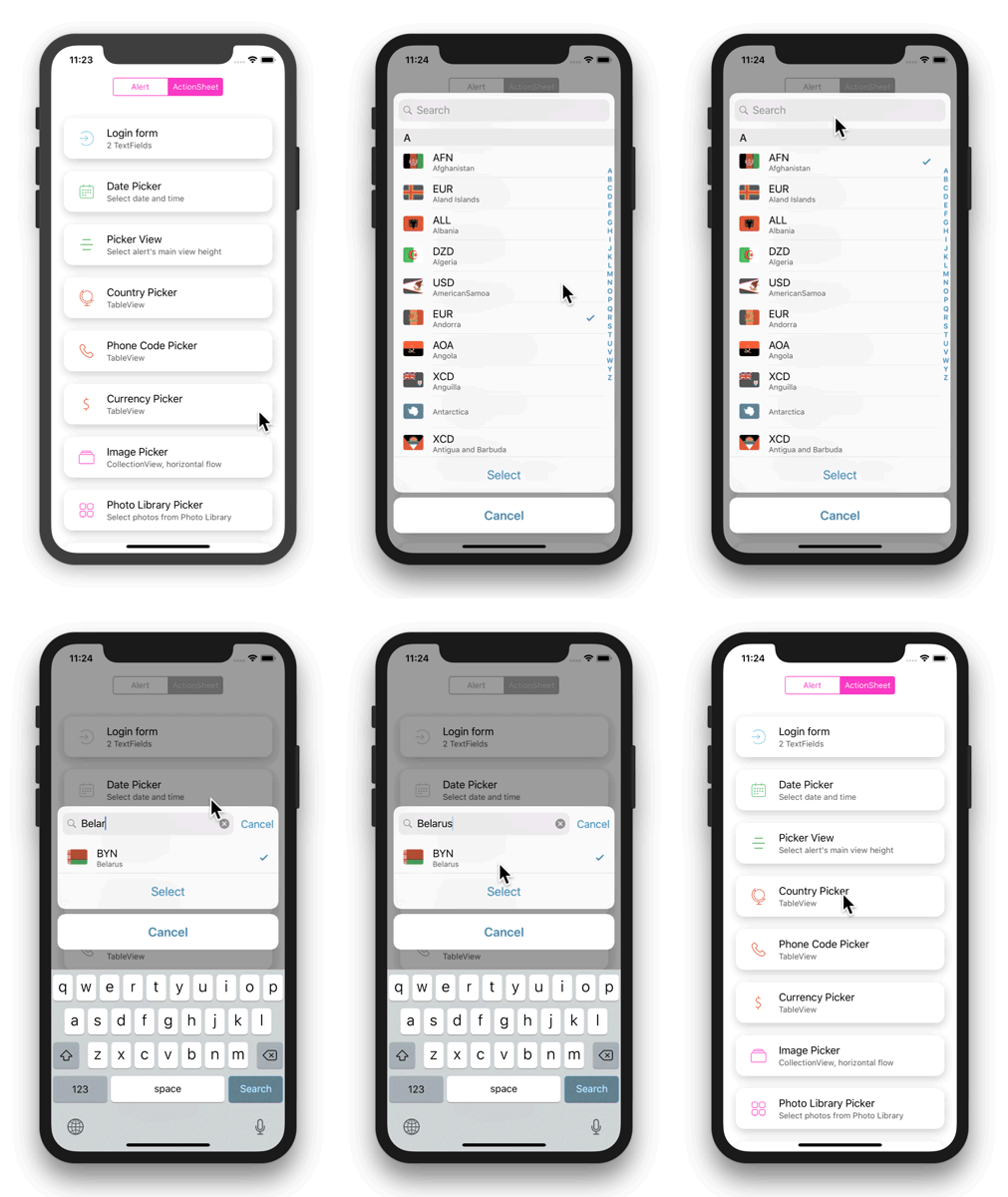
Phone Code Picker
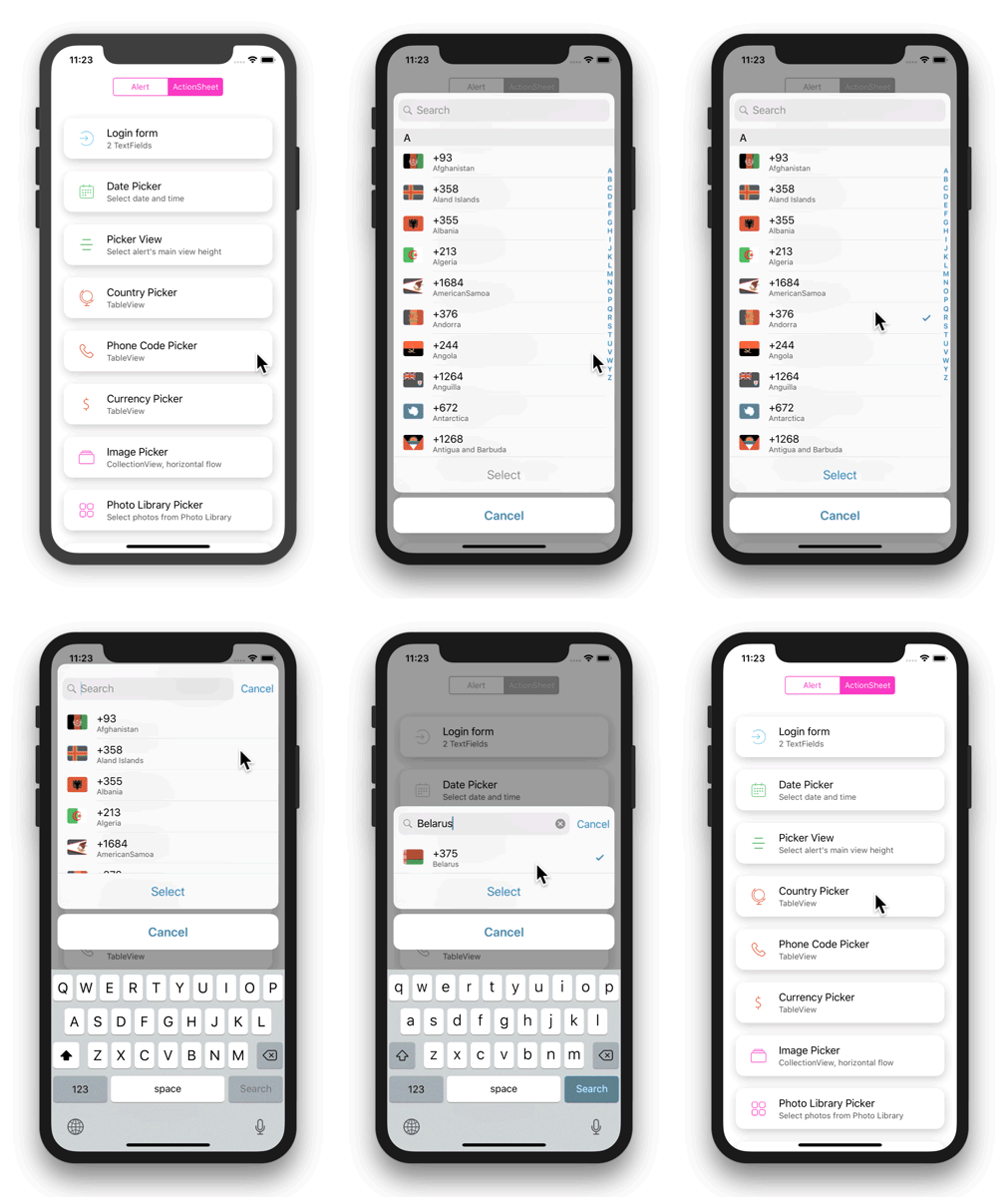
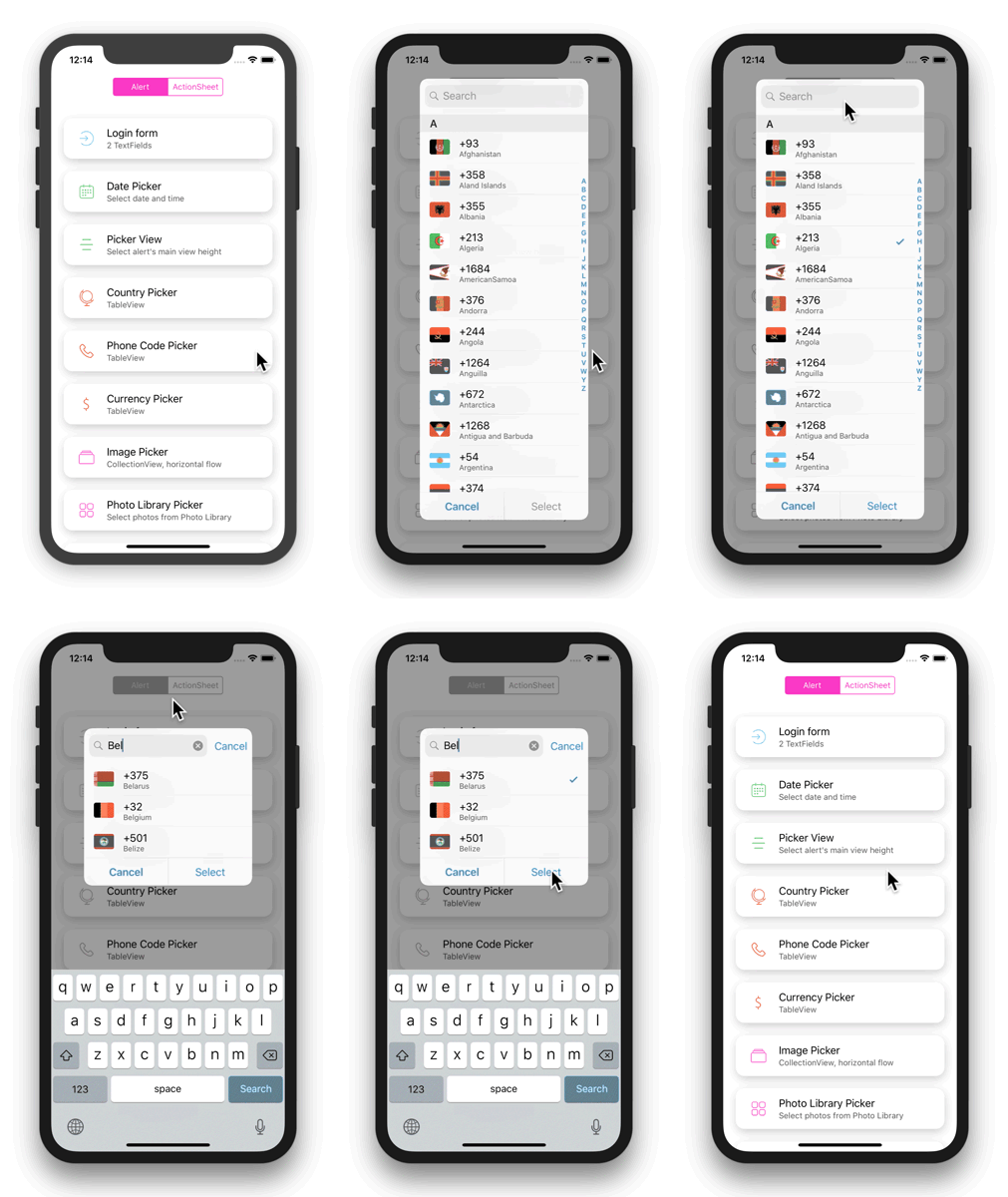
let alert = UIAlertController(style: .actionSheet, title: "Phone Codes")
alert.addLocalePicker(type: .phoneCode) { info in
    // action with selected object
}
alert.addAction(title: "OK", style: .cancel)
alert.show()
Currency Picker
let alert = UIAlertController(style: .actionSheet, title: "Currencies")
alert.addLocalePicker(type: .currency) { info in
    alert.title = info?.currencyCode
    alert.message = "is selected"
    // action with selected object
}
alert.addAction(title: "OK", style: .cancel)
alert.show()
Image Picker
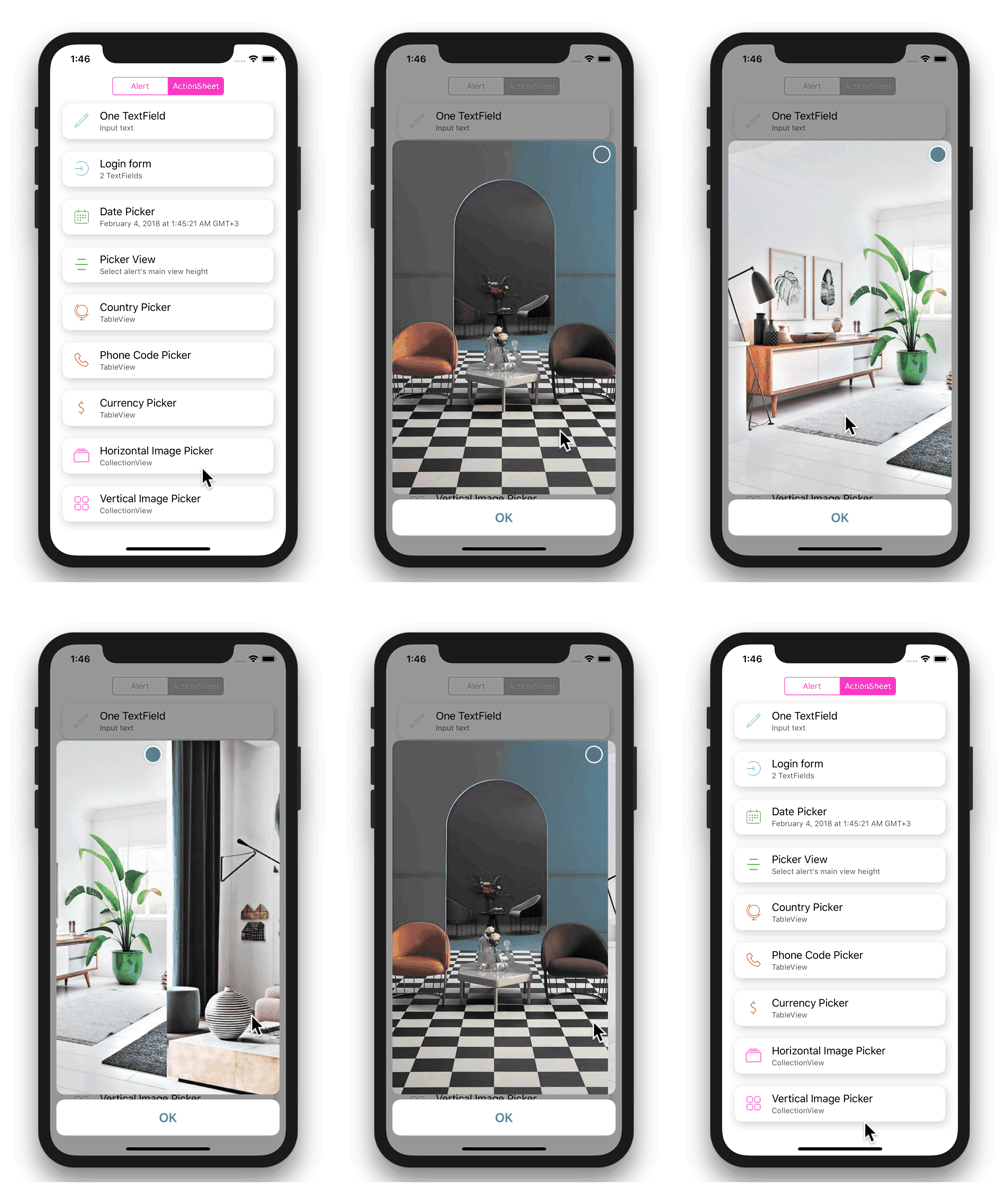
Horizontal Image Picker with paging and single selection:
let alert = UIAlertController(style: .actionSheet)
let photos: [UIImage] = images
alert.addImagePicker(
    flow: .horizontal,
    paging: true,
    images: photos,
    selection: .single(action: { [unowned self] image in
        // action with selected image
    }))
alert.addAction(title: "OK", style: .cancel)
alert.show()
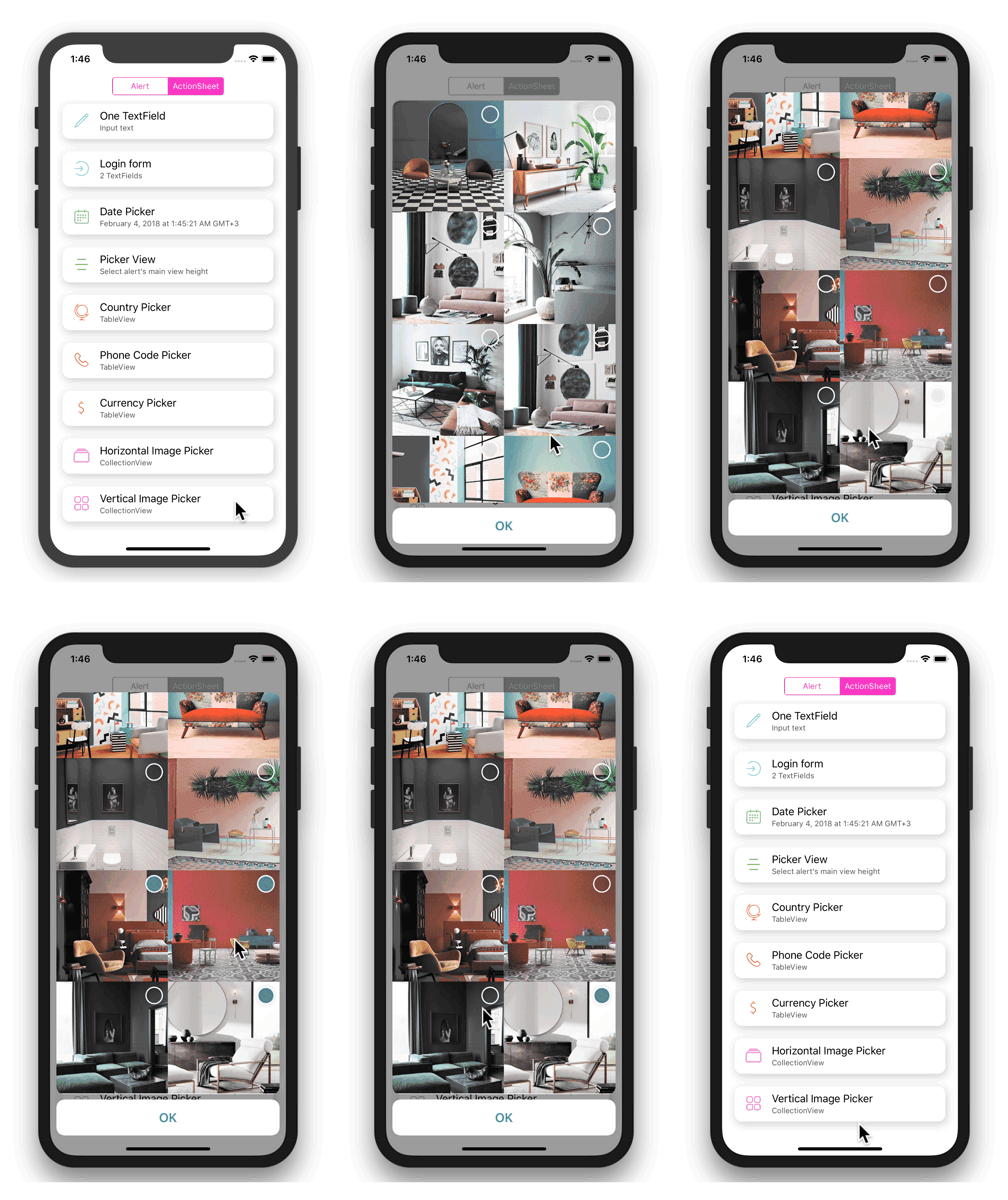
Vertical Image Picker w/o paging and with multiple selection:
let alert = UIAlertController(style: .actionSheet)
let photos: [UIImage] = images
alert.addImagePicker(
    flow: .vertical,
    paging: false,
    height: UIScreen.main.bounds.height,
    images: photos,
    selection: .multiple(action: { [unowned self] images in
        // action with selected images
    }))
alert.addAction(title: "OK", style: .cancel)
alert.show()
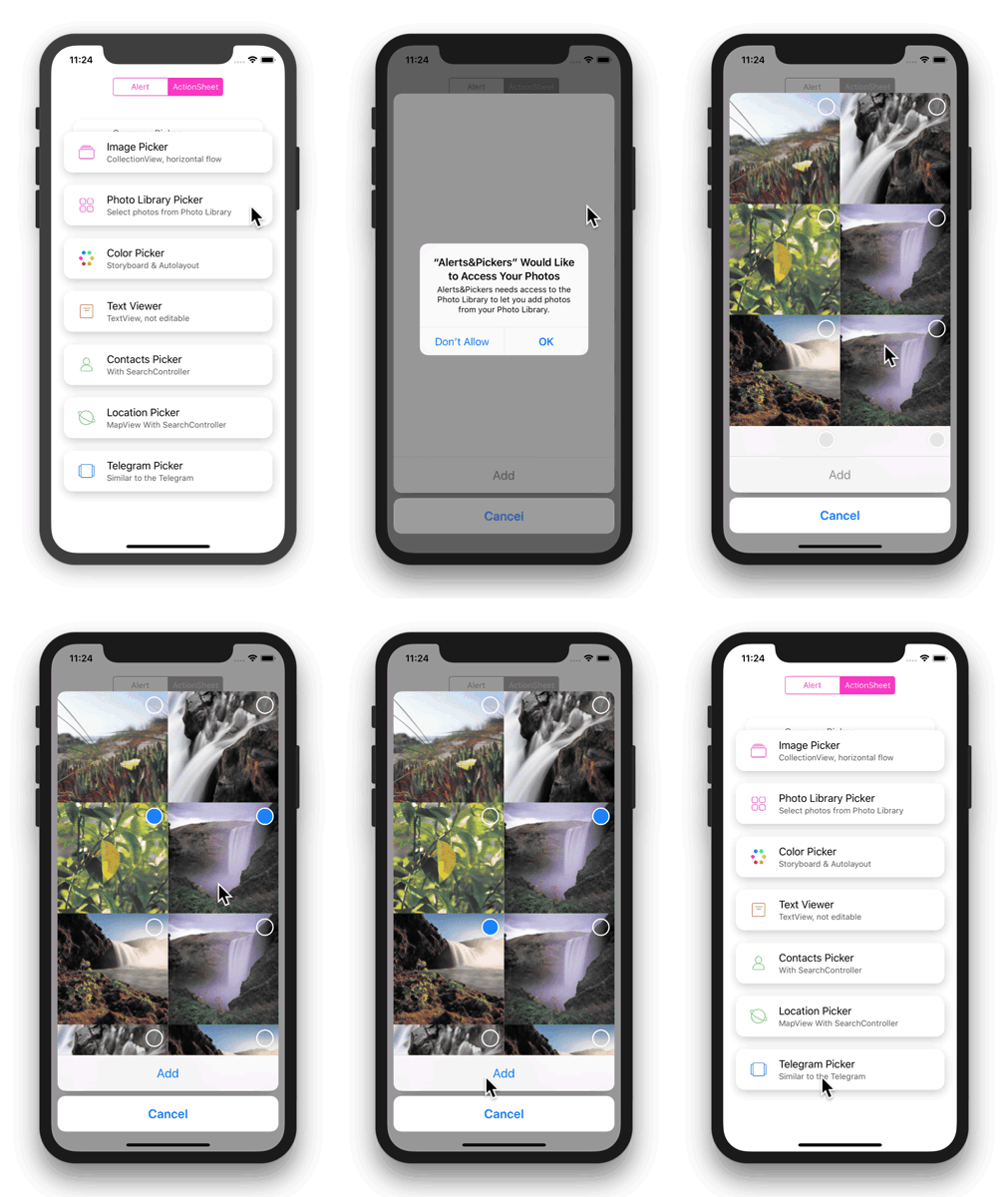
PhotoLibrary Picker
let alert = UIAlertController(style: .actionSheet)
alert.addPhotoLibraryPicker(
    flow: .horizontal,
    paging: true,
    selection: .single(action: { image in
        // action with selected image
    }))
alert.addAction(title: "Cancel", style: .cancel)
alert.show()
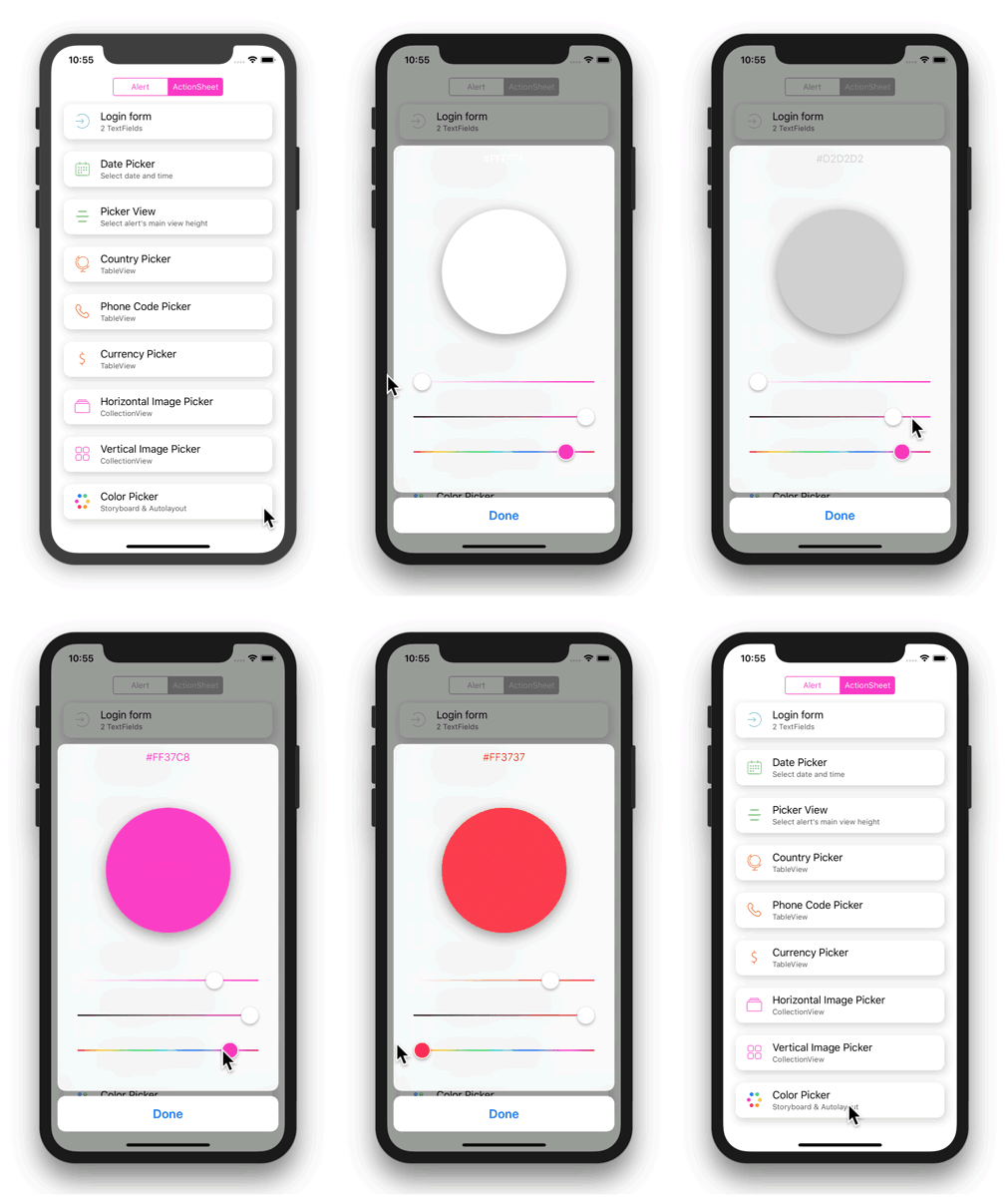
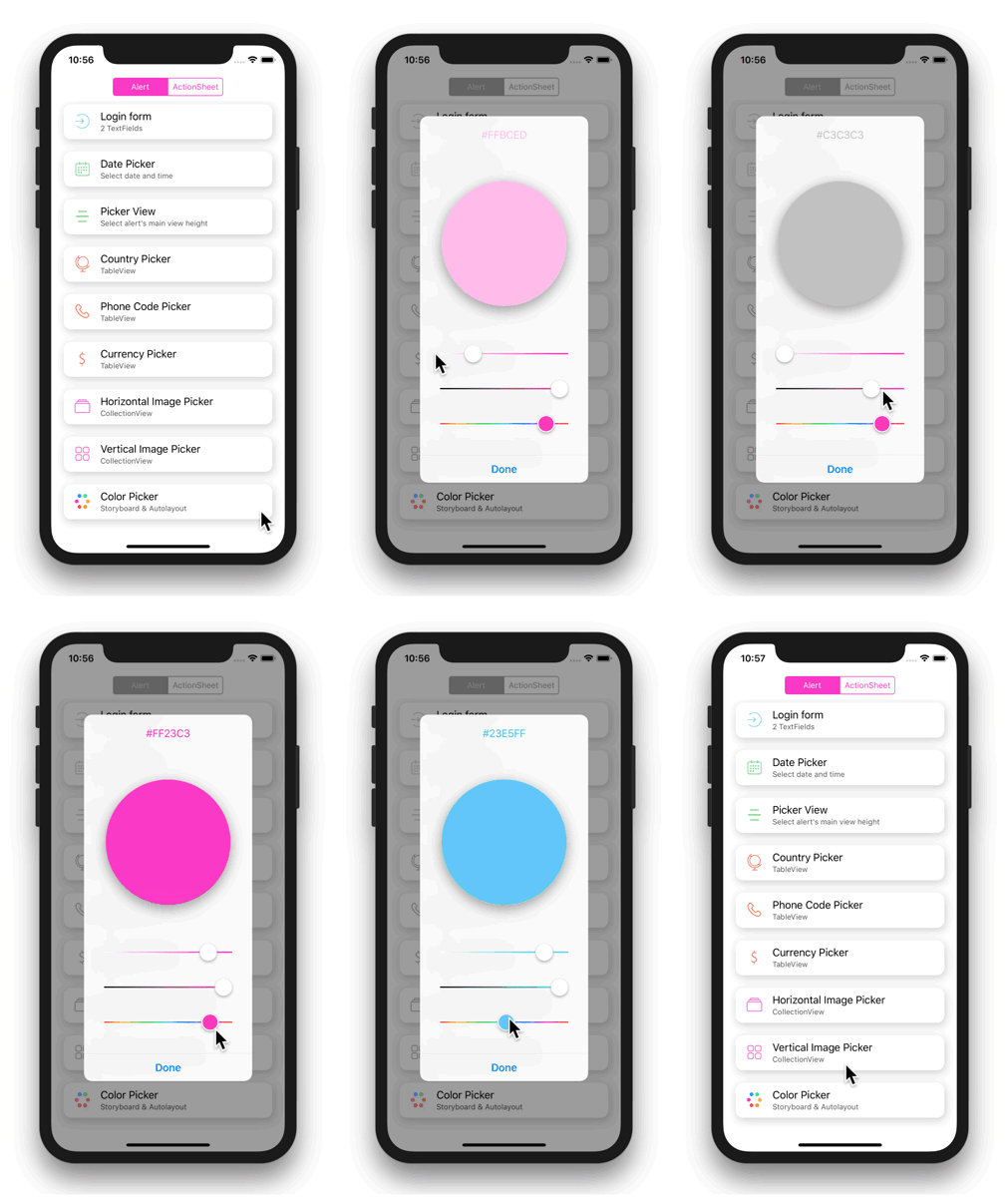
ColorPicker
Example how to use UIViewController instantiated from Storyboard with Autolayout as contentViewController in the UIAlertController.
let alert = UIAlertController(style: .actionSheet)
alert.addColorPicker(color: color) { color in
    // action with selected color
}
alert.addAction(title: "Done", style: .cancel)
alert.show()
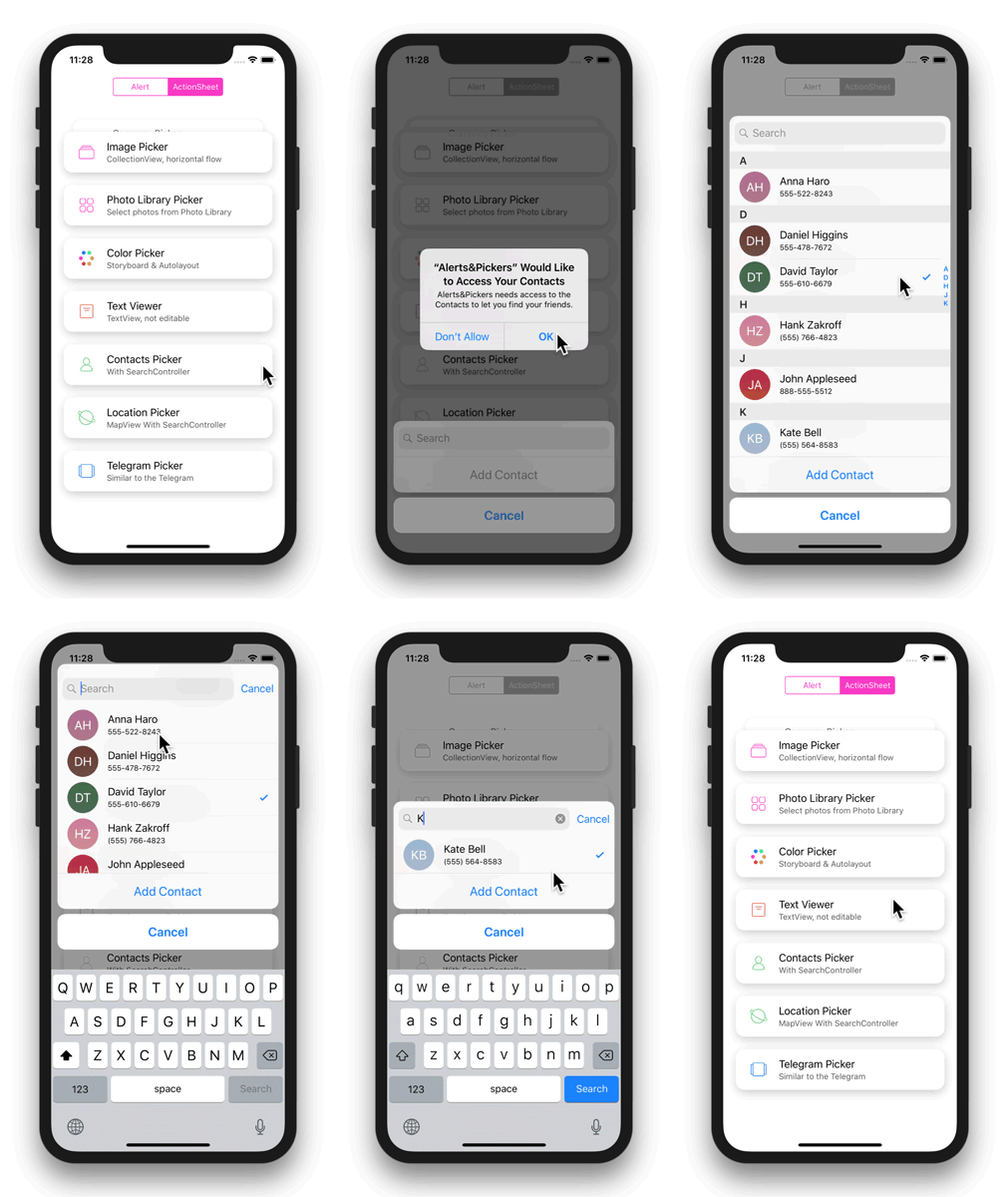
Contacts Picker
let alert = UIAlertController(style: .actionSheet)
alert.addContactsPicker { contact in
    // action with contact
}
alert.addAction(title: "Cancel", style: .cancel)
alert.show()
Location Picker
let alert = UIAlertController(style: .actionSheet)
alert.addLocationPicker { location in
    // action with location
}
alert.addAction(title: "Cancel", style: .cancel)
alert.show()
Telegram Picker
let alert = UIAlertController(style: .actionSheet)
alert.addTelegramPicker { result in
    switch result {
      case .photo(let assets):
        // action with assets
      case .contact(let contact):
        // action with contact
      case .location(let location):
        // action with location
    }
}
alert.addAction(title: "Cancel", style: .cancel)
alert.show()
dillidon/alerts-and-pickers thuộc nhóm Mobile trên TopGit, cùng 20 topic GitHub. Trang Trending và Topics liệt kê các repo cùng số sao và cùng ngôn ngữ để so sánh.
dillidon/alerts-and-pickers có bao nhiêu sao?
dillidon/alerts-and-pickers có 5.8k sao GitHub — tải lại trang để xem số mới nhất, hoặc xem trực tiếp github.com/dillidon/alerts-and-pickers. TopGit phản chiếu số sao của GitHub nhưng không cam kết đến từng phút.
dillidon/alerts-and-pickers còn đang phát triển không?
Commit gần nhất trên dillidon/alerts-and-pickers là 2.8 năm trước (theo timestamp GitHub). Repo có 696 fork — một chỉ báo về mức độ quan tâm của cộng đồng.
dillidon/alerts-and-pickers viết bằng ngôn ngữ gì?
dillidon/alerts-and-pickers chủ yếu viết bằng Swift. Trường "language" của GitHub dựa trên phần lớn byte ở nhánh mặc định.
Đọc thêm về dillidon/alerts-and-pickers ở đâu?
Trang TopGit này là một snapshot — tab "Readme" hiển thị nguyên văn README của repo (đã bỏ link, giữ ảnh). Repo GitHub ở github.com/dillidon/alerts-and-pickers là nguồn chính thức.
Vì sao dillidon/alerts-and-pickers được xếp vào nhóm Mobile?
TopGit xếp dillidon/alerts-and-pickers vào nhóm Mobile dựa trên GitHub topics và mô tả của repo (gắn thẻ: "alert", "color-picker", "contacts"). Việc phân loại dựa trên metadata thật của repo, không phải đoán theo cảm tính biên tập.
Đọc đầy đủ README ở tab phía trên.
alerts-and-pickers có đáng để bạn bỏ thời gian?
ChatGPT, Claude và Perplexity đều đọc được trang này. Hỏi thử xem họ nghĩ gì về alerts-and-pickers.

 /alerts-and-pickers