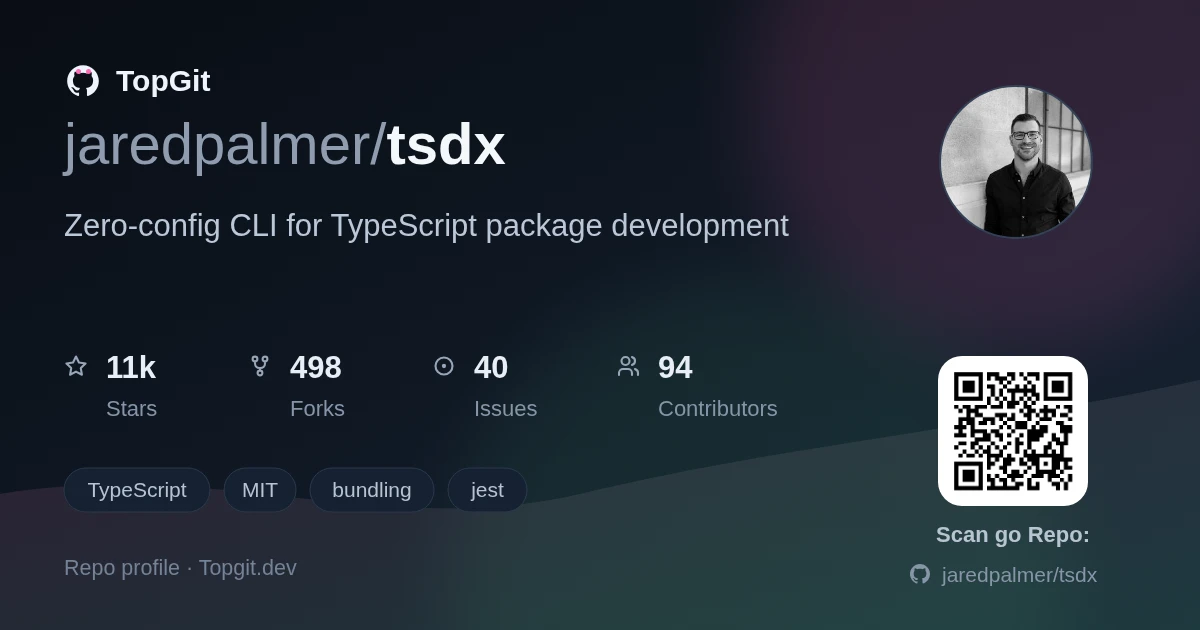
jaredpalmer/tsdx — dự án frontend — đang có 11.5k sao GitHub trong nhóm Frontend. Zero-config CLI for TypeScript package development
Tóm tắt dựng từ metadata GitHub của chính dự án — chưa có bài review TopGit. Trang sẽ tự động cập nhật khi bài review đầy đủ được xuất bản.
VÌ SAO CHƯA CÓ REVIEW
TopGit viết bài đầy đủ cho repo có nhiều sao nhất và được yêu cầu nhiều nhất. Trang này là snapshot trong thời gian chờ — xem README gốc ở tab READ ME.
Zero-config CLI for TypeScript package development.
Modern TypeScript library development, simplified. TSDX provides a zero-config CLI that helps you develop, test, and publish TypeScript packages with ease.
TSDX 2.0 is a complete rewrite using modern, high-performance Rust-based tooling. See the Migration Guide if upgrading from v0.x
Features
Zero config - Sensible defaults, just start coding
Modern tooling - Built on bunchee, vitest, oxlint, and oxfmt
Dual ESM/CJS - Automatic dual module builds with proper exports
TypeScript first - Full TypeScript support with declaration generation
Lightning fast - Rust-powered linting (50-100x faster than ESLint) and formatting (35x faster than Prettier)
Bun-native - Uses bun for package management
Modern Node.js - Supports Node.js 20+ (LTS)
Quick Start
# Create a new package
bunx tsdx create mylib

# Navigate to the project
cd mylib

# Start development
bun run dev
That's it! Start editing src/index.ts and build your library.
Installation
Global Installation (recommended for creating projects)
See the Migration Guide for detailed instructions on upgrading from the original TSDX.
Quick summary:
Install bun
Update package.json scripts to use tsdx commands
Replace Jest with vitest
Replace ESLint with oxlint (optional)
Replace Prettier with oxfmt (optional)
Run bun install
Publishing
# Build the package
bun run build

# Publish to npm
npm publish
We recommend using np or changesets for publishing.
FAQ
Why bun?
Bun provides significantly faster package installation and script execution. It's compatible with npm packages and the Node.js ecosystem.
Can I still use npm/yarn/pnpm?
The generated projects use bun for package management, but the built packages are compatible with any package manager. Your library consumers can use npm, yarn, pnpm, or bun.
Why oxlint instead of ESLint?
oxlint is 50-100x faster than ESLint while catching the most important issues. For comprehensive linting, you can still use ESLint alongside oxlint.
Is this compatible with the old TSDX?
The build output format is fully compatible. Your library consumers won't notice any difference. However, the development workflow and configuration are different.
Contributing
Contributions are welcome! Please see CONTRIBUTING.md for guidelines.
jaredpalmer/tsdx thuộc nhóm Frontend trên TopGit, cùng 9 topic GitHub. Trang Trending và Topics liệt kê các repo cùng số sao và cùng ngôn ngữ để so sánh.
Đọc thêm về jaredpalmer/tsdx ở đâu?
Trang TopGit này là một snapshot — tab "Readme" hiển thị nguyên văn README của repo (đã bỏ link, giữ ảnh). Repo GitHub ở github.com/jaredpalmer/tsdx là nguồn chính thức.
jaredpalmer/tsdx có bao nhiêu sao?
jaredpalmer/tsdx có 11.5k sao GitHub — tải lại trang để xem số mới nhất, hoặc xem trực tiếp github.com/jaredpalmer/tsdx. TopGit phản chiếu số sao của GitHub nhưng không cam kết đến từng phút.
jaredpalmer/tsdx có phải mã nguồn mở không?
Có — jaredpalmer/tsdx phát hành theo license MIT, nghĩa là mã nguồn mở để đọc, fork và (tùy license) tái sử dụng. Mã: github.com/jaredpalmer/tsdx.
jaredpalmer/tsdx còn đang phát triển không?
Commit gần nhất trên jaredpalmer/tsdx là 6 tháng trước (theo timestamp GitHub). Repo có 497 fork — một chỉ báo về mức độ quan tâm của cộng đồng.
jaredpalmer/tsdx dùng license gì?
jaredpalmer/tsdx phát hành theo license MIT. Nên mở file LICENSE trên GitHub để xác nhận — license metadata đôi khi lệch với thực tế dự án.
jaredpalmer/tsdx là gì?
jaredpalmer/tsdx (jaredpalmer/tsdx) là dự án TypeScript trên GitHub. Theo mô tả gốc: Zero-config CLI for TypeScript package development
jaredpalmer/tsdx viết bằng ngôn ngữ gì?
jaredpalmer/tsdx chủ yếu viết bằng TypeScript. Trường "language" của GitHub dựa trên phần lớn byte ở nhánh mặc định.
Đọc đầy đủ README ở tab phía trên.
Muốn nghe thêm một ý kiến về tsdx?
Hỏi một AI đọc được trang này — một cú bấm là có ngay nhận định về tsdx.
 /tsdx
/tsdx