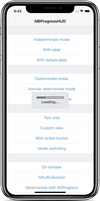
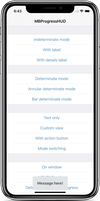
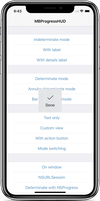
Điểm qua jdg/MBProgressHUD: 15.9k sao trên GitHub, viết chủ yếu bằng Objective-C. MBProgressHUD + Customizations
Tóm tắt dựng từ metadata GitHub của chính dự án — chưa có bài review TopGit. Trang sẽ tự động cập nhật khi bài review đầy đủ được xuất bản.
VÌ SAO CHƯA CÓ REVIEW
TopGit viết bài đầy đủ cho repo có nhiều sao nhất và được yêu cầu nhiều nhất. Trang này là snapshot trong thời gian chờ — xem README gốc ở tab READ ME.
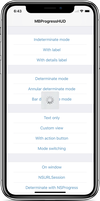
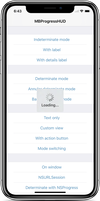
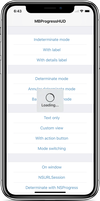
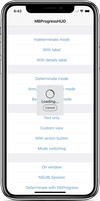
MBProgressHUD is an iOS drop-in class that displays a translucent HUD with an indicator and/or labels while work is being done in a background thread. The HUD is meant as a replacement for the undocumented, private UIKitUIProgressHUD with some additional features.
Requirements
MBProgressHUD works on iOS 9.0+. It depends on the following Apple frameworks, which should already be included with most Xcode templates:
Foundation.framework
UIKit.framework
CoreGraphics.framework
You will need the latest developer tools in order to build MBProgressHUD. Old Xcode versions might work, but compatibility will not be explicitly maintained.
Adding MBProgressHUD to your project
CocoaPods
CocoaPods is the recommended way to add MBProgressHUD to your project.
Add a pod entry for MBProgressHUD to your Podfile pod 'MBProgressHUD', '~> 1.2.0'
Install the pod(s) by running pod install.
Include MBProgressHUD wherever you need it with #import "MBProgressHUD.h".
Carthage
Add MBProgressHUD to your Cartfile. e.g., github "jdg/MBProgressHUD" ~> 1.2.0
Run carthage update
Follow the rest of the standard Carthage installation instructions to add MBProgressHUD to your project.
Then open your project in Xcode 11+ (SwiftPM) or run accio update (Accio).
Source files
Alternatively you can directly add the MBProgressHUD.h and MBProgressHUD.m source files to your project.
Download the latest code version or add the repository as a git submodule to your git-tracked project.
Open your project in Xcode, then drag and drop MBProgressHUD.h and MBProgressHUD.m onto your project (use the "Product Navigator view"). Make sure to select Copy items when asked if you extracted the code archive outside of your project.
Include MBProgressHUD wherever you need it with #import "MBProgressHUD.h".
Static library
You can also add MBProgressHUD as a static library to your project or workspace.
Download the latest code version or add the repository as a git submodule to your git-tracked project.
Open your project in Xcode, then drag and drop MBProgressHUD.xcodeproj onto your project or workspace (use the "Product Navigator view").
Select your target and go to the Build phases tab. In the Link Binary With Libraries section select the add button. On the sheet find and add libMBProgressHUD.a. You might also need to add MBProgressHUD to the Target Dependencies list.
Include MBProgressHUD wherever you need it with #import <MBProgressHUD/MBProgressHUD.h>.
Usage
The main guideline you need to follow when dealing with MBProgressHUD while running long-running tasks is keeping the main thread work-free, so the UI can be updated promptly. The recommended way of using MBProgressHUD is therefore to set it up on the main thread and then spinning the task, that you want to perform, off onto a new thread.
You can add the HUD on any view or window. It is however a good idea to avoid adding the HUD to certain UIKit views with complex view hierarchies - like UITableView or UICollectionView. Those can mutate their subviews in unexpected ways and thereby break HUD display.
If you need to configure the HUD you can do this by using the MBProgressHUD reference that showHUDAddedTo:animated: returns.
Keep in mind that UI updates, including calls to MBProgressHUD should always be done on the main thread.
If you need to run your long-running task in the main thread, you should perform it with a slight delay, so UIKit will have enough time to update the UI (i.e., draw the HUD) before you block the main thread with your task.
You should be aware that any HUD updates issued inside the above block won't be displayed until the block completes.
For more examples, including how to use MBProgressHUD with asynchronous operations such as NSURLConnection, take a look at the bundled demo project. Extensive API documentation is provided in the header file (MBProgressHUD.h).
License
This code is distributed under the terms and conditions of the MIT license.
Change-log
A brief summary of each MBProgressHUD release can be found in the CHANGELOG.
Privacy
MBProgressHUD does not collect any data. See SDK Privacy Practices for more information.
Trang TopGit này là một snapshot — tab "Readme" hiển thị nguyên văn README của repo (đã bỏ link, giữ ảnh). Repo GitHub ở github.com/jdg/MBProgressHUD là nguồn chính thức.
jdg/MBProgressHUD có phải mã nguồn mở không?
Có — jdg/MBProgressHUD phát hành theo license MIT, nghĩa là mã nguồn mở để đọc, fork và (tùy license) tái sử dụng. Mã: github.com/jdg/MBProgressHUD.
jdg/MBProgressHUD có tag gì không?
Bản đồng bộ chưa ghi nhận topic GitHub nào cho jdg/MBProgressHUD. GitHub topics hiển thị ở thanh bên phải trang repo — đó là nơi đáng kiểm tra nhất.
jdg/MBProgressHUD có trang demo không?
Dự án có trang chủ ở http://www.bukovinski.com/. Tab "Readme" ở trang này thường có ảnh chụp và hướng dẫn bắt đầu nhanh.
jdg/MBProgressHUD còn đang phát triển không?
Commit gần nhất trên jdg/MBProgressHUD là 2.3 năm trước (theo timestamp GitHub). Repo có 3.6k fork — một chỉ báo về mức độ quan tâm của cộng đồng.
jdg/MBProgressHUD dùng license gì?
jdg/MBProgressHUD phát hành theo license MIT. Nên mở file LICENSE trên GitHub để xác nhận — license metadata đôi khi lệch với thực tế dự án.
Đọc đầy đủ README ở tab phía trên.
MBProgressHUD có đáng để bạn bỏ thời gian?
ChatGPT, Claude và Perplexity đều đọc được trang này. Hỏi thử xem họ nghĩ gì về MBProgressHUD.

 /MBProgressHUD