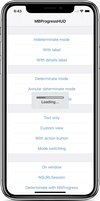
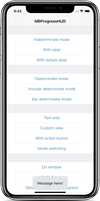
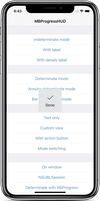
15.9k GitHub stars and counting — jdg/MBProgressHUD is a Objective-C project TopGit is tracking across repositories on the platform. MBProgressHUD + Customizations
Snapshot summary built from the project's own GitHub metadata — there's no written TopGit review yet. The page will update automatically when a full review is published.
WHY NO REVIEW YET
TopGit writes full reviews for the most-starred, most-requested repositories. This page is a snapshot until then — see the READ ME tab for the original README in full.
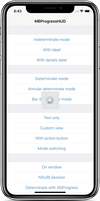
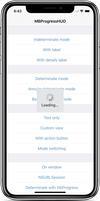
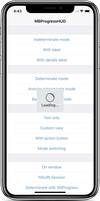
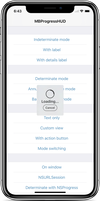
MBProgressHUD is an iOS drop-in class that displays a translucent HUD with an indicator and/or labels while work is being done in a background thread. The HUD is meant as a replacement for the undocumented, private UIKitUIProgressHUD with some additional features.
Requirements
MBProgressHUD works on iOS 9.0+. It depends on the following Apple frameworks, which should already be included with most Xcode templates:
Foundation.framework
UIKit.framework
CoreGraphics.framework
You will need the latest developer tools in order to build MBProgressHUD. Old Xcode versions might work, but compatibility will not be explicitly maintained.
Adding MBProgressHUD to your project
CocoaPods
CocoaPods is the recommended way to add MBProgressHUD to your project.
Add a pod entry for MBProgressHUD to your Podfile pod 'MBProgressHUD', '~> 1.2.0'
Install the pod(s) by running pod install.
Include MBProgressHUD wherever you need it with #import "MBProgressHUD.h".
Carthage
Add MBProgressHUD to your Cartfile. e.g., github "jdg/MBProgressHUD" ~> 1.2.0
Run carthage update
Follow the rest of the standard Carthage installation instructions to add MBProgressHUD to your project.
Then open your project in Xcode 11+ (SwiftPM) or run accio update (Accio).
Source files
Alternatively you can directly add the MBProgressHUD.h and MBProgressHUD.m source files to your project.
Download the latest code version or add the repository as a git submodule to your git-tracked project.
Open your project in Xcode, then drag and drop MBProgressHUD.h and MBProgressHUD.m onto your project (use the "Product Navigator view"). Make sure to select Copy items when asked if you extracted the code archive outside of your project.
Include MBProgressHUD wherever you need it with #import "MBProgressHUD.h".
Static library
You can also add MBProgressHUD as a static library to your project or workspace.
Download the latest code version or add the repository as a git submodule to your git-tracked project.
Open your project in Xcode, then drag and drop MBProgressHUD.xcodeproj onto your project or workspace (use the "Product Navigator view").
Select your target and go to the Build phases tab. In the Link Binary With Libraries section select the add button. On the sheet find and add libMBProgressHUD.a. You might also need to add MBProgressHUD to the Target Dependencies list.
Include MBProgressHUD wherever you need it with #import <MBProgressHUD/MBProgressHUD.h>.
Usage
The main guideline you need to follow when dealing with MBProgressHUD while running long-running tasks is keeping the main thread work-free, so the UI can be updated promptly. The recommended way of using MBProgressHUD is therefore to set it up on the main thread and then spinning the task, that you want to perform, off onto a new thread.
You can add the HUD on any view or window. It is however a good idea to avoid adding the HUD to certain UIKit views with complex view hierarchies - like UITableView or UICollectionView. Those can mutate their subviews in unexpected ways and thereby break HUD display.
If you need to configure the HUD you can do this by using the MBProgressHUD reference that showHUDAddedTo:animated: returns.
Keep in mind that UI updates, including calls to MBProgressHUD should always be done on the main thread.
If you need to run your long-running task in the main thread, you should perform it with a slight delay, so UIKit will have enough time to update the UI (i.e., draw the HUD) before you block the main thread with your task.
You should be aware that any HUD updates issued inside the above block won't be displayed until the block completes.
For more examples, including how to use MBProgressHUD with asynchronous operations such as NSURLConnection, take a look at the bundled demo project. Extensive API documentation is provided in the header file (MBProgressHUD.h).
License
This code is distributed under the terms and conditions of the MIT license.
Change-log
A brief summary of each MBProgressHUD release can be found in the CHANGELOG.
Privacy
MBProgressHUD does not collect any data. See SDK Privacy Practices for more information.
TopGit's last sync did not record any GitHub topics for jdg/MBProgressHUD. GitHub topics appear in the right sidebar of a repository page; that's the authoritative place to check.
How active is development on jdg/MBProgressHUD?
The most recent commit recorded on jdg/MBProgressHUD was 2.0 years ago, based on the GitHub push timestamp. The repository has 3.6k forks — one of the better signals of community interest.
Is jdg/MBProgressHUD open source?
Yes — jdg/MBProgressHUD ships under the MIT license, which makes its source code freely readable (and, depending on license terms, forkable and reusable). Source: github.com/jdg/MBProgressHUD.
What license does jdg/MBProgressHUD use?
jdg/MBProgressHUD is released under the MIT license. Always verify the LICENSE file directly on GitHub for the authoritative terms — license strings can be edited out of sync with a project's actual stance.
Where can I see jdg/MBProgressHUD in action?
The project maintains a homepage at http://www.bukovinski.com/. The README tab on this page also usually contains screenshots and a quickstart.
Where do I read more about jdg/MBProgressHUD?
This TopGit page is a snapshot — the READ ME tab shows the project's own README content (links stripped, images preserved). The GitHub repository at github.com/jdg/MBProgressHUD is the definitive source.
Read full README in the tab above.
Is MBProgressHUD worth your time?
ChatGPT, Claude and Perplexity can all read this page. Ask one of them what it makes of MBProgressHUD.
 /MBProgressHUD