jdx/demand — dự án mã nguồn mở — đang có 242 sao GitHub. prompt library for rust
Tóm tắt dựng từ metadata GitHub của chính dự án — chưa có bài review TopGit. Trang sẽ tự động cập nhật khi bài review đầy đủ được xuất bản.
VÌ SAO CHƯA CÓ REVIEW
TopGit viết bài đầy đủ cho repo có nhiều sao nhất và được yêu cầu nhiều nhất. Trang này là snapshot trong thời gian chờ — xem README gốc ở tab READ ME.
A prompt library for Rust. Based on huh? for Go. Maintained by @jdx and @roele.
Sponsors
demand is sponsored by entire.io and 37signals.
View all sponsors.
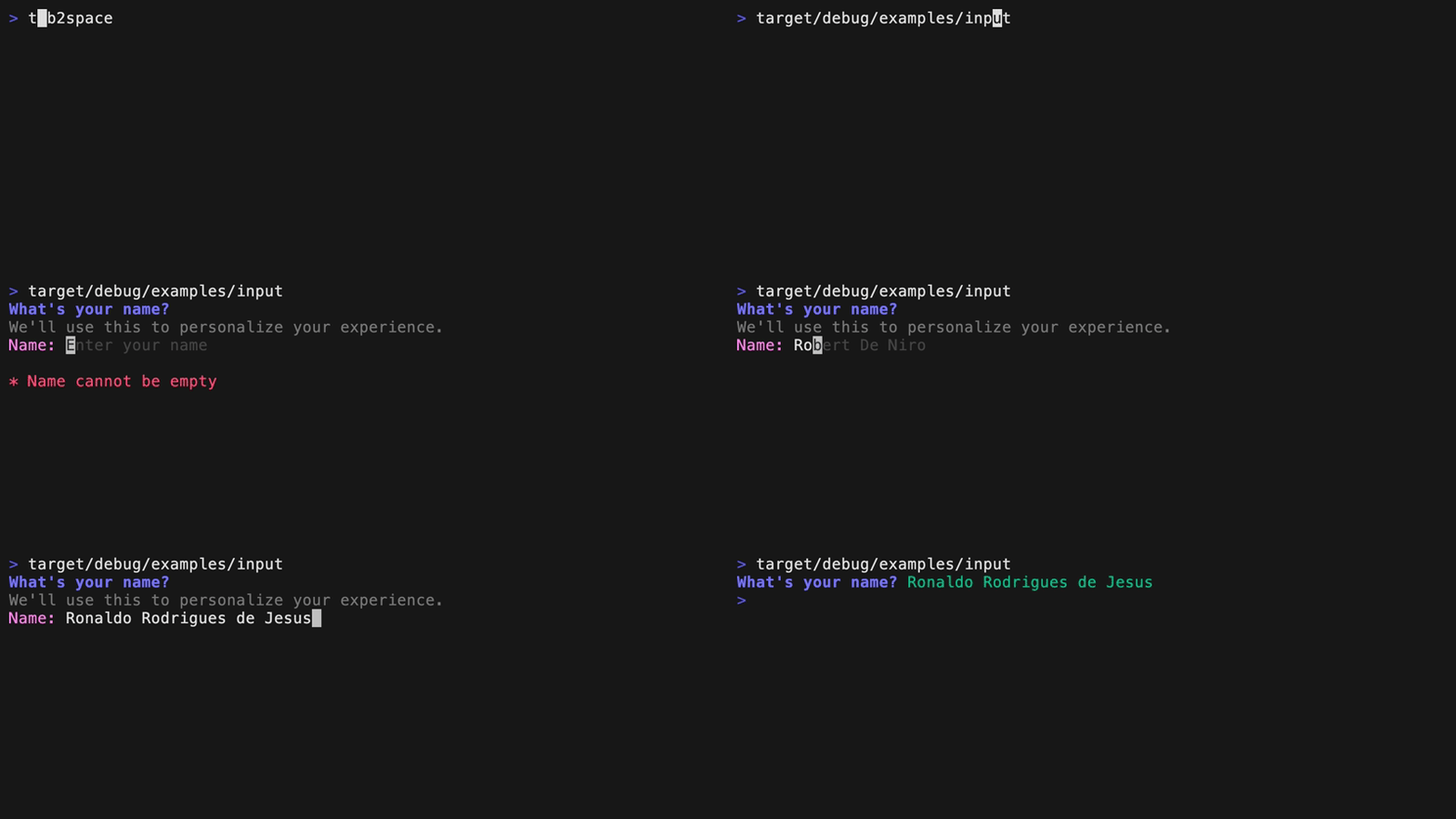
Input
Single-line text input with variable prompt and placeholder
Complete suggestions with TAB
Auto-complete API for custom suggestions
Validate input with a custom closure
Run example with cargo run --example input.
use demand::Input;

fn main() {
    let notempty_minlen = |s: &str| {
        if s.is_empty() {
            return Err("Name cannot be empty");
        }
        if s.len() < 8 {
            return Err("Name must be at least 8 characters");
        }
        Ok(())
    };

    let t = Input::new("What's your name?")
        .description("We'll use this to personalize your experience.")
        .placeholder("Enter your name")
        .prompt("Name: ")
        .suggestions(vec![
            "Adam Grant",
            "Danielle Steel",
            "Eveline Widmer-Schlumpf",
            "Robert De Niro",
            "Ronaldo Rodrigues de Jesus",
            "Sarah Michelle Gellar",
            "Yael Naim",
            "Zack Snyder",
        ])
        .validation(notempty_minlen);
    let i = t.run().expect("error running input");
}
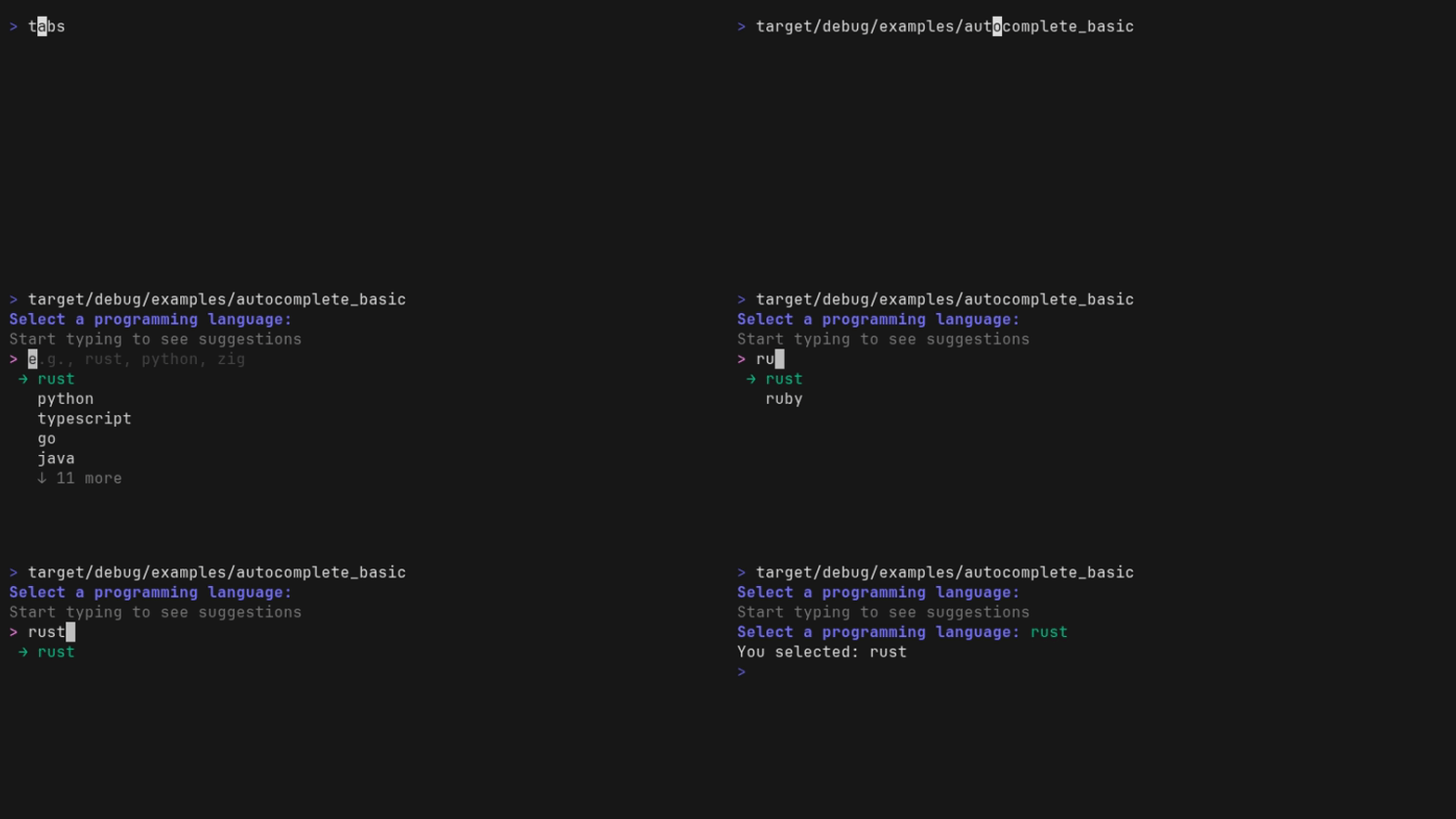
Autocomplete
Run example with cargo run --example autocomplete_basic.
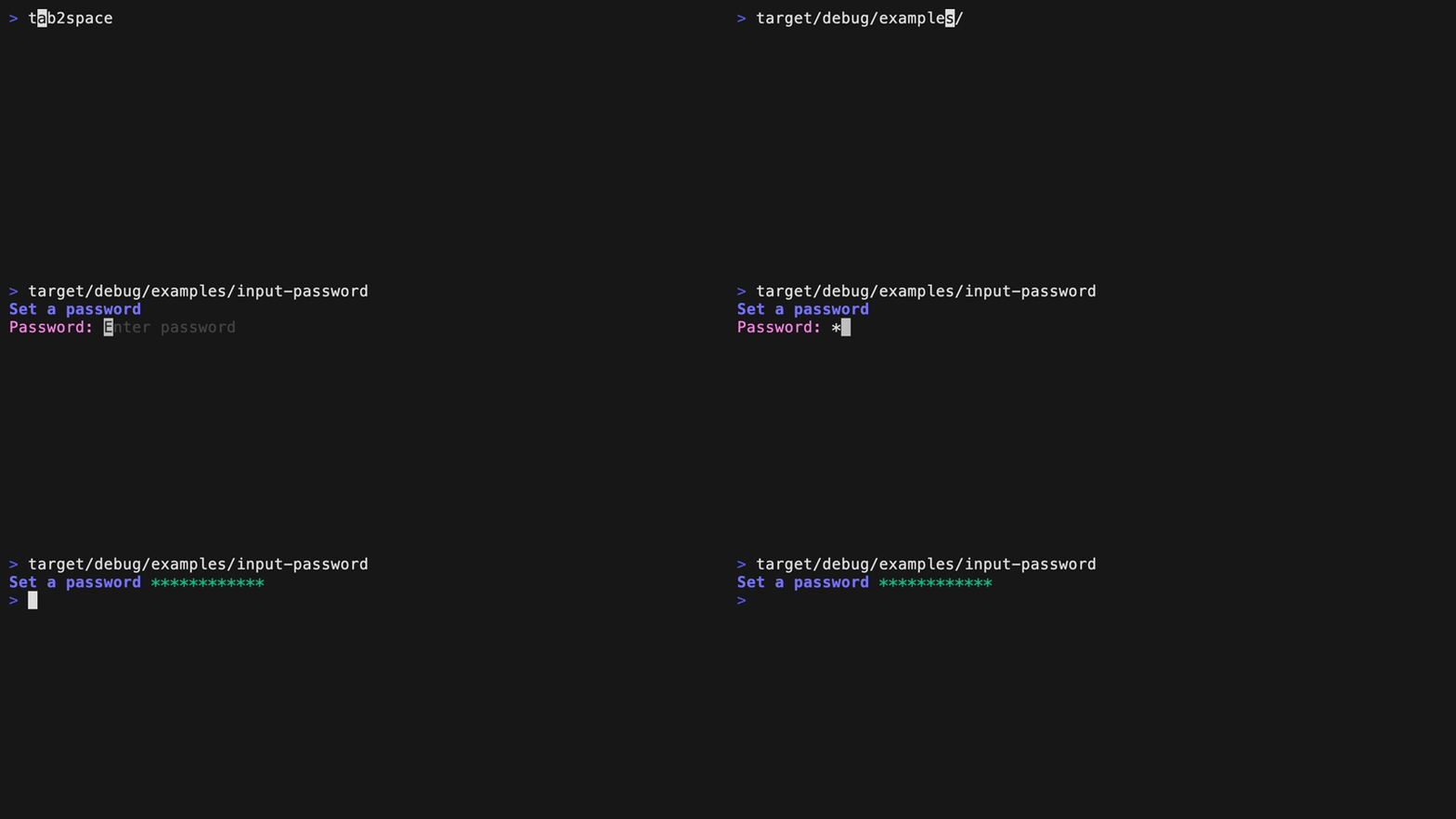
Password
Run example with cargo run --example input-password.
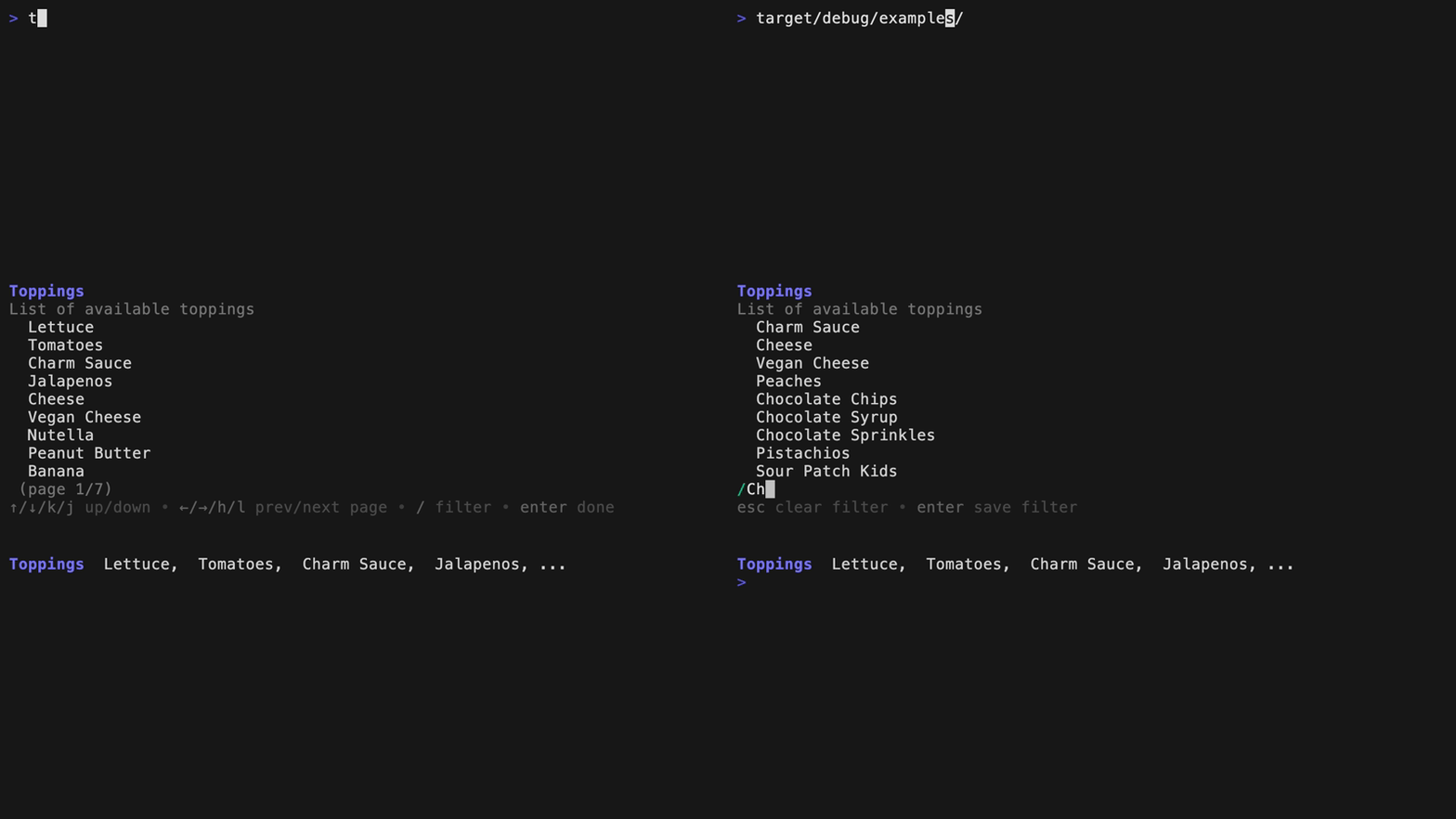
List
Shows a list of options. Run example with cargo run --example list.
use demand::List;

fn main() {
    let list = List::new("Toppings")
        .description("List of available toppings")
        .item("Lettuce")
        .item("Tomatoes")
        .item("Charm Sauce")
        .item("Jalapenos")
        .item("Cheese")
        .item("Vegan Cheese")
        .item("Nutella")
        .item("Peanut Butter")
        .item("Banana")
        .filterable(true);
    list.run().expect("error running list")
}
Select
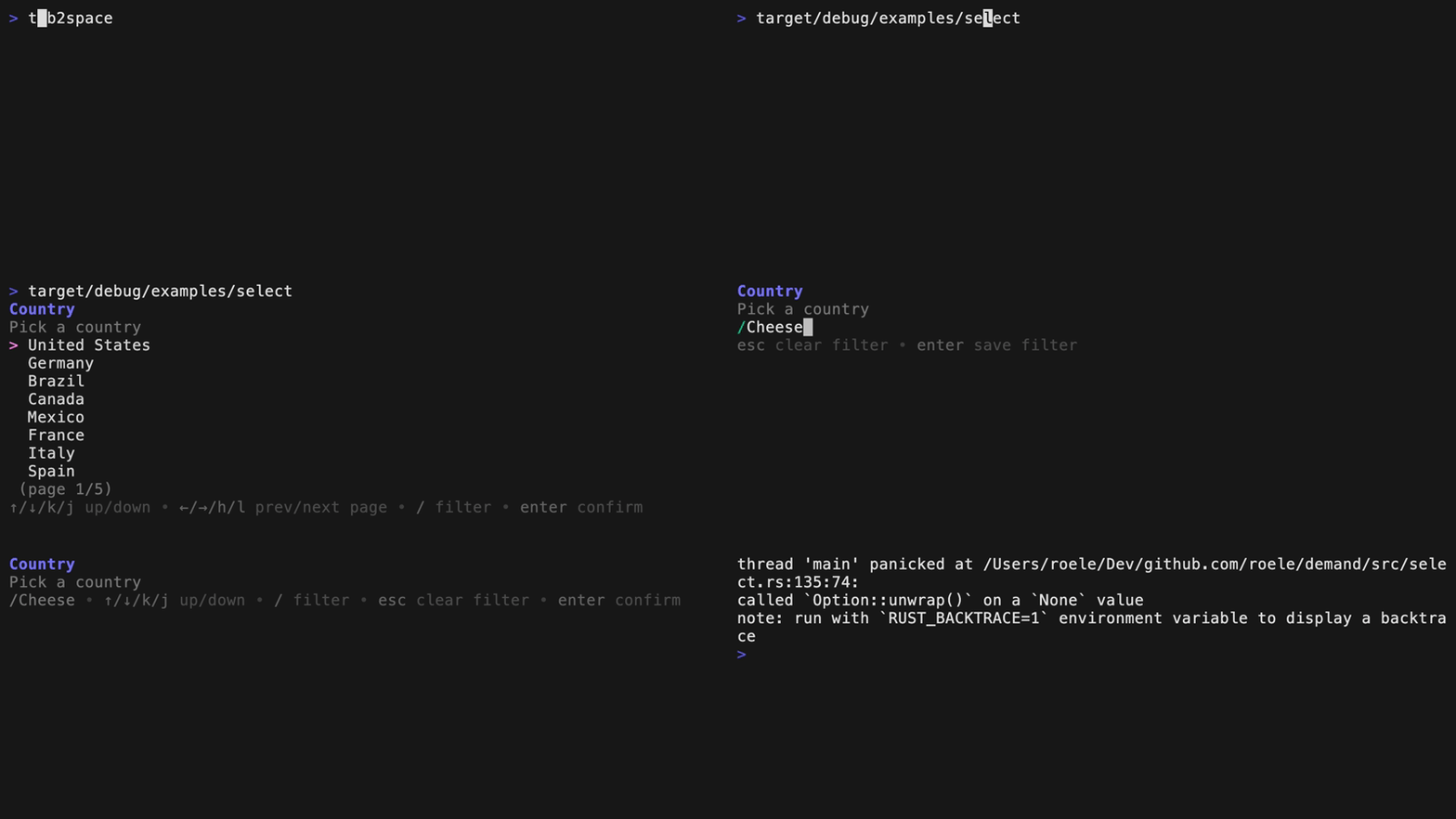
Select from a list of options.
Run example with cargo run --example select.
use demand::{DemandOption, Select};

fn main() {
    let ms = Select::new("Toppings")
        .description("Select your topping")
        .filterable(true)
        .option(DemandOption::new("Lettuce").description("Fresh and crispy"))
        .option(DemandOption::new("Tomatoes").description("Juicy and red"))
        .option(DemandOption::new("Charm Sauce").description("Our secret recipe"))
        .option(DemandOption::new("Jalapenos").label("Jalapeños").description("Spicy and hot"))
        .option(DemandOption::new("Cheese").description("Melted and gooey"))
        .option(DemandOption::new("Vegan Cheese").description("Melted and gooey"))
        .option(DemandOption::new("Nutella").description("Sweet and creamy"));
    ms.run().expect("error running select");
}
Multiselect
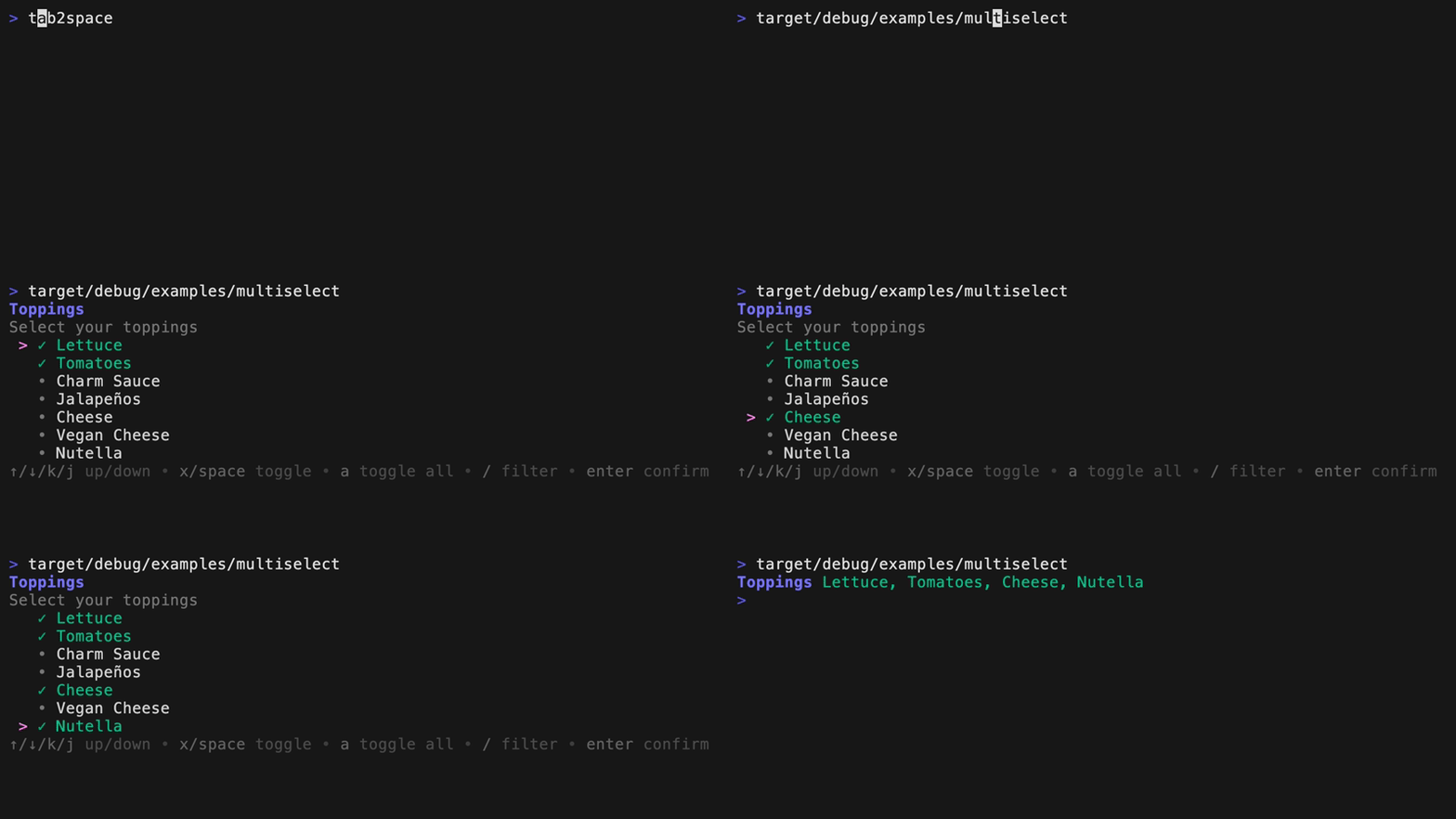
Select multiple options from a list.
Run example with cargo run --example multiselect.
use demand::{DemandOption, MultiSelect};

fn main() {
    let ms = MultiSelect::new("Toppings")
        .description("Select your toppings")
        .min(1)
        .max(4)
        .filterable(true)
        .option(DemandOption::new("Lettuce").selected(true))
        .option(DemandOption::new("Tomatoes").selected(true))
        .option(DemandOption::new("Charm Sauce"))
        .option(DemandOption::new("Jalapenos").label("Jalapeños"))
        .option(DemandOption::new("Cheese"))
        .option(DemandOption::new("Vegan Cheese"))
        .option(DemandOption::new("Nutella"));
    ms.run().expect("error running multi select");
}
Confirm
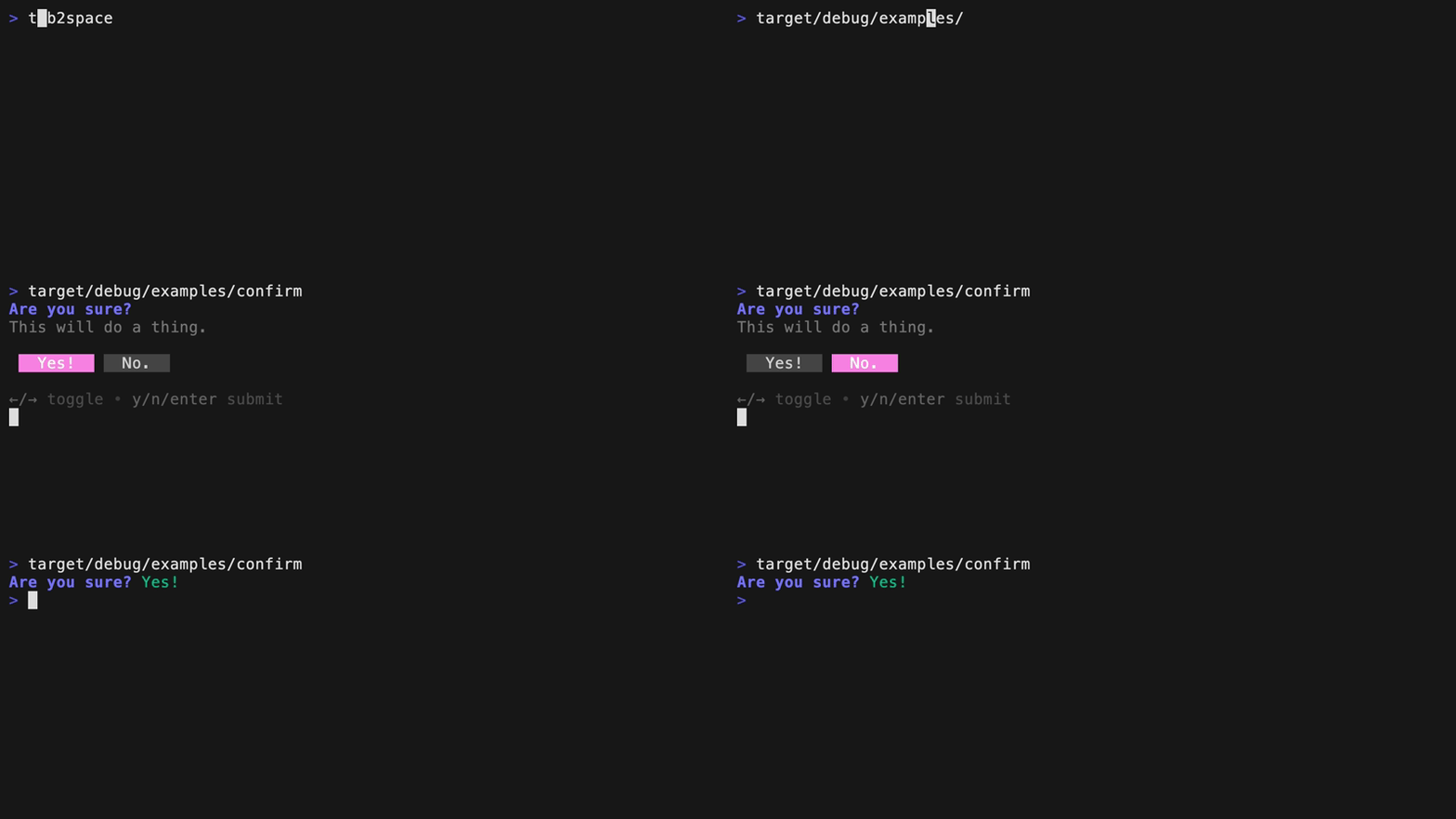
Confirm a question with a yes or no.
Run example with cargo run --example confirm.
use demand::Confirm;

fn main() {
    let ms = Confirm::new("Are you sure?")
        .affirmative("Yes!")
        .negative("No.");
    let yes = ms.run().expect("error running confirm");
}
Dialog
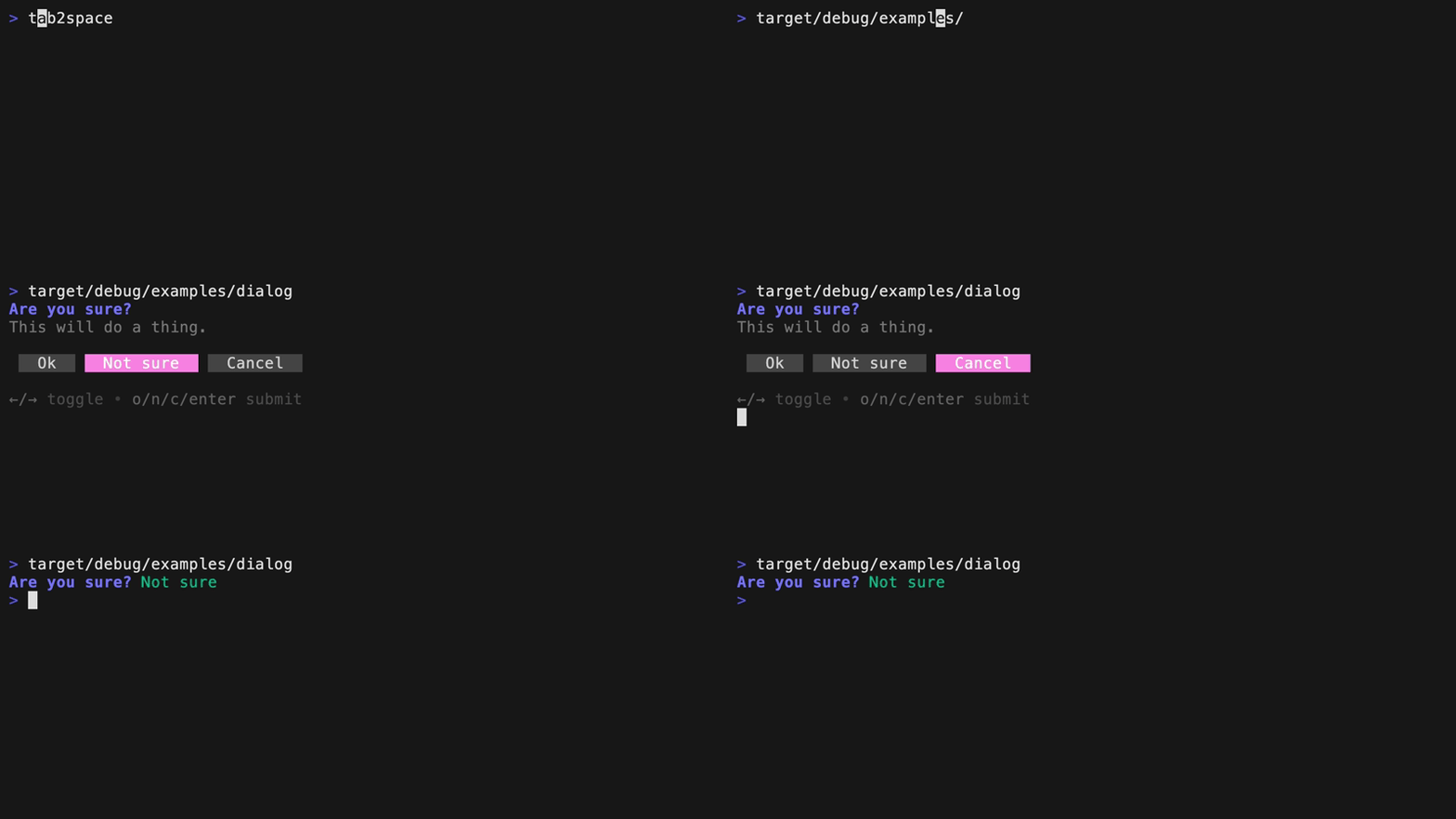
Show a dialog with multiple buttons.
Run example with cargo run --example dialog.
use demand::{Dialog, DialogButton};

fn main() {
    let ms = Dialog::new("Are you sure?")
        .description("This will do a thing.")
        .buttons(vec![
            DialogButton::new("Ok"),
            DialogButton::new("Not sure"),
            DialogButton::new("Cancel"),
        ])
        .selected_button(1);
    ms.run().expect("error running confirm");
}
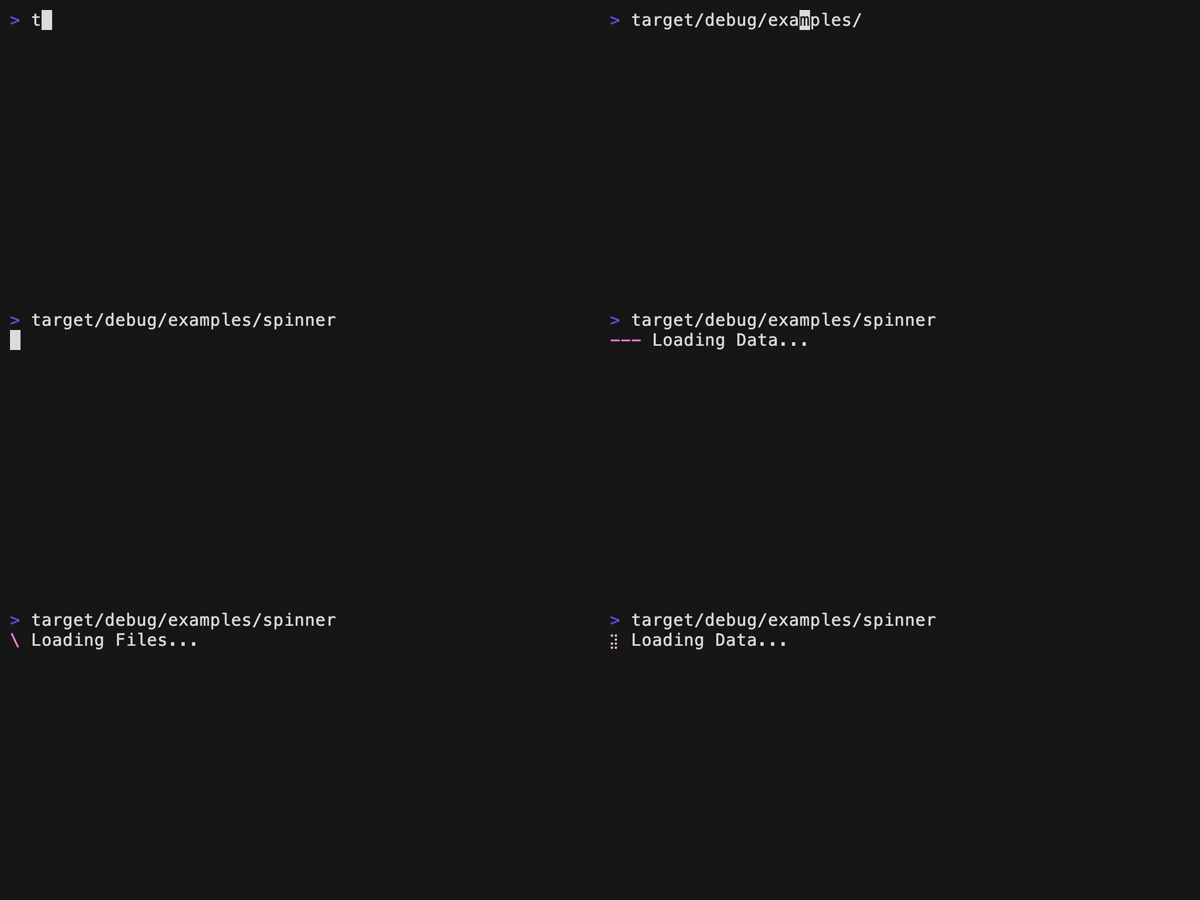
Spinner
Spinners are used to indicate that a process is running.
Run example with cargo run --example spinner.
use std::{thread::sleep, time::Duration};

use demand::{Spinner, SpinnerStyle};

fn main() {
    Spinner::new("Loading Data...")
        .style(SpinnerStyle::line())
        .run(|| {
            sleep(Duration::from_secs(2));
        })
        .expect("error running spinner");
}
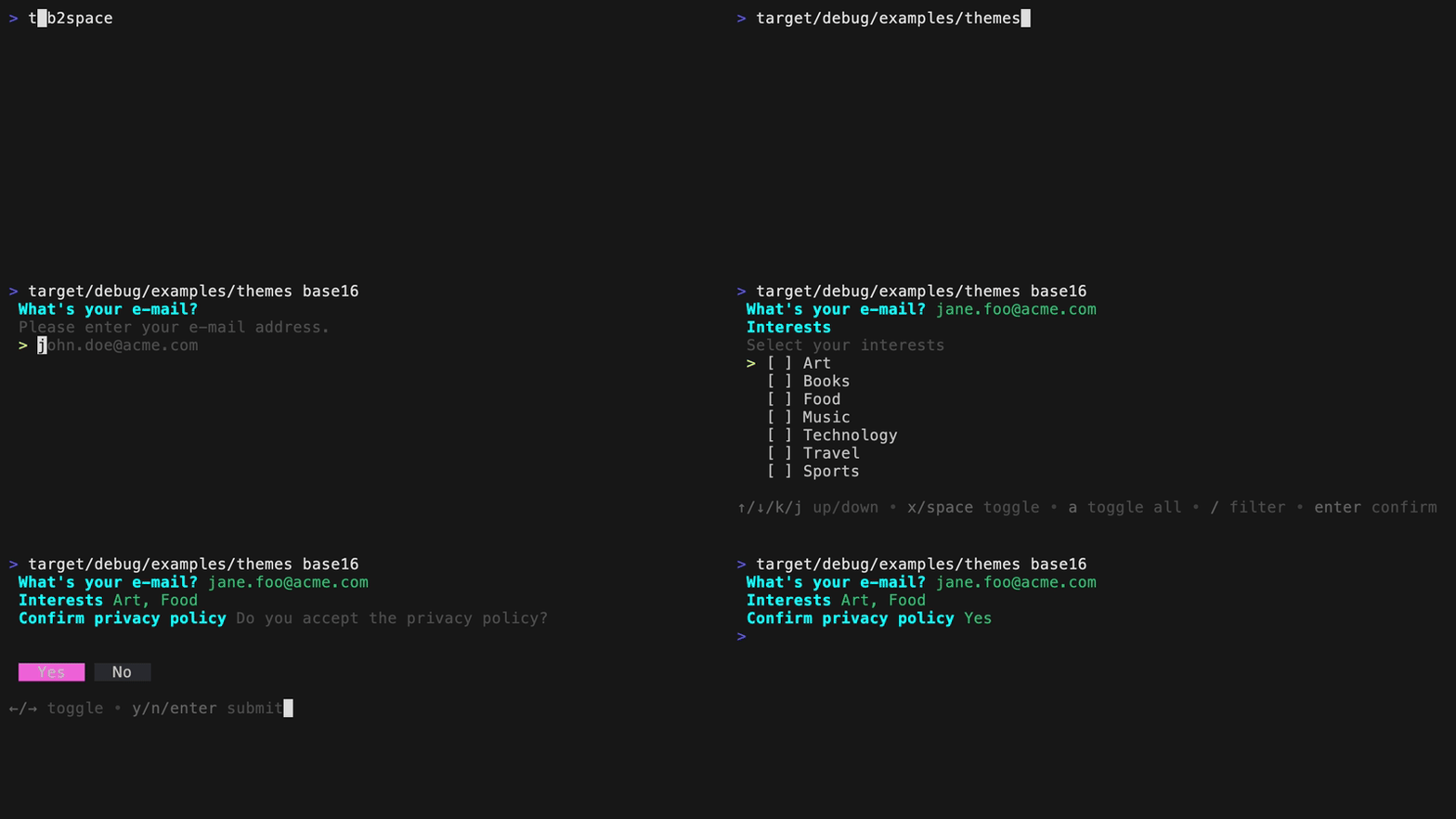
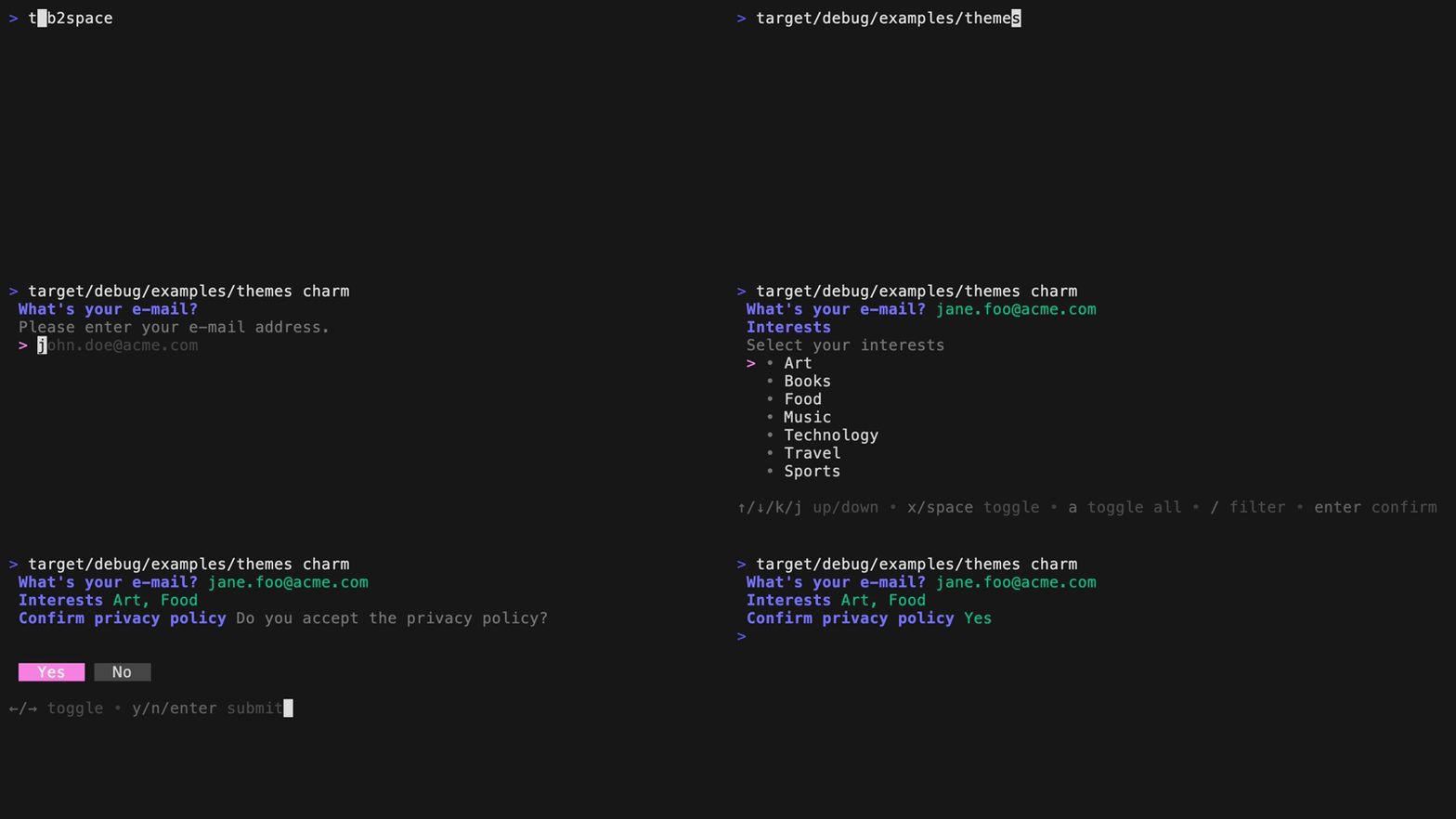
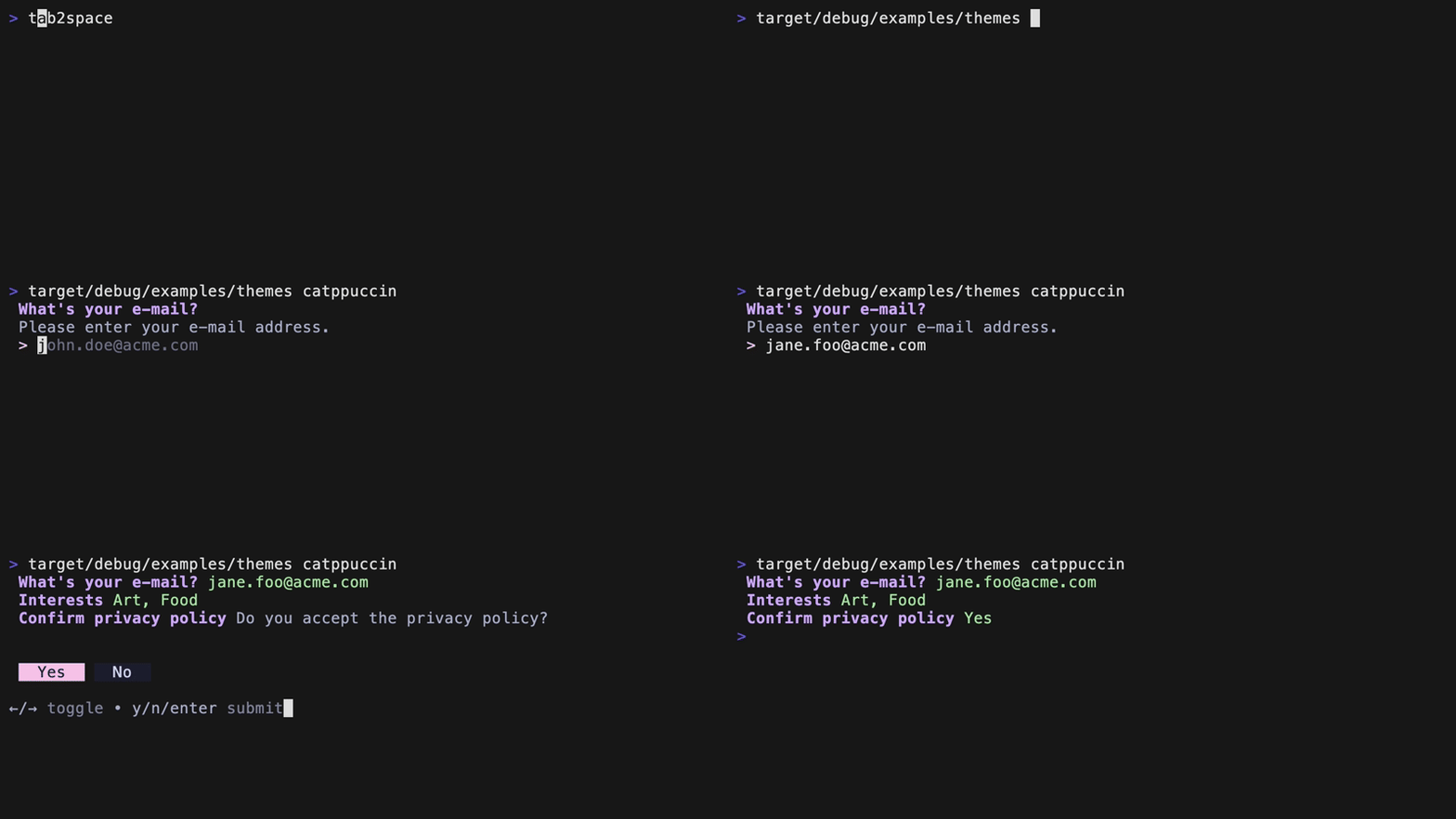
Themes
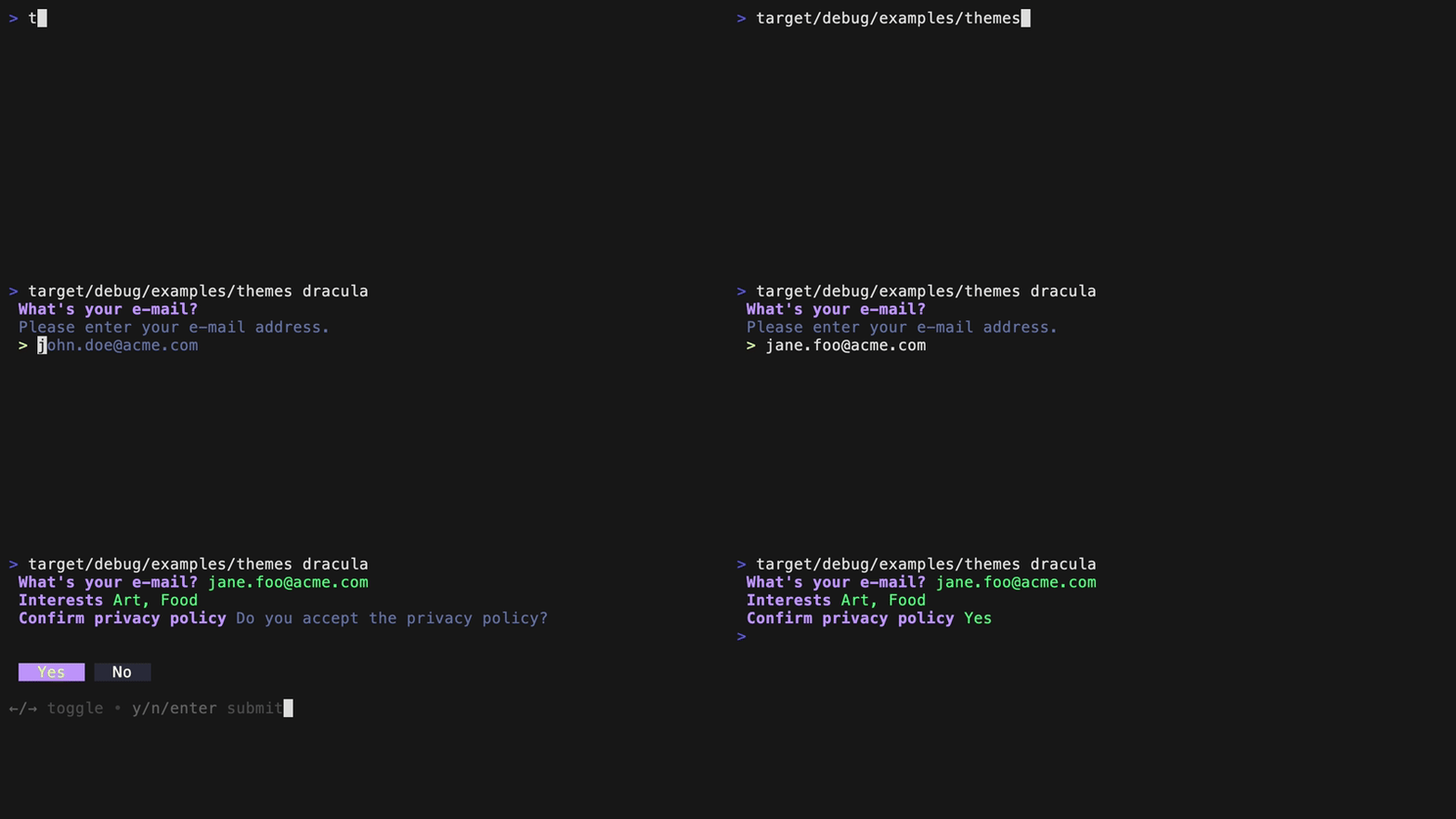
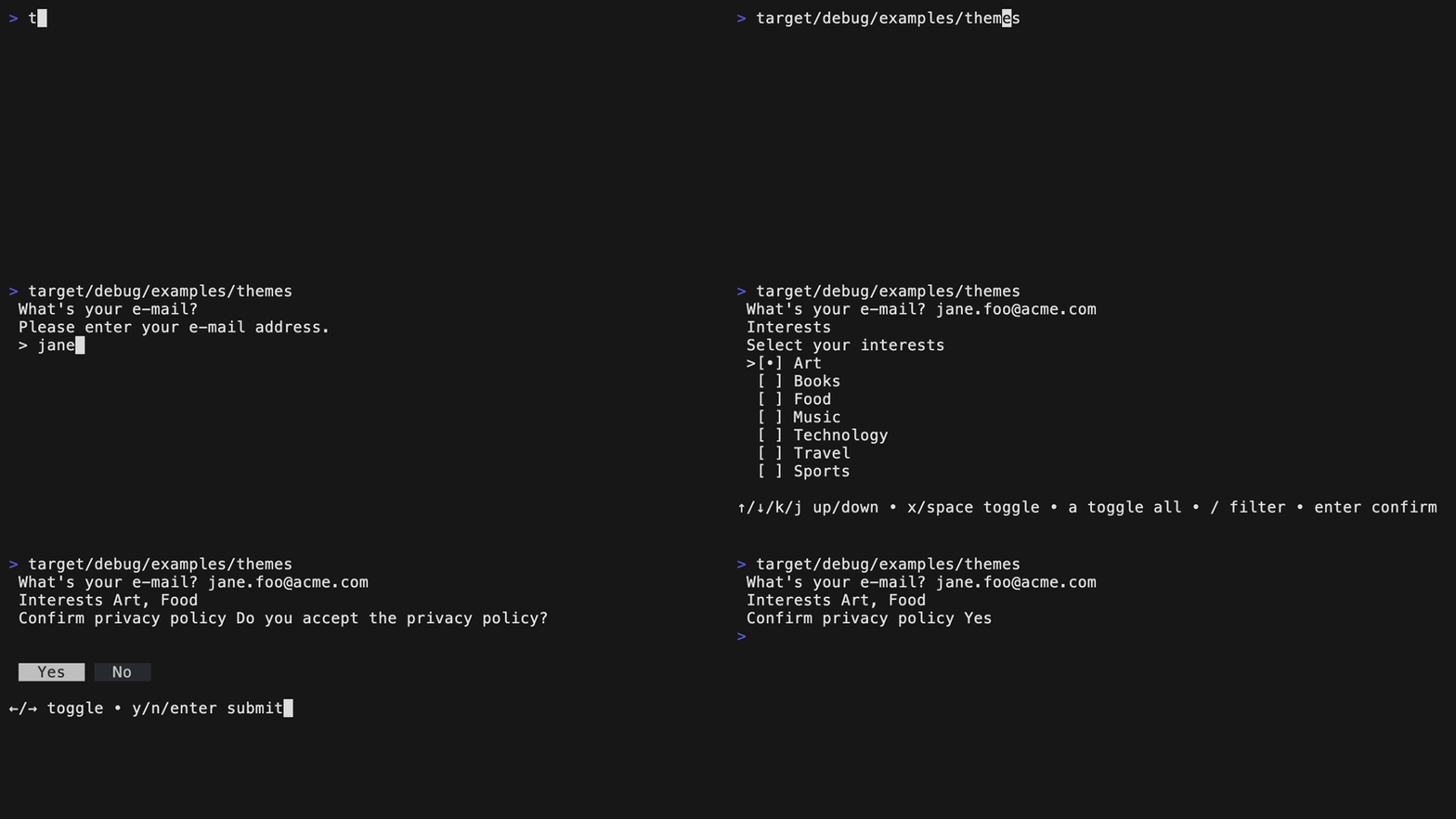
Supply your own custom theme or choose from one of the predefined themes:
Derive a custom theme from the default theme.
let theme = Theme {
    selected_prefix: String::from(" •"),
    selected_prefix_fg: Theme::color_rgb(2, 191, 135),
    unselected_prefix: String::from("  "),
    ..Theme::default()
};

Input::new("What's your e-mail?")
        .description("Please enter your e-mail address.")
        .placeholder("[email protected]")
        .theme(&theme)
        .run()
        .expect("error running input")?;
Base 16
Charm
Default if colors are enabled in the console.
Catppuccin
Dracula
New
Default if colors are NOT enabled in the console.
"demand"
The name of this library is inspired by a great mistranslation
that soured US-French relations in 1830. In French, the verb "demander" means "to ask".
Trang TopGit này là một snapshot — tab "Readme" hiển thị nguyên văn README của repo (đã bỏ link, giữ ảnh). Repo GitHub ở github.com/jdx/demand là nguồn chính thức.
jdx/demand có bao nhiêu sao?
jdx/demand có 242 sao GitHub — tải lại trang để xem số mới nhất, hoặc xem trực tiếp github.com/jdx/demand. TopGit phản chiếu số sao của GitHub nhưng không cam kết đến từng phút.
jdx/demand có phải mã nguồn mở không?
Có — jdx/demand phát hành theo license MIT, nghĩa là mã nguồn mở để đọc, fork và (tùy license) tái sử dụng. Mã: github.com/jdx/demand.
jdx/demand có trang demo không?
Dự án có trang chủ ở https://docs.rs/demand. Tab "Readme" ở trang này thường có ảnh chụp và hướng dẫn bắt đầu nhanh.
jdx/demand là gì?
jdx/demand (jdx/demand) là dự án Rust trên GitHub. Theo mô tả gốc: prompt library for rust
Đọc đầy đủ README ở tab phía trên.
Vẫn đang phân vân về demand?
Một cú bấm sẽ gửi câu hỏi kèm trang này cho AI — xem AI nói gì về demand.