kataras/iris-cli là dự án mã nguồn mở trên GitHub với 122 sao, viết chủ yếu bằng Go. [WIP] Iris Command Line Interface
Tóm tắt dựng từ metadata GitHub của chính dự án — chưa có bài review TopGit. Trang sẽ tự động cập nhật khi bài review đầy đủ được xuất bản.
VÌ SAO CHƯA CÓ REVIEW
TopGit viết bài đầy đủ cho repo có nhiều sao nhất và được yêu cầu nhiều nhất. Trang này là snapshot trong thời gian chờ — xem README gốc ở tab READ ME.
$ iris-cli run
# optional argument, the project directory or
# a project template.
Download, install and run a project template at once.
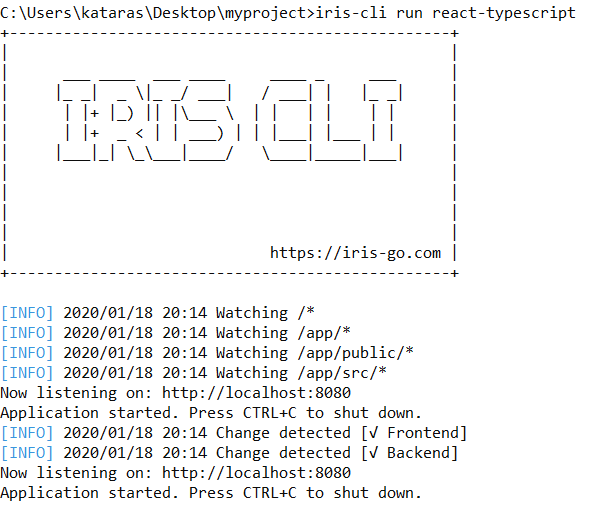
$ iris-cli run react-typescript
Clean Command
$ iris-cli clean
# optional argument, the project directory,
# defaults to the current working directory.
Unistall Command
$ iris-cli unistall
# optional argument, the project directory,
# defaults to the current working directory.
Init Command
Create a new local iris project file through a local git repository.
$ iris-cli init
It creates the .iris.yml file for you. Note that, it adds a .gitignore entry of .iris.yml too. Therefore .iris.yml SHOULD be git-ignored as its settings depend on the current environment. Contributors of an iris-cli project should use their own versions of .iris.yml file.
Stats command shows stats for a collection of modules based on the
major Go Proxies (goproxy.cn, gocenter.io, goproxy.io). Modules are separated by spaces.
Get Download Count
Download count per GOPROXY for a module and total for repository.
The above command will export the stats data to the downloads.yml file. When it contains data, the stats will be appended, so you have a history of stats. Run that command multiple times, e.g. wait 1minute, then wait 30 seconds and e.t.c. so we can have a sample data for the example.
Now, with that history, we can view the total downloads per repository with the stats compare --download-count command.
That will fetch the history and show the stats of the last 24 hours sorted by ascending timestamp of history entry. And shows how many new downloads each repository (base of one or more modules) has since the first entry(oldest) and the last one(newest).
The --src flag is required. You can disable the humanize time of the above by setting the --pretty=false flag. Customize its time format through the --time-format flag.
Note that the history file should be always generated through the iris-cli tool for consistent results.
List Versions
List all available releases Go Proxies have cached.
We'd love to see your contribution to the Iris CLI! For more information about contributing to the Iris Command Line Interface please check the CONTRIBUTING.md file.
List of all Contributors
License
Iris CLI is free and open-source software licensed under the MIT License.
Trang TopGit này là một snapshot — tab "Readme" hiển thị nguyên văn README của repo (đã bỏ link, giữ ảnh). Repo GitHub ở github.com/kataras/iris-cli là nguồn chính thức.
kataras/iris-cli có bao nhiêu sao?
kataras/iris-cli có 122 sao GitHub — tải lại trang để xem số mới nhất, hoặc xem trực tiếp github.com/kataras/iris-cli. TopGit phản chiếu số sao của GitHub nhưng không cam kết đến từng phút.
kataras/iris-cli có phải mã nguồn mở không?
Có — kataras/iris-cli phát hành theo license MIT, nghĩa là mã nguồn mở để đọc, fork và (tùy license) tái sử dụng. Mã: github.com/kataras/iris-cli.
kataras/iris-cli còn đang phát triển không?
Commit gần nhất trên kataras/iris-cli là 2.2 năm trước (theo timestamp GitHub). Repo có 10 fork — một chỉ báo về mức độ quan tâm của cộng đồng.
kataras/iris-cli là gì?
kataras/iris-cli (kataras/iris-cli) là dự án Go trên GitHub. Theo mô tả gốc: [WIP] Iris Command Line Interface
Đọc đầy đủ README ở tab phía trên.
Vẫn đang phân vân về iris-cli?
Một cú bấm sẽ gửi câu hỏi kèm trang này cho AI — xem AI nói gì về iris-cli.

 /iris-cli