kataras/iris-cli sits at 123 stars on GitHub, written primarily in Go. [WIP] Iris Command Line Interface
Snapshot summary built from the project's own GitHub metadata — there's no written TopGit review yet. The page will update automatically when a full review is published.
WHY NO REVIEW YET
TopGit writes full reviews for the most-starred, most-requested repositories. This page is a snapshot until then — see the READ ME tab for the original README in full.
$ iris-cli run
# optional argument, the project directory or
# a project template.
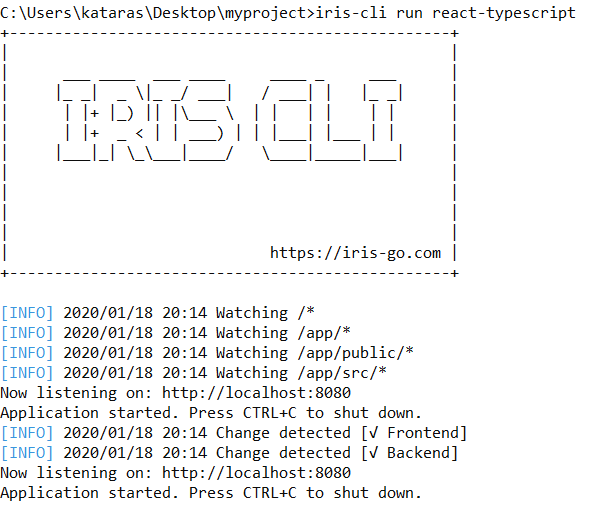
Download, install and run a project template at once.
$ iris-cli run react-typescript
Clean Command
$ iris-cli clean
# optional argument, the project directory,
# defaults to the current working directory.
Unistall Command
$ iris-cli unistall
# optional argument, the project directory,
# defaults to the current working directory.
Init Command
Create a new local iris project file through a local git repository.
$ iris-cli init
It creates the .iris.yml file for you. Note that, it adds a .gitignore entry of .iris.yml too. Therefore .iris.yml SHOULD be git-ignored as its settings depend on the current environment. Contributors of an iris-cli project should use their own versions of .iris.yml file.
Stats command shows stats for a collection of modules based on the
major Go Proxies (goproxy.cn, gocenter.io, goproxy.io). Modules are separated by spaces.
Get Download Count
Download count per GOPROXY for a module and total for repository.
The above command will export the stats data to the downloads.yml file. When it contains data, the stats will be appended, so you have a history of stats. Run that command multiple times, e.g. wait 1minute, then wait 30 seconds and e.t.c. so we can have a sample data for the example.
Now, with that history, we can view the total downloads per repository with the stats compare --download-count command.
That will fetch the history and show the stats of the last 24 hours sorted by ascending timestamp of history entry. And shows how many new downloads each repository (base of one or more modules) has since the first entry(oldest) and the last one(newest).
The --src flag is required. You can disable the humanize time of the above by setting the --pretty=false flag. Customize its time format through the --time-format flag.
Note that the history file should be always generated through the iris-cli tool for consistent results.
List Versions
List all available releases Go Proxies have cached.
We'd love to see your contribution to the Iris CLI! For more information about contributing to the Iris Command Line Interface please check the CONTRIBUTING.md file.
List of all Contributors
License
Iris CLI is free and open-source software licensed under the MIT License.
The most recent commit recorded on kataras/iris-cli was 1.9 years ago, based on the GitHub push timestamp. The repository has 10 forks — one of the better signals of community interest.
How many stars does kataras/iris-cli have?
kataras/iris-cli has 123 GitHub stars — refresh the page for the live number, or check github.com/kataras/iris-cli. TopGit mirrors GitHub's count but does not claim minute-by-minute accuracy.
Is kataras/iris-cli open source?
Yes — kataras/iris-cli ships under the MIT license, which makes its source code freely readable (and, depending on license terms, forkable and reusable). Source: github.com/kataras/iris-cli.
What is kataras/iris-cli?
kataras/iris-cli (kataras/iris-cli) is a Go project on GitHub. From the project's own README: [WIP] Iris Command Line Interface
Where do I read more about kataras/iris-cli?
This TopGit page is a snapshot — the READ ME tab shows the project's own README content (links stripped, images preserved). The GitHub repository at github.com/kataras/iris-cli is the definitive source.
Read full README in the tab above.
Is iris-cli worth your time?
ChatGPT, Claude and Perplexity can all read this page. Ask one of them what it makes of iris-cli.
 /iris-cli