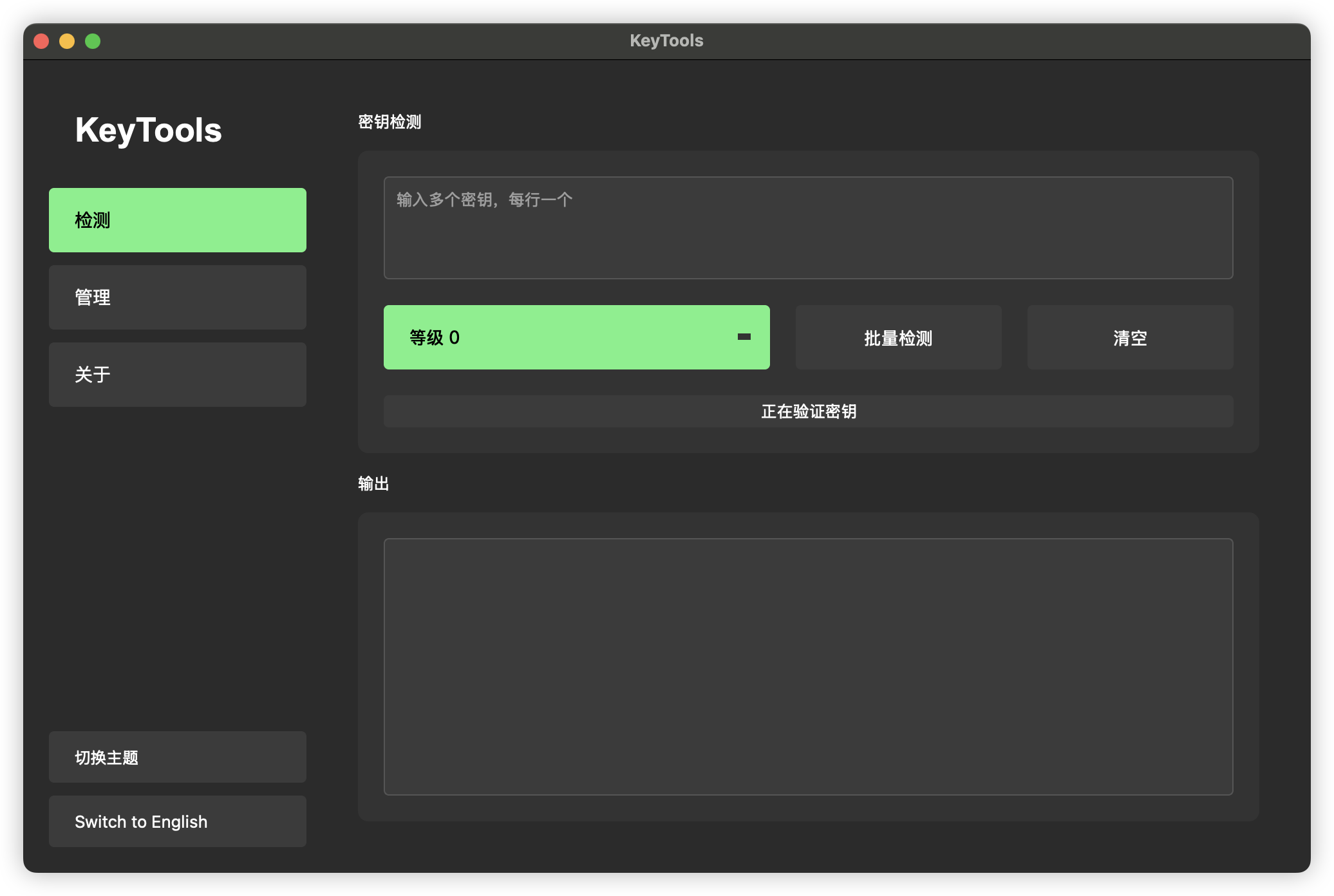
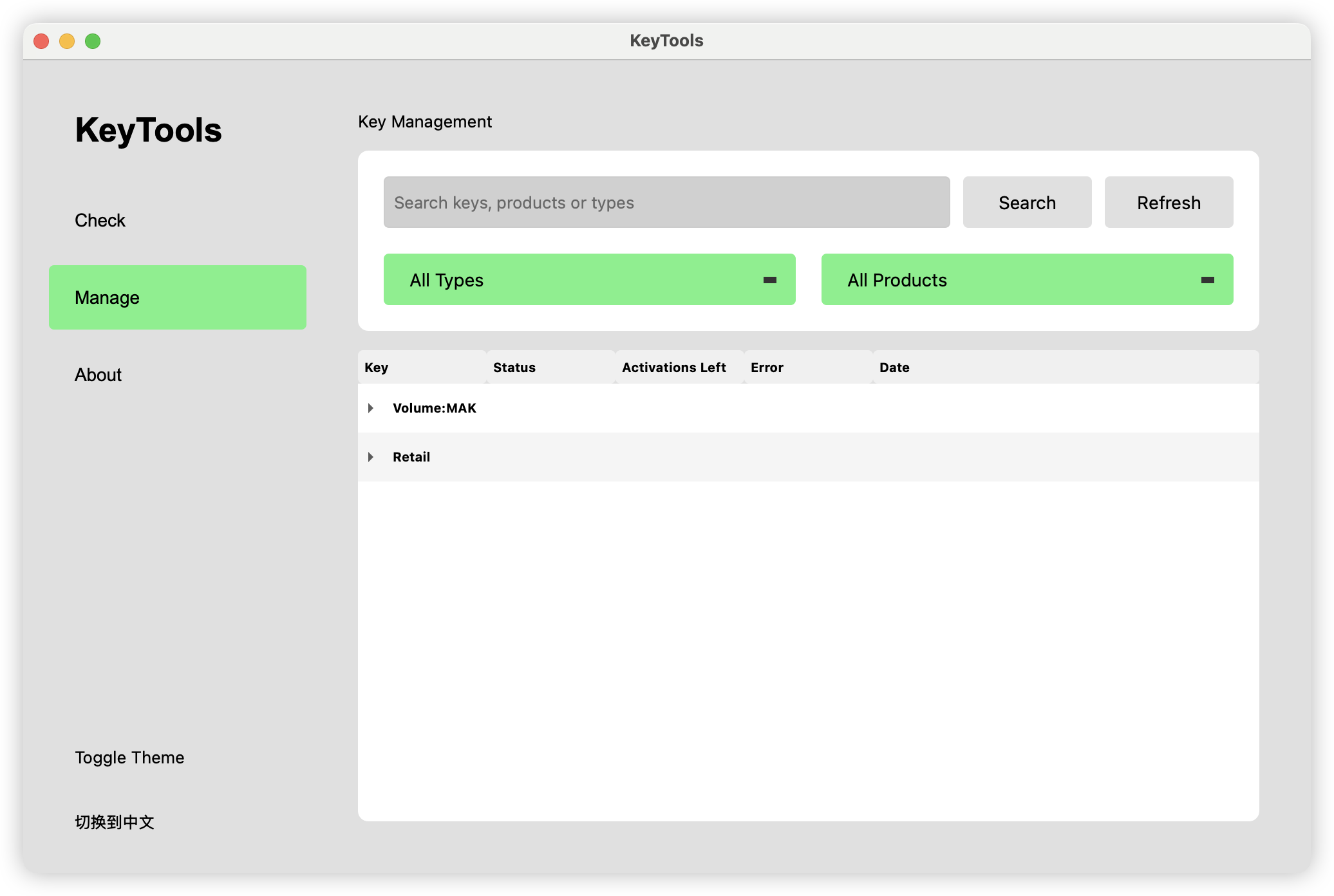
Là một dự án mã nguồn mở, lbjlaq/KeyTools đã đạt 17 sao trên GitHub, ngôn ngữ HTML. KeyTools 密钥验证与管理工具 专业的微软产品密钥验证工具,提供批量检测、多级验证策略和全面的密钥管理功能 KeyTools Key Verification Professional Microsoft product key verification tool with batch detection, multi-level validation strategies and comprehensive key management
Tóm tắt dựng từ metadata GitHub của chính dự án — chưa có bài review TopGit. Trang sẽ tự động cập nhật khi bài review đầy đủ được xuất bản.
VÌ SAO CHƯA CÓ REVIEW
TopGit viết bài đầy đủ cho repo có nhiều sao nhất và được yêu cầu nhiều nhất. Trang này là snapshot trong thời gian chờ — xem README gốc ở tab READ ME.
🔑 KeyTools - Professional Key Verification and Management Tool
KeyTools is a powerful Microsoft product key verification and management tool. It provides batch detection, multi-level validation strategies (to save activation count), MAK remaining activation query, and comprehensive key management functions.
✨ Features
Multiple Verification Levels: Choose verification intensity to save activation attempts
Batch Key Verification: Process multiple keys in one operation
Key Management: Organize keys by type and product
MAK Query: Check remaining activations for MAK keys
Modern Interface: Clean UI with dark/light theme support
Multi-language: Supports English and Chinese
🔧 Installation
Download the appropriate version for your system:
macOS ARM64: KeyTools_ARM64.dmg
macOS Intel: KeyTools_Intel.dmg
Windows: keytools.exe
⚠️ IMPORTANT: First-Time Setup
For the application to function correctly, you need to manually copy the configuration files:
First, launch the application
Go to the "About" tab in the application
Click on the configuration path shown in the About page to open the folder
Copy the pkeyconfigs folder into this location
Configuration paths:
For Windows:
%APPDATA%\KeyTools
For macOS:
~/.KeyTools/config/
ℹ️ The application will NOT function correctly without these configuration files!
📖 Usage
Key Verification:
Enter product keys in the "Check" tab (one key per line)
Select verification level (0-2)
Click "Batch Check" to verify
Key Management:
View all verified keys in the "Manage" tab
Search and filter keys by type or product
Right-click any key to copy or update its status
Settings:
Toggle between dark and light themes
Switch between English and Chinese languages
🛠️ System Requirements
Windows: Windows 10 or later
macOS: macOS 10.14 (Mojave) or later
📥 Download
You can download the latest version of KeyTools from the following sources:
Trang TopGit này là một snapshot — tab "Readme" hiển thị nguyên văn README của repo (đã bỏ link, giữ ảnh). Repo GitHub ở github.com/lbjlaq/KeyTools là nguồn chính thức.
lbjlaq/KeyTools có bao nhiêu sao?
lbjlaq/KeyTools có 17 sao GitHub — tải lại trang để xem số mới nhất, hoặc xem trực tiếp github.com/lbjlaq/KeyTools. TopGit phản chiếu số sao của GitHub nhưng không cam kết đến từng phút.
lbjlaq/KeyTools có tag gì không?
Bản đồng bộ chưa ghi nhận topic GitHub nào cho lbjlaq/KeyTools. GitHub topics hiển thị ở thanh bên phải trang repo — đó là nơi đáng kiểm tra nhất.
lbjlaq/KeyTools còn đang phát triển không?
Commit gần nhất trên lbjlaq/KeyTools là 1.3 năm trước (theo timestamp GitHub). Repo có 5 fork — một chỉ báo về mức độ quan tâm của cộng đồng.
lbjlaq/KeyTools viết bằng ngôn ngữ gì?
lbjlaq/KeyTools chủ yếu viết bằng HTML. Trường "language" của GitHub dựa trên phần lớn byte ở nhánh mặc định.
Đọc đầy đủ README ở tab phía trên.
Muốn nghe thêm một ý kiến về KeyTools?
Hỏi một AI đọc được trang này — một cú bấm là có ngay nhận định về KeyTools.