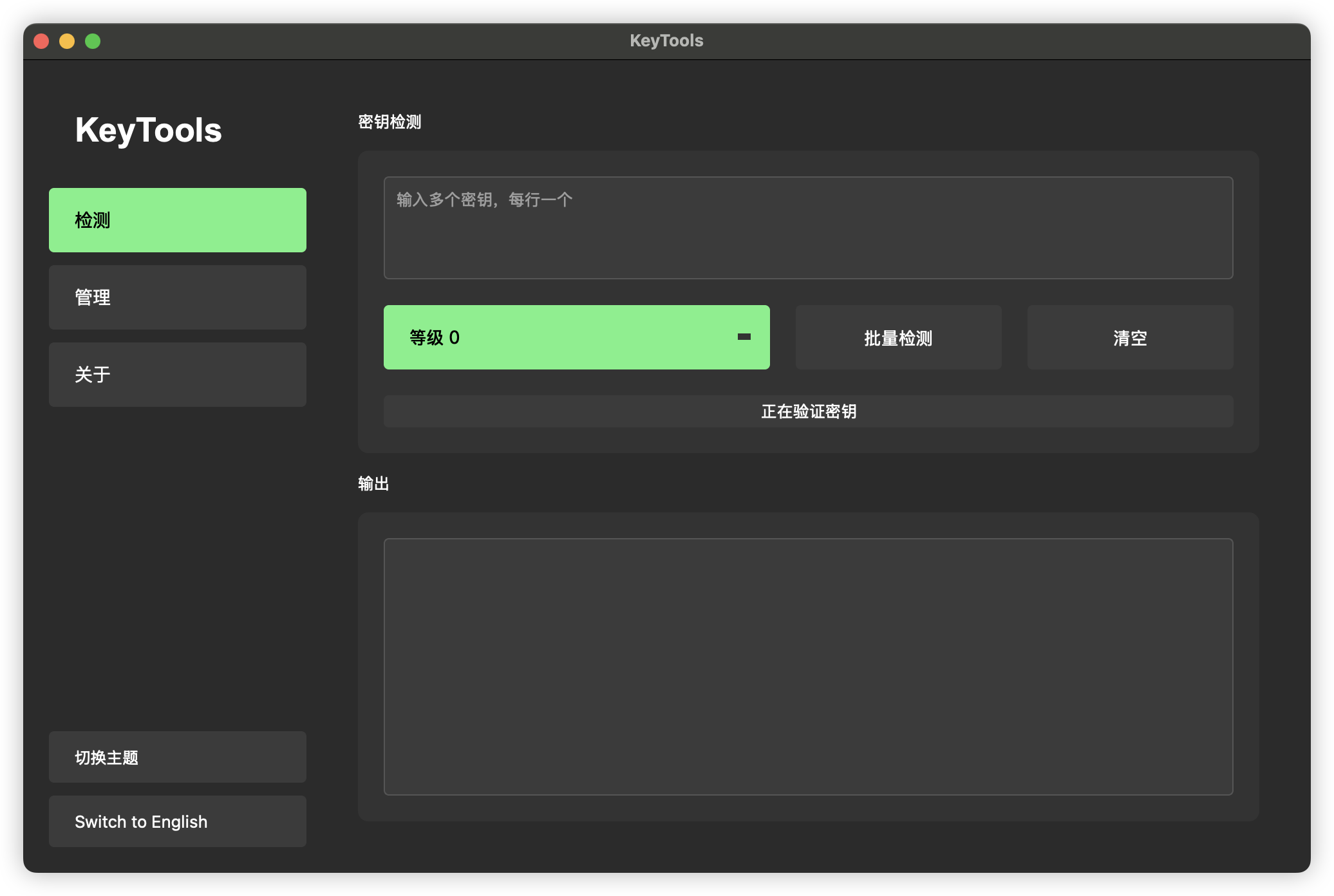
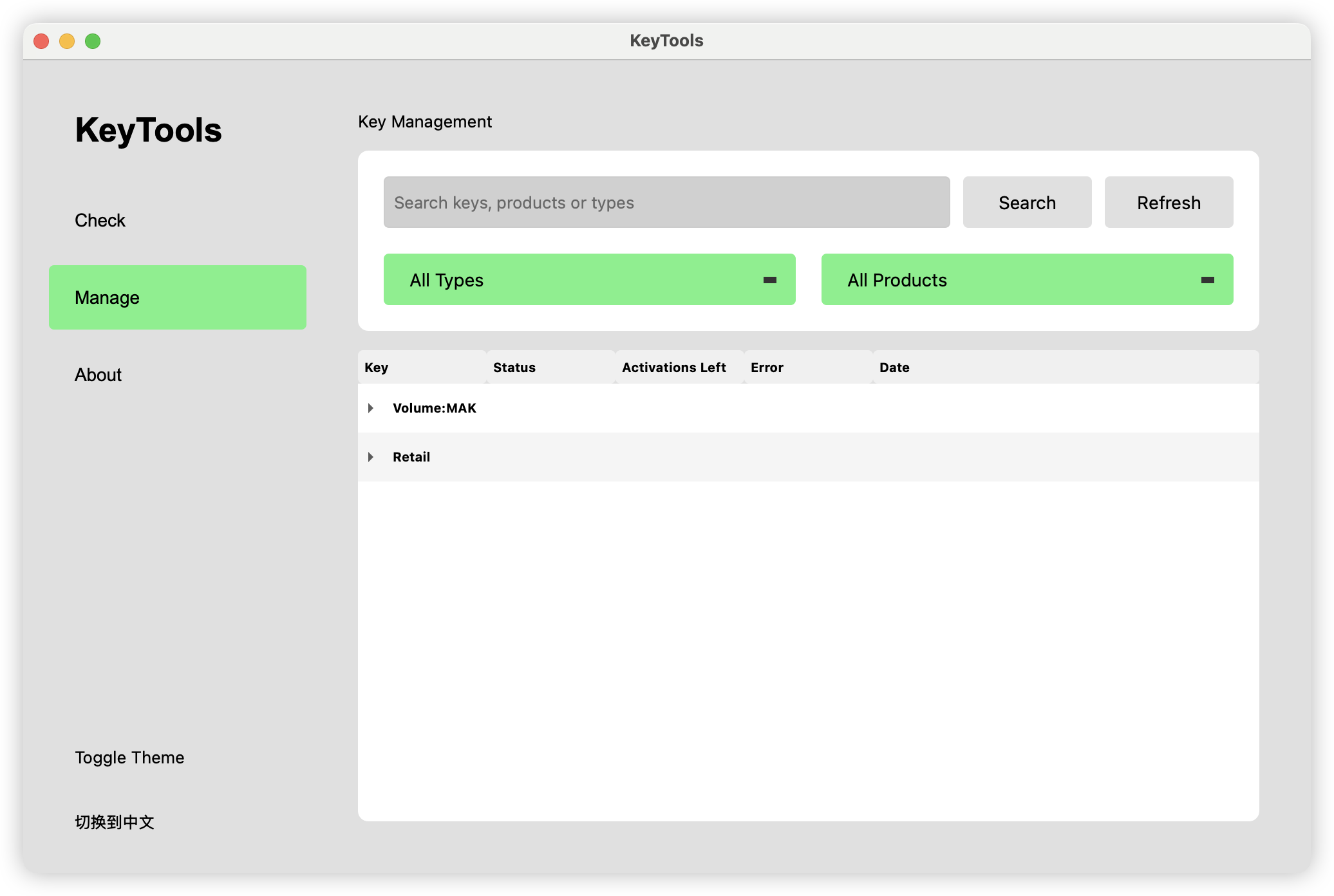
lbjlaq/KeyTools is one of the open-source repositories TopGit tracks, currently at 17 stars, written primarily in HTML. KeyTools 密钥验证与管理工具 专业的微软产品密钥验证工具,提供批量检测、多级验证策略和全面的密钥管理功能 KeyTools Key Verification Professional Microsoft product key verification tool with batch detection, multi-level validation strategies and comprehensive key management
Snapshot summary built from the project's own GitHub metadata — there's no written TopGit review yet. The page will update automatically when a full review is published.
WHY NO REVIEW YET
TopGit writes full reviews for the most-starred, most-requested repositories. This page is a snapshot until then — see the READ ME tab for the original README in full.
🔑 KeyTools - Professional Key Verification and Management Tool
KeyTools is a powerful Microsoft product key verification and management tool. It provides batch detection, multi-level validation strategies (to save activation count), MAK remaining activation query, and comprehensive key management functions.
✨ Features
Multiple Verification Levels: Choose verification intensity to save activation attempts
Batch Key Verification: Process multiple keys in one operation
Key Management: Organize keys by type and product
MAK Query: Check remaining activations for MAK keys
Modern Interface: Clean UI with dark/light theme support
Multi-language: Supports English and Chinese
🔧 Installation
Download the appropriate version for your system:
macOS ARM64: KeyTools_ARM64.dmg
macOS Intel: KeyTools_Intel.dmg
Windows: keytools.exe
⚠️ IMPORTANT: First-Time Setup
For the application to function correctly, you need to manually copy the configuration files:
First, launch the application
Go to the "About" tab in the application
Click on the configuration path shown in the About page to open the folder
Copy the pkeyconfigs folder into this location
Configuration paths:
For Windows:
%APPDATA%\KeyTools
For macOS:
~/.KeyTools/config/
ℹ️ The application will NOT function correctly without these configuration files!
📖 Usage
Key Verification:
Enter product keys in the "Check" tab (one key per line)
Select verification level (0-2)
Click "Batch Check" to verify
Key Management:
View all verified keys in the "Manage" tab
Search and filter keys by type or product
Right-click any key to copy or update its status
Settings:
Toggle between dark and light themes
Switch between English and Chinese languages
🛠️ System Requirements
Windows: Windows 10 or later
macOS: macOS 10.14 (Mojave) or later
📥 Download
You can download the latest version of KeyTools from the following sources:
TopGit's last sync did not record any GitHub topics for lbjlaq/KeyTools. GitHub topics appear in the right sidebar of a repository page; that's the authoritative place to check.
How active is development on lbjlaq/KeyTools?
The most recent commit recorded on lbjlaq/KeyTools was 1.4 years ago, based on the GitHub push timestamp. The repository has 5 forks — one of the better signals of community interest.
How many stars does lbjlaq/KeyTools have?
lbjlaq/KeyTools has 17 GitHub stars — refresh the page for the live number, or check github.com/lbjlaq/KeyTools. TopGit mirrors GitHub's count but does not claim minute-by-minute accuracy.
What language is lbjlaq/KeyTools written in?
lbjlaq/KeyTools is written primarily in HTML. GitHub's language field is based on the largest share of bytes in the default branch.
Where do I read more about lbjlaq/KeyTools?
This TopGit page is a snapshot — the READ ME tab shows the project's own README content (links stripped, images preserved). The GitHub repository at github.com/lbjlaq/KeyTools is the definitive source.
Read full README in the tab above.
Still deciding about KeyTools?
One click hands the question to an AI along with this page — see what it says about KeyTools.
 /KeyTools