max-mapper/menubar hiện có 6.8k sao trên GitHub, viết chủ yếu bằng TypeScript. ➖ high level way to create menubar desktop applications with electron
Tóm tắt dựng từ metadata GitHub của chính dự án — chưa có bài review TopGit. Trang sẽ tự động cập nhật khi bài review đầy đủ được xuất bản.
VÌ SAO CHƯA CÓ REVIEW
TopGit viết bài đầy đủ cho repo có nhiều sao nhất và được yêu cầu nhiều nhất. Trang này là snapshot trong thời gian chờ — xem README gốc ở tab READ ME.
High level way to create menubar desktop applications with Electron.
This module provides boilerplate for setting up a menubar application using Electron. All you have to do is point it at your index.html and menubar will handle the rest.
✅ Only one dependency, and one peer-dependency.
✅ Works on macOS, Windows and most Linuxes. See details.
✅ 💥 3.6kB minified + gzipped 💥
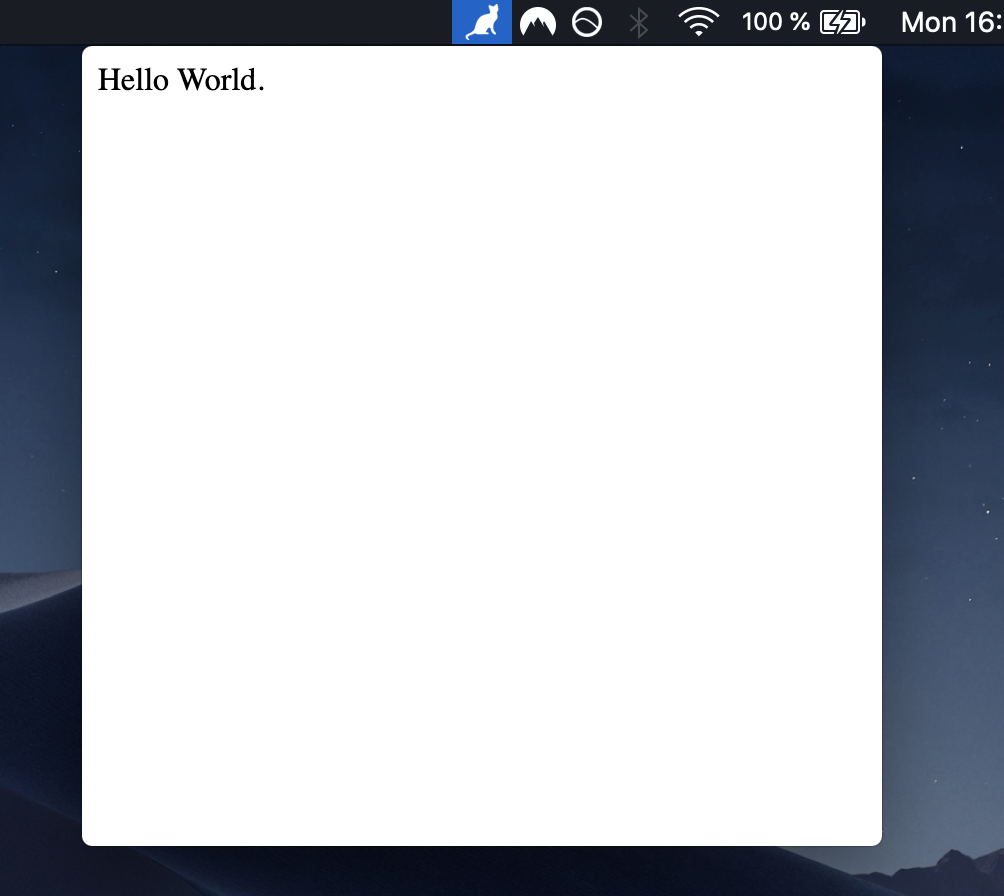
macOS Mojave 10.14
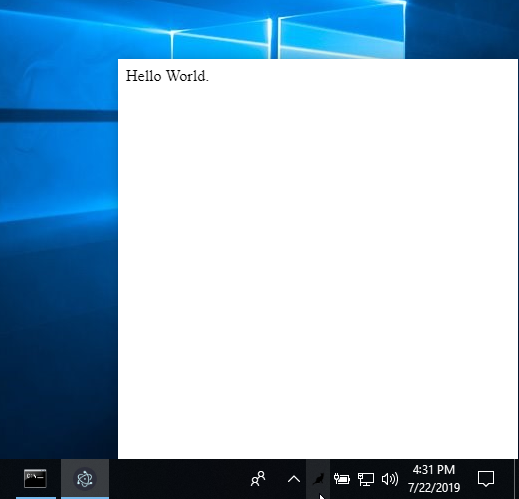
Windows 10
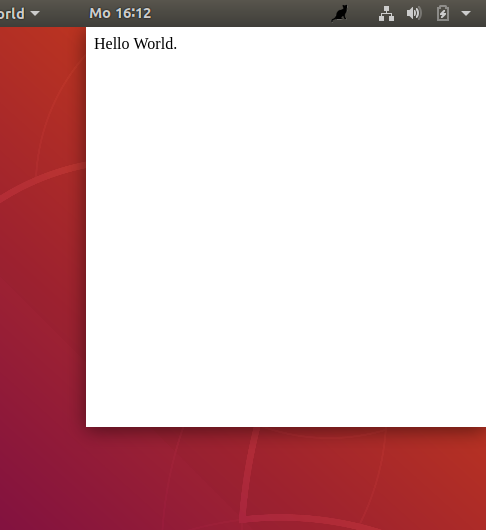
Ubuntu 18.04
Installation
yarn add menubar
Usage
Starting with your own new project, run these commands:
Fill index.html with some HTML, and myApp.js like this:
const { menubar } = require('menubar');

const mb = menubar();

mb.on('ready', () => {
  console.log('app is ready');
  // your app code here
});
Then use electron to run the app:
$ electron myApp.js
Alternatively, see examples/hello-world folder for a simple working example.
Menubar Class
The return value of menubar() is a Menubar class instance, which has these properties:
app: the Electron App instance,
window: the Electron Browser Window instance,
tray: the Electron Tray instance,
positioner: the Electron Positioner instance,
setOption(option, value): change an option after menubar is created,
getOption(option): get an menubar option,
showWindow(): show the menubar window,
hideWindow(): hide the menubar window
See the reference API docs.
menubar() Options
You can pass an optional options object into the menubar({ ... }) function:
dir (default process.cwd()) - the app source directory
index (default file:// + opts.dir + index.html) - The URL to load the menubar's browserWindow with. The url can be a remote address (e.g. http://) or a path to a local HTML file using the file:// protocol.
browserWindow - BrowserWindow options to be passed to the BrowserWindow constructor, see Electron docs. Some interesting fields to passed down are:
x (default undefined) - the x position of the window
y (default undefined) - the y position of the window
width (default 400) - window width
height (default 400) - window height
alwaysOnTop (default false) - if true, the window will not hide on blur
icon (default opts.dir + IconTemplate.png) - the png icon to use for the menubar. A good size to start with is 20x20. To support retina, supply a 2x sized image (e.g. 40x40) with @2x added to the end of the name, so icon.png and [email protected] and Electron will automatically use your @2x version on retina screens.
tooltip (default empty) - menubar tray icon tooltip text
tray (default created on-the-fly) - an electron Tray instance. if provided opts.icon will be ignored
preloadWindow (default false) - Create BrowserWindow instance before it is used -- increasing resource usage, but making the click on the menubar load faster.
loadUrlOptions - (default undefined) The options passed when loading the index URL in the menubar's browserWindow. Everything browserWindow.loadURL supports is supported; this object is simply passed onto browserWindow.loadURL
showOnAllWorkspaces (default true) - Makes the window available on all OS X workspaces.
windowPosition (default trayCenter and trayBottomCenter on Windows) - Sets the window position (x and y will still override this), check positioner docs for valid values.
showDockIcon (default false) - Configure the visibility of the application dock icon.
showOnRightClick (default false) - Show the window on 'right-click' event instead of regular 'click'
See the reference API docs.
Events
The Menubar class is an event emitter:
ready - when menubar's tray icon has been created and initialized, i.e. when menubar is ready to be used. Note: this is different than Electron app's ready event, which happens much earlier in the process
create-window - the line before new BrowserWindow() is called
before-load - after create window, before loadUrl (can be used for require("@electron/remote/main").enable(webContents))
after-create-window - the line after all window init code is done and url was loaded
show - the line before window.show() is called
after-show - the line after window.show() is called
hide - the line before window.hide() is called (on window blur)
after-hide - the line after window.hide() is called
after-close - after the .window (BrowserWindow) property has been deleted
focus-lost - emitted if always-on-top option is set and the user clicks away
Compatibility with Electron
menubar
Electron
Notes
9.x.x
>= 9.x.x
Continuously type-checked against Electron 35.x.x - 43.x.x in CI
8.x.x
8.x.xx
7.x.x
7.x.xx
6.x.x
>= 4.x.x < 7.x.x
Not recommended for security reasons
<= 5.x.x
<= 3.x.x
Please, please don't use these old versions
API Docs
See the reference API docs.
Tips
Use mb.on('after-create-window', callback) to run things after your app has loaded. For example you could run mb.window.openDevTools() to open the developer tools for debugging, or load a different URL with mb.window.loadURL()
Use mb.on('focus-lost') if you would like to perform some operation when using the option browserWindow.alwaysOnTop: true
To restore focus of previous window after menubar hide, use mb.on('after-hide', () => { mb.app.hide() } ) or similar
To create a native menu, you can use tray.setContextMenu(contextMenu), and pass this custom tray to menubar: const mb = menubar({ tray });. See this example for more information.
To avoid a flash when opening your menubar app, you can disable backgrounding the app using the following: mb.app.commandLine.appendSwitch('disable-backgrounding-occluded-windows', 'true');
Trang TopGit này là một snapshot — tab "Readme" hiển thị nguyên văn README của repo (đã bỏ link, giữ ảnh). Repo GitHub ở github.com/max-mapper/menubar là nguồn chính thức.
max-mapper/menubar có bao nhiêu sao?
max-mapper/menubar có 6.8k sao GitHub — tải lại trang để xem số mới nhất, hoặc xem trực tiếp github.com/max-mapper/menubar. TopGit phản chiếu số sao của GitHub nhưng không cam kết đến từng phút.
max-mapper/menubar có tag gì không?
Bản đồng bộ chưa ghi nhận topic GitHub nào cho max-mapper/menubar. GitHub topics hiển thị ở thanh bên phải trang repo — đó là nơi đáng kiểm tra nhất.
max-mapper/menubar có website riêng không?
TopGit chưa ghi nhận URL trang chủ cho max-mapper/menubar. Phần README ở tab phía trên thường có link demo, hoặc xem mô tả GitHub của repo.
max-mapper/menubar còn đang phát triển không?
Commit gần nhất trên max-mapper/menubar là 3 tháng trước (theo timestamp GitHub). Repo có 362 fork — một chỉ báo về mức độ quan tâm của cộng đồng.
max-mapper/menubar dùng license gì?
max-mapper/menubar phát hành theo license BSD-2-Clause. Nên mở file LICENSE trên GitHub để xác nhận — license metadata đôi khi lệch với thực tế dự án.
max-mapper/menubar viết bằng ngôn ngữ gì?
max-mapper/menubar chủ yếu viết bằng TypeScript. Trường "language" của GitHub dựa trên phần lớn byte ở nhánh mặc định.
Đọc đầy đủ README ở tab phía trên.
Chưa chắc menubar có hợp với bạn?
Để ChatGPT, Claude hoặc Perplexity tìm hiểu giúp — bấm bên dưới và xem AI nói gì về menubar.

 /menubar