Trên GitHub, nektos/mu đã đạt 2 sao, ngôn ngữ Go. A full-stack DevOps on AWS framework
Tóm tắt dựng từ metadata GitHub của chính dự án — chưa có bài review TopGit. Trang sẽ tự động cập nhật khi bài review đầy đủ được xuất bản.
VÌ SAO CHƯA CÓ REVIEW
TopGit viết bài đầy đủ cho repo có nhiều sao nhất và được yêu cầu nhiều nhất. Trang này là snapshot trong thời gian chờ — xem README gốc ở tab READ ME.
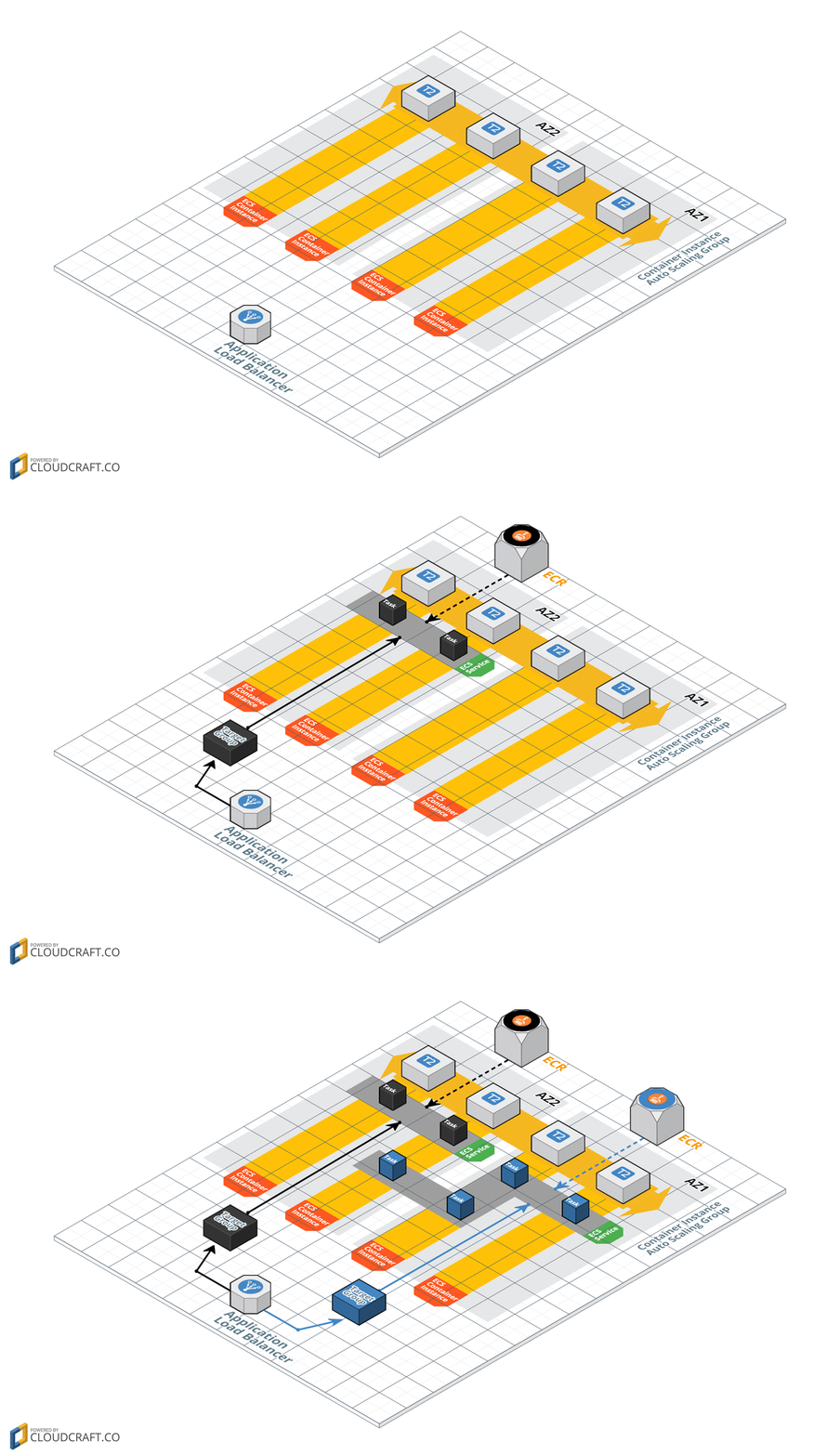
Both Amazon ECS (Elastic Container Service) and Amazon EKS (Elastic Container Service for Kubernetes) provide excellent platforms for deploying microservices as containers. The challenge however is that there is a significant learning curve for microservice developers to deploy their applications in an efficient manner. Specifically, they must learn to use CloudFormation to orchestrate the management of EKS, ECS, ECR, EC2, ELB, VPC, and IAM resources. Additionally, tools like CodeBuild and CodePipeline must be mastered to create a continuous delivery pipeline for their microservices.
To address these challenges, this tool was created to simplify the declaration and administration of the AWS resources necessary to support microservices. Similar to how the Serverless Framework improved the developer experience of Lambda and API Gateway, this tool makes it easier for developers to use EKS or ECS as a microservices platform.
The mu tool uses CloudFormation stacks to manage all resources it creates. Additionally, mu will not create any databases or other AWS resources to support itself. It will only create resources (via CloudFormation) necessary to run your microservices. This means at any point you can stop using mu and continue to manage the AWS resources that it created via AWS tools such as the CLI or the console.
Demo
Watch the 90 second demo below to see mu in action!
Get Started!
Install latest version to /usr/local/bin (or for additional options, see wiki):
curl -s https://getmu.io/install.sh | sudo sh
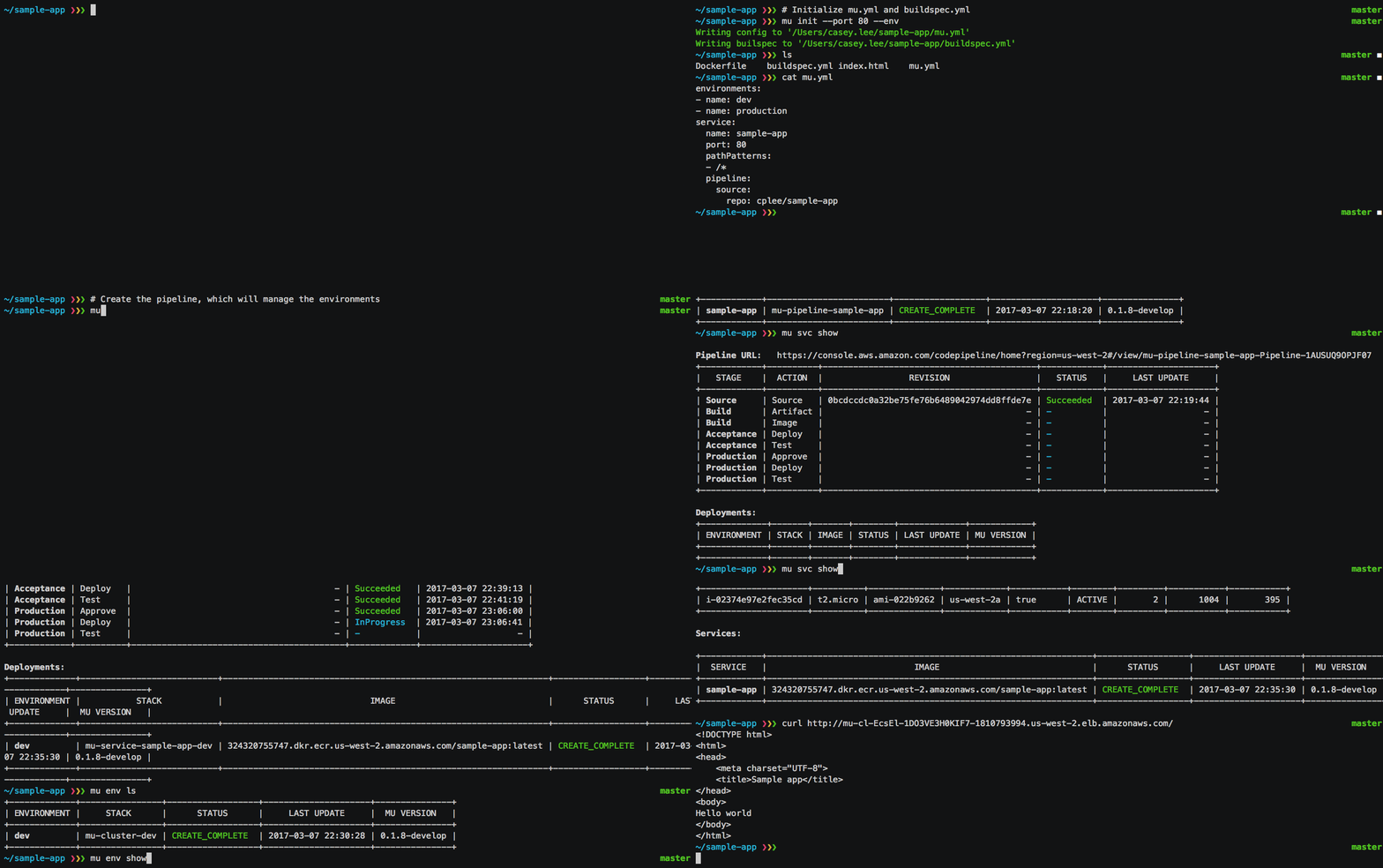
Assuming your project already has a Dockerfile, you can initialize your mu.yml file with: mu init. More details available in the quickstart.
What's next?
Check out the examples to see snippets of mu.yml configuration files that you can use in your own project:
Basic - Simple website with continuous delivery pipeline deploying to dev and prod environments
EKS - Demonstration of using EKS provider for mu
Test Automation - Automating end-to-end testing via Newman
RDS Database - Defining a database for a service
Env Variables - Defining environment variables for the service
HTTPS - Enable HTTPS on the ALB for an environment
DNS - Associate Route53 resource record with ALB for an environment
VPC Target - Targeting an existing VPC for an environment
VPN Connection - Demonstration of adding VPN via CloudFormation
Custom CloudFormation - Demonstration of adding custom AWS resources via CloudFormation
Traditional Infrastructure - Demonstration of using EC2 + CodeDeploy rather than ECS for running services
Refer to the wiki for complete details on the configuration of mu.yml and the cli usage:
Environments - managing VPCs, ECS clusters, container instances and ALBs
Trang TopGit này là một snapshot — tab "Readme" hiển thị nguyên văn README của repo (đã bỏ link, giữ ảnh). Repo GitHub ở github.com/nektos/mu là nguồn chính thức.
nektos/mu có phải mã nguồn mở không?
Có — nektos/mu phát hành theo license MIT, nghĩa là mã nguồn mở để đọc, fork và (tùy license) tái sử dụng. Mã: github.com/nektos/mu.
nektos/mu có tag gì không?
Bản đồng bộ chưa ghi nhận topic GitHub nào cho nektos/mu. GitHub topics hiển thị ở thanh bên phải trang repo — đó là nơi đáng kiểm tra nhất.
nektos/mu có trang demo không?
Dự án có trang chủ ở https://getmu.io. Tab "Readme" ở trang này thường có ảnh chụp và hướng dẫn bắt đầu nhanh.
nektos/mu còn đang phát triển không?
Commit gần nhất trên nektos/mu là 7.7 năm trước (theo timestamp GitHub). Repo có 0 fork — một chỉ báo về mức độ quan tâm của cộng đồng.
nektos/mu dùng license gì?
nektos/mu phát hành theo license MIT. Nên mở file LICENSE trên GitHub để xác nhận — license metadata đôi khi lệch với thực tế dự án.
Đọc đầy đủ README ở tab phía trên.
Muốn nghe thêm một ý kiến về mu?
Hỏi một AI đọc được trang này — một cú bấm là có ngay nhận định về mu.
 /mu
/mu