nektos/mu — 2★ on GitHub (Go). A full-stack DevOps on AWS framework
Snapshot summary built from the project's own GitHub metadata — there's no written TopGit review yet. The page will update automatically when a full review is published.
WHY NO REVIEW YET
TopGit writes full reviews for the most-starred, most-requested repositories. This page is a snapshot until then — see the READ ME tab for the original README in full.
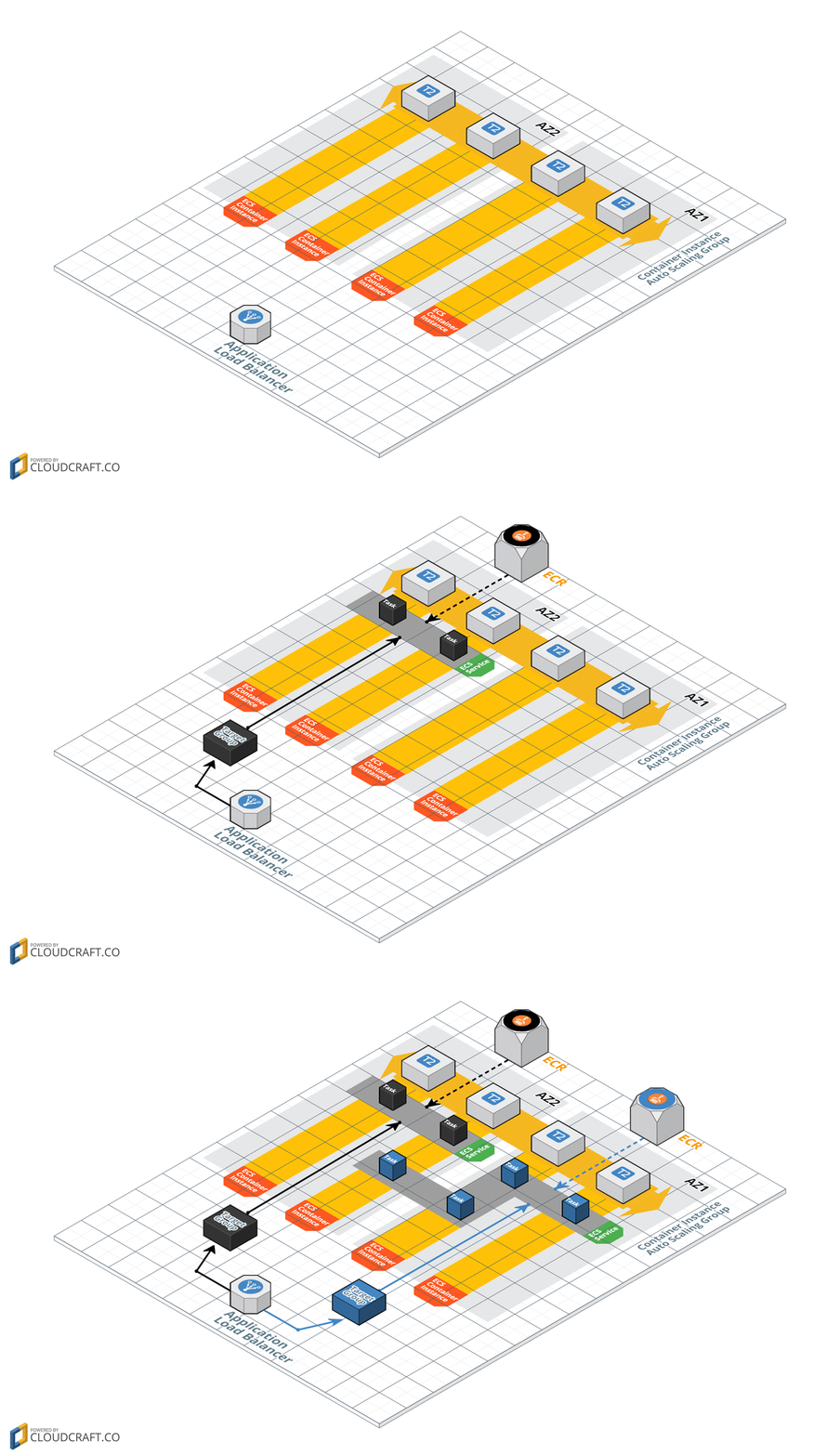
Both Amazon ECS (Elastic Container Service) and Amazon EKS (Elastic Container Service for Kubernetes) provide excellent platforms for deploying microservices as containers. The challenge however is that there is a significant learning curve for microservice developers to deploy their applications in an efficient manner. Specifically, they must learn to use CloudFormation to orchestrate the management of EKS, ECS, ECR, EC2, ELB, VPC, and IAM resources. Additionally, tools like CodeBuild and CodePipeline must be mastered to create a continuous delivery pipeline for their microservices.
To address these challenges, this tool was created to simplify the declaration and administration of the AWS resources necessary to support microservices. Similar to how the Serverless Framework improved the developer experience of Lambda and API Gateway, this tool makes it easier for developers to use EKS or ECS as a microservices platform.
The mu tool uses CloudFormation stacks to manage all resources it creates. Additionally, mu will not create any databases or other AWS resources to support itself. It will only create resources (via CloudFormation) necessary to run your microservices. This means at any point you can stop using mu and continue to manage the AWS resources that it created via AWS tools such as the CLI or the console.
Demo
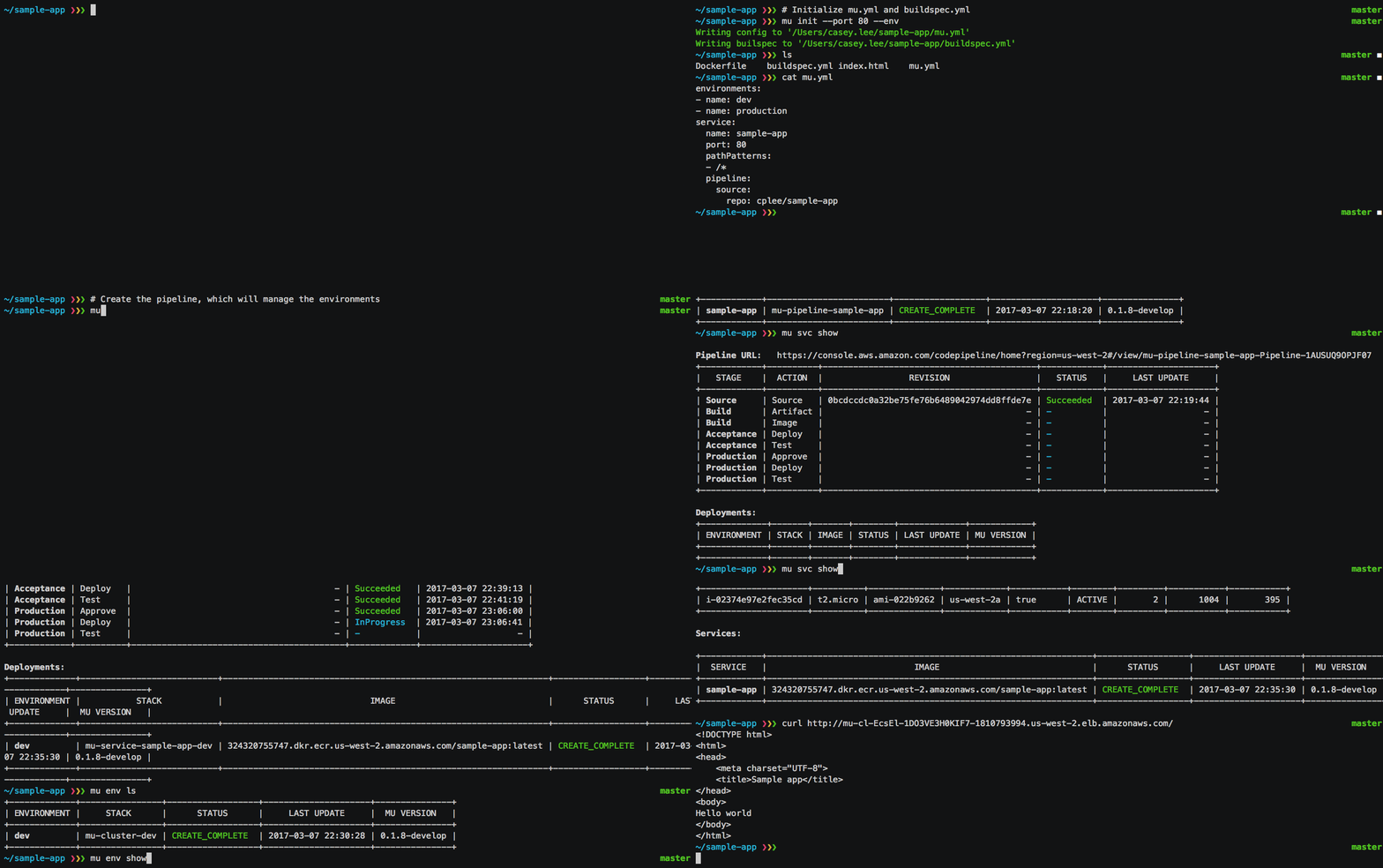
Watch the 90 second demo below to see mu in action!
Get Started!
Install latest version to /usr/local/bin (or for additional options, see wiki):
curl -s https://getmu.io/install.sh | sudo sh
Assuming your project already has a Dockerfile, you can initialize your mu.yml file with: mu init. More details available in the quickstart.
What's next?
Check out the examples to see snippets of mu.yml configuration files that you can use in your own project:
Basic - Simple website with continuous delivery pipeline deploying to dev and prod environments
EKS - Demonstration of using EKS provider for mu
Test Automation - Automating end-to-end testing via Newman
RDS Database - Defining a database for a service
Env Variables - Defining environment variables for the service
HTTPS - Enable HTTPS on the ALB for an environment
DNS - Associate Route53 resource record with ALB for an environment
VPC Target - Targeting an existing VPC for an environment
VPN Connection - Demonstration of adding VPN via CloudFormation
Custom CloudFormation - Demonstration of adding custom AWS resources via CloudFormation
Traditional Infrastructure - Demonstration of using EC2 + CodeDeploy rather than ECS for running services
Refer to the wiki for complete details on the configuration of mu.yml and the cli usage:
Environments - managing VPCs, ECS clusters, container instances and ALBs
TopGit's last sync did not record any GitHub topics for nektos/mu. GitHub topics appear in the right sidebar of a repository page; that's the authoritative place to check.
How active is development on nektos/mu?
The most recent commit recorded on nektos/mu was 7.7 years ago, based on the GitHub push timestamp. The repository has 0 forks — one of the better signals of community interest.
Is nektos/mu open source?
Yes — nektos/mu ships under the MIT license, which makes its source code freely readable (and, depending on license terms, forkable and reusable). Source: github.com/nektos/mu.
What license does nektos/mu use?
nektos/mu is released under the MIT license. Always verify the LICENSE file directly on GitHub for the authoritative terms — license strings can be edited out of sync with a project's actual stance.
Where can I see nektos/mu in action?
The project maintains a homepage at https://getmu.io. The README tab on this page also usually contains screenshots and a quickstart.
Where do I read more about nektos/mu?
This TopGit page is a snapshot — the READ ME tab shows the project's own README content (links stripped, images preserved). The GitHub repository at github.com/nektos/mu is the definitive source.
Read full README in the tab above.
Still deciding about mu?
One click hands the question to an AI along with this page — see what it says about mu.
 /mu
/mu